Supermarket & Grocery Solutions for
Digital Pricing and Faster Store Operations.
Supermarkets are digitized by our connected retail hardware ecosystem. Supermarket POS systems, Electronic Shelf Labels, digital price tags, barcode scanners, handheld PDAs, ESL gateways, and cloud-managed devices are synchronized to support accurate pricing, faster checkout, and paperless shelf management.
Supermarket Operations Move Fast. Manual Systems Slow Them Down.
Grocery stores manage thousands of SKUs, daily promotions, fresh food pricing, and multi-store operations. When pricing, checkout, and inventory devices are disconnected, labor cost is increased and accuracy is reduced.
Frequent Price Changes
Fresh food, daily deals, member prices, and seasonal promotions require fast price updates across shelves.
Manual Paper Labels
Paper price tags are replaced by staff manually. Time is wasted, and pricing errors can be created.
Online and Shelf Price Gaps
Prices shown on shelves, POS systems, and online channels must be synchronized to protect customer trust.
Long Checkout Lines
Slow checkout hardware, limited scanning speed, and disconnected peripherals can reduce customer flow.
Low Inventory Visibility
Inventory checks, replenishment, and shelf verification become harder when mobile scanning tools are missing.
Complex Chain Store Rollout
Multi-store supermarket networks need consistent hardware, remote management, and scalable deployment.
A Connected Hardware Layer Is Built for Supermarket Operations.
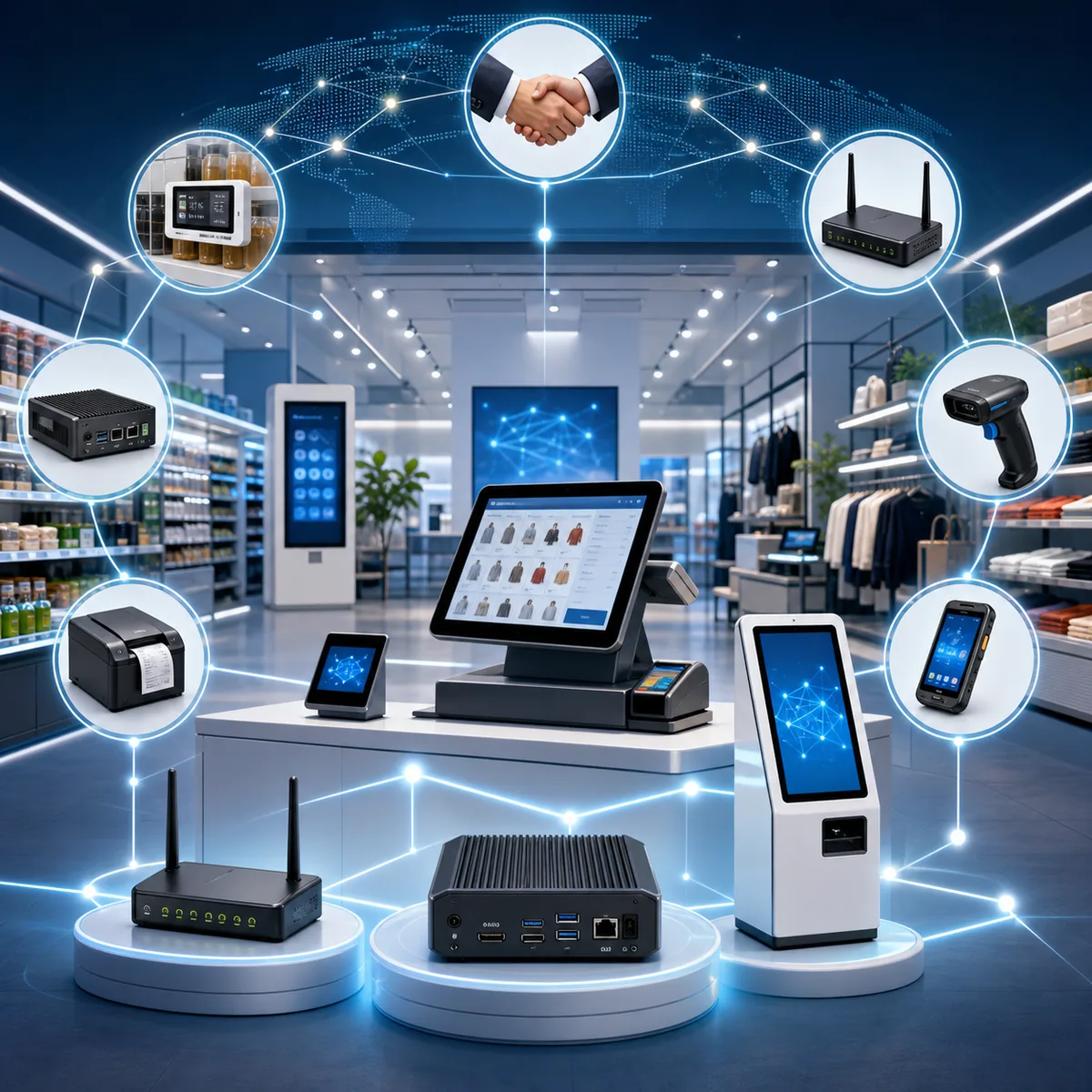
We connect pricing systems, checkout counters, shelves, inventory workflows, and cloud platforms through reliable retail IoT hardware. Every critical supermarket node can be managed with better speed, accuracy, and consistency.
1. Shelf Pricing Nodes
Electronic Shelf Labels and digital price tags are used to display product prices, promotion information, QR codes, and product details.
2. Checkout Nodes
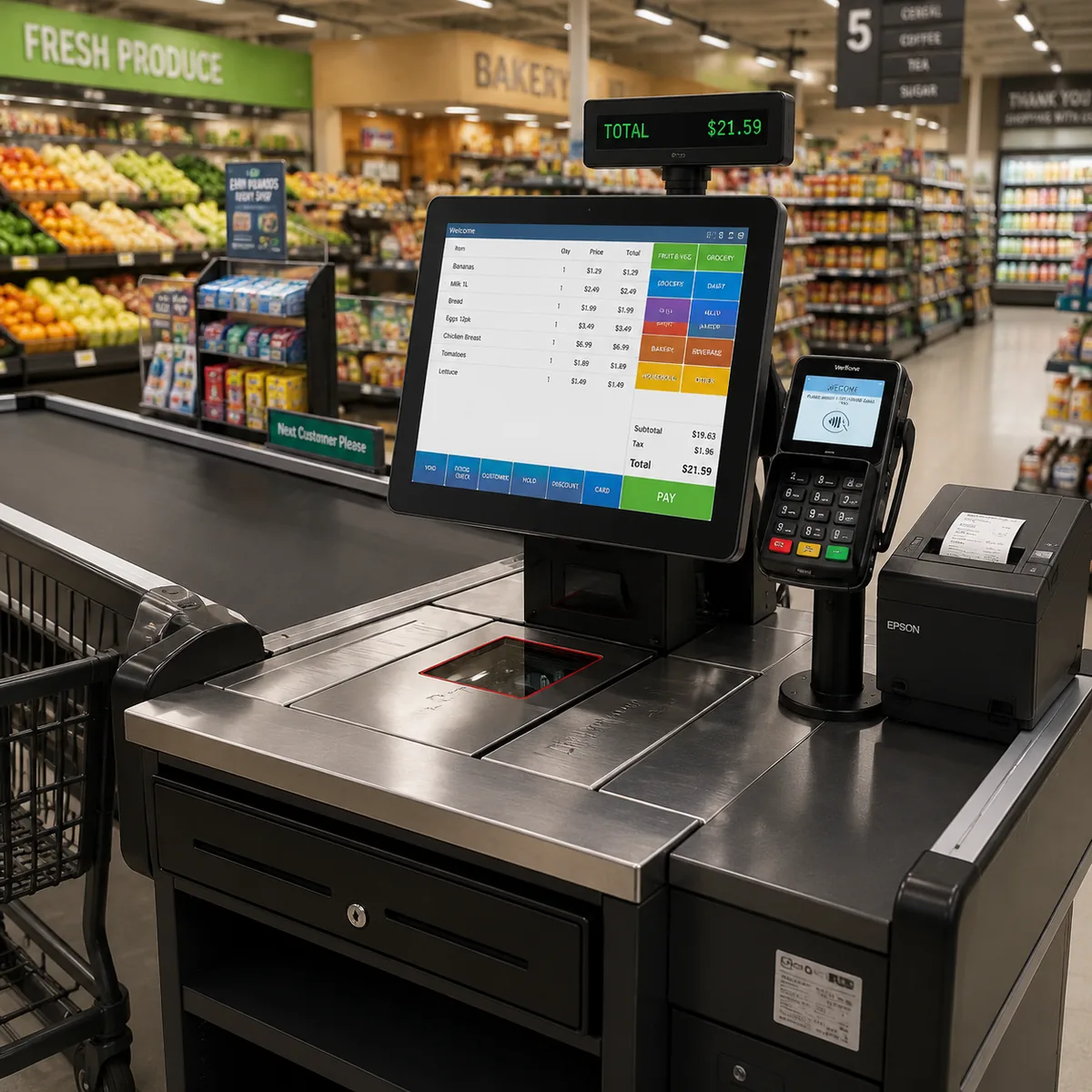
Touch screen POS systems, barcode scanners, customer displays, cash drawers, and POS printers are deployed for faster supermarket checkout.
3. Inventory Nodes
Handheld PDAs and barcode scanners are used for stocktaking, receiving, replenishment, and shelf verification.
4. Connectivity Nodes
ESL gateways, IoT gateways, and industrial Mini PCs are configured to connect store devices with cloud systems.
5. Cloud Management Nodes
Prices, device status, ESL updates, store groups, and promotion tasks can be managed through cloud-connected workflows.
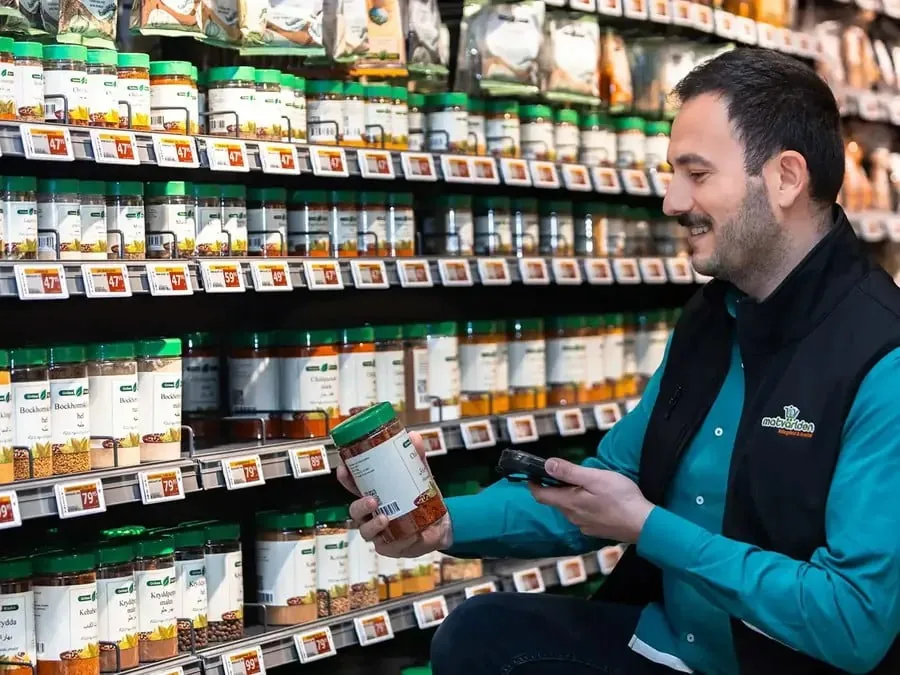
Paper Labels Are Replaced by Connected Electronic Shelf Labels.
Price updates can be sent from cloud systems to supermarket shelves through ESL gateways. Manual label replacement is reduced. Promotion speed is improved. Shelf price accuracy is protected across stores.
-
1
One-Click Price Updates
Prices can be updated across departments, shelves, product groups, or store networks through cloud-connected workflows.
-
2
Fresh Food Pricing
Daily price changes for fresh food, bakery, meat, seafood, and produce sections can be managed faster.
-
3
Freezer and Waterproof Options
Electronic Shelf Labels can be selected for freezer, chilled, humid, and fresh food environments.
-
4
Promotion & Member Price
Limited-time discounts, member prices, QR codes, and product information can be displayed on digital price tags.
-
5
Multi-Store Price Control
Pricing tasks can be pushed to single stores, regional branches, or supermarket chains with better consistency.
Checkout Speed Is Improved with Reliable Supermarket POS Hardware.
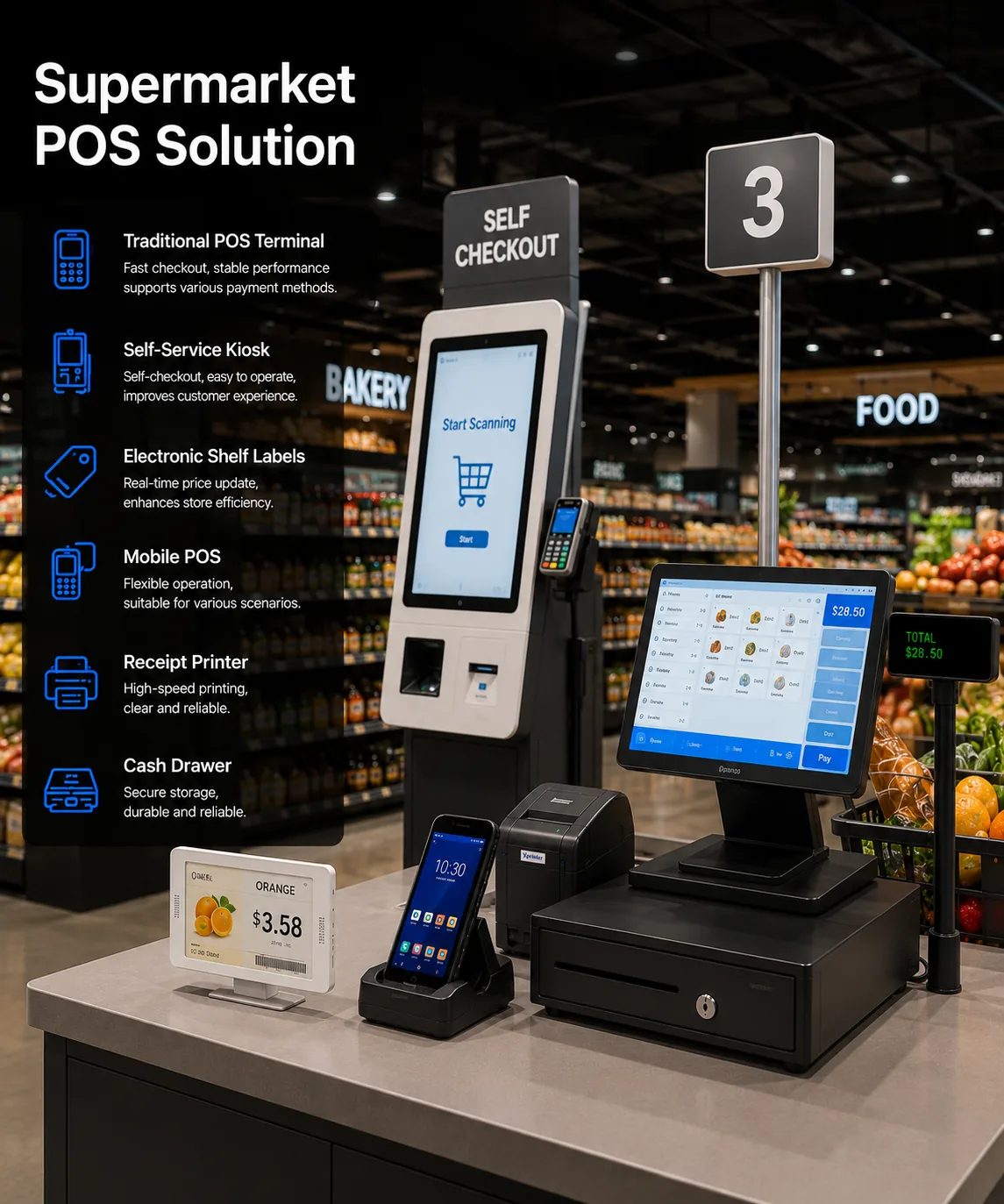
High-traffic supermarket checkout requires stable devices, fast scanning, smooth receipt printing, and software-compatible POS hardware. TillNode hardware can be configured for cashier lanes, service counters, and self-checkout areas.
Touch Screen POS Systems
All-in-one POS terminals serve as the grocery store cash register at each lane, combining checkout, customer display integration, peripheral control, and POS software operation on one counter unit.
Fast Barcode Scanning
1D and 2D barcode scanners are used to support product scanning, QR code reading, coupons, and mobile payment workflows.
Receipt and Label Printing
POS printers and compatible peripherals can be connected for receipt printing, order printing, and checkout documentation.
Self-Checkout Expansion
Self-checkout kiosks can be deployed to reduce queues and improve customer flow during peak hours.
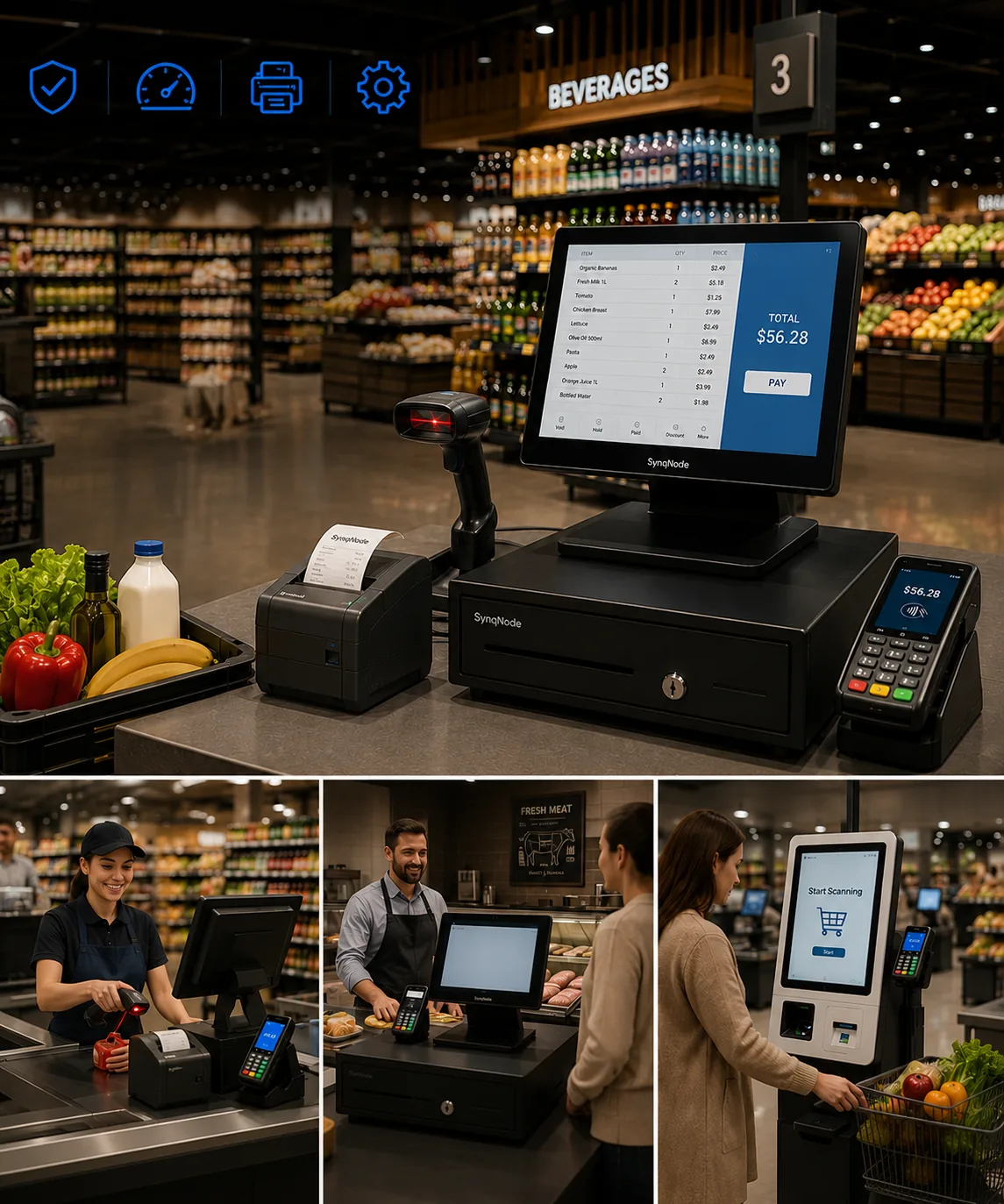
Grocery Store Cash Registers, Solved as a Hardware System.
Choosing between a standalone grocery store cash register and a full POS setup is the wrong starting point. What a grocery store actually operates is a checkout system: a register or terminal, a scanner, a scale for loose produce, a receipt printer, a cash drawer, and a customer-facing display, all talking to the same price file. TillNode builds that hardware layer, so a single lane and a twenty-lane chain can be equipped from one product family.
From Standalone Grocery Store Cash Register to a Connected Checkout.
A traditional electronic cash register still works for a single-lane corner shop: it totals the basket, applies tax, prints a receipt, and releases the drawer. The limitation is not the arithmetic, it is the isolation. A register that cannot see stock levels, promotional rules, or a central price file forces staff to key in changes by hand, which is where pricing errors and shrink begin. A workable pos for grocery store deployment does not mean abandoning the counter layout staff already know. It means the same counter is wired to a scanner, a scale, and a printer that all read from one source of truth, so a price update at head office reaches every lane the same morning.
For a grocery store, that difference shows up in three places: a basket that clears faster because items are scanned rather than keyed, a shelf price that matches the till price because both read the same file, and a stock figure that drops the moment an item is sold instead of being reconstructed from paperwork at closing time.
Price File Consistency
Every lane reads the same price and promotion data, so a till price matches the shelf label.
Scan-First Lanes
Item-level scanning replaces keyed entry, shortening each basket during the busiest hours.
Live Stock Deduction
Stock levels update as items are sold, so replenishment decisions are based on current figures.
One Peripheral Set
Scanner, scale, printer, drawer, and display connect from a single compatible accessory range.
Weighted Produce Entry
Barcode scanners and a counter scale let staff price loose produce by weight at the lane instead of pre-weighing it elsewhere.
High SKU Baskets
Grocery baskets carry more line items than most retail formats, so scan speed and touchscreen response matter more than extra features.
Promotional Rules
Multi-buy and member pricing are applied by the software, but only if the lane hardware can pass the basket through cleanly.
Continuous Uptime
A lane that fails during a peak hour costs more than the device. Fanless terminals and durable counter peripherals reduce that exposure.
Weighted, Scanned, and Priced: Handling Fresh Produce at the Counter.
Fresh departments are what separate a grocery lane from a general retail lane. A grocery store POS system with scale support has to weigh a bag of apples, look up the correct per-kilogram or per-pound price, apply the right tax treatment, and pass the result to the basket without a separate trip to a weighing station. Get that wrong and the queue grows every time someone buys produce.
The same logic runs through the rest of the store: bakery items priced per unit, deli items priced per weight, and packaged goods priced by barcode. A grocery checkout counter built around one terminal, one scanner, and one scale handles all three without the cashier switching devices or re-entering numbers.
Grocery Checkout Counters and the Peripheral Set Behind Them.
Grocery checkout counters are built backwards from the peripherals, not forwards from the screen. A lane that handles soft produce needs a scale. A lane that handles high-volume packaged goods needs a fast scanner and a printer that keeps pace. A lane that handles card and mobile payments needs a customer-facing display so the basket total stays visible. Counter depth, cable routing, and mount choice then follow from that list.
Because TillNode supplies the terminal, scanner, printer, drawer, display, and mount as one family, a store can standardize its checkout counters for grocery stores across every lane and every site, and still swap a single component later if one department needs something different.
Small Grocery Store POS Systems and Chain Rollouts Share One Hardware Base.
An independent grocery POS setup and a multi-store rollout are usually treated as different projects. They are not. A small grocery store POS system typically needs one or two lanes, a scanner, a scale, a printer, and a drawer. A chain needs the same lane repeated across dozens of sites, with the difference being deployment planning and spare-part logistics rather than a different class of hardware.
Building both on one product family keeps replacement parts, accessory compatibility, and staff familiarity consistent as a business grows from one store to the next. It also means a pilot lane can become the template for a rollout rather than a decision that has to be undone.
Single-Store Baseline
One terminal, one scanner, one scale, one printer, and one drawer set up a complete grocery checkout counter.
Multi-Site Repeatability
The same lane configuration repeats across sites, which keeps training, spares, and software compatibility predictable.
Stores evaluating all-in-one POS terminals, barcode scanners, cash drawers, receipt printers, customer displays, or self-checkout kiosks can compare specifications directly, and buyers who need a branded lane can review the OEM/ODM program for private-label configuration.
A Cash Register at a Grocery Store Is the Front of a Lane.
A cash register at grocery store lanes is never a single appliance. The register that totals the basket, the scanner that reads packaged goods, the scale that prices loose produce, the printer that issues the receipt, and the drawer that holds the cash either share one price file or they do not. That difference shows up at peak hour, which is why grocery and supermarket operators specify the counter as one compatible set rather than buying devices one at a time. Whether the store runs a single grocery cash register or a larger supermarket cash register system, the lane is the unit that has to work.
What Belongs on a Grocery Checkout Counter.
A complete grocery checkout counter carries five jobs at once: total the basket, scan the goods, weigh the fresh items, print the receipt, and take the payment. Each job maps to a device, and each device has to accept the merchandise the store actually sells. A lane that sells only packaged goods can run a terminal and a scanner. A cash register in supermarket lanes that also sell produce needs a scale at the counter, and any cash register for supermarket or grocery use needs a customer-facing display so the total stays visible to the shopper.
Because those devices are bought as a set, a supermarket cash register and a small grocery store cash register end up being the same specification at different scales. One store repeats it across two lanes; a chain repeats it across dozens of sites with the same spares and the same staff training. That is also why a cash register grocery store format and a multi-site rollout are the same project at different sizes.
Register or Terminal
Totals the basket, applies tax and promotion rules, and drives the rest of the lane.
Barcode Scanner
Reads packaged goods at item level so baskets clear without keyed entry.
Counter Scale
Prices loose produce by weight at the lane instead of at a separate station.
Receipt Printer & Drawer
Issues the receipt and releases the till in step with the completed sale.
Standalone Register
Fine for a single-lane corner shop where a cash register grocery setup keys in prices and totals by hand.
Connected Lane
Reads a central price file, accepts a scale and a cash register with barcode scanner for grocery store use, and reports every sale at item level.
Promotion Execution
Multi-buy and member pricing applied by the software only if the lane hardware passes the basket through cleanly.
Peak-Hour Uptime
Fanless terminals and durable counter peripherals cut the exposure of a lane that fails mid-queue.
What to Compare Before Choosing a Grocery Store Cash Register.
Compare four things rather than the price of the box. Whether the register can reach a central price file, because a lane that cannot means manual price entry. Whether it accepts the peripherals a grocery lane needs, particularly a scale for weighted goods and a cash register machine for grocery store counters that also price fresh departments. Whether an item-level record reaches the inventory software. And whether the same model can be repeated across additional lanes and sites as the business grows.
A cash register for grocery store use is then judged on how the whole lane performs at peak, not how one device performs on a bench. The same test applies whether the store buys a grocery store cash register system for one counter or a supermarket cash register system across a chain, and it is why a cash registers for grocery stores decision and a single-lane purchase draw from one product family. On the display side, a grocery cash register screen and a touchscreen terminal are judged by response speed under high-SKU baskets rather than by extra features.
Buyers specifying lanes can compare the point of sale cash register, the all-in-one POS terminals, the barcode scanners, the cash drawers, the receipt printers, and the customer displays as one counter specification, and can review the OEM/ODM program for a private-label lane.
Inventory, Replenishment, and Shelf Workflows Are Connected.
Supermarket staff need mobile tools to scan products, check stock, verify shelves, and support replenishment. Handheld PDAs, barcode scanners, and edge computing devices can be deployed to improve store workflow efficiency.
Goods Are Received
Incoming products can be scanned by handheld PDAs or barcode scanners for receiving and stock registration.
Inventory Is Checked
Stocktaking, shelf checks, and product verification can be completed with mobile scanning devices.
Prices Are Updated
Price data can be pushed to Electronic Shelf Labels through ESL gateways and cloud-connected systems.
Products Are Sold
POS systems, scanners, printers, and customer displays support smooth checkout and transaction workflows.
Store Data Synchronized
Sales, price, inventory, and device data can be connected to POS, ERP, or cloud management platforms.
Grocery Scanners Are the First Touchpoint at the Lane.
Before a basket total is trusted, every item has to be read once and read correctly. A grocery scanner that misses a code adds seconds to every transaction and a queue to every peak hour.
What a Grocery Scanner Has to Handle.
Supermarket barcodes are not all the same shape. A lane sees flat EAN and UPC codes on packaged goods, smaller codes on produce stickers, and 2D codes on loyalty cards and digital coupons. A scanner that reads only one symbology slows the lane every time a different format appears.
1D and 2D reading
EAN, UPC, Code 128 and QR in the same pass, so coupons and produce stickers do not need a second device.
Instant read on first pass
A high first-pass rate is what keeps a cashier moving and a self-checkout lane from calling for assistance.
Wet and cold counters
Produce, chilled and frozen aisles mean condensation. A scanner built for a grocery lane keeps reading when the belt is damp.
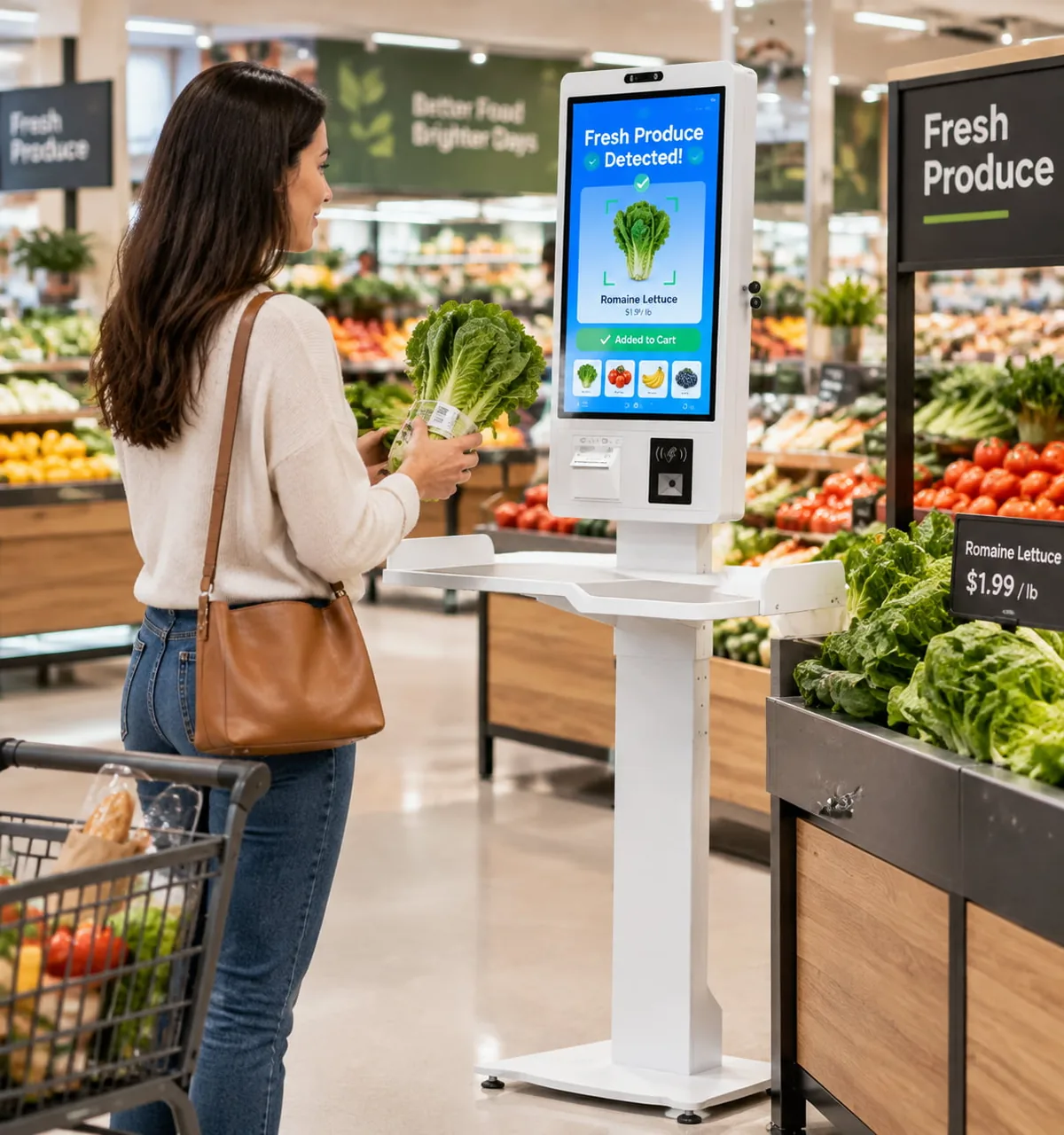
A lane scanner and the POS hardware set it feeds, working from one price file.
Handheld grocery scanners
Corded or wireless units for the cashier, and battery-powered models for shelf counting and receiving. A wireless scanner lets an operator check a barcode at the aisle instead of carrying the product back to the lane.
In-counter and bioptic scanners
Fixed readers that scan from several angles as an item moves across the glass, so a cashier never has to orient a barcode toward the beam. They carry the highest throughput in a high-SKU lane.
Self-checkout scanner modules
The same reading engine built into a self-checkout kiosk, with a weight check so a scanned item matches the bagged item. The result is a self service lane that does not stall on every second scan.
Grocery scanners are matched to the rest of the lane, not bought in isolation. The full reading set is covered with the barcode scanners in the checkout hardware range, and the kiosk side is described under self-checkout kiosks.
A POS Machine for a Supermarket Is Chosen by the Lane, Not the Box.
The terminal is only the visible part. A pos machine for supermarket use is a decision about the scale, the scanner, the printer and the price file that sit around it, and how many lanes will share the same setup.
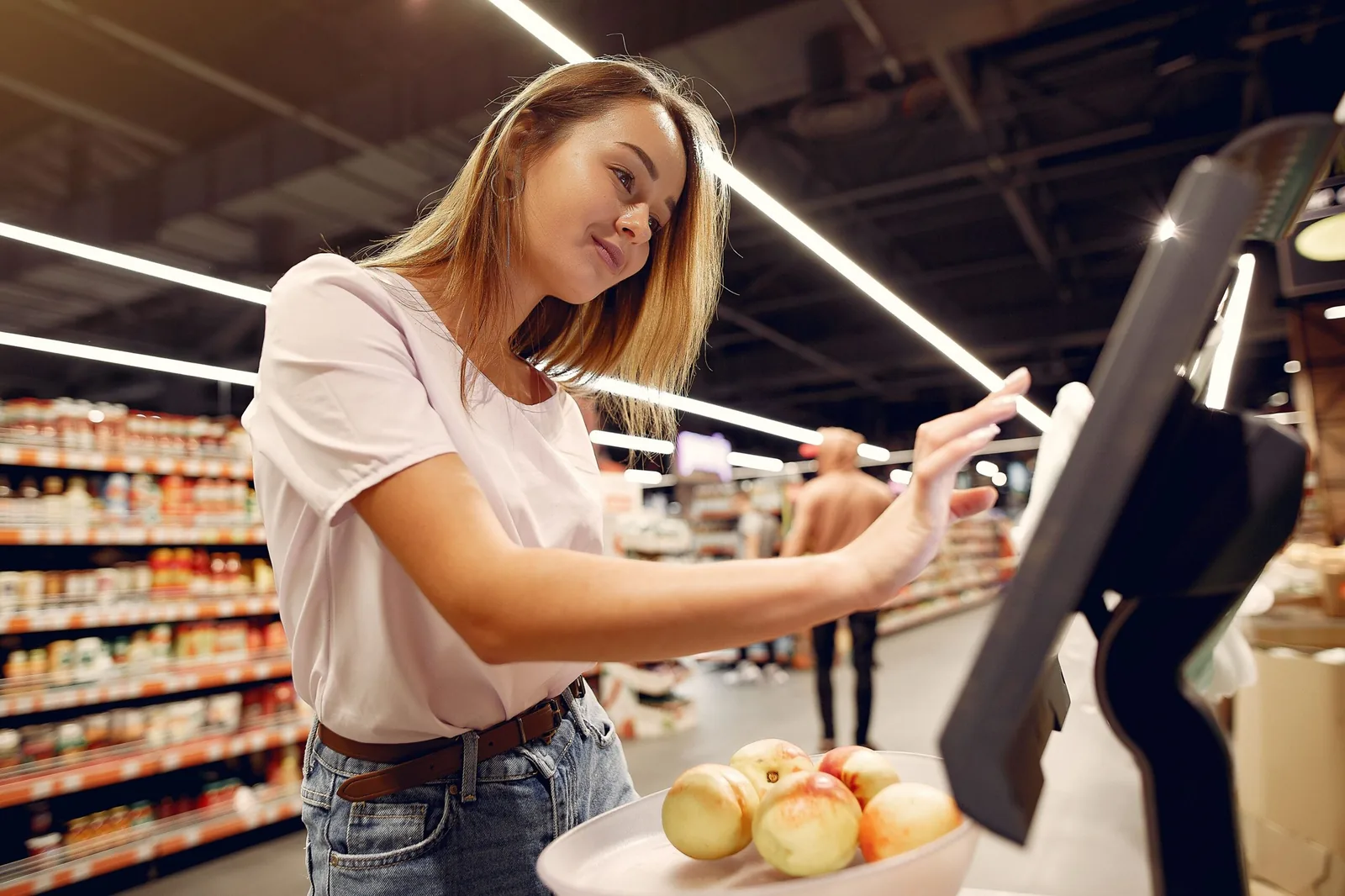
What a Pos Machine for Grocery Store Lanes Must Support.
A grocery lane is different from a boutique counter. It has to read thousands of SKUs, price loose produce by weight, run member and promotion prices, and stay responsive through a Saturday morning rush. The hardware is judged by how it behaves under that load, not by how it looks on a demo screen.
Touch terminal with a clear lane layout
A screen a cashier can read at arm’s length, with the produce and payment keys where they are reached without looking.
Scale integration for weighed produce
Loose fruit and deli items are priced from the scale and the central price file, without a second weighing step at the counter.
Fast promotion and price-file sync
Daily deals and member prices land on every lane at once, so a shelf price and a lane price never drift apart.
Single-lane and small grocery setups
A small grocery store often runs one terminal with a scanner, scale, printer and drawer as a single set. The buying decision is about whether that set can grow into a second lane without replacing everything.
Choosing hardware that draws from one product family means the first pos machine for a grocery store pilot becomes the template for the next lane, rather than a one-off that has to be undone later.
Multi-lane and chain rollouts
A supermarket repeats the same lane many times, which turns the terminal into a rollout problem. The hardware has to be identical across sites so a central price file, a spare part list and a support script stay valid everywhere.
Consistency is what keeps a chain deployment predictable, and it is the reason a supermarket pos system is specified at the lane level rather than the store level.
Grocery and Supermarket Hardware Questions.
What hardware makes up a grocery store cash register system?
A working grocery store cash register system is a set of devices, not a single box. It includes a register or all-in-one terminal at the lane, a barcode scanner with a barcode scanner reading packaged goods, a counter scale for loose produce, a receipt printer, a cash drawer, and a customer-facing display so the basket total stays visible. In a grocery store these components have to work from one price file, which is why the lane is treated as a system rather than a replacement purchase.
How does a grocery store POS system handle produce sold by weight?
Items sold by weight are priced from a scale rather than a barcode. A grocery store POS system with scale integration reads the weight at the lane, looks up the correct per-kilogram or per-pound price, applies the relevant tax treatment, and adds the result to the basket. Placing the scale at the checkout counter removes the separate weighing step, which is where queue time is usually lost on fresh produce.
Can the same checkout hardware serve a small grocery store and a chain?
Yes. Small grocery store POS systems and larger rollouts differ in lane count and deployment planning, not in device class. A single store typically runs one or two lanes with a terminal, scanner, scale, printer, and drawer. A chain repeats that same lane configuration across sites so spares, accessories, and staff training stay consistent. Building both from one product family means a pilot lane can become the rollout template.
How does grocery checkout hardware support inventory management?
Inventory accuracy starts at the lane. When every item is scanned rather than keyed, the checkout hardware passes an item-level record to the software, which deducts stock as the sale completes. That is how grocery store POS systems manage complex inventory across produce, dairy, dry goods, and prepared food without a manual count at the end of the day, and how they manage inventory when several departments share one lane. Departments priced by weight need the same treatment, which is why scale data and scan data have to reach the software through one lane setup.
Does the counter hardware support loyalty programs and promotional pricing?
The promotional logic itself sits in the software, but it can only execute if the lane hardware can pass the basket through cleanly. A customer-facing display shows the member price and each applied discount, while the terminal and scanner handle the item-level data the software needs to evaluate multi-buy and loyalty rules. The advantages of pos systems in grocery stores are largely operational: fewer manual overrides, fewer price disputes at the counter, and a promotion that is applied the same way on every lane.
What should be compared between a standalone register and a full POS setup?
Compare four things rather than the price of the box. First, whether the unit can reach a central price file, because a grocery store register system that cannot means manual price entry. Second, whether it accepts the peripherals a grocery lane needs, particularly a scale for weighted goods. Third, whether an item-level record reaches the inventory software. Fourth, whether the same model can be repeated across additional lanes and sites. A grocery store register system is then judged on how the whole lane performs at peak rather than how one device performs on a bench, which is why the register and its peripheral set are specified together.
What should a grocery store cash register include?
A grocery store cash register is specified as a counter set rather than a single unit. The core is a register or all-in-one terminal that totals the basket and applies tax and promotion rules. Around it sit a barcode scanner for packaged goods, a counter scale for loose produce, a receipt printer, a cash drawer, and a customer-facing display. A supermarket cash register system carries the same six components, so the useful question is not which register to buy but whether the whole lane reads from one price file and reports item-level sales.
Is a cash register at a grocery store different from a supermarket cash register?
The device class is the same; the difference is lane count and deployment planning. A cash register at a grocery store in a single-store format typically runs one or two lanes with a terminal, scanner, scale, printer, and drawer. A supermarket cash register repeats that lane across more sites and adds spares and rollout logistics. Because both draw from one product family, a grocery cash register bought for a pilot counter can become the template for a chain rather than a decision that has to be undone later.
Can a grocery store cash register system price loose produce by weight?
Yes. A grocery store cash register system integrated with a counter scale can weigh loose produce directly at the checkout lane. It automatically calculates the price based on the weight and the central price file, eliminating the need to pre-weigh items in the produce section and speeding up the checkout process.
What should a grocery scanner read at a supermarket checkout?
A grocery scanner has to read the codes a lane actually sees: 1D EAN and UPC codes on packaged goods, Code 128 on weighed items, and 2D QR codes on coupons and loyalty cards. A model that handles both 1D and 2D symbologies in one pass keeps the cashier from switching devices and keeps a self-checkout lane from stalling on every second scan. Match the scanner to the checkout lane it feeds rather than buying the most feature-heavy unit on its own.
How is a pos machine for supermarket use different from a retail POS?
A pos machine for supermarket use is judged by high-SKU throughput and weighed produce. It has to read thousands of SKUs, price loose produce from a connected scale and a central price file, run member and promotion prices, and stay responsive through peak hours. The hardware set around the terminal, the scanner, the scale, the receipt printer and the cash drawer, is the same across lanes so a chain can deploy and support it repeatably. A general retail POS rarely carries that produce-by-weight and price-file requirement at the same scale.
Recommended Hardware Kits for Supermarket Projects.
Different supermarket formats require different hardware combinations. Flexible solution kits can be prepared based on your store size, software platform, and deployment plan.
Digital Pricing Kit
Best for supermarkets that need paperless price updates.
Shelf prices can be updated faster. Paper label replacement can be reduced. Promotion management can be improved.
- Electronic Shelf Labels
- ESL Gateway
- Cloud Price Management
- Label Accessories
Checkout Hardware Kit
Best for cashier lanes and grocery checkout counters.
Checkout speed, scanning accuracy, and peripheral compatibility can be improved with stable supermarket POS hardware.
- Touch Screen POS System
- Barcode Scanner
- POS Printer
- Customer Display & Cash Drawer
Inventory Workflow Kit
Best for stocktaking, receiving, and replenishment workflows.
Mobile scanning, shelf verification, and inventory workflows can be supported with connected devices.
- Handheld PDA
- Barcode Scanner
- Industrial Mini PC
- IoT Gateway
Full Smart Supermarket Kit
Best for new supermarket projects and chain store upgrades.
A complete retail IoT hardware layer can be deployed for pricing, checkout, inventory, and multi-store management.
- POS Systems & Barcode Scanners
- Electronic Shelf Labels & Gateways
- PDAs & Mini PCs
- Cloud Platform
Why Supermarket Projects Are Built with TillNode.
Supermarket technology projects require stable hardware, synchronized devices, and scalable deployment. We provide the retail hardware layer needed for digital pricing, checkout, and store operations.
Complete Retail Hardware Ecosystem
POS systems, ESL devices, scanners, PDAs, Mini PCs, gateways, and peripherals can be supplied as one connected solution.
Designed for High-SKU Environments
Hardware is selected for supermarkets where thousands of products, frequent price changes, and high customer traffic are managed daily.
Cloud Price Synchronization
Electronic Shelf Labels can be connected with pricing systems to support faster updates and multi-store price control.
Software Integration Friendly
Hardware can be matched with POS software, ERP systems, inventory platforms, and cloud retail management tools.
Scalable Chain Store Deployment
Pilot stores, regional rollouts, and large supermarket chains can be supported with consistent hardware configuration.
OEM/ODM and Private Label Support
Branding, packaging, firmware, configuration, and project-based hardware customization can be supported.
Build a Smarter Supermarket with TillNode.
Tell us your store size, software platform, pricing workflow, and hardware needs. A suitable supermarket solution can be prepared by our team for your project.
Tell Us About Your Supermarket Project.
Your store format, pricing workflow, software platform, and hardware needs will be reviewed. A suitable supermarket solution can be prepared by our team.