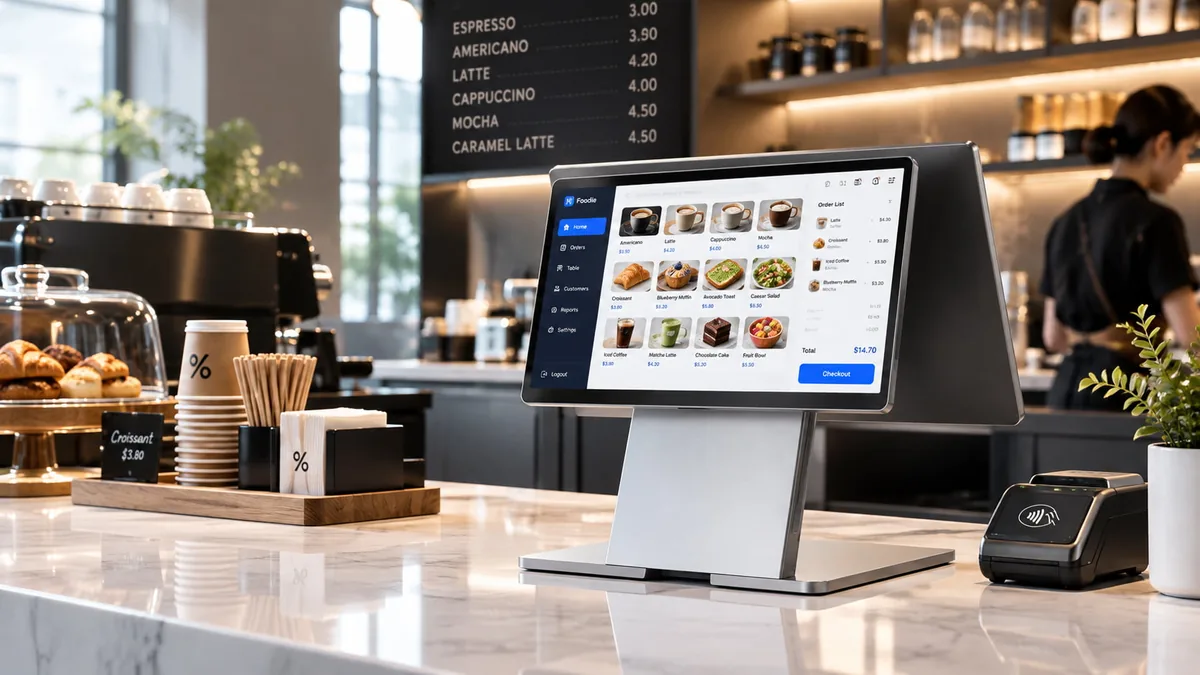
All-in-One
POS Systems.
Six all-in-one POS system families — one screen, one chassis, one vendor.
An all-in-one POS system folds the terminal, customer display, receipt printer and payment module into a single unit — no POS box, no separate display, no cable farm under the counter. Choose 10.1" to 15.6" countertop, foldable, dual-screen or built-in-printer form factors on Android or Windows, then customize them for your own brand.
What Is an All-in-One POS System?
An all-in-one POS system is a single-unit point-of-sale terminal that integrates everything a checkout lane needs into one chassis: a touch screen, the mainboard, a customer-facing display, a receipt printer, a barcode scanner and payment interfaces. Because the components live inside the same housing, there is no separate POS box to mount, no display to cable up and no external printer taking counter space — you place the unit and power it over one DC input, and the lane is ready.
That is the difference from a modular POS setup, where the screen, the PC, the printer and the drawer are separate products bought from separate vendors. Modular wins when you need extreme peripheral configurations or lane-by-lane repair; all-in-one wins when counter space is scarce, installation speed matters, and you want one warranty, one firmware team and one spare-parts pool.
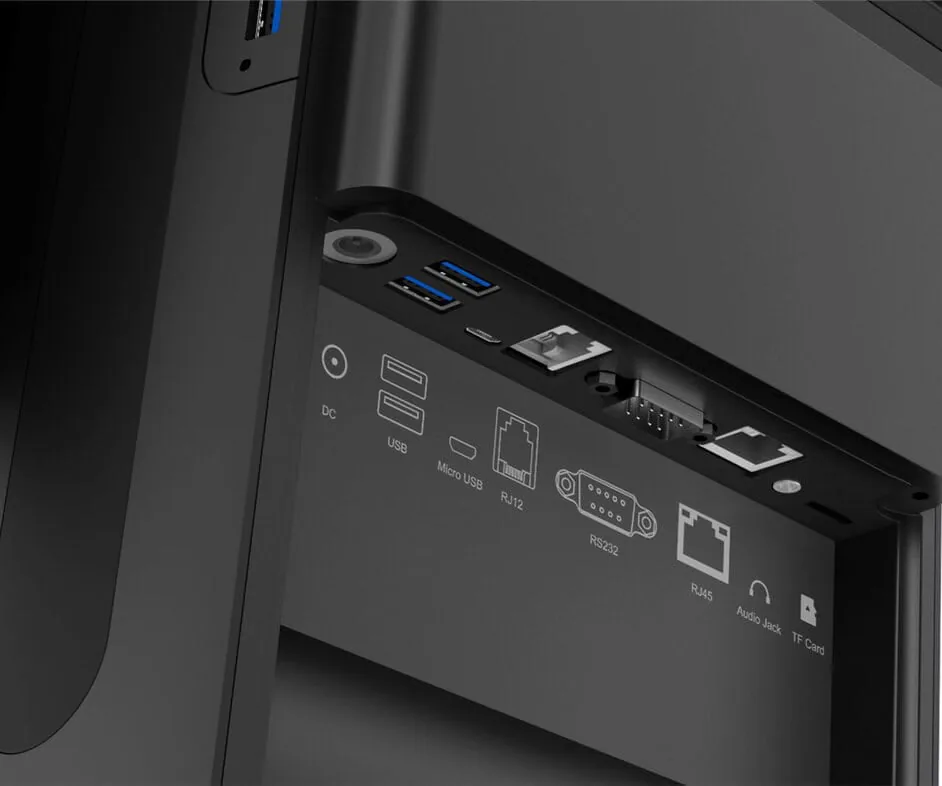
Every all-in-one POS terminal on this page uses the same commercial foundation: a fanless industrial mainboard, an aluminum or die-cast chassis, a 10-point PCAP touch panel, and an I/O block (USB, RS232, RJ45, RJ11 cash-drawer port, HDMI/VGA) hidden under the base. The differences between models are the form factor, screen size, compute platform and whether the receipt printer is built in — which is exactly what the comparison table below lays out.
All-in-one vs. modular, in one line
- One unit to mount — no POS box, no second display bracket.
- One cable run — a single 12V DC input per lane.
- One firmware team — drivers for printer, scanner and MSR ship together.
- One spare-parts pool — a single SKU covers the whole lane.
Evaluating both architectures? Read the full all-in-one vs. modular POS hardware comparison, including 5-year total cost of ownership.
Explore Our Touch Screen POS Portfolio.
Six all-in-one POS terminal families — countertop, foldable, dual-screen, built-in printer, compact and IP65-rated. Filter by form factor, or compare every spec in the table above.
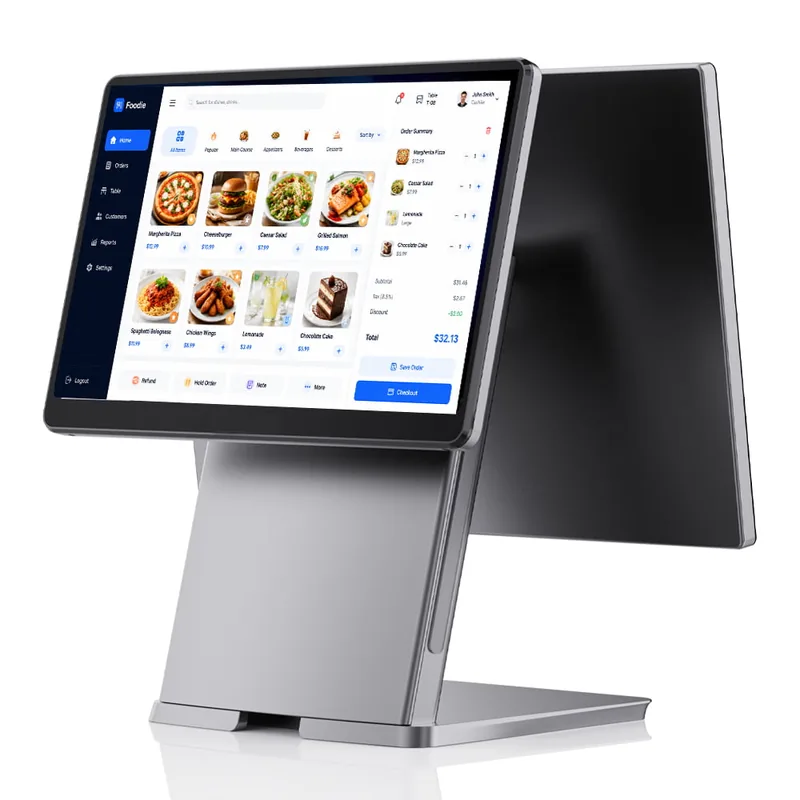
SN-P20: 15.6" Slim Aluminum All-in-One POS
A 12mm ultra-thin countertop terminal on a premium aluminum alloy stand, with all cabling routed inside the unit. Built for high-end fashion retail, hotel front desks and modern restaurant counters.
View Specifications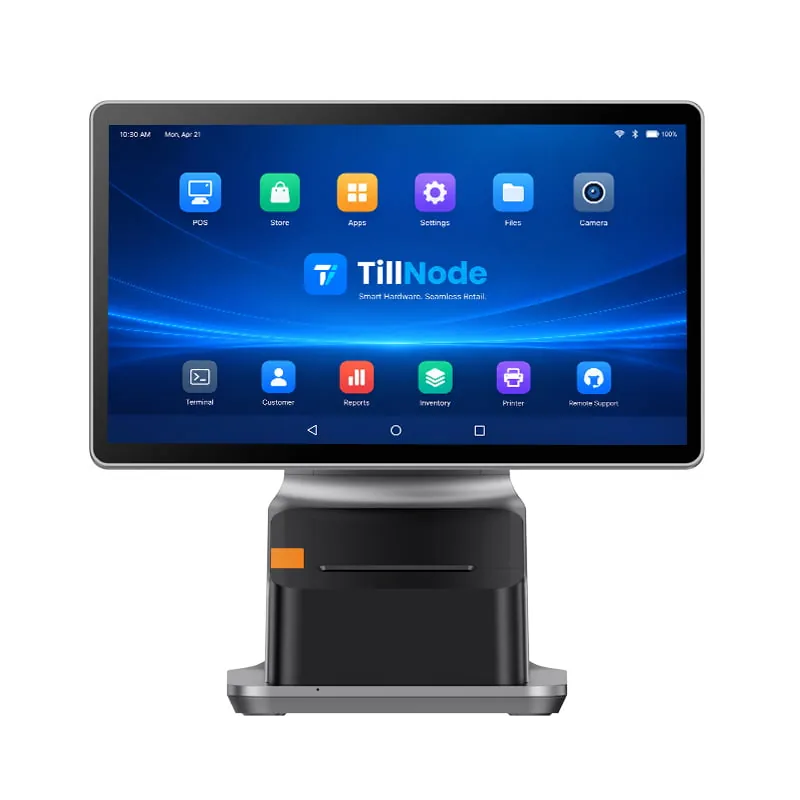
SN-P90P: 15.6" All-in-One POS with Built-in 80mm Printer
A 15.6" FHD Android 14 terminal with an 80mm Seiko thermal printer built into the base — 250mm/s, auto-cutter, ESC/POS. The lane needs no external printer at all.
View Specifications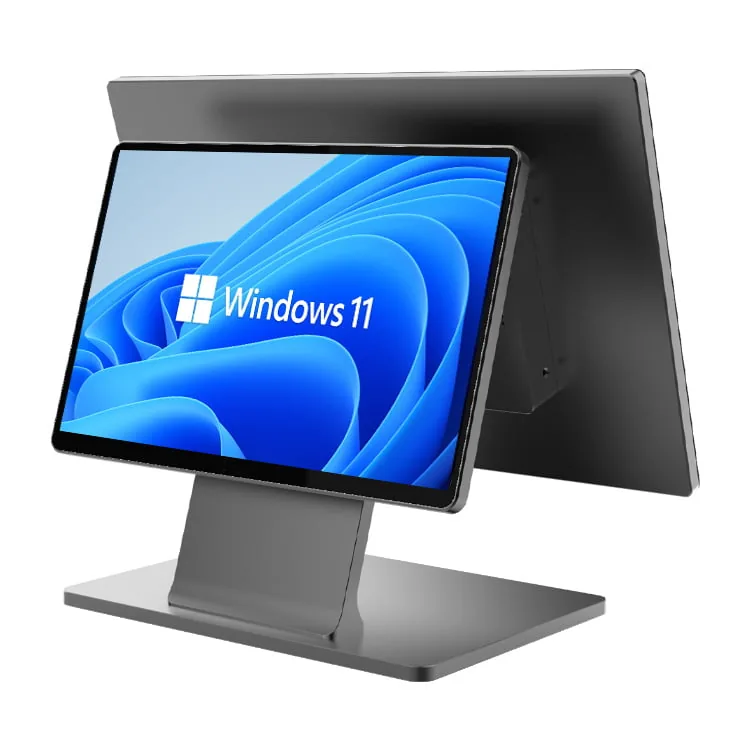
SN-P60: Ultra-Thin All-in-One POS with 15.6-inch Customer Display
A main 15.6" FHD screen plus an optional 15.6" or 11.6" customer-facing display, both on an ultra-thin aluminum chassis. Promotions, order details and loyalty prompts face the shopper.
View Specifications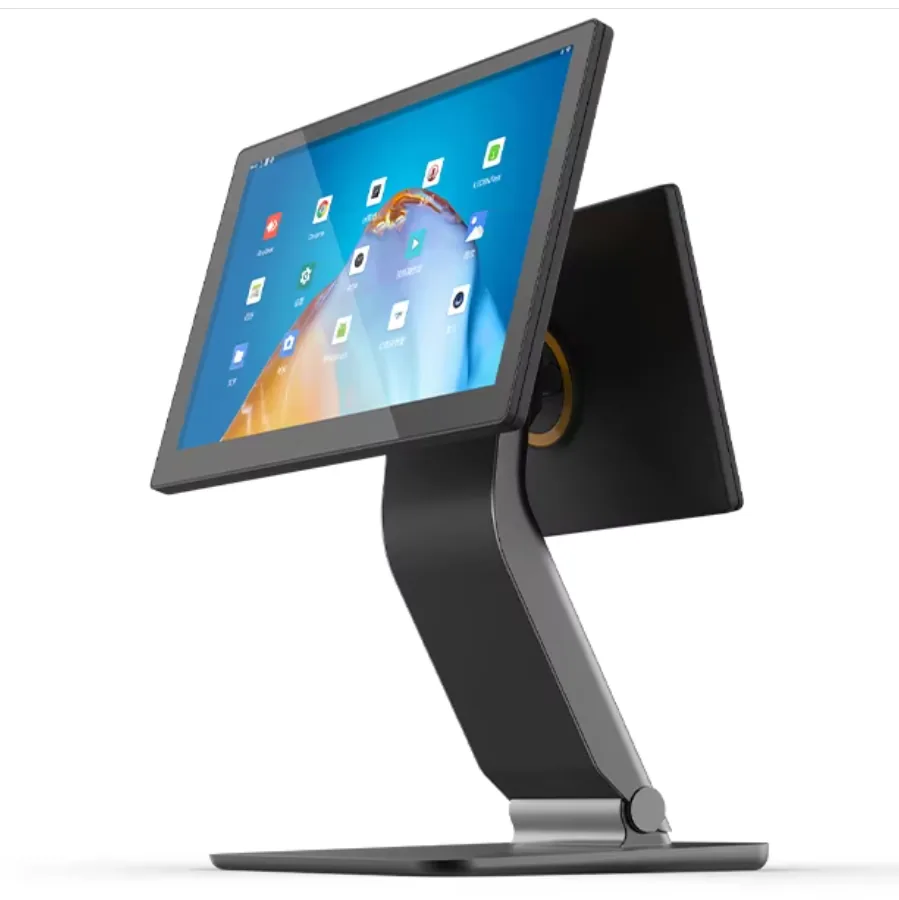
SN-F10: Foldable All-in-One POS System
A double-spindle hinge folds the 15.6" screen flat over its die-cast aluminum base for storage. Made for pop-up retail, food trucks and market stalls with limited counter space.
View Specifications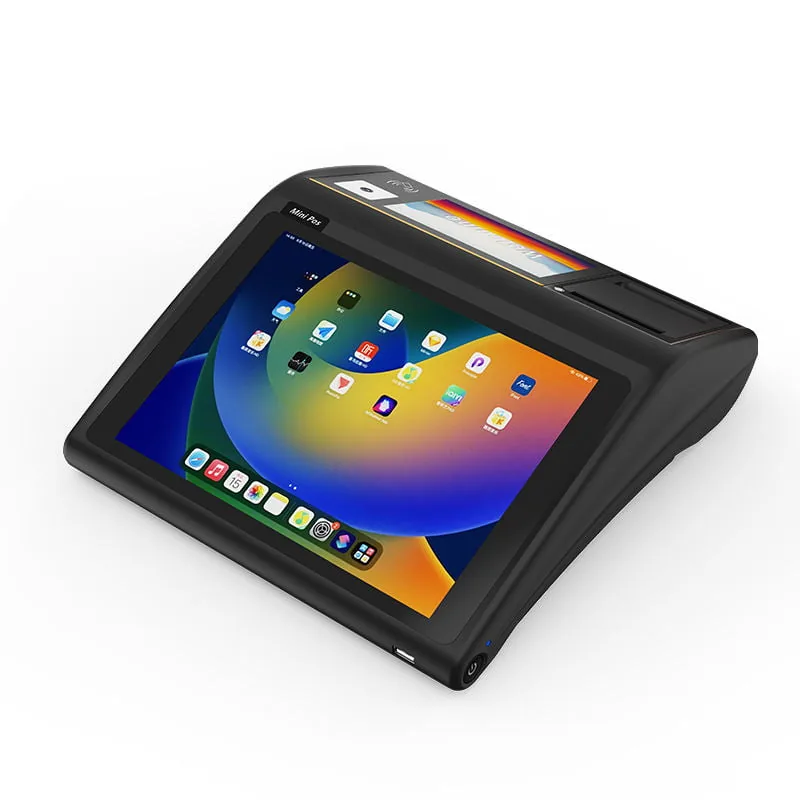
SN-D3: Compact 10.1" All-in-One POS Terminal
A 284x273x84mm terminal with the 2D scanner, 58mm thermal printer and NFC reader all built in. Fits the counters where a 15.6" screen will not go — mini-marts, salons and mobile payment points.
View Specifications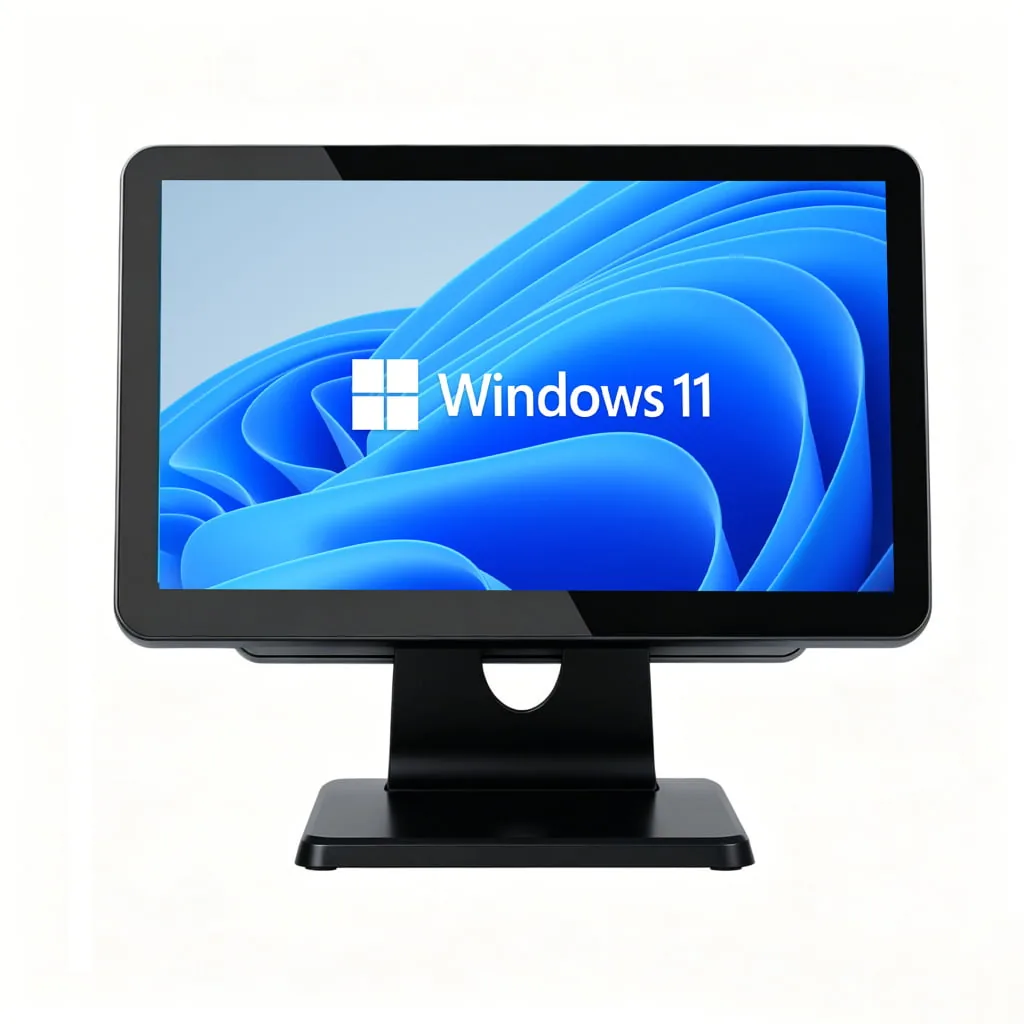
SN-B10: Windows All-in-One POS with IP65 Front Panel
A Windows terminal with a true-flat IP65-rated front panel — protected against dust ingress and liquid spills. Built for commercial kitchens, bakeries and wet or dusty checkout counters.
View SpecificationsFour All-in-One Form Factors. Pick by Counter, Not by Spec Sheet.
Screen size and CPU are easy to compare on paper. What actually decides an all-in-one POS rollout is the counter: how deep it is, whether a printer must sit inside the terminal, and whether the unit has to disappear at closing time.
Countertop Slim
A 15.6" all-in-one touch terminal on a low-profile aluminum stand, 12–16mm thick, with cable routing hidden inside the neck of the stand. This is the default choice for fashion retail, hotel front desks and modern restaurant counters where the terminal is visible to guests.
Built-in Receipt Printer
The thermal printer sits inside the terminal base, so the lane needs no external printer at all. Choose 58mm for compact cores or 80mm with an auto-cutter for high-volume receipt output. This is the form factor most B2B buyers mean when they look for an all-in-one POS machine — a terminal and a printer bought as one unit.
Foldable / Space-Saving
A double-spindle hinge lets the screen fold down flat over the base. The terminal stores in a fraction of its working footprint — built for pop-up retail, food trucks, market stalls and any counter that turns into something else after hours.
Compact Mini with Built-in Scanner
A 10.1" portrait terminal, roughly the footprint of a tablet, with the 2D barcode scanner, 58mm printer and NFC reader all inside. For mini-marts, kiosk-adjacent counters, salons and mobile payment points where a 15.6" screen simply will not fit.
Models: SN-D3
Also available on most models: a secondary 11.6" or 15.6" customer display (touch or non-touch) or a VFD 2-line pole display; MSR / fingerprint / IC card modules; and an embedded 4G module with Micro SIM for lanes without wired networking. You can fix any of these at order time, not retrofit them.
All-in-One POS Terminals: Cross-Model Comparison
Seven all-in-one POS models, side by side on the five specs that decide a rollout: screen, second display, compute platform, built-in printer and form factor.
| Model | Main display | Customer display | Compute platform | Built-in printer | Form factor |
|---|---|---|---|---|---|
| SN-P20 | 15.6" touchscreen, 1920x1080 | Optional 15.6" or 11.6" | Intel i5 4/5/6/7/10/12 series, Intel i7 — or Rockchip RK3568 / RK3576 / RK3588 · Windows 10/11, Linux, Android | — | Countertop slim, 12mm profile, hidden cable |
| SN-P60 | 15.6" FHD touchscreen, 1920x1080 | Optional 15.6" or 11.6" | Intel i5 4/5/6/7/10/12 series, Intel i7 — or Rockchip RK3568 / RK3576 / RK3588 · Windows 10/11, Linux, Android | — | Ultra-thin aluminum, dual-screen ready |
| SN-P90P | 15.6" FHD touchscreen, 1920x1080 | 10.1" second display | Octa-core 2.2GHz · Android 14 · 4GB+64GB (optional 8GB+128GB) | 80mm Seiko, 250mm/s, auto-cutter, ESC/POS | Ultra-thin, modular card reader & fingerprint options |
| SN-W50 | 15.6" TFT LCD, 1366x768 or 1920x1080 (FHD optional) | Optional 11.6" / 15.6", touch or non-touch, or VFD | Intel Celeron J1900 / J6412, Core i3 / i5 · 4–16GB RAM | 58mm or 80mm, 160mm/s, auto-cutter | Countertop with in-base printer, 34x23x44cm |
| SN-B10 | 15" / 15.6" TFT LCD, up to 1920x1080, 10-point PCAP | Optional 11.6" / 15.6", touch or non-touch, or VFD | Intel Celeron J1900 / J6412, Core i3 / i5 · Windows | 58mm or 80mm, 160mm/s, auto-cutter | IP65 true-flat front panel, aluminum stand |
| SN-F10 | 15.6" TFT LCD, 1366x768 or 1920x1080 (FHD optional) | Optional 11.6" / 15.6", touch or non-touch, or VFD | Intel Celeron J4125, Core i3 / i5 — or Rockchip RK3568 / RK3576 / RK3688 | — | Foldable, die-cast aluminum alloy base |
| SN-D3 | 10.1" LCD, 800x1280 (portrait) | Optional 4.99" LCD or VFD | Rockchip RK3568 quad-core Cortex-A55 up to 2.0GHz · 4/8/16GB DDR4 · Android | 58mm thermal, 90mm/s (no auto-cutter) | Compact 284x273x84mm, built-in 2D scanner + NFC |
All models share the same commercial foundation: fanless industrial mainboard, PCAP touch, and a concealed I/O block with USB, RS232 (RJ11 cash-drawer trigger), Gigabit LAN and optional Wi-Fi 5 / Bluetooth 5.0. Need a model that is not listed, or a custom combination? Send your spec to our engineering team — we handle configuration changes at order time.
Engineered for Continuous Checkout Operations.
Designed from the motherboard up to withstand the rigors of high-traffic retail environments.
Commercial Grade Stability
Industrial-grade components and fanless cooling designs deliver 24/7 stable operation in high-traffic environments.
Responsive Touch Experience
High-resolution capacitive touch screens keep order entry and cashier workflows running at zero lag.
Smooth Peripheral Integration
Rich I/O interfaces connect receipt printers, barcode scanners, and cash drawers to form a complete retail workstation.
Built for Your Retail Software.
An all-in-one POS system is only as useful as the software it runs, so our engineering team treats hardware compatibility as a first-class requirement. Android models ship with an open Android build that runs standard retail APKs; Windows models ship with drivers for every component inside the chassis — the touch panel, the built-in printer, the MSR, the fingerprint reader and the cash-drawer trigger. Cloud POS platforms, on-premise ERP suites and self-developed applications are all deployable without custom firmware work.
Ideal Application Scenarios
- Supermarkets & Grocery Stores
- Restaurants & QSR (Quick Service)
- Pharmacies & Convenience Stores
- Fashion & Boutique Checkout
Android deployments
Open Android builds for cloud POS apps and self-developed APKs. SDK and API documentation cover the built-in printer, scanner, NFC reader and cash-drawer port.
Windows deployments
Standard Windows 10/11 drivers ship with the unit, so legacy desktop POS suites and ERP clients install on the terminal without an intermediate POS box.
Peripheral pairing
Receipt printers, barcode scanners, cash drawers, customer displays, scales and card readers connect over USB, RS232, RJ45 or the RJ11 drawer trigger.
Pilot before rollout
We supply evaluation units for software validation before a volume order, so integration risks surface before the first production batch. Testing checklist.
Where You Deploy All-in-One POS Systems
Same hardware family, six different counter realities. These are the deployments our integrators and distributors ship most often.
Supermarkets & Convenience Stores
Multi-lane front-ends running continuous ten-hour shifts. Fanless chassis and industrial mainboards avoid dust-clogged fans, and the built-in printer removes one device — and one failure point — from every lane.
Restaurants, Cafés & QSR
Kitchen heat, spills and rapid ticket output. Choose an IP65 front panel for wet prep areas, and a 250mm/s printer so ticket printing never becomes the bottleneck during a rush.
Fashion & Boutique Retail
The terminal is part of the store design. Slim aluminum chassis with cables hidden inside the stand, and an optional customer display used for lookbook content and loyalty prompts rather than raw order lines.
Pharmacies & Specialty Clinics
Prescription and insurance workflows need a stable OS, a long-lifecycle platform and predictable spare parts. Windows and Android builds both stay on a single hardware generation for easier fleet management.
Pop-Up, Food Truck & Events
The counter disappears at the end of the day. Foldable form factors and an optional embedded 4G module with Micro SIM remove both the storage problem and the fixed-network requirement.
Hospitality Front Desks
Check-in, folio charges and housekeeping hand-offs from one station. A second customer-facing display keeps signature and payment steps visible to the guest.

OEM & ODM Manufacturing for All-in-One POS Terminals.
We welcome custom POS hardware projects. As a direct manufacturer, we maintain full control over the production line. Brand logos, specific RAM/ROM configurations, custom packaging, and we manufacture tailored motherboard interfaces to match your project requirements.
Deep Customization
We provide logo printing, custom boot screens, and tailored color options to match your brand identity.
Strict Quality Control
We perform strict aging tests and comprehensive interface inspections before shipment to ensure zero failure rate.
White-Label & Brand
Silk-screened or laser-etched logo on the bezel, custom chassis colorways, custom boot animation and pre-installed OS builds. Your product should arrive looking like your product.
Project Pricing
Unit pricing scales with volume and configuration. We confirm MOQ, sample-unit policy, lead time and payment terms per project — 50 units / 15-25 days / T/T.
Certifications
CE, FCC and RoHS ship as standard on the models listed on this page; GMS is available as an option on Android builds. — CE, FCC, RoHS (GMS optional).
Warranty & Parts
Spare-part availability follows the product generation, so a fleet bought today remains serviceable. Warranty terms are confirmed per project — 12-month warranty as standard, with spare parts available for at least 3 years.
All-in-One POS Terminal or All-in-One PC?
Both are "all-in-one" in the sense that the computer lives behind the screen — but they solve different problems. An all-in-one POS system adds the checkout layer: cash-drawer control over RJ11, built-in receipt printing, barcode input and payment-module integration. An all-in-one PC is a panel computer: 10"–65" touch panels for kitchen display systems, digital signage, self-service and industrial HMI, with no printer and no cash-drawer trigger.
Choose an all-in-one POS terminal if…
you are equipping a checkout lane: printing receipts, driving a cash drawer, scanning products and taking payment at the counter.
Choose an all-in-one PC if…
you are mounting a panel on a wall or stand for kitchen display, signage, self-service or machine control, and the job involves no receipt printing.
Frequently Asked Questions
Common questions from system integrators, distributors and procurement teams sourcing all-in-one POS systems.
What is an all-in-one POS system?
An all-in-one POS system is a single-unit checkout terminal that integrates the touch screen, mainboard, customer display, receipt printer, barcode scanner and payment interfaces into one chassis. Unlike a modular setup, there is no separate POS box, no external printer and no second display bracket — the lane runs from one unit and one 12V DC power input.
How is an all-in-one POS different from a modular POS setup?
All-in-one wins on counter space, installation speed and service simplicity: one unit to mount, one cable run, one warranty, one spare-parts pool. Modular wins when a lane needs an unusual peripheral configuration, when you must repair components individually in high-volume supermarkets, or when you reuse existing displays and printers. If you are weighing the two, read our all-in-one vs. modular POS hardware comparison, which breaks down 5-year total cost of ownership.
Should I choose an Android or a Windows all-in-one POS terminal?
Android is usually the faster path for cloud POS platforms and purpose-built retail APKs — lower hardware cost, quicker boot, and models such as the SN-P90P ship on Android 14. Windows is the safer choice when the lane must run a legacy desktop POS suite or an ERP client. Several models in this range support both platforms: you can configure the SN-P20, SN-P60 and SN-F10 with Intel Core i5/i7 for Windows or Rockchip RK3568/RK3576/RK3588 for Android, so the same chassis and accessories can serve both halves of a mixed estate.
Will an all-in-one POS terminal work with my existing POS software?
In almost all cases, yes. Android models run standard retail APKs, and Windows models ship with drivers for the touch panel, built-in printer, MSR, fingerprint reader and cash-drawer trigger. SDK and API documentation lets your application call the built-in printer, scanner and NFC reader directly. Evaluation units are available for software validation before a volume order — see our hardware testing checklist and matching hardware to POS software.
Which all-in-one POS models have a receipt printer built in?
Four models in this range print from inside the terminal. The SN-P90P uses an 80mm Seiko printer at up to 250mm/s with an auto-cutter and ESC/POS command set. The SN-W50 and SN-B10 take a configurable 58mm or 80mm printer at 160mm/s with an auto-cutter and drop-in paper loading. The compact SN-D3 carries a 58mm printer at 90mm/s without an auto-cutter. On models without a built-in printer — SN-P20, SN-P60 and SN-F10 — a receipt printer connects over USB, RS232 or LAN and sits beside the terminal.
Can an all-in-one POS terminal drive a cash drawer and a barcode scanner?
Yes. A standard RJ11 cash-drawer trigger is present on the I/O block, and your software opens commercial drawers through the provided API. External scanners connect over USB or RS232, and certain models carry the scanner inside the chassis: the SN-D3 has a built-in 2D imager that reads both 1D product barcodes and 2D payment QR codes. MSR, IC/ID card, fingerprint and camera modules are available as order-time options.
Do you offer OEM and ODM customization for all-in-one POS terminals?
Yes, on volume programs. Branding covers silk-screened or laser-etched logos and custom chassis colors; software covers custom boot animation, pre-installed OS builds and driver bundles; structure covers custom I/O layouts, chassis materials and packaging design. We fix custom configurations at order time rather than retrofit them afterwards. See our OEM vs. ODM guide for how the two models differ.
What are the MOQ, lead time and warranty terms?
We confirm terms per project, because MOQ, lead time and warranty all depend on the model and the level of customization requested — 50 units / 15-25 days / 12-month warranty. Send your target quantities, required OS and any branding requirements to our sales engineers and our sales engineers return a written quotation with lead time within 24 hours.
Source Your All-in-One POS System Directly.
Tell us the form factor, screen size, operating system and printer configuration you need. Full technical datasheets, an evaluation unit for software testing, and our sales engineers return project pricing within 24 hours.
Pro Tip: Complete every lane with our Barcode Scanners, POS Printers and Cash Drawers — or compare architectures in the all-in-one vs. modular guide.