Mobile POS Terminals,
Unplugged from the Counter.
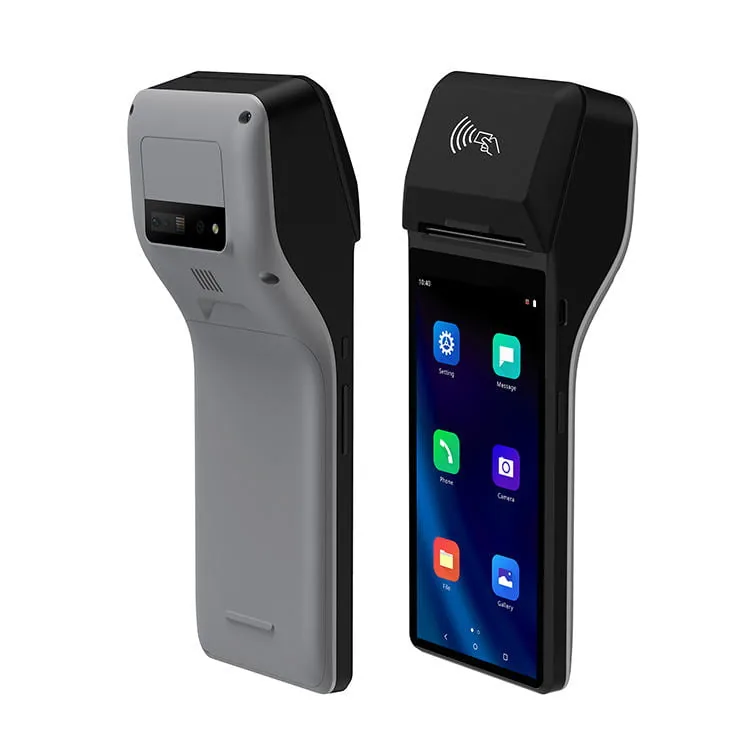
We provide Android mobile POS terminals (mPOS), handheld POS terminals and compact card-accepting devices for retail and hospitality checkouts. One handheld machine supports built-in receipt printing, 2D barcode scanning and NFC payment, so the customer completes the transaction wherever they stand.
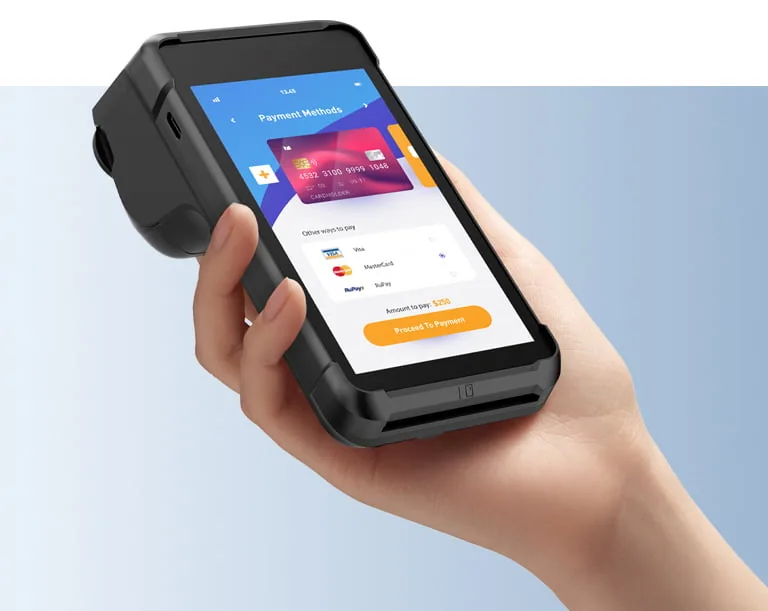
Powering Uninterrupted Mobility.
These devices break operational silos completely. They integrate a high-speed 58mm thermal printer, a megapixel 2D scanner, and multi-channel payment modules (NFC/IC). Our high-capacity batteries sustain a full 12-hour shift. You no longer need extra peripherals.
58mm Thermal Printer
Built-in high-speed receipt generation without external Bluetooth printers.
Professional 2D Engine
Scan barcodes and QR codes immediately using dedicated hardware, not a slow camera.
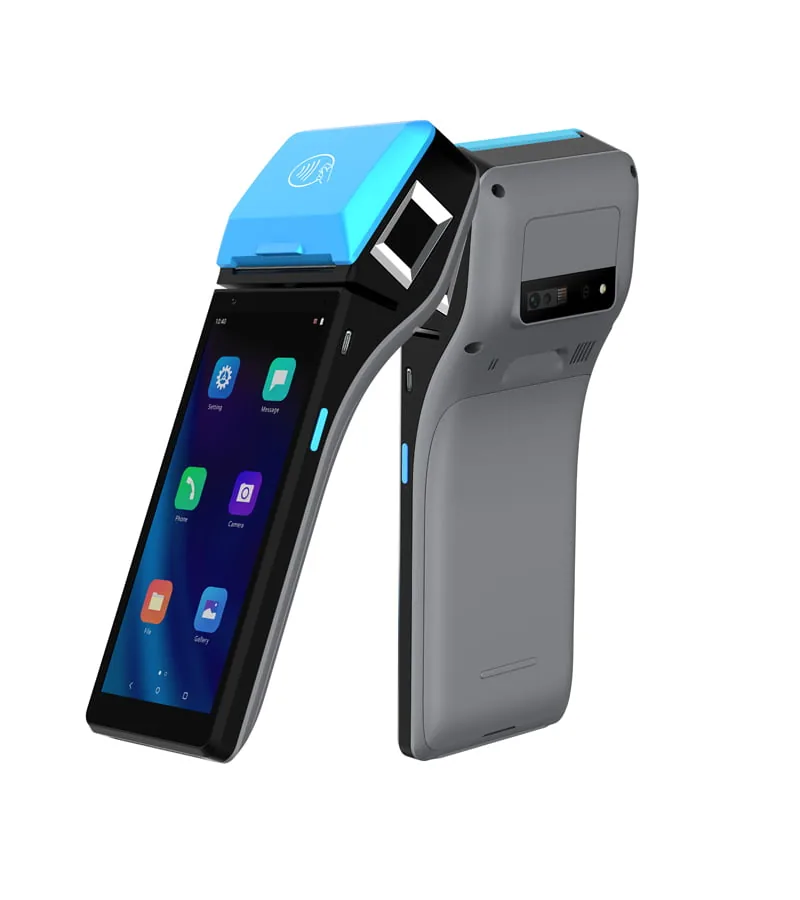
12-Hour Battery Life
Massive internal battery capacity ensures continuous operation through a full shift.
Omni-Channel Payment
Fully equipped with NFC, IC card, and magnetic stripe readers for global transactions.
What Is mPOS? Mobile Point of Sale Explained.
mPOS stands for mobile point of sale. In hardware terms, it is a checkout that travels with the operator: a handheld device carrying its own battery and radio, and — depending on configuration — an integrated receipt printer, a scan engine and a card-accepting module inside the same housing. The software layer stays with your POS provider. The mPOS hardware is what makes a transaction possible away from the counter.
What Sits Inside an mPOS Terminal
A compact Android mainboard, a lithium battery sized for a full shift, a radio set, an optional 58mm thermal printer, an optional 1D/2D scan engine and a card-accepting module. You specify each element per project, which is why two mPOS devices with the same screen size can behave very differently in the field.
What an mPOS System Does
Line-busting during a rush, tableside settlement in hospitality, price checks and cycle counts on the sales floor, delivery and field sales outside the store, and pop-up counters with no fixed lane. The common thread is that the operator moves while the transaction still has to complete on the spot.
What mPOS Is Not
It is not a payment service and not a POS application. TillNode supplies the mobility node: the device, the firmware baseline and the integration points for the peripherals. Payment handling and software functionality stay with the solution provider you already work with.
| Form Factor | What It Is | Typical Fit |
|---|---|---|
| Handheld mPOS terminal | All-in-one device: screen, battery, printer, scanner and card-accepting module in one shell | Line-busting, tableside service, pop-up and event counters |
| Portable POS machine | Compact countertop unit that you can reposition but that normally works from a fixed spot | Secondary lanes, market stalls, small-footprint counters |
| Enterprise handheld PDA | Rugged mobile computer with a scan engine and no receipt printer | Stocktaking, receiving, picking and asset checks |
| Tablet or phone with a peripheral set | Consumer device paired with a printer, cradle or card-accepting accessory | Light-duty selling, service bookings, informal retail |
The practical distinction between an mPOS terminal and the other three rows is not the screen. It is whether the device carries through an entire shift, where battery capacity, drop protection, weight and on-board printing decide the outcome. Mobile terminal specification starts from the working day, not from the hardware list.
The Mobile POS Series
Precision-crafted hardware tailored for different operational intensities.
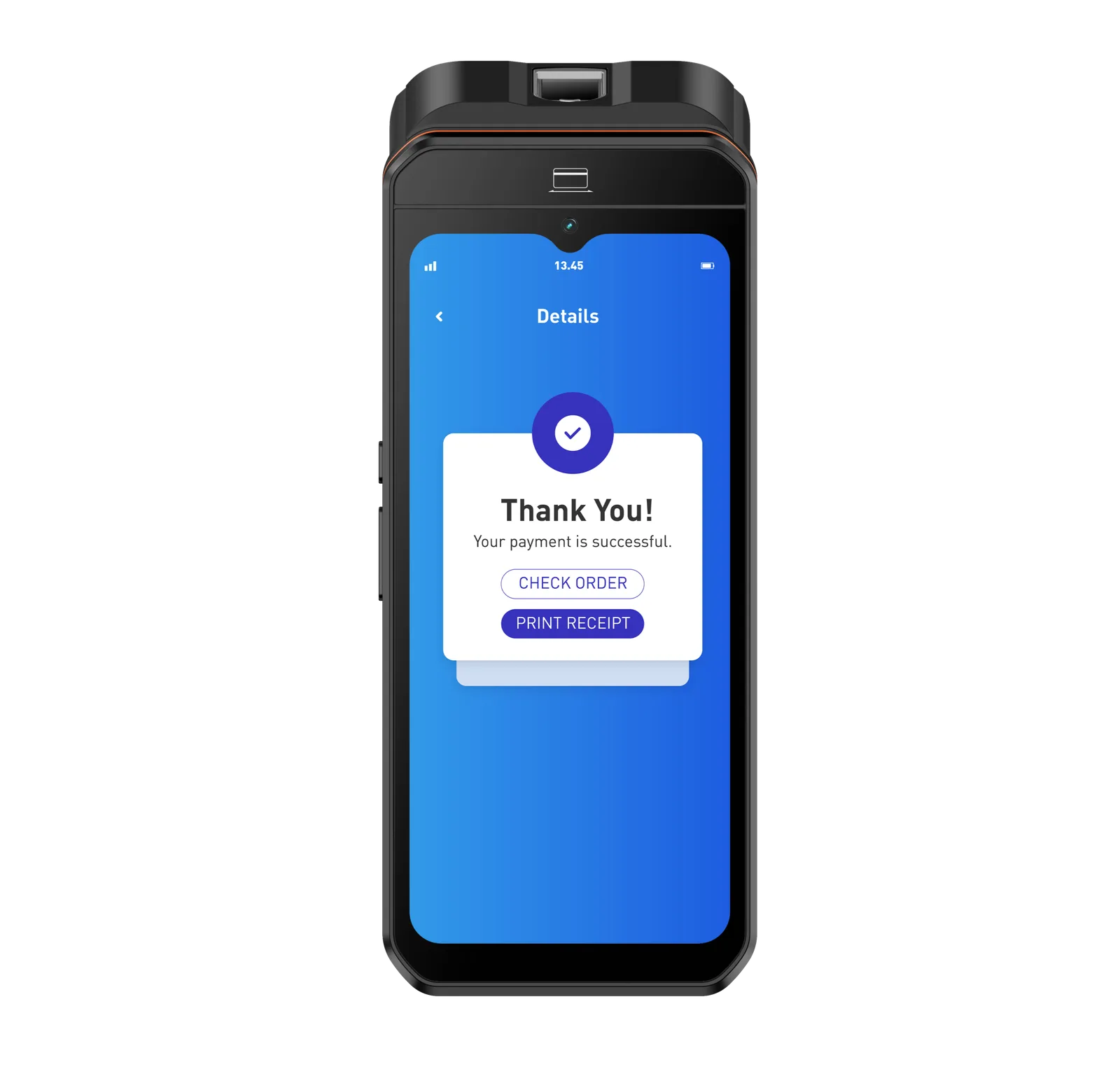
SN-H90
The Flagship All-in-One
- 6.5" HD Touch Display
- 58mm Built-in Printer
- Clean Android 14 OS
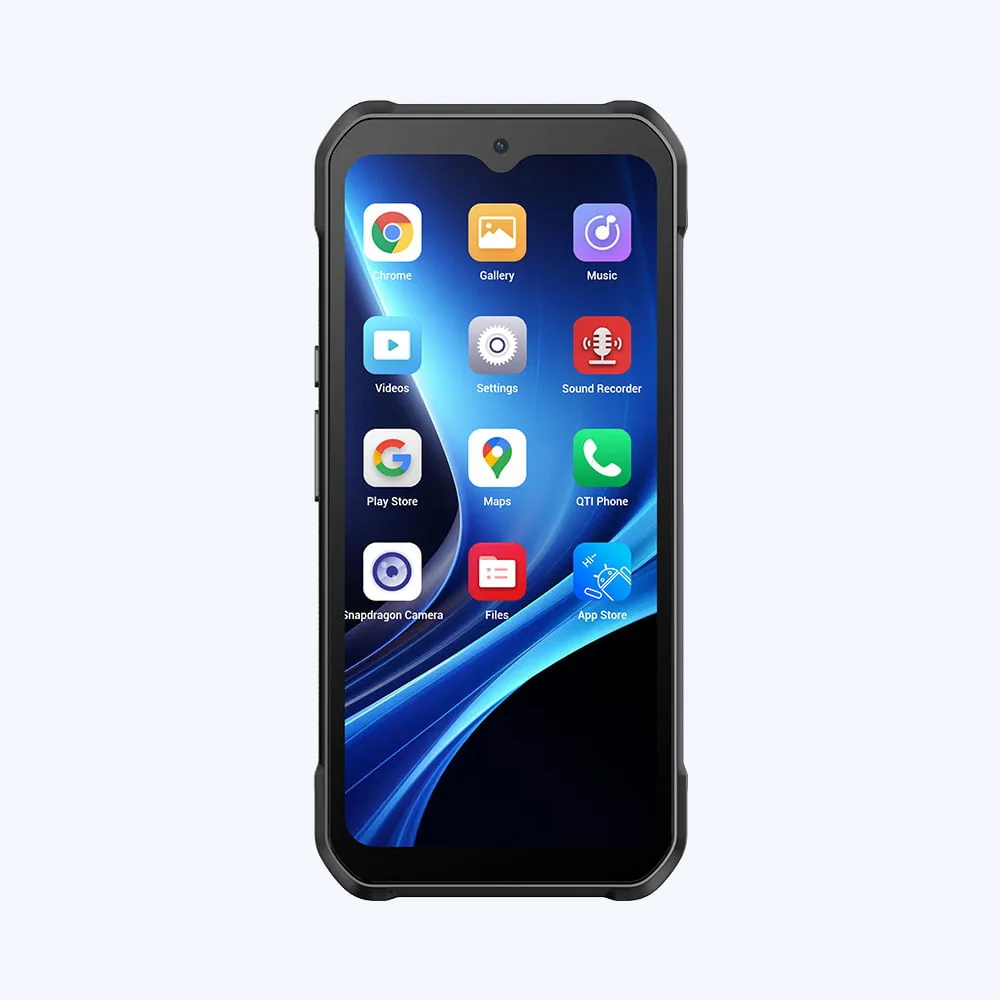
SN-H90PDA
The Rugged Data Terminal
- IK07 Impact-Resistant Screen
- Professional 2D Scan Engine
- No Built-in Printer
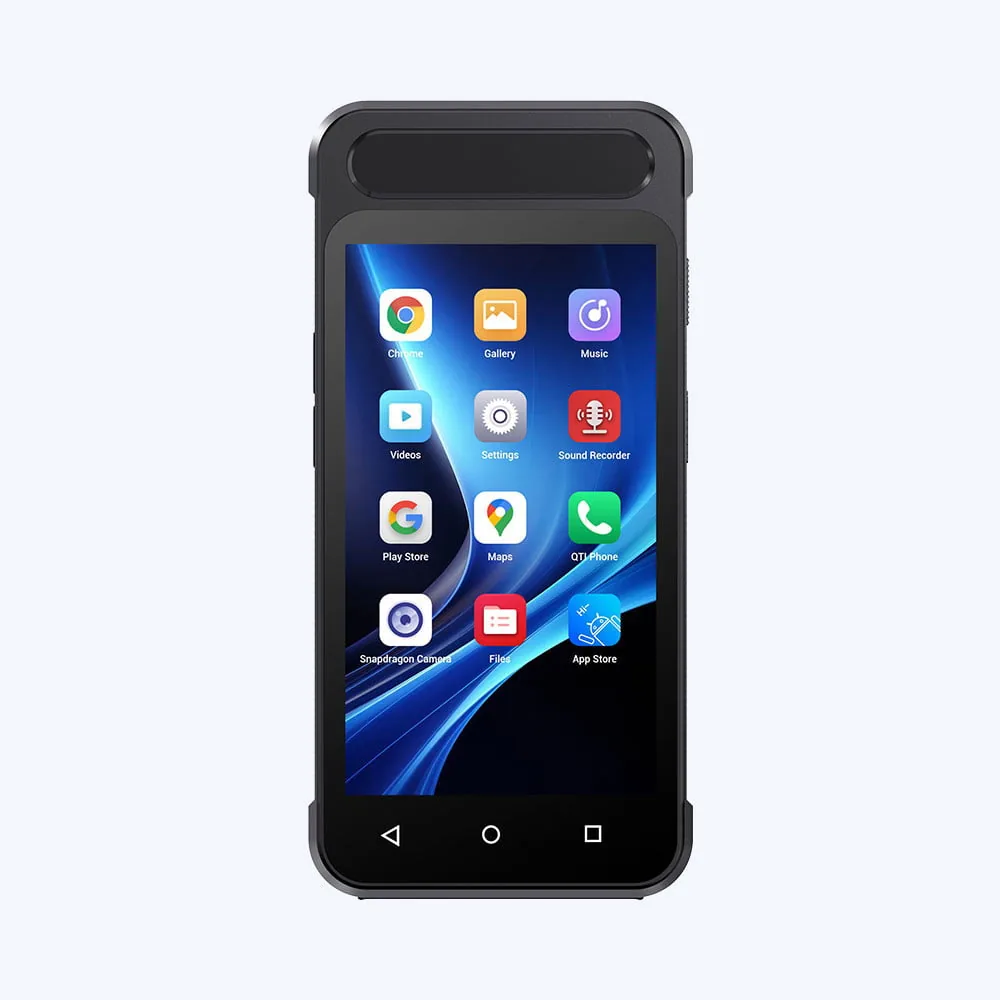
SN-H80
The Pocket Checkout
- 5" Ultra-Slim Form Factor
- Full NFC Payment Enabled
- Lanyard Wearable Design
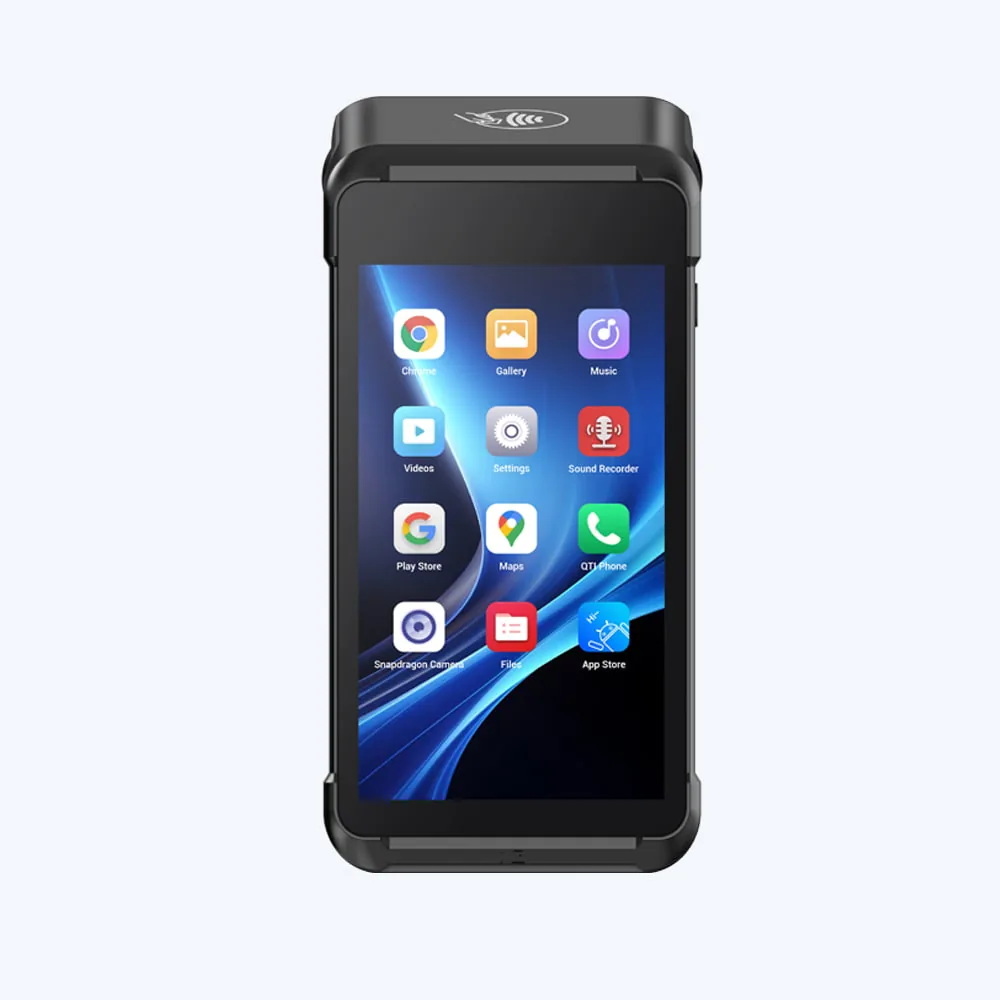
SN-H80M
The Lightest Node
- 389g Ultra-Light Body
- 1.5m Drop Resistance
- 80mm/s High-speed Thermal
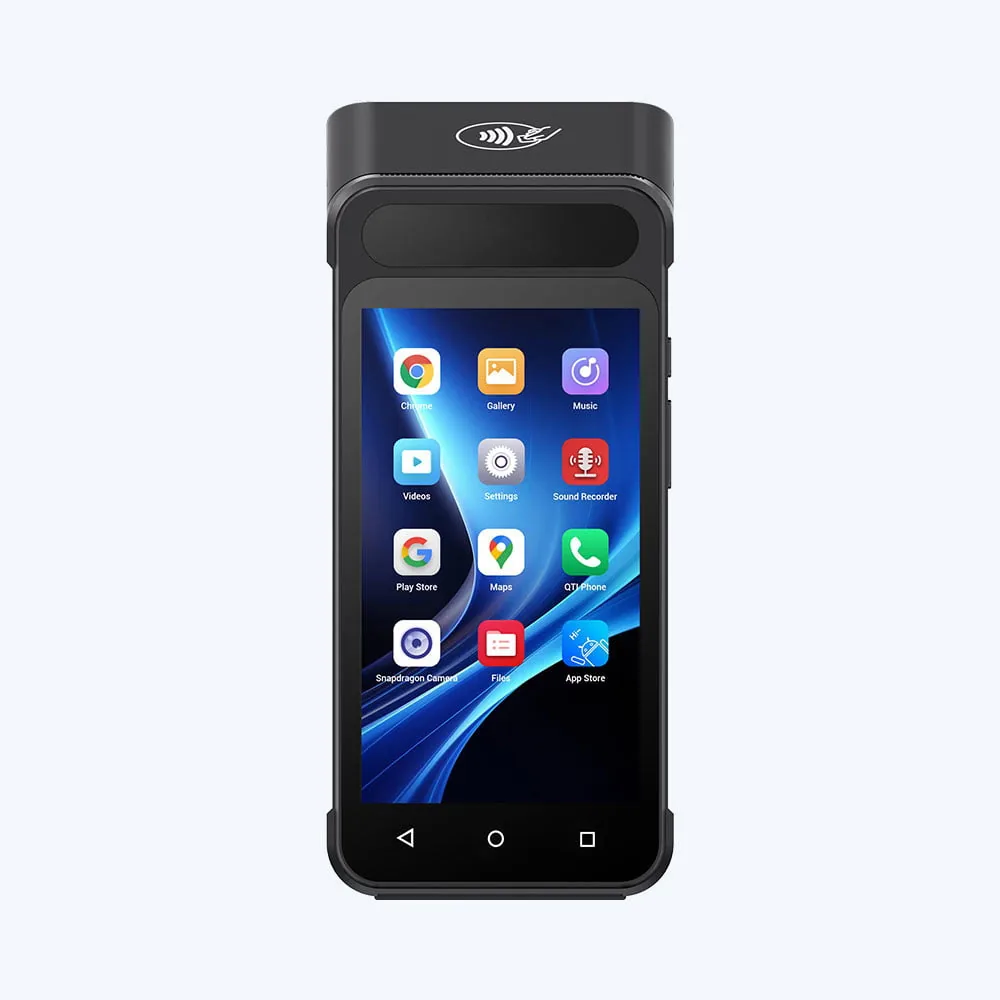
SN-H80P
Full Function, Pocket Form
- 5" Ultra-Slim Form Factor
- PCI PTS 6.x & EMV L1/L2
- 58mm / 80mm/s Thermal Printer
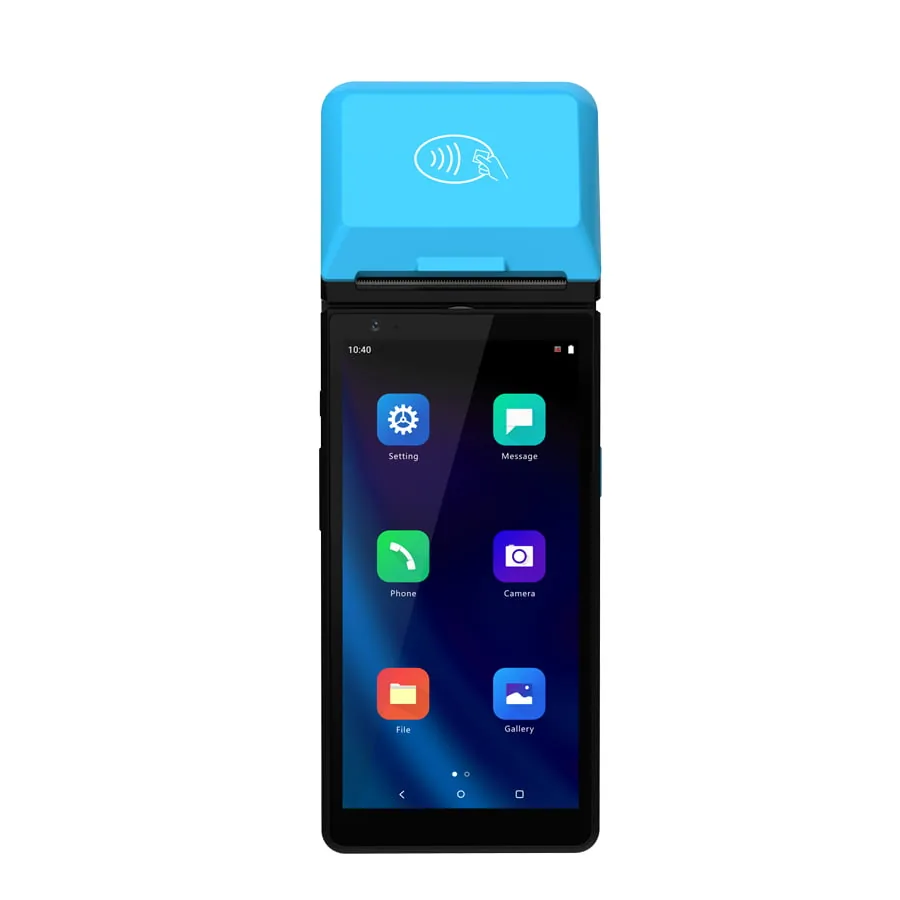
SN-H50
The Certified Counter Node
- 6" TFT IPS Screen + 128×36 Customer Display
- PCI PTS 6.x & EMV L1/L2
- 58mm Seiko Printer, 80mm/s
SN-H30
The Ultra-Thin Checkout
- 17mm Ultra-Thin Profile
- 58mm Seiko Printer, 70mm/s
- 5MP Rear Camera + NXP NFC
Engineered for Every Field Scenario.
From retail floors to delivery routes, our devices elevate customer experiences immediately.

Queue Busting
You eradicate long checkout lines. You process mobile payments immediately anywhere on the shop floor.

Tableside Service
You maximize restaurant efficiency. You complete orders and payments directly at the table, reducing wait times.

Field Logistics
You manage proof of delivery and field ticketing. The device guarantees smooth 4G and Wi-Fi connectivity outdoors.
Compare Handheld POS Terminals Side by Side.
Seven mobile terminals share the same Android foundation but differ in display size, print speed, payment certification and durability. The table below maps each model to the work it performs, so you can select a configuration before requesting a sample.
| Model | Built For | OS | Built-in Printer | Payment Security | Standout |
|---|---|---|---|---|---|
| SN-H90 | Retail & hospitality flagship | Android 14 | 58mm, 80mm/s | NFC contactless | 6.5" bezel-less display, removable 5000mAh battery |
| SN-H90PDA | Warehousing & logistics | Android 14 | None — data terminal | GMS-certified Android | IK07 impact rating, professional 2D scan engine |
| SN-H80 | Pop-up stores & events | Android | Built-in thermal | NFC contactless | 5" ultra-slim body, lanyard-wearable |
| SN-H80M | Outdoor & field mobility | Android | Built-in thermal | EMV L1 & L2 | 389g lightest unit, 1.5m drop resistance |
| SN-H80P | Compact full-function checkout | Android-based smart OS | 58mm, 80mm/s | PCI PTS 6.x, EMV L1 & L2 | Magstripe + IC + NFC in one reader, 4G / BT 5.0 |
| SN-H50 | Counter checkout with customer display | Android 11 (GMS) | 58mm, 80mm/s Seiko | PCI PTS 6.x, EMV L1 & L2 | Dedicated 128×36 customer display, optional FBI-certified fingerprint |
| SN-H30 | Thinnest handheld checkout | Android 14 | 58mm, 70mm/s Seiko | NXP NFC contactless | 17mm ultra-thin profile, 5MP rear camera |
We draw the specifications above from each model's own data sheet. You can select screen size, memory configuration and optional modules per project — we quote OEM and ODM variants individually. We list models built for inventory and warehouse workflows separately in ourhandheld PDA and mobile computer range.
Request a ConfigurationPortable POS Machines and Mobile POS Terminals.
People use the two terms interchangeably in search, and they overlap in hardware, but they answer different buying questions. Aportable POS machineis a compact unit that you can move between positions yet that normally operates from a fixed spot, often docked or mains-powered. Amobile POS terminalcarries through a full shift while the operator keeps selling.
Portable POS Machine
Small footprint, mains or dock power, usually a screen and a receipt printer in one body. Chosen when the counter is small, seasonal or movable but the operator still stands at it. The design priority is a stable base and a short cable run rather than battery endurance, so a portable POS device can stay heavier and simpler than a handheld.
Mobile POS Terminal
Battery-first design, drop protection, carry options such as a hand strap or belt clip, and a display that stays readable under shop lighting or daylight. Chosen when the operator walks: between tables, along a queue, across a warehouse floor or out to a delivery address. Weight and battery endurance are the specifications that decide whether the device survives a full shift.
Choosing Between Them
A third shape is worth separating out. The enterprise handheld PDA shares the mobile terminal’s portability but usually drops the receipt printer and adds an IP-rated housing and a higher-tier scan engine, because its job is data capture rather than a customer-facing checkout. Our handheld PDA and mobile computer rangesuits that role and shares the accessory ecosystem.
- — The operator stands at the counter, and the footprint has to shrink → a portable POS machine keeps the lane compact.
- — The operator walks with the customer, and the sale has to finish anywhere → a mobile POS terminal is the correct form factor.
- — The job is stock work rather than selling → a handheld PDA matches the duty cycle better.
- — The application already runs on consumer hardware → a peripheral set (printer, cradle, scan accessory) may be enough.
Because a portable POS machine, an mPOS terminal and a PDA can all route through the same Android foundation, the decision is about form factor and duty cycle rather than about committing to a different ecosystem. The handheld smart POS terminal buying guide walks through the specification points in order.
mPOS Terminal Connectivity: Bluetooth, Wi-Fi, and 4G.
An mPOS system stays online only if the radio set matches the floor. You specify connectivity per deployment, because the same mPOS terminal that performs well on a dense retail Wi-Fi network behaves differently in a warehouse corner, a basement stockroom or a trade-show stand with no infrastructure at all.
Bluetooth
Use it mainly for peripherals: pairing a belt printer, a charging cradle, a card-accepting accessory or a headset. Short range by design and the least demanding on the battery. On devices with an integrated 58mm printer, Bluetooth often stays free for other accessories because the device handles receipt printing on-board.
Wi-Fi
The default for in-store mPOS deployments. Coverage depends on access-point density rather than on the device, so a floor survey matters more than the radio datasheet. You test roaming between access points with the actual POS application before you scale a rollout.
4G / Cellular
Chosen where there is no fixed network: field sales, delivery routes, events and temporary sites. A cellular module draws noticeably more power than Wi-Fi, so you size battery capacity and the charging strategy together with the radio rather than after it. Pairing aportable thermal printer with a cellular handheld is a common field configuration.
When the Connection Drops
Offline tolerance is partly a hardware property and partly an application setting. Local storage on the device can hold a working queue of transactions so that a temporary radio outage does not stop the operator, and the POS application reconciles that queue once the link returns. Where continuous connectivity is a hard requirement for the workflow, you must state it at configuration stage so you specify the radio set and the battery for it from the start.
Peripheral Integration Across an mPOS Solution
We expose the printer, scan engine and card-accepting modules to your application through documented integration points, so your existing software stack can drive the mPOS hardware. In practice, an mPOS technology decision is a hardware decision: which radio, which scan engine tier and which printer configuration the workflow actually needs. Deployments in hospitality often combine a handheld terminal with ahandheld ordering solution, where table service and queue-busting reuse the same accessory ecosystem.
What Shapes the Cost of an mPOS Rollout.
A mobile POS terminal is configuration-dependent, so a single headline price is rarely the useful number. The specification you choose and the operating model around the device drive the cost of an mPOS rollout, not the screen size alone.
| Cost Driver | What Changes It | Why It Matters at Scale |
|---|---|---|
| Device configuration | Scan engine tier, display size, printer fitted or not, radio set | You can specify the same chassis as a data-only handheld or a full mPOS terminal |
| Battery and charging strategy | Single charger, multi-bay dock, or spare-battery rotation | A docking fleet costs more up front but reduces per-shift handling time |
| Peripheral kit | Cradle, belt clip, protective case, spare battery, lanyard | Small items are the most common reason a pilot stalls after delivery |
| Volume and staging | Unit count, asset tagging, firmware baseline, kitting and labeling | Staging effort scales with units, so we quote it per project |
| Spares and service terms | Spare-part availability, repair turnaround, warranty length | Decides what a device fleet costs to keep running, not what it costs to buy |
| Lifecycle | Battery replacement interval, spare-part horizon, accessory compatibility | The second and third year of a fleet is where the real number sits |
A portable POS machine, an mPOS terminal and an enterprise PDA share much of the same accessory ecosystem, so mixing form factors inside one project usually does not break the spare-parts model. You agree configuration, staging scope and lifecycle terms with us — and we quote those per project rather than publishing them as a list. Send the workflow and the unit count to our team through therequest a quotationform and we prepare a configuration-led proposal around it.
Reliable Software Integration.
Your software is only as good as the hardware it runs on. TillNode uses a clean, enterprise-grade Android architecture. We provide comprehensive SDKs, API documentation, and dedicated engineering support natively. You deploy your proprietary POS applications rapidly without compatibility issues.
import com.tillnode.hardware.*;
class PaymentTerminal {
Printer.init();
Scanner.enable(true);
// Hardware ready in ms
}
Why Build Mobile POS Projects with TillNode
We combine certified payment modules, genuine scan engines and field-proven housings on a single Android platform. We prepare customization, documentation and after-sales support around your software stack rather than around our catalog.
We build the mobility node. You control the transaction flow.
Certified Payment Modules
The SN-H80P and SN-H50 fit PCI PTS 6.x and EMV Level 1 & Level 2 certified reading hardware. The same reader handles magstripe, IC and NFC contactless, so you need no external PIN pad.
Genuine Scan Engines
We use Zebra 4710 1D/2D scan engines and industrial NXP NFC chips rather than camera-based decoding. The device reads barcodes and QR codes on the first trigger, which keeps checkout queues moving.
Field-Proven Durability
Drop-tested housings and impact-resistant screens across the range. The SN-H80M weighs 389g, so it carries through a full shift without fatigue.
SDK & Integration Support
We ship a clean Android build on every unit. We provide SDKs and API documentation for the printer, scanner and NFC modules natively, and we assign a dedicated engineer to each integration project.
OEM / ODM Customization
We configure boot-up logos, casing colors, housing tooling, UI modifications and white-label packaging to match your brand. We can develop full ODM programs from a specification.See OEM / ODM services.
Warranty & Spare Parts
We provide a 12-month standard warranty on mobile terminals, with replacement units and spare parts held for distribution partners. We publish the terms and RMA procedure in ourwarranty and RMA policy.
Frequently Asked Questions.
Do you provide SDKs for integrating our proprietary POS software?
We guarantee reliable integration. Our devices use a clean, standard Android operating system. We provide comprehensive SDKs and API documentation for the built-in printer, scanner, and NFC modules natively. We assign dedicated engineering support to ensure you deploy your application rapidly.
Do you offer OEM/ODM customization and white-label services?
Yes. TillNode provides comprehensive OEM and ODM services. We configure boot-up logos, custom casing colors, UI modifications, and white-label packaging to align with your brand identity.
Are the Mobile POS terminals certified for secure financial transactions?
We adhere strictly to international payment security standards. Our financial-grade models integrate PCI PTS and EMV Level 1 & Level 2 certifications, and they encrypt and secure all NFC and IC card transactions heavily.
Can these terminals print a receipt, or do we need a separate printer?
Six of the seven models listed above have a 58mm thermal printer built into the body, so you need no separate Bluetooth printer and you add no pairing step to the checkout flow. The SN-H90PDA is the exception — it is a data terminal built for scanning and inventory work rather than for handing a receipt to a customer. If receipt printing is part of your workflow, you can select SN-H90, SN-H50, SN-H80, SN-H80M, SN-H80P and SN-H30.
Which model suits an indoor counter, and which one suits outdoor field use?
For a fixed counter where the operator stands in one place, the SN-H50 offers the largest screen and a separate 128×36 customer-facing display, so the shopper can watch you enter the total. For work that moves — markets, pop-up stores, delivery, field service — the SN-H80M is the lightest option at 389g with 1.5m drop resistance, and the SN-H30 combines a 17mm ultra-thin body with a 58mm printer for high-volume mobile queues. You can match a configuration to your operating hours, transaction volume and software environment before you order samples.
What is the difference between a handheld POS terminal and an industrial PDA?
A handheld POS terminal centers on completing a sale: it carries a receipt printer, a payment reader and a screen large enough to show a cart. An industrial PDA centers on capturing data: it trades the printer for a larger scan engine, a rugged IP-rated housing and long battery endurance in warehouses and stockrooms. Both run Android and TillNode supplies both — we list the POS line on this page, and we describe the data-capture line in ourhandheld PDA and mobile computer range.
How does the battery perform during peak retail hours?
Our devices sustain a full 12-hour intensive shift. They use high-capacity lithium batteries and low-power hardware architectures. They support fast charging to minimize device downtime.
What is the Minimum Order Quantity (MOQ) and can we get a sample for testing?
We maintain flexible procurement policies to support our partners.We dispatch sample units rapidly globallyfor your software testing and hardware evaluation. We prioritize bulk orders for tier-one pricing, and we accept low MOQs for your initial pilot rollouts.
What does mPOS stand for and how does it work?
mPOS stands for mobile point of sale. It replaces the fixed counter lane with a handheld device carrying its own battery, radio and — depending on configuration — an integrated receipt printer, a scan engine and a card-accepting module. The device is what the operator holds; the transaction logic runs in your POS application, which reaches the hardware through documented integration points.
What is the difference between a portable POS machine and a mobile POS terminal?
A portable POS machine is a compact unit that you can reposition but that normally works from a fixed spot, so you can dock it or mains-power it. A mobile POS terminal carries through a full shift, which shifts the design priorities to battery endurance, drop protection, weight and on-board printing. Where the operator walks while selling, the mobile POS terminal is the correct form factor.
Do mobile POS terminals work without Wi-Fi?
Yes, when the configuration includes a cellular module. You choose the radio set per deployment: Wi-Fi only, Wi-Fi with Bluetooth for peripherals, or Wi-Fi, Bluetooth and a 4G module. Local storage on the device can hold a working queue of transactions during a temporary outage, and the POS application reconciles that queue once the link returns.
Which mobile POS terminal suits restaurants and field sales?
For table service and queue-busting the priorities are weight, a screen that stays readable under restaurant lighting and an integrated printer that produces the bill at the table. For field sales and delivery the priorities shift to cellular coverage, battery endurance across a long day, an IP-rated housing and drop protection. Both are the same product family configured differently, so you run the comparison on specifications rather than on model names.
Deploy Your Mobile Strategy Today.
TillNode's mobile hardware empowers top ISVs and global retail chains. We support bulk hardware pricing, white-label OEM customization and MDM (Mobile Device Management) readiness for your next rollout.
We dispatch sample units for software testing and hardware evaluation before you place a volume order.