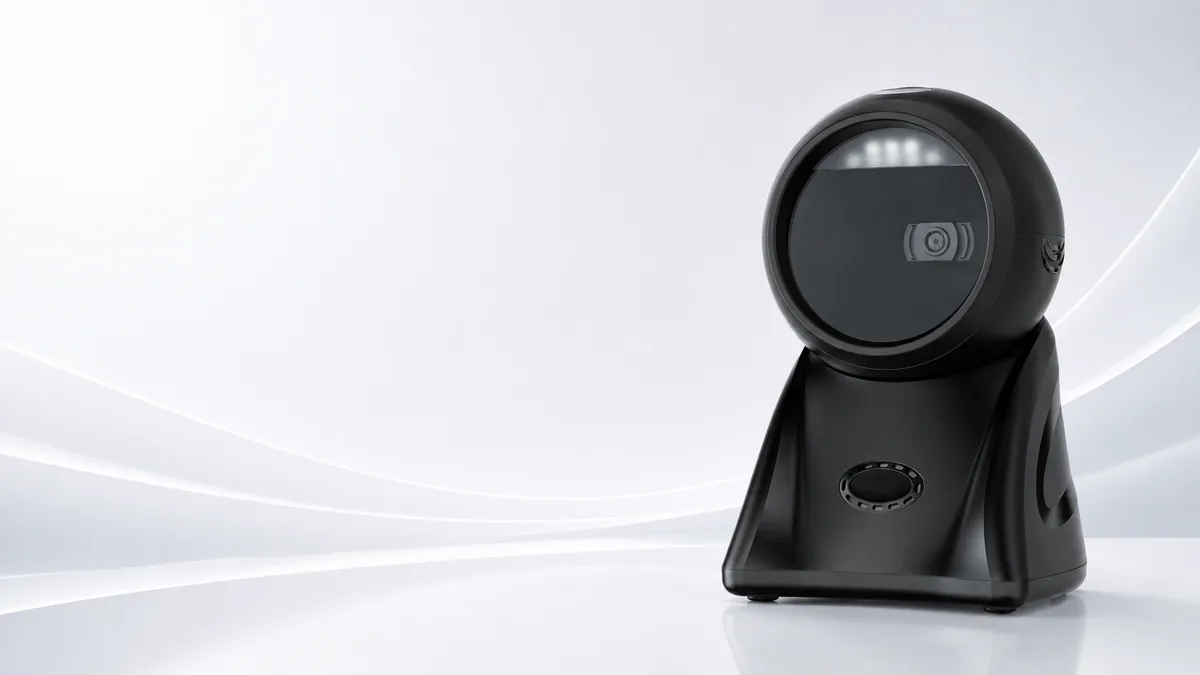
Barcode Scanners for Fast Checkout, Accurate Inventory & Connected Retail.
We provide 1D/2D barcode scanners, QR code readers, and handheld and fixed mount scanners for POS systems and warehouses. You get faster scanning, accurate data capture, and stable integration across your operations.
Slow Scanning Creates Checkout Delays and Inventory Errors.
You must capture retail and warehouse data immediately. When staff rely on manual entry, unstable scanners, or consumer devices, checkout slows down and inventory accuracy suffers. A reliable barcode scanner keeps every transaction, item, and workflow on record correctly.
Scanning is the first step of accurate retail data.
Slow Checkout
Manual entry of product codes, coupons, and membership IDs creates long queues.
Scanning Failure
Damaged labels, reflective screens, and poor lighting can slow down checkout when scanner performance is weak.
Inventory Inaccuracy
Failing to capture barcodes directly and accurately creates wrong stock records.
Poor POS Compatibility
Scanners that do not match your software, interfaces, or operating systems interrupt POS workflows.
Unstable Kiosk Scanning
Self-service kiosks require embedded scanners that can read QR codes, tickets, coupons, and product labels consistently.
High Replacement Cost
Low-grade scanners can fail quickly in high-frequency retail, restaurant, and warehouse environments.
Barcode Scanner Models for Different Scanning Workflows.
Different checkout, inventory, kiosk, and warehouse workflows require different scanner formats. You can choose handheld scanners, wireless scanners, desktop scanners, fixed mount scanners, QR code scanners, and industrial barcode scanners by scanning distance, code type, interface, and deployment environment.
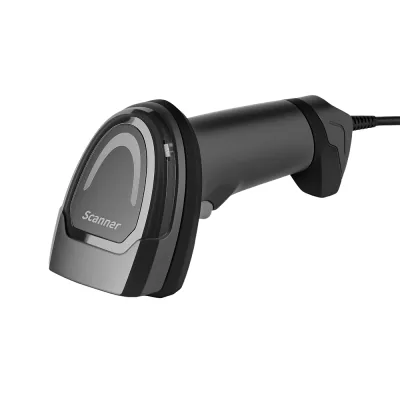
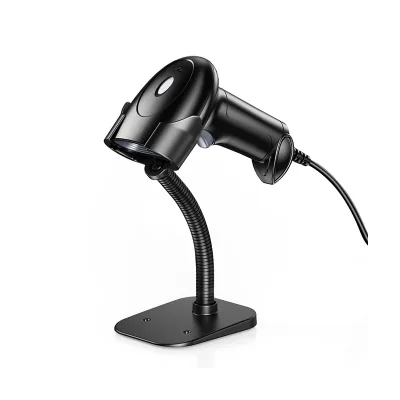
Handheld Barcode Scanners
Handheld barcode scanners serve POS checkout, retail counters, inventory checks, receiving, and daily product scanning.
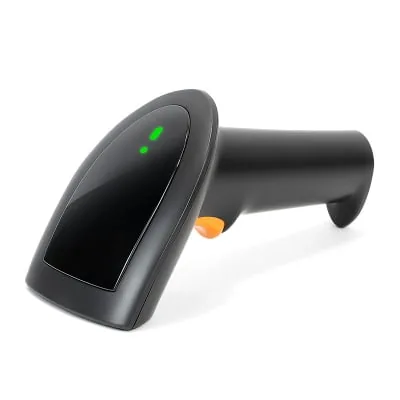
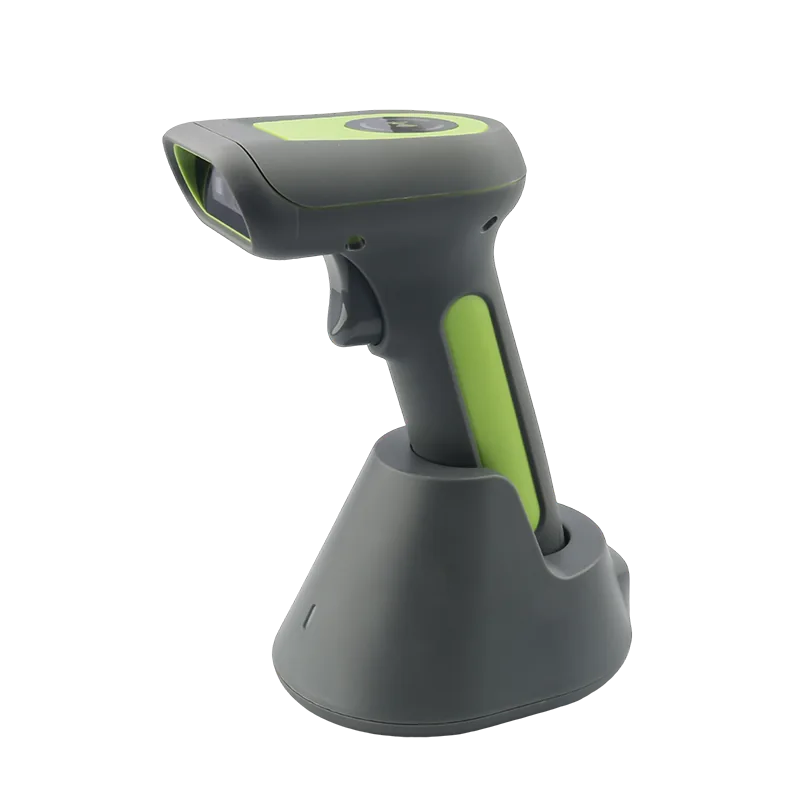
Wireless Barcode Scanners
Wireless barcode scanners can support flexible scanning workflows where staff need mobility around counters, shelves, and storage areas.
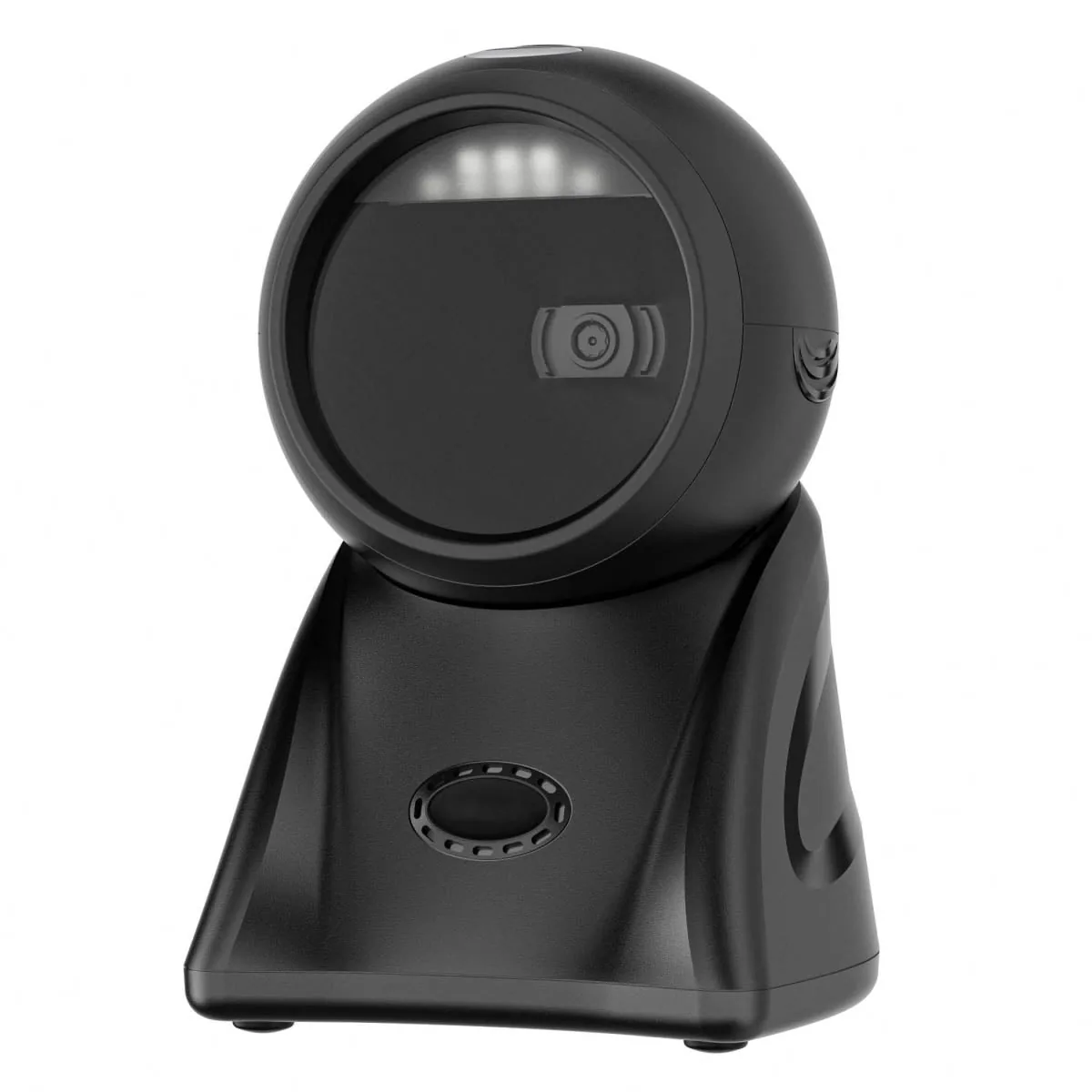
Desktop and Presentation Scanners
Desktop barcode scanners enable hands-free scanning at checkout counters, pharmacy counters, and high-volume POS lanes.
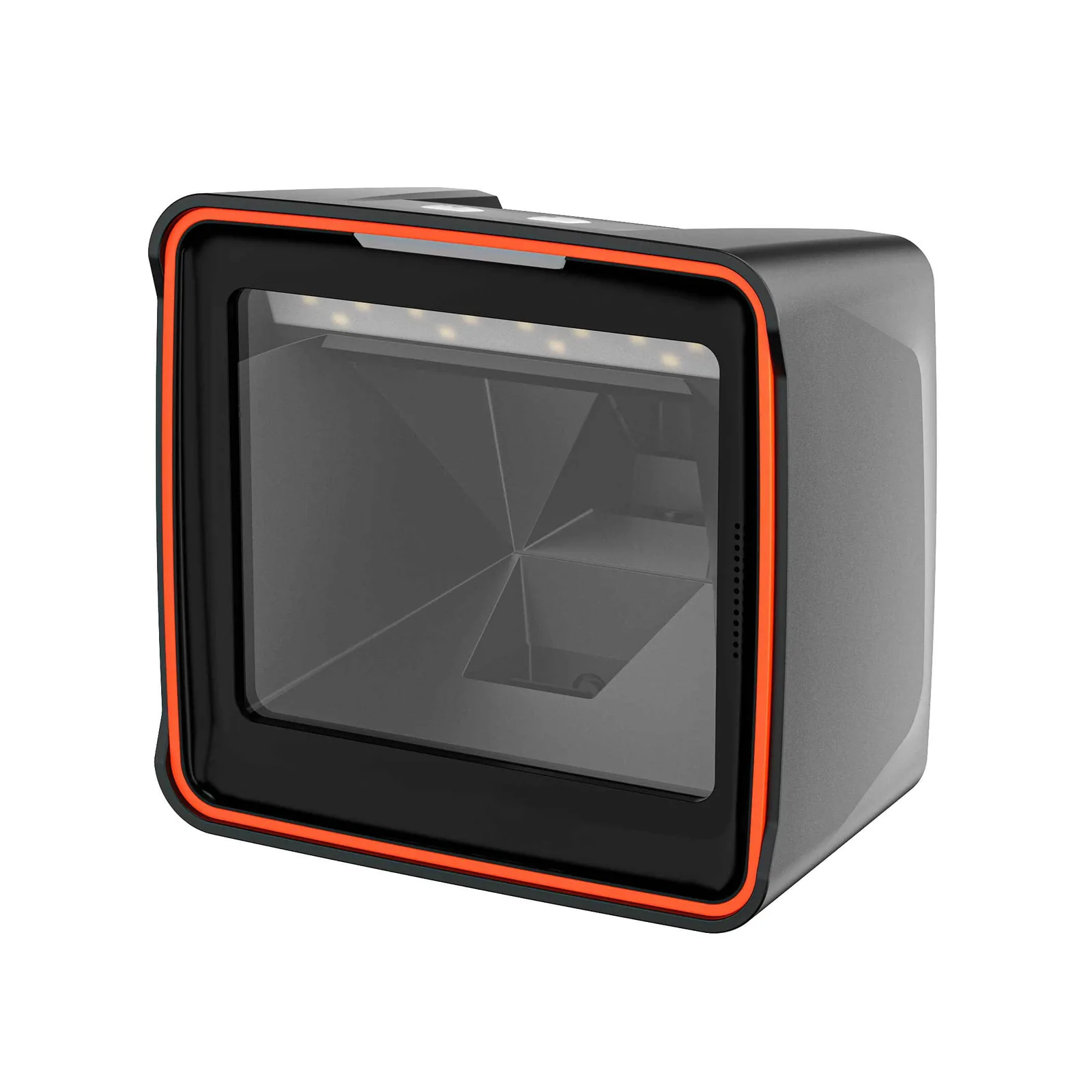
Fixed Mount Barcode Scanners
Fixed mount scanners sit inside kiosks, self-checkout machines, access terminals, and automated scanning equipment.
2D QR Code Scanners
2D scanners can read QR codes, mobile payment codes, membership codes, coupons, tickets, and product barcodes.
Industrial and Warehouse Scanners
Industrial barcode scanners suit more demanding workflows that require durability, scanning speed, and repeated use.
A Scanning Node Lives in Every Connected Workflow.
We design barcode scanners as the data entry point of connected retail and warehouse operations. They capture product codes, QR codes, coupons, membership IDs, tickets, and shipping labels and send them to POS systems, kiosks, WMS platforms, ERP systems, inventory software, and cloud applications.
POS Checkout Connection
Barcode scanners connect with POS terminals to support product scanning, coupon reading, membership lookup, and payment code capture.
Kiosk and Self-Checkout Integration
Fixed mount scanners embed into kiosks and self-checkout systems for ticket, QR code, product, and receipt workflows.
Inventory and WMS Workflows
You can capture barcode data for stock counting, receiving, picking, packing, replenishment, and warehouse verification.
Cloud and ERP Synchronization
Scanned data syncs with ERP, WMS, POS, and cloud-based retail management platforms.
Retail Device Compatibility
Barcode scanners work alongside POS systems, receipt printers, handheld PDAs, Electronic Shelf Labels, kiosks, and Mini PCs.
Capture every code faster. Keep every workflow connected.
Capture 1D, 2D, and QR Codes Across Retail Workflows.
Barcode scanners must read more than product labels. They capture paper barcodes, screen QR codes, mobile payment codes, coupons, membership codes, tickets, and shipping labels based on scanner model and project configuration.
1D Barcode Reading
These scanners support common retail barcodes such as UPC, EAN, Code 39, Code 128, and other 1D codes.
2D Barcode Scanning
They read 2D barcodes such as QR Code, Data Matrix, and PDF417 for retail, logistics, ticketing, and ID workflows.
Screen QR Code Reading
They capture QR codes displayed on mobile phones for payment, membership, coupon, and ticket verification.
Damaged or Low-Contrast Labels
You can choose suitable scanner models to improve reading performance on worn, wrinkled, or low-contrast labels.
High-Frequency Scanning
Stable scanning performance supports high-volume checkout, warehouse picking, and inventory workflows.
Auto-Sensing and Hands-Free Scanning
Presentation scanners and fixed scanners support hands-free workflows when you place products or codes in front of the scanning window.
UPC, EAN, and Price Scanners: Which Reader Fits Which Job.
Not every retail code is a product barcode, and not every reader suits every code. A UPC scanner, an EAN reader, and a price scanner are three different jobs, and the configuration that fits one may not fit the next. The table below maps each code family to the reader type that fits it.
| Code family | Where it appears | Reader type that fits | Common interface |
|---|---|---|---|
| UPC-A / UPC-E | North American retail product labels | 1D laser or 1D/2D imager | USB HID, Bluetooth |
| EAN-13 / EAN-8 | International retail product labels | 1D laser or 1D/2D imager | USB HID, RS232 |
| In-store price and shelf labels | Shelf edge, promotion tags, price-check stations | 1D/2D imager on a stand, or fixed mount | USB, RS232, embedded |
| QR and Data Matrix | Mobile coupons, membership cards, e-receipts, tickets | 2D area imager | USB, Bluetooth, embedded |
UPC Scanner vs Barcode Scanner
A UPC is one symbology inside the barcode family, not a separate technology. A UPC scanner is therefore a 1D reader configured to decode the 12-digit GTIN-12 code used on North American retail products, together with the EAN-13 equivalents found on imported goods. When a project specifies a UPC scanner, the practical question is whether the deployment also needs 2D reading for coupons and membership codes — if it does, an area-imaging model avoids running two device types at the same lane. We cover the underlying structure of the code itself on our barcode structure reference, and we set out the code-coverage difference between the two reader families in the 1D vs 2D comparison.
Price Scanner and Price-Check Workflows
A price scanner verifies the price a customer sees against the price held in the store system. Two deployments cover most cases. A handheld price scanner handles the floor for shelf audits, planogram checks, and exception handling when a label does not match the till. A fixed price-check station mounts at aisle ends or on pillars, where shoppers scan an item and read the result on screen.
In a price-check station the scanner supplies the code and the display and price lookup come from the store system, so the reader has to return a clean decode to the host application every time. Models with a stand or an auto-sensing mode let staff work hands-free during audits, and the same reader serves a price check at the shelf as readily as a price check at the counter. Where a shelf label carries a price barcode of its own, the label print and the price record have to stay in step — which is a labeling decision as much as a scanning one. Where the project runs on printed shelf labels rather than a screen, a wired 1D model such as our 1D laser barcode scanners is usually the narrower fit; where the same station also reads member codes or e-receipts, a 2D imaging model covers both.
Before specifying either pattern, confirm four things: which code families the labels actually use, whether the station is customer-facing or staff-facing, whether the reader connects by USB, serial, or a wireless link, and how you mount the enclosure. Those four answers narrow the model list faster than any specification sheet.
Barcode Scanners for Inventory: Receiving, Counting, and Replenishment.
You specify a bar code scanner for inventory differently from a checkout scanner. Where you run a barcode scanner for inventory across whole shifts, full-shift scanning, wireless backhaul, and batch storage matter more than presentation speed, and the three stages below each put a different demand on the reader. We cover the wider set of warehouse scanning layouts under scanning solutions.
Receiving and put-away
You scan codes once, often from cartons and mixed pallets, and the result has to reach the stock system immediately. A wireless handheld with a 2D imager reads damaged or partially obscured carton labels more reliably than a single-line laser, and a charging cradle keeps the unit available across shifts.
Cycle counting and stock audit
Counters move aisle by aisle, so scan distance and battery life set the pace. Batch or offline storage matters in backrooms and storage yards where the wireless link drops — the reader holds the records and uploads them once the link returns, so you never repeat the count. We list models with that capability under wireless barcode scanners.
Replenishment and picking
Replenishment work scans a location code and then the item code in sequence, which puts a premium on decode speed and trigger behavior. Auto-sensing models remove one trigger press per scan, which is measurable across a full shift.
What to Confirm Before Specifying
Code families in use
Whether the deployment reads printed product codes only, or 2D shelf-edge and location labels as well — a mixed set points to an imaging model. If the specifications in front of you list engine names rather than code families, what each scan engine type can actually read sets the four out in plain terms and separates what a name settles from what it leaves open.
Scan distance
Contact scanning at the shelf, arm's-length scanning on a rack, or overhead reads on a conveyor each suit a different optical configuration.
Interface and backhaul
USB at a fixed station, Bluetooth or 2.4G where staff move, and serial where legacy terminals already run.
Storage mode
Live transmission only, or batch storage for areas without coverage — the second option changes the model list, not just the settings.
Housing
Choose a commercial counter housing or an industrial floor enclosure for different drop, dust, and cleaning conditions.
Accessory set
Cradle, stand, spare battery, and mounting bracket sit inside the delivered configuration and shape the deployment scope.
Match Scanner Interfaces with Your POS, Kiosk, and Inventory Systems.
Barcode scanner hardware must fit your software and device environment. You can review USB, wireless, Bluetooth, 2.4G, serial, and embedded scanner options based on POS terminals, Mini PCs, kiosks, Android systems, Windows systems, and warehouse software platforms.
Your POS system needs reliable scanning hardware.
USB Scanner Connection
USB barcode scanners work with POS terminals, Mini PCs, desktop systems, and retail checkout counters.
Wireless and Bluetooth Options
Wireless barcode scanners can support flexible counter, shelf, backroom, and inventory workflows.
Serial / RS232 Options
You can review serial scanner configurations for POS systems, industrial devices, embedded terminals, and legacy equipment.
Android and Windows Compatibility
Scanner models pair with Android POS terminals, Windows POS systems, kiosks, Mini PCs, and enterprise applications.
Kiosk Embedded Scanning
Fixed mount scanners integrate into self-service kiosks, self-checkout terminals, ticketing machines, and access devices.
Project Configuration Support
You can prepare scanner settings, barcode modes, trigger methods, interface modes, and packaging options based on project needs.
Barcode Scanners for Checkout, Inventory, and Self-Service Environments.
Our barcode scanner hardware fits different commercial workflows. It supports product scanning, QR payment, membership verification, coupon reading, ticket scanning, stock counting, and warehouse data capture.
From checkout counters to warehouse shelves, we capture barcode data.
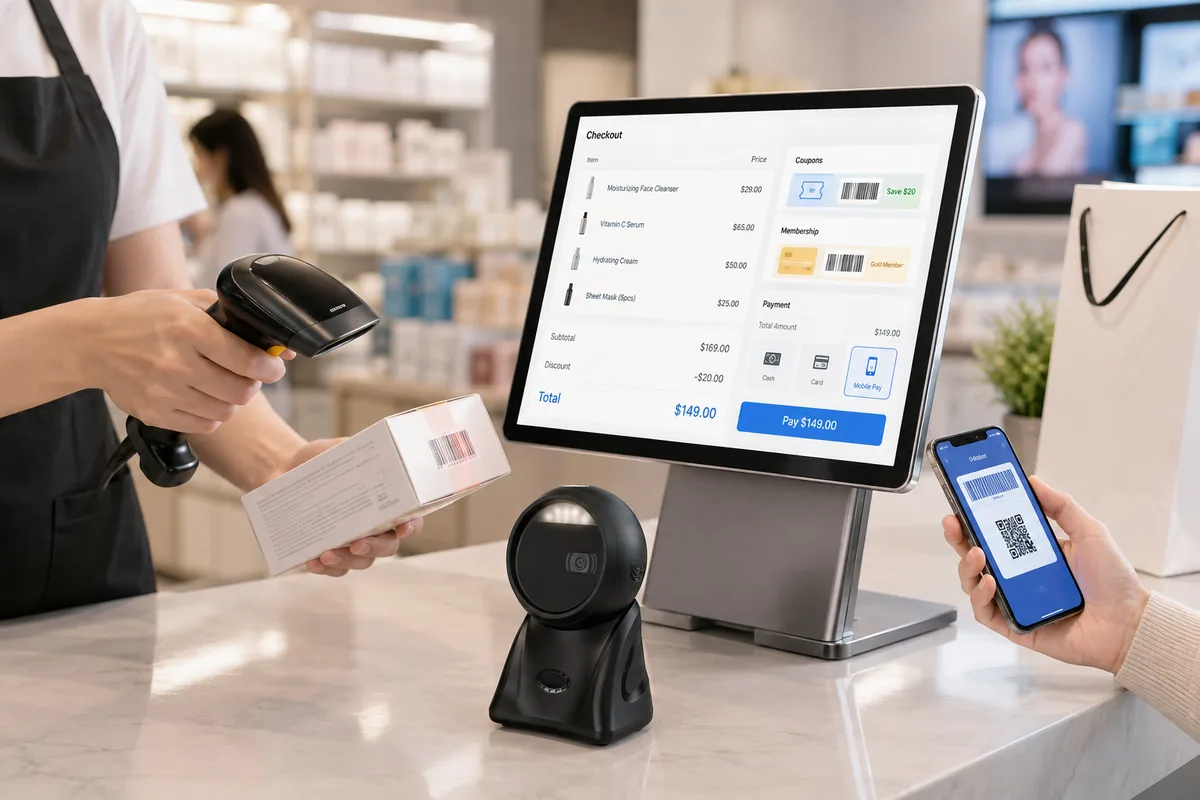
POS Checkout
You can scan products, coupons, membership codes, and payment QR codes quickly at checkout counters.
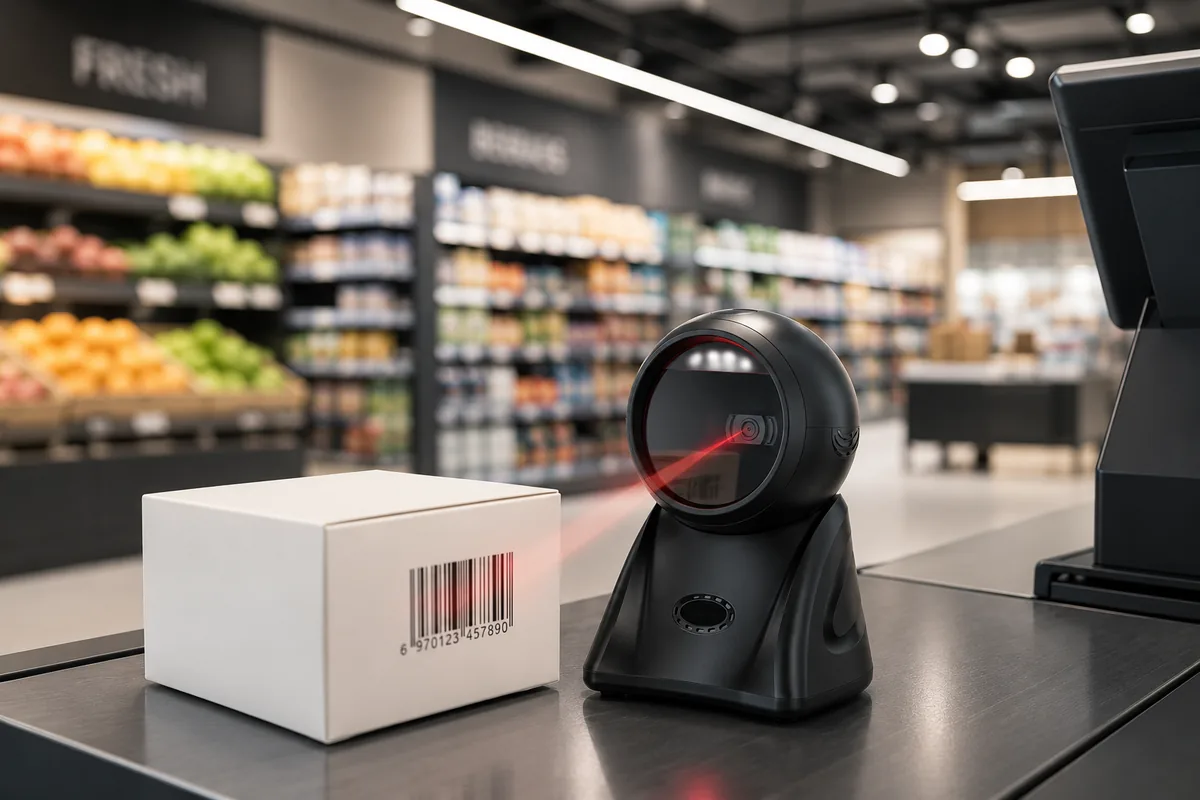
Supermarkets and Grocery Stores
These scanners support high-frequency product scanning, price lookup, shelf checks, and checkout workflows.
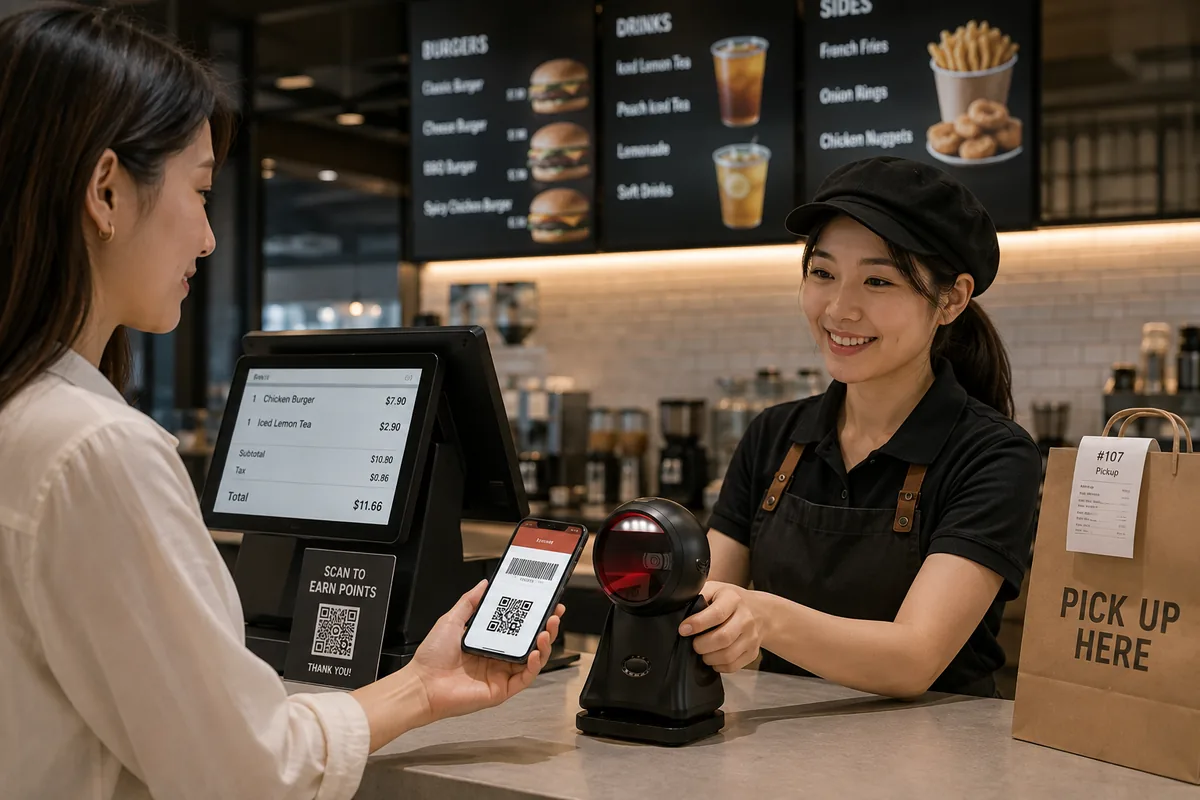
Restaurants and QSR Brands
They capture mobile payment codes, loyalty codes, order QR codes, coupons, and pickup tickets during service workflows.
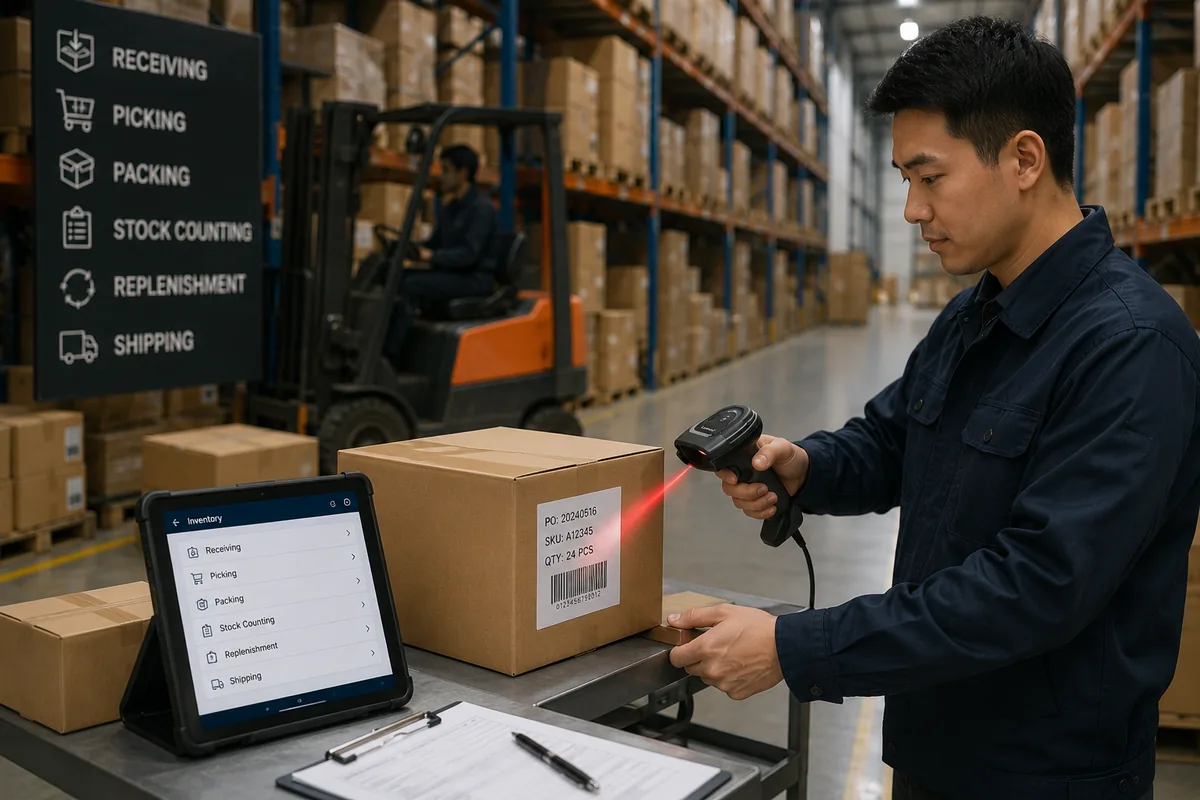
Warehouse and Inventory Management
They support receiving, picking, packing, stock counting, replenishment, and shipping label scanning.
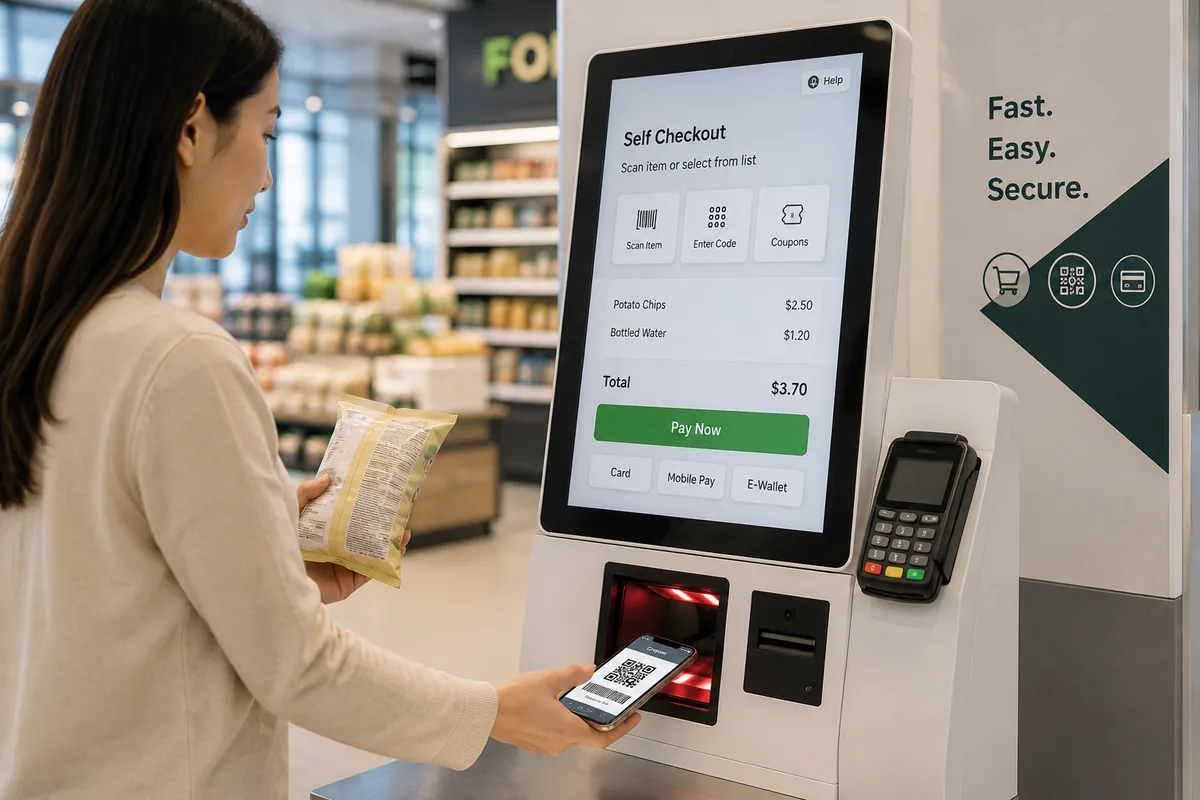
Self-Service Kiosks and Self-Checkout
Fixed scanners embed for QR code reading, product scanning, coupon verification, and ticket workflows.
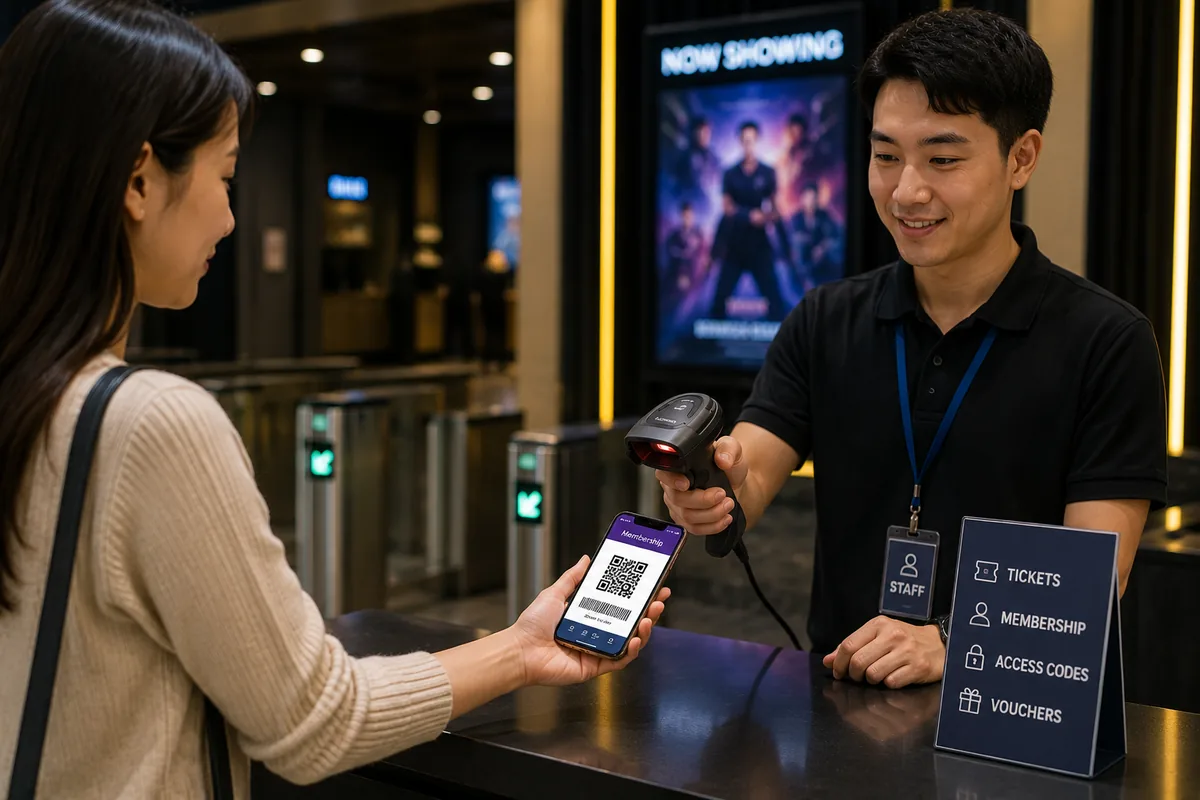
Ticketing, Membership, and Access Workflows
You can scan tickets, membership QR codes, access codes, and service vouchers for fast verification.
Book, Library, and Special-Label Scanning.
Some projects scan codes outside the checkout lane. Book and library codes, small-item tags, and asset labels each bring a different label geometry, and the reader has to match the label rather than the other way round.
A book bar code scanner reads the EAN-13 code printed on the back cover, which carries the book's ISBN. In library deployments the item label is usually a Code 39 or Code 128 label applied by the library itself, which makes the scanner and the label source a single decision — a label printed at low resolution reads poorly no matter how capable the reader is. We cover label stock and resolution under barcode label printers.
Small-item tags on jewelry, spectacles, and spare parts pack the code into a few millimeters, which calls for high-density reading and, on curved or reflective surfaces, an area imager rather than a laser line. Library member cards and self-service stations add a second code family that appears on screen or on card, which again points to an imaging model — we list the relevant formats with our 2D barcode scanners.
Barcode Scanner Price: What Drives the Cost.
A bar code scanner price follows the configuration, so two quotes that look comparable rarely are. Six factors account for most of the difference, and each one matches the job the reader has to do.
| Cost driver | What changes it |
|---|---|
| Scan engine | A single-line laser or CCD engine sits below an area imager that also captures 2D codes and codes shown on screens |
| Decode capability | Reading worn, wrinkled, or low-contrast labels needs a stronger decode engine than reading clean printed codes |
| Housing and sealing | A sealed commercial housing and an industrial-rated enclosure sit above a general-purpose plastic case |
| Interface and power | A wired USB unit is narrower in scope than a wireless model supplied with cradle, battery, and charging base |
| Accessory set | Stand, bracket, spare battery, cable type, and power supply all sit inside the delivered configuration |
| Order configuration | Sample testing, pilot quantity, bulk supply, and OEM/ODM branding change the production run rather than the reader |
Comparing quotes is only meaningful when the configuration is the same. Ask every supplier to state the code families supported, the scan engine type, the interface option, the accessory set included, and the enclosure rating — then compare against that list. A narrower figure almost always reflects a narrower configuration somewhere in it, and we set out the full selection criteria in our barcode scanner buying guide.
Order configuration changes the answer as well. You specify a pilot deployment and a multi-site rollout differently: pilot units are usually standard configurations used for field testing, while larger rollouts move toward options such as branding, packaging, cable length, and firmware settings applied at the factory — all of which sit under OEM/ODM manufacturing.
Engineered for Fast Scanning, Daily Use, and Stable Device Integration.
We design our barcode scanners for commercial workflows that require speed, accuracy, durability, and compatibility. You can choose scanner models for checkout counters, retail shelves, kiosks, warehouses, and embedded systems.
Fast Decode Performance
They capture product labels, QR codes, coupons, and tickets quickly to improve checkout and workflow speed.
1D and 2D Code Support
You can choose scanner models for 1D barcodes, 2D barcodes, screen QR codes, and mixed retail code formats.
Durable Commercial Housing
Scanner structures suit daily retail, restaurant, warehouse, and service counter use.
Multiple Interface Options
You can review USB, wireless, Bluetooth, 2.4G, and serial interface options based on your system environment.
Hands-Free Scanning Options
Desktop and fixed mount scanners can support auto-sensing workflows for faster customer and cashier interaction.
OEM/ODM Configuration
You can customize logo branding, packaging, cable options, scanner settings, interface modes, and project bundles.
Why Teams Build Barcode Scanner Projects with TillNode.
Barcode scanner projects require more than a scanning device. You need code reading performance, interface compatibility, software fit, installation method, accessory supply, and deployment consistency delivered together.
We build the scanning node. You control the transaction flow.
Retail-Focused Scanner Hardware
Barcode scanners suit POS systems, retail checkout, supermarkets, restaurants, kiosks, warehouses, and inventory workflows.
Multiple Scanner Formats
We supply handheld scanners, wireless scanners, desktop scanners, fixed mount scanners, and 2D QR code scanners.
POS and Kiosk Friendly
Scanner hardware pairs with POS terminals, self-service kiosks, Mini PCs, Windows systems, Android systems, and retail software.
Connected Retail Ecosystem
Barcode scanners work alongside POS systems, receipt printers, handheld PDAs, Electronic Shelf Labels, kiosks, and IoT gateways.
OEM/ODM Customization
You can customize logo branding, packaging, cable type, interface mode, scanner settings, and accessory bundles for project needs.
Scalable B2B Supply
We support sample testing, pilot deployment, bulk orders, distributor cooperation, and long-term hardware supply.
Barcode Scanners FAQ
What types of barcode scanners do you provide?
Do your scanners support 1D and 2D barcodes?
Can your barcode scanners read QR codes from mobile phone screens?
Can your scanners work with POS systems?
Do fixed mount scanners work in self-service kiosks?
Do you provide wireless barcode scanners?
Do you support OEM/ODM barcode scanner projects?
What is the difference between a UPC scanner and a barcode scanner?
How much does a barcode scanner cost for a retail store?
Can a barcode scanner read price tags and shelf labels?
Which barcode scanner fits inventory counting workflows?
Do I need a 1D or a 2D scanner for my POS system?
Can these scanners work with a kiosk or self-checkout unit?
Build Your Scanning Workflow with TillNode.
Tell us your code type, scanning workflow, POS system, interface requirement, installation method, and deployment scale. Our team prepares a suitable barcode scanner solution.
Start with sample testing. Scale to chain-wide deployment.