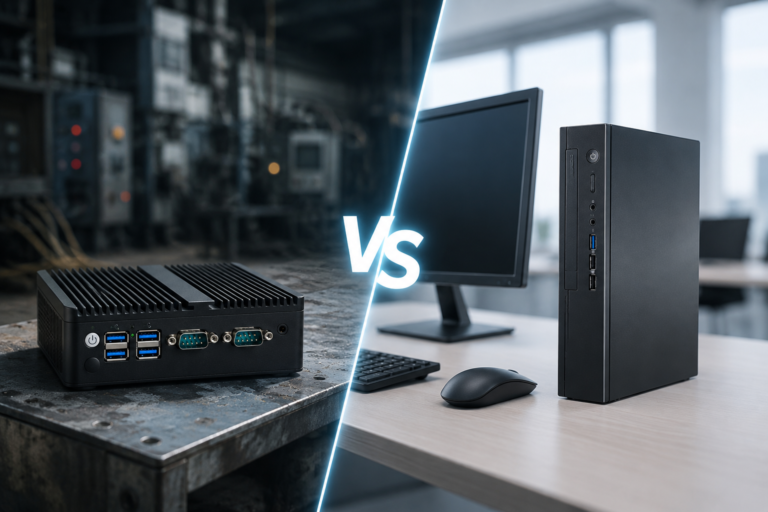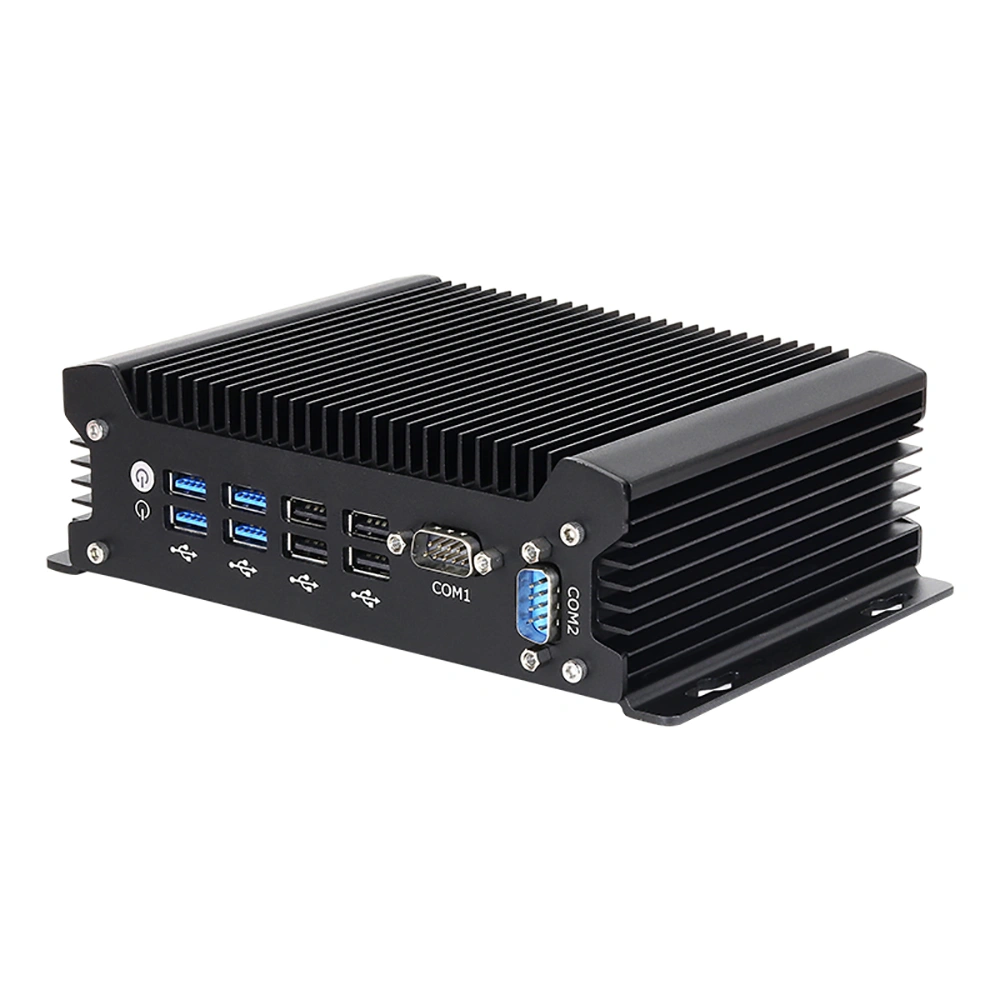
Most guides to an industrial mini PC for retail answer a question the buyer has already resolved. They compare processors, list port counts, or recommend a specific enclosure — but by the time a retailer is sourcing hardware, the processor decision is usually made. What is still open is deployment: how a single unit gets installed without a technician on site, how fifty of them get imaged and registered consistently, and how the whole estate survives its first failed drive.
That is the gap this guide fills. It assumes you have already picked a class of machine and now have to actually put it in stores. The mini PC with multiple NVMe slots configuration gets particular attention, because storage layout is the part of a retail edge build that decides whether recovery takes twenty minutes or three days — and it is the part almost nobody documents.
One scope note up front. This article covers the computing unit behind the store — the box that runs POS, kitchen display, digital signage, or a kiosk — not the terminal, screen, or printer on the counter. Those are separate decisions. Where the box physically sits, how it is powered, how it is networked, and how it is recovered are the subjects here.
Three Deployment Shapes, Three Different Problems
A pilot in one store, a regional rollout across twenty sites, and a refresh of an existing estate are not the same project with different quantities. They fail in different places, and the hardware requirements differ accordingly. Getting the shape right before specifying anything prevents the most expensive mistake in this whole area: buying for the pilot and then discovering the fleet needs something else.
| Shape | Dominant risk | Hardware emphasis |
|---|---|---|
| Single-store pilot | Physically fitting the unit into a live space with no service window | Mounting flexibility, compact footprint, tolerant of improvised power and network |
| Multi-site rollout | Inconsistency — every site configured slightly differently, support cannot reason about the estate | Identical bill of materials, a standard image, remote management, a documented mounting kit |
| Estate refresh | Downtime during cutover and recovering data from the old unit | Storage migration path, OS compatibility with existing software, physical form factor matching the old bracket |
| Unattended or remote sites | No one on site can act when something stops responding | Watchdog timer, remote power control, out-of-band management, graceful degradation |
The row that catches teams out is the second. A pilot succeeds because the person installing it knows the machine. A rollout fails because that knowledge never becomes a procedure. Everything below is written to close that gap — the assumption is that the person on site is a facilities contractor or a store manager, not an engineer.
The Site Survey: Ten Questions Before Any Hardware Is Ordered
A deployment guide that starts with the hardware has the order backwards. The physical and electrical conditions at the site determine which units are even viable, and these conditions are cheap to check and expensive to discover late. Walk the site and answer these ten before committing to a bill of materials.
- Where does the unit physically go? Back office, under a counter, inside a cabinet, or on a wall. Each changes the mounting kit, the airflow assumption, and the cable run length.
- What is the ambient temperature at that spot? Measure it at the actual location at the hottest time of day, not the store average. A cabinet near a kitchen line or an oven is a different environment from an open back office.
- Is there airflow around the unit? A fanless enclosure needs convection. A sealed cabinet with no vent turns any passively cooled unit into an insulated box.
- What power is available and of what quality? Voltage, socket type, whether the circuit is shared with refrigeration or kitchen equipment, and whether brownouts are known to occur.
- How is the network provided? Cable run available at the intended position, or does the unit need wireless. If a switch port is available, note whether it is on the same segment as the POS terminals or isolated.
- How many devices must the unit drive? Terminals, screens, a printer, a scale. The count sets the port requirement and the power budget.
- What is the dust and grease load? Bakery flour, kitchen vapour, and warehouse dust each attack cooling surfaces differently. The worse the environment, the more the case design matters.
- Will anyone be able to reach it in an emergency? If the unit is behind a locked cabinet or above a ceiling panel, remote management stops being a convenience and becomes the primary recovery path.
- What already exists at the site? An old terminal, a bracket, a cable run. Reusing any of these reduces installation time and cost.
- What is the store's tolerance for downtime? A twenty-four-hour convenience store and a mall unit with fixed trading hours have very different cutover windows, and that changes how much spares stock is worth holding.
Write the answers down per site, even for a single store. The survey becomes the input to both the bill of materials and the mounting instructions, and it is the document a support team will ask for the first time a unit behaves unexpectedly.
Storage Architecture: Why Slot Count Changes Recovery Time
This is where a mini PC with multiple NVMe slots earns its place, and where a single-slot unit quietly creates an operational liability. The point is not raw capacity. It is separating the things that must never be lost from the things that can be rebuilt, and giving yourself a path back when a drive fails.
Three storage roles, not one
A retail edge box has three distinct storage jobs, and putting them on one device is the most common design error. The operating system and application image must be recoverable to a known-good state. The transaction and reporting data must survive a hardware failure. Local cache or logging must be free to be discarded. When all three share one drive, a single failure takes out everything at once, and recovery means a site visit with a rebuild — not a swap.
NVMe, SATA and eMMC: what each is actually good for
| Storage type | Typical role | What to watch |
|---|---|---|
| Onboard eMMC | Read-only OS image on low-cost units | Limited write endurance and often not field-replaceable — a failure means the whole unit returns |
| SATA SSD | Legacy compatibility, larger capacity at lower cost | Slower and, in a multi-device chassis, competes for physical space and cabling |
| M.2 NVMe | Primary OS and application volume, and high-write log or database volumes | Thermal throttling under sustained load if the module is not ventilated; write endurance is the limiting specification, not capacity |
The practical rule: put the OS on one module, put data that must survive on a second, and keep anything disposable off both. A unit with two or more M.2 slots makes this a configuration choice. A unit with one slot makes it a compromise, and the compromise usually lands on the data volume — which is the wrong place for it.
Write endurance is the specification that matters most
Retail software writes constantly: transaction logs, local journal files, telemetry, and in some designs a local database that syncs to the back office. Endurance is expressed as total bytes written over the drive's life, and it is a property of the module rather than of the machine. Two units with the same slot count and the same capacity can differ several-fold in how long they last, and the difference does not show up in any benchmark — only in how many units get replaced in year three.
When specifying, ask for the endurance rating and ask what the expected write volume per store per day is. If the answer to the second question is unknown, that is worth resolving before the order, because it determines whether the least expensive module in the right capacity is adequate or actively harmful.
Building a recovery path into the layout
The reason to care about all of this is the recovery procedure it enables. With a separated layout, a failed OS module is resolved by replacing the module and re-applying the standard image — a task that can be scripted and handed to a contractor. With everything on one drive, the same failure means either restoring from a backup over the network or shipping the unit back. The first is measured in minutes on site; the second is measured in days and a lost unit.
Two practices make the difference concrete. Keep the OS volume as close to read-only in normal operation as the software allows, so it degrades predictably. And document the recovery as a numbered procedure with the image location and the boot steps, because the person executing it at seven in the morning will not be the person who designed it.
Mounting, Power and Network: The Physical Layer
Mounting that survives a retail environment
Retail back offices are shared spaces. A unit that sits loose on a shelf gets moved, unplugged, or covered with stock. Mounting is therefore a requirement rather than a nicety, and the options fall into a small set: VESA bracket to the back of a display, wall bracket, DIN rail inside a cabinet, or a shelf with a strap. Standardizing on one method across the estate is worth more than optimizing each site, because it lets a single set of tools and a single page of instructions cover every installation.
Two details cause most mounting problems. First, orientation: a passively cooled chassis with heat fins depends on being mounted the way the manufacturer intended, and rotating it to fit a cabinet can cut its thermal headroom. Second, service access: if replacing the unit requires dismantling the mount, then the swap procedure a support team relies on does not actually exist. Mount so the unit can be removed and replaced with the bracket left in place.
Power quality, not just power availability
A retail site has more electrical noise than an office. Refrigeration compressors, kitchen equipment, and motors on the same circuit produce voltage sag and spikes, and a unit that meets its input specification on a bench may still reset in a store. Two mitigations are standard: a wide-range DC input on the unit itself, so it tolerates variation rather than demanding a clean supply, and a small uninterruptible supply sized to carry the unit through the short interruptions that a compressor start can cause.
Worth checking during the survey: whether the intended socket shares a circuit with anything that switches on and off. If it does, either move the unit or budget for conditioning. The symptom of getting this wrong is not a dead unit — it is a unit that reboots occasionally, which is far harder to diagnose from a support desk.
Network: wired where possible, planned either way
Wired connectivity is the default for a fixed installation, because it removes a variable and because a retail unit's traffic is bursty and latency-sensitive at the moment of payment. Where a cable run is impossible, plan the wireless placement deliberately — the unit should not sit inside a metal cabinet, which is a common and effective signal blocker. Note the network segment during the survey, since a unit that must be reachable for management should not sit somewhere that is isolated from the management path.
The Standard Image: Turning a Pilot Into a Repeatable Rollout
Consistency is what makes a fleet supportable. If every unit is configured by hand, every unit is slightly different, and every support call starts with discovering which variation this store has. A standard image — one OS build, one configuration, one set of settings — is the mechanism that converts a successful pilot into a rollout that does not need an engineer at each site.
- Build the image once, on the reference unit. Configure it fully, then capture it. Do not capture a partially configured machine and plan to finish per site.
- Keep site-specific values out of the image. Store identity, IP address, and any local credential belong in a configuration applied after imaging, so the image stays identical everywhere.
- Version the image. Record what changed and when. When a store behaves differently from its neighbours, the first question is which build it is running.
- Make re-imaging a standard procedure, not an escalation. If re-imaging requires an engineer, the recovery path is slower than it needs to be and will not be used when it should be.
Two hardware properties make imaging practical. Storage that is easy to reach and replace, so a technician can swap a module rather than swap the box. And a boot path that allows the unit to start from external media without dismantling it, which is what makes an on-site re-image feasible for someone who is not a specialist.
Remote Management: The Difference Between a Visit and a Fix
In a distributed estate, the cost of a failure is dominated by travel. A reset that requires a site visit is not a ten-minute fix; it is a ten-minute fix plus a technician's afternoon plus the store's downtime while it waits. Remote management capability is therefore not an enterprise feature bolted onto a retail deployment — it is the core of the operating model.
Four capabilities carry most of the value. A hardware watchdog that reboots the unit if the operating system stops responding, which handles the majority of lock-ups without human intervention. Remote power cycling, so a hung unit can be forced to restart from off-site. Out-of-band access to the console or basic input-output, for the cases where the network stack itself is what failed. And a health channel that reports temperature, storage wear, and uptime, so degradation is visible before it becomes an outage.
Confirm which of these the intended hardware actually provides, and how they are reached — some depend on the unit being on a particular network segment, which loops back to the site survey. A unit with the capability but no reachable management path is functionally the same as one without it.
Spares, Swap Procedures and RMA Planning
The economics of spares in a distributed estate are simple and unforgiving. A unit that can be replaced in thirty minutes on site needs only a spare in a regional depot. A unit that must be shipped for repair needs the same spare plus shipping time plus the store's lost trading, and the second arrangement costs an order of magnitude more per incident.
That makes field-replaceable design a commercial question, not a technical preference. The components most likely to fail in a retail unit are the storage module, the cooling surface's ability to shed heat, and the power input. If any of those cannot be serviced in the field, the unit's effective availability is tied to a logistics network rather than to a technician.
- Hold spares at the level of the largest sensible grouping. One spare per region is usually the right starting point; one per store rarely is.
- Write the swap procedure before the rollout, not after the first failure. It should be executable by someone with basic training and no software background.
- Match the spare to the build. A spare that runs a different image than the estate is a new problem wearing a solution's clothing.
- Decide the return path in advance. Which failures go back to the supplier, which are resolved locally, and who authorises each.
Lifecycle: Planning Years Four to Six
A retail edge deployment is a five-to-seven-year commitment, and the planning that decides whether it ages well happens at specification time. Three factors determine it. Supply stability — whether the same model, or a compatible successor, can still be bought in year three when a store opens. Software support — whether the operating system build the image is based on is still receiving security updates. And physical consistency — whether a replacement unit fits the existing bracket and drops into the existing image without a site visit.
An industrial-class unit with a documented lifecycle and a stated successor path behaves very differently in year four from a consumer unit bought on specification alone. The consumer unit may have been cheaper per unit; the industrial unit is usually cheaper per year of service, which is the figure that matters across an estate.
Deployment Readiness Checklist
- Deployment shape identified — pilot, rollout, refresh, or unattended — with the dominant risk written down
- Site survey completed per location, including measured ambient temperature at the intended position
- Mounting method standardized, with unit removable without dismantling the bracket
- Power circuit checked for shared loads; wide-range input or conditioning specified where needed
- Network position confirmed, including whether it is reachable for remote management
- Storage layout decided — OS volume, data volume, and disposable data kept separate where the slot count allows
- Write endurance rating obtained and compared against estimated daily write volume per store
- Standard image built, versioned, and re-imaging documented as a routine procedure
- Remote capabilities confirmed as actually reachable — watchdog, remote power, out-of-band access, health reporting
- Spares level, swap procedure, and RMA path agreed before the first site goes live
- Lifecycle position understood — successor model, OS support horizon, bracket compatibility
Sourcing an Estate Build Rather Than a Catalog Unit
The requirements above converge on a configuration that a general-purpose mini PC rarely matches out of the box. Slot count, wide-range power input, mounting provisions, and field-replaceable storage are individually ordinary and collectively uncommon in the same chassis. That is the situation in which engaging a manufacturer rather than a reseller changes the outcome, because the bill of materials can be adjusted to fit the deployment instead of the deployment being trimmed to fit the catalog.
In practice, the adjustments that matter for a retail estate are modest and specific: the right number of storage slots for the recovery layout, a mounting approach that matches the standard kit, a power input that matches site conditions, and a spare-parts arrangement matched to the failure modes above. Our OEM and ODM manufacturing services describe how those conversations typically run and what needs deciding before a first prototype.
FAQ
How many NVMe slots does a retail edge computer actually need?
Two is the practical minimum for a separated layout — one for the operating system image and one for data that must survive a hardware failure. More slots give you room for a local log or cache volume, or for a larger data partition, without compromising the recovery path. A single slot forces everything onto one module, which means a failure takes out the system and the data together.
Can a fanless mini PC handle a retail store environment?
Yes, provided the mounting position has airflow and the ambient temperature at that spot stays inside the unit's rated range. Fanless designs avoid the moving part that dust and grease destroy first, which suits back offices, kitchens, and cabinets better than a fan-cooled unit — but a passively cooled box sealed in an unventilated cabinet has no way to shed heat. Measure at the installation point rather than assuming an indoor rating covers every indoor position.
How do you roll out the same configuration across many stores?
Build and capture a standard image on a reference unit, keep all site-specific values out of it, and apply them per store afterwards. Version the image and record changes. Then make re-imaging a documented routine that a trained non-specialist can execute, since the value of a consistent fleet is realized when a failed unit can be brought back to the standard build quickly.
What is the biggest hidden cost in a multi-site deployment?
Site visits. Every failure that requires someone to travel is a travel cost plus a downtime cost, and in a distributed estate that dominates the total. Remote management — watchdog reboot, remote power control, out-of-band access, and health reporting — converts a large share of these into remote resolutions, which is why it belongs in the specification rather than in a later phase.
Do industrial mini PCs support the POS software we already run?
Industrial mini PCs are typically offered with mainstream operating system options, so compatibility normally comes down to the software's own requirements rather than the hardware class. Confirm the specific version and its support horizon when specifying, and check that any peripheral drivers your terminals or printers need are available for that build. This is a compatibility question about your software estate, and it is worth answering before ordering rather than during installation.
When is a commercial mini PC good enough for a store?
In a controlled back office with stable power, no grease or dust load, and staff who can act when something fails, a commercial unit may serve satisfactorily. The gap opens where the environment is hostile, where downtime is expensive, or where nobody is on site to intervene. The comparison between the two classes is covered in more depth in our industrial versus commercial PC comparison for retail.
Related reading: industrial mini PCs, retail edge computers, fanless mini PCs, how to choose an industrial mini PC for retail, fanless versus fan-cooled designs, and POS hardware for the store side.