Small Business Point of Sale Systems, Engineered to Scale.
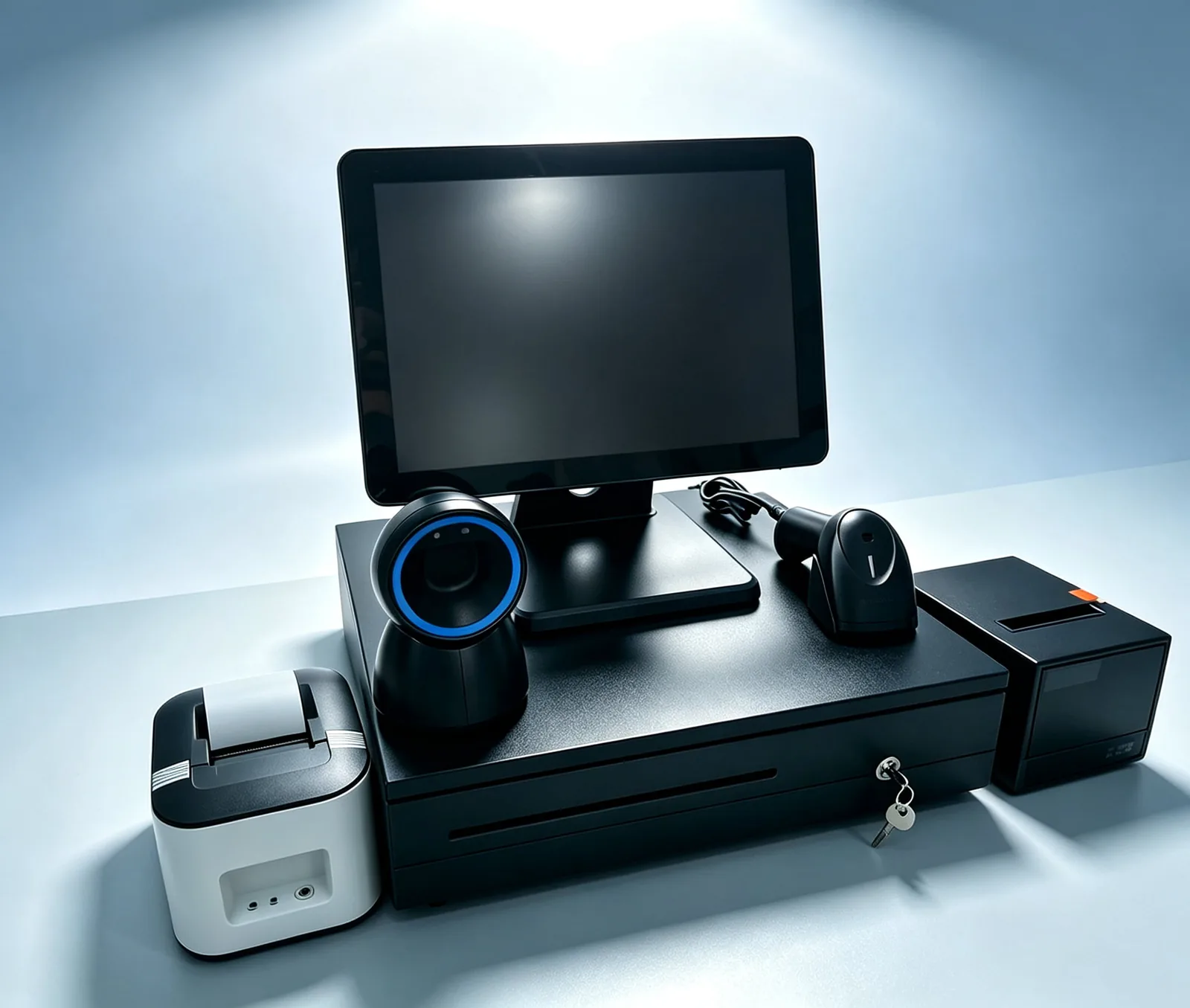
We build every configuration here around a touch screen terminal — Android or Windows, 8" to 15.6" — with the printer, cash drawer, and scanner specified to match. A point of sale system is more than a terminal: it is the counter-side stack — touchscreen terminal, receipt printer, cash drawer, barcode scanner, and customer display — specified to the counter it runs on and the software you already chose. TillNode manufactures the hardware layer, from single-till startups to multi-store chains, configurable per station and supplied as one project.
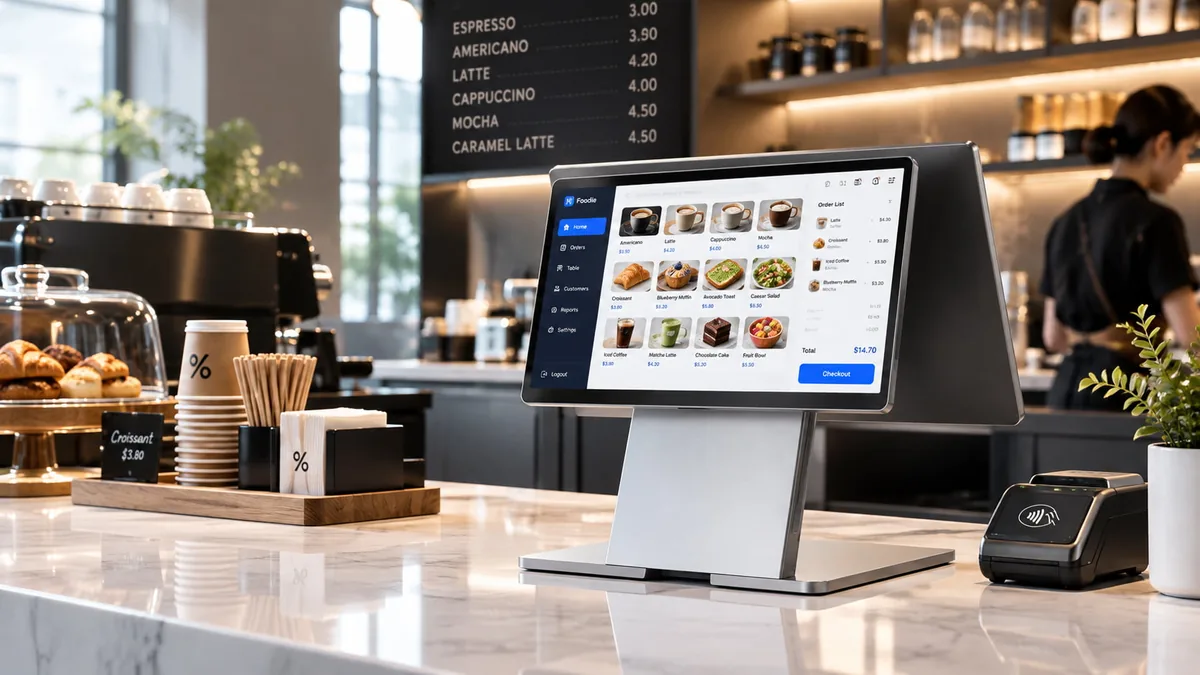
What a Point of Sale System Actually Includes.
Their software usually describes point of sale systems for small business counters. But every one of those systems runs on the same physical stack, and the stack is what we build. Six pieces cover almost every counter.
1. The Terminal
The core: a touchscreen POS terminal running the software. Selected by platform (Android or Windows), screen size, and whether it includes a built-in receipt printer.
Explore all-in-one terminals →2. The Receipt Printer
58 mm or 80 mm thermal, speed and auto-cutter grade decide ticket quality at the pass.
Explore receipt printers →3. The Cash Drawer
Triggered by the printer or terminal; footprint and bill layout are the selection criteria.
Explore cash drawers →4. The Barcode Scanner
1D laser for plain barcodes, 2D imager when QR codes and phone screens enter the transaction.
Explore 2D scanners →5. The Customer Display
Second screen facing the buyer: order confirmation, tips, promotions.
Read dual-screen value →6. The Kitchen Side
Kitchen printer or KDS — where point of sale systems for restaurants and bars differ most from retail.
Explore KDS hardware →How the pieces talk to each other — ports, drivers, drawer triggers — appears in our guide to match hardware with POS software. Still researching definitions? Read what is POS.
Three Configurations Cover Most Counters.
Instead of buying piece by piece, most projects start from one of three configurations and adjust from there.
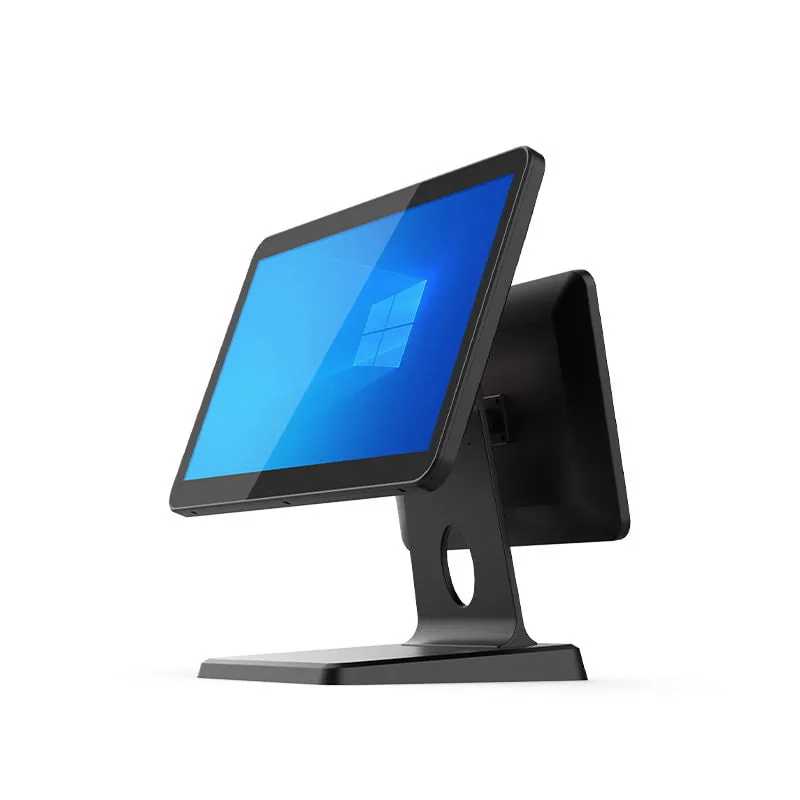
The Full Counter System
15.6" dual-screen all-in-one + 80 mm printer + heavy-duty drawer. For retail counters and point of sale systems for small business setups that run a real cash drawer alongside card payments.
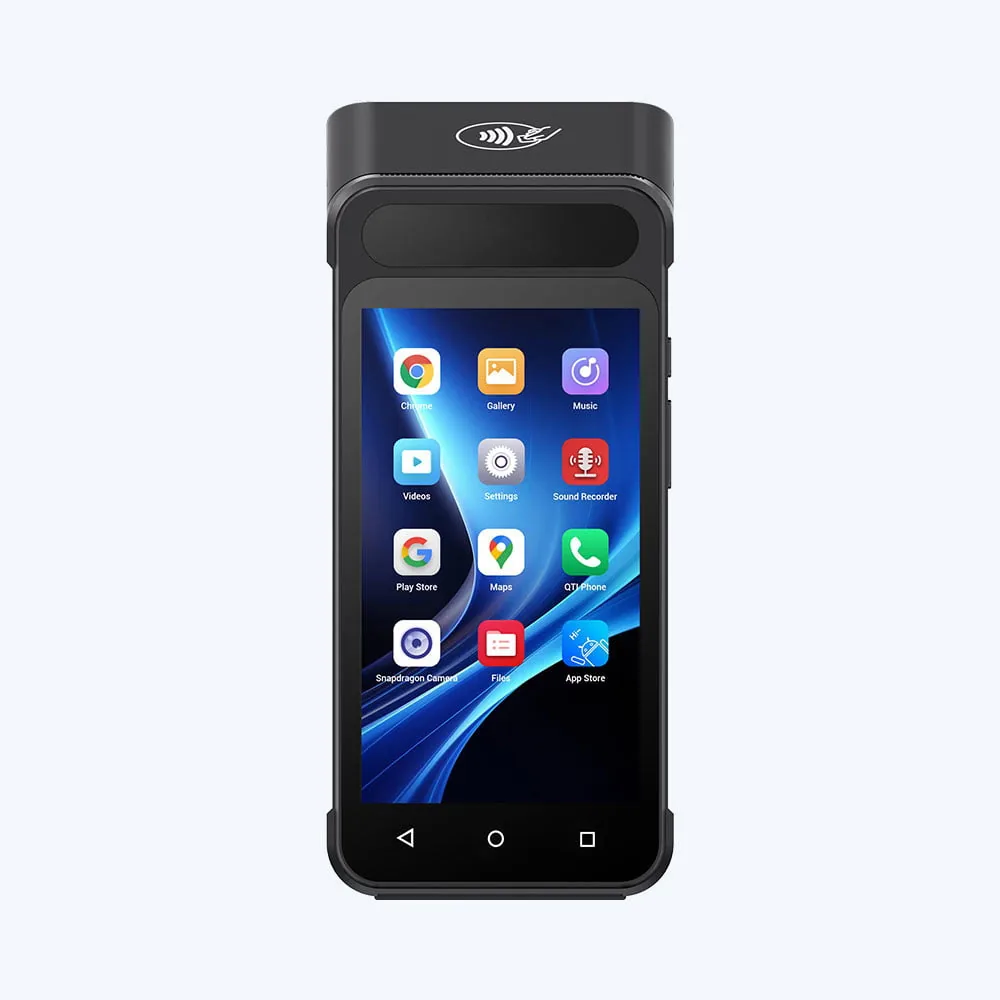
The Compact System
Mini Android terminal + 58 mm printer + compact drawer. One box for single-till cafés, kiosks, and pop-ups where counter space is the constraint.
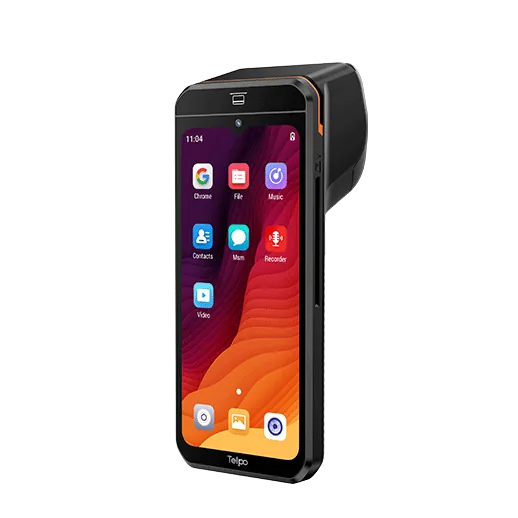
The Mobile System
Handheld POS with built-in printer and 4G — tableside, delivery, and line-busting.
Every Configuration Is a Touch Screen System.
The difference between a point of sale system and a box of parts is the operator interface. We build all three configurations above around a touch screen terminal rather than a keyboard-and-monitor till — the cashier works the current order directly on the display, and you specify the hardware list below the screen.
Projected Capacitive Touch
10-point PCAP glass on the 15.6" class terminals, so a wet finger, a gloved hand, or a stylus still registers. This is the panel type most point of sale software targets.
Screen Size Drives the Size of the Till
A 15.6" touch screen suits a full retail or restaurant counter; an 8"–10.1" touch screen fits a kiosk, a pop-up, or a back-bar position where counter depth is the constraint. Same system, different footprint.
Second Screen, Same Touch
Dual-screen builds add a customer-facing touch screen on the operator side of the counter, used for order confirmation, tipping prompts, or a signature pad — specified with the terminal, not bolted on later.
The full model matrix — 35+ terminals across Android, Windows, dual-screen, and handheld formats — is on the all POS terminals page.
Specified, Not Suggested.
The same selection questions come up on every project: which screen, which platform, which ports. The table below answers them across the six terminals most point of sale systems run on.
| Spec | SN-B10 | SN-P60 | SN-P90P | SN-H80 | SN-M80 | SN-H90 |
|---|---|---|---|---|---|---|
| Platform | Windows (J1900/J6412/i3/i5) | Windows (i5–i7) or Android | Android | Android | Android | Android |
| Main Screen | 15"/15.6" FHD/HD, 10-point cap touch | 15.6" FHD Touch | 15.6" FHD Touch | [See specs] | 8" (800×1280) | [See specs] |
| Customer Display | Opt. 11.6"/15.6" LCD or VFD | Opt. 15.6" / 11.6" | Built-in | — | 3.2" (240×320) | — |
| Memory / Storage | 4–16GB RAM · 64–512GB SSD | 4–16GB RAM · 64–512GB SSD | 8+128GB Opt | [See specs] | [See specs] | [See specs] |
| Receipt Printer | Built-in 58/80mm Thermal | External (Optional) | Built-in | Optional | Built-in 58mm | Built-in |
| Payment / Cards | Built-in NFC + Opt. MSR/IC | Configurable | IC Card (ISO7816) | Configurable | Configurable | NFC Configurable |
| Barcode Scanner | Built-in 2D Imager | External (Optional) | Optional | Optional | Optional | Optional |
| I/O Ports | [See specs] | USB, RS232, HDMI, VGA, LAN, RJ11 | [See specs] | [See specs] | [See specs] | 4G Optional |
| Wireless | Wi-Fi, Opt. 4G module | Wi-Fi | Wi-Fi | Wi-Fi | Wi-Fi | Wi-Fi + 4G |
| Environment | 0–40°C Working | [See specs] | [See specs] | −5–45°C Working | [See specs] | [See specs] |
| Body | Aluminum Stand + ABS | Full Aluminum + Hidden Routing | — | Compact | Desktop | Handheld |
Choosing the Touch Screen Format.
Screen size and mounting decide which touch screen point of sale system fits a given counter. The four formats below cover most projects; each one maps to models in the table above.
| Touch Screen Format | Typical Size | Mounting | Where It Fits | Example Models |
|---|---|---|---|---|
| Dual-Screen Touch Terminal | 15.6" main + 10.1"–15.6" customer | Desktop, integrated stand | Retail and restaurant counters running a real cash drawer | SN-B10 |
| Single-Screen Touch Terminal | 15.6" FHD | Desktop, hidden cable routing | Aluminum-front counters where the customer display is optional | SN-P60 |
| All-in-One Touch with Printer | 15.6" + built-in 80 mm | Desktop, single unit | Tight footprints where you do not want a separate printer box | SN-P90P |
| Compact / Handheld Touch | 8"–10.1" | Counter-top or hand-held | Cafés, kiosks, pop-ups, tableside ordering and line-busting | SN-H80 · SN-H90 |
Note 1: Data consolidated from individual product specification sheets. Where marked "[See specs]", refer to the exact datasheet on the product page as values vary by specific SKU.
Note 2: All configurations are OEM-adjustable — we specify CPU tier, memory, printer width, and module options per project. Explore OEM options →
One System, Four Counters.
The same six pieces rearrange by business type. These are the differences that matter when specifying hardware.
Small Business & Retail
One full-counter system covers most single-location stores: dual-screen terminal, 80 mm printer, one drawer, and a 2D scanner once retail items or loyalty QR codes appear. Growth means a second terminal cloned from the first profile, not a new setup.
Restaurants & Bars
The counter stack plus a kitchen side: kitchen printers at the pass, or KDS screens when stations multiply. Bars add tab management and tableside handhelds; the hardware requirement is spill resistance and shift-long batteries.
Convenience Stores
Scanner-heavy and drawer-heavy: high-SKU scanning at the till, age verification handled by the software layer on a standard terminal, and a drawer that survives constant opening. Fuel and lottery integrations run in software; the hardware just needs the ports.
Grocery Stores
Adds scale-integrated scanning at the lane and multi-lane clones of one standard register. You can phase in ESL later on the same deployment plan.
Hardware Point of Sale System vs Cloud Point of Sale System.
People compare these two as if they were alternatives, but they sit on different layers. A cloud point of sale system is a software decision — where the sales data lives and who maintains it. The touch screen terminals, printers, and drawers on this page are the hardware layer underneath it, and they do not change when the software does.
That is why a browser-based or iPad-style platform and a legacy Windows install can run on the same counter hardware. If your question is which cloud platform to choose, that is a software-evaluation exercise. If your question is what the counter should physically be, this page is the specification. Decide the software first, then specify the touch screen size, the printer width, and the drawer to match it.
Your Brand, Our Production Line.
Every configuration in the spec table above is a starting point, not a catalog ceiling. For POS brands, integrators, and distributors, we supply the same platforms as OEM/ODM projects:
Branding & Housing
Logo, boot screen, housing color, packaging.
Configuration
CPU tier, memory, printer width, module options per PO.
Firmware Profiles
One profile cloned across an entire fleet before shipping.
Certification & Export
CE / FCC / RoHS documentation with shipment.
Understand the difference between OEM vs ODM in POS manufacturing.
Discuss an OEM/ODM ProjectA Point of Sale System Fails on the Hardware Layer Long Before the Software Does.
We assemble a point of sale system from parts that buyers often bought separately. When the terminal, printer, drawer, scanner, and display arrive from different suppliers, the gaps only show up at the counter — a driver that will not load, a drawer that will not trigger, a printer whose roll specification does not match what the local market actually stocks. The friction is rarely in the software. It sits in the parts nobody tested together.
Components Sourced Separately
Cables, brackets, power ratings, and interfaces can fail to line up when each part comes from a different vendor with no shared specification. Three suppliers means three lead times, three spec sheets, and no single owner of the assembled result.
Match the whole stack →Compatibility Assumed, Not Tested
A terminal can meet its datasheet and still refuse to talk to your POS application, your payment terminal, or a fiscal module. ESC/POS has dialects, and “supports ESC/POS” on a spec sheet is not the same as verified against your build.
Drawer and Printer Mismatch
The printer or the terminal can drive a cash drawer, and the two paths need different connectors, voltages, and pulse settings. When you never verify those together, the drawer simply does not open — and every cash sale becomes a manual workaround.
Explore cash drawers →Software Environment Ignored
Android and Windows deployments need different drivers, peripheral models, and interface planning. If you choose the OS image and firmware build after you order the hardware, the specification has already lost the one variable that decides whether the counter boots clean.
Rollout Scaling Breaks Down
A configuration that works at one counter can fail at forty when you did not plan lead times, firmware versions, and spare parts as one program. Unit one proves the idea; unit thirty proves whether the supply chain behind it is real.
Plan a multi-store rollout →Support Split Across Suppliers
When three vendors supplied the stack, a fault at the counter becomes three tickets and no owner. Every hour of downtime after that is a problem the operator solves by buying a replacement from someone else.
We supply every layer above against one bill of materials and one purchase order. See the full terminal matrix, or send the counter layout and we will return the matched configuration.
Scoped by Delivery Size, Not by Product Category.
How far it has to reach decides what a point of sale system needs: one counter, one store with several workstations, or a chain across several sites. The same component layers take part in all three — what changes is quantity, redundancy, and how tightly you have to standardize the configuration.
Single-Counter Solution
A compact configuration for one checkout point, where space and budget are the main constraints and standalone operation works best.
- 1 terminal or tablet
- 1 receipt printer, 1 cash drawer
- 1 scanner, optional customer display
Typical: 1–2 transactions per minute, single operator
Multi-Station Store Solution
Several checkout points in the same store, where configuration consistency, shared back-office services, and spare-part planning start to matter.
- 2–8 terminals, parallel printers and drawers
- Fixed or presentation scanners
- Mini PC for the back office, uniform mounts
Typical: 4–8 counters, peak-hour concurrency
Multi-Site Rollout Solution
A standardized configuration image deployed across many locations, where firmware version, lead time, and you must plan long-term spare supply as one program.
- Locked hardware bill of materials
- Identical OS image, central spares pool
- Staged delivery, OEM/ODM branding
Typical: 10+ sites, phased deployment
A point of sale system that works at one counter stays unproven until you repeat the same configuration at the twentieth. See the rollout sequence.
What a Point of Sale System Actually Costs.
The screen rarely sets the hardware price. The six drivers below set it — which is why two point of sale systems that look identical on a spec sheet can land in different price bands once we assemble and certify the kit for a target market.
Terminal Class and Compute
Android versus Windows, industrial versus consumer-grade boards, and the memory and storage your software stack expects. This is the widest single swing in the quote.
Port Count and Power Budget
Every powered USB or serial port raises the peripheral ceiling — and the bill of materials with it. Count the ports you will actually need in year three, not on day one.
Chassis and Sealing
Die-cast aluminum, spill-resistant front panels, and fanless thermal design cost more than consumer plastics. In a kitchen or a dusty store, they are also the parts that decide the replacement rate.
Peripheral Set
Each printer, drawer, scanner, or display in the kit is a separate line. Kit size moves the total more than any single device choice, so the configuration list matters more than the terminal model.
Explore 2D scanners →Configuration and Volume
We price a catalog build and a configured OEM or ODM build on different curves, and volume changes both. The same terminal at 10 units and at 2,000 units are not the same commercial object.
Discuss an OEM/ODM project →Certification Scope
We charge conformity documentation per market, so a multi-region point of sale system costs more to certify than a single-market one — and the certificate set differs by model and destination.
Your software vendor prices software separately. For a configuration-level price, send the counter layout, lane count, and target markets — request manufacturer pricing.
Configured for Fiscal and Regulatory Markets.
Some markets do not accept a general-purpose till. If your point of sale system heads for one of them, you have to design the requirement into the hardware at specification rather than add it locally after the units land.
Fiscal Module Integration
Markets that require a certified fiscal memory or fiscal printer module — Italy, Germany (TSE), Turkey, Argentina, Brazil, Greece, and Poland among them — need the module physically integrated and the firmware routed to it. We integrate it into the terminal or the printer at specification, so the unit arrives fiscally ready for the local certification body.
Language and Localization
We set firmware language packs, local date and currency formats, and local receipt templates at production. Your software layer handles transaction logic; the hardware layer handles what the customer actually reads on the printed slip.
Certification Pathways
We supply the test reports, CE / FCC / CB evidence, and declaration documents the destination market asks for. Your local entity typically holds the local certification; we supply the underlying evidence that supports it, aligned with your brand.
Distributor and Reseller Program.
Built for partners who carry the counter, not for one-off purchases. If you resell, integrate, or brand point of sale systems into a region, we set the commercial terms below on the project rather than on a public price list.
Volume Pricing Tiers
Unit pricing steps down at defined volume bands so your margin holds as the install base grows. We lock your tier for the term of the agreement rather than renegotiate it per order.
Low Trial MOQ
Start with a sample or pilot batch to validate the hardware against your software before committing to production volume. Custom tooling or bespoke firmware raises the MOQ; standard configuration does not.
Scheduled Delivery
Three to four weeks for standard configurations, with a firm dispatch date stated in the quotation. Repeat orders ship against a rolling schedule so your stock does not idle in a warehouse.
Spare Parts and Territory
Spare part kits — printer mechanisms, panels, adapters, keypad boards — ship alongside volume orders and we hold them for the production lifetime of each model. Territory or category exclusivity is negotiable for partners committing to annual volume.
Point of Sale Systems FAQ
—— System & Configuration ——
What does a point of sale system include?
What does a small business point of sale system actually cost?
What hardware do point of sale systems for small business counters need at minimum?
Do I have to buy the software and hardware together?
Android or Windows terminals — which should a point of sale system use?
What's the difference between a POS terminal and a complete point of sale system?
What do point of sale systems for restaurants and bars need beyond retail?
What makes convenience store point of sale systems different?
—— Procurement & Customization ——
Can we start with one terminal and add peripherals later?
What about cloud POS — does the hardware change?
Do you support OEM / ODM orders? What is the MOQ?
How do you handle multi-store rollouts?
Specify Your Point of Sale System.
Send the counter layout, the software you already chose, and the number of stations. We will return a configuration mapped to the spec table above — with OEM/ODM options where the project needs them.
- Hardware stack specified per counter, not per catalog
- Pre-configured and serial-registered for multi-store fleets
- OEM/ODM with CE / FCC / RoHS export documentation
Configure Your Fleet
Direct factory supply for ISVs and Integrators.