1D Laser
vs.
2D Imager Scanners:
Upgrading Your Checkout.
The checkout experience is defined by speed. Discover why global retail chains are shifting from laser scanners to 2D imaging technology to support modern digital payments.
Compare Hardware SpecsWhich Scanner Should You Choose?
If your checkout process only involves printed barcode labels (UPC/EAN) with no mobile payment or digital coupon integration, a 1D laser scanner remains a cost-effective solution.
However, if you accept mobile wallet payments (Apple Pay, Google Pay, Alipay), digital loyalty coupons, or plan to implement QR-based promotions, a 2D imaging scanner is not optional — it is essential. For most multi-location retailers upgrading their POS systems in 2025–2026, choosing 2D imagers future-proofs the checkout against the rapid growth of mobile payment adoption.
Head-to-Head: Laser vs. Imager
Compare the core technologies driving today's POS hardware.
|||| 1D Laser Scanners
- Technology: Laser reflection with moving motor mirrors.
- Supported Codes: UPC, EAN, standard linear barcodes.
- Scanning Angle: Strict horizontal alignment required.
- Screen Reading: Cannot read smartphone screens.
⬛⬜ 2D Imaging Scanners
- Technology: Digital camera & solid-state decoding chip.
- Supported Codes: QR Codes, Data Matrix, PDF417, plus all 1D.
- Scanning Angle: 360° Omnidirectional (scan from any angle).
- Screen Reading: Perfect for mobile payments & coupons.
When 1D Wins
Warehouse & Back-of-House
In environments where only printed barcode labels are used and no consumer-facing mobile payments occur, 1D lasers provide reliable scanning at half the cost. Distribution centers need raw speed, not screen-reading capability.
Budget-Constrained Stores
Small grocery stores with a stable product mix, no loyalty apps, and limited capital can deploy 1D scanners economically. If your POS software doesn't support QR promotions, 2D capacity sits unused.
Legacy POS Systems
Some older software only supports keyboard-wedge or RS-232 1D interfaces. If upgrading the entire POS is not feasible, replacing a broken 1D scanner with the same type avoids compatibility headaches.
When 2D Wins
Omnichannel & Mobile Payments
Over 40% of U.S. consumers now use mobile wallets. 1D lasers physically cannot read light emitted from screens. To accept Apple Pay, Google Pay, or Alipay QR codes, a 2D imager is essential.
Digital Loyalty Programs
Retailers running loyalty apps generating QR codes or Data Matrix coupons need 2D imagers. The same scanner reads products AND customer phone screens, eliminating manual promo code typing.
Regulated Industries
Pharmaceutical tracking (GS1 DataMatrix), event ticketing (QR codes), and transportation (PDF417 boarding passes) legally mandate 2D scanning. Venues must deploy imagers for compliance.
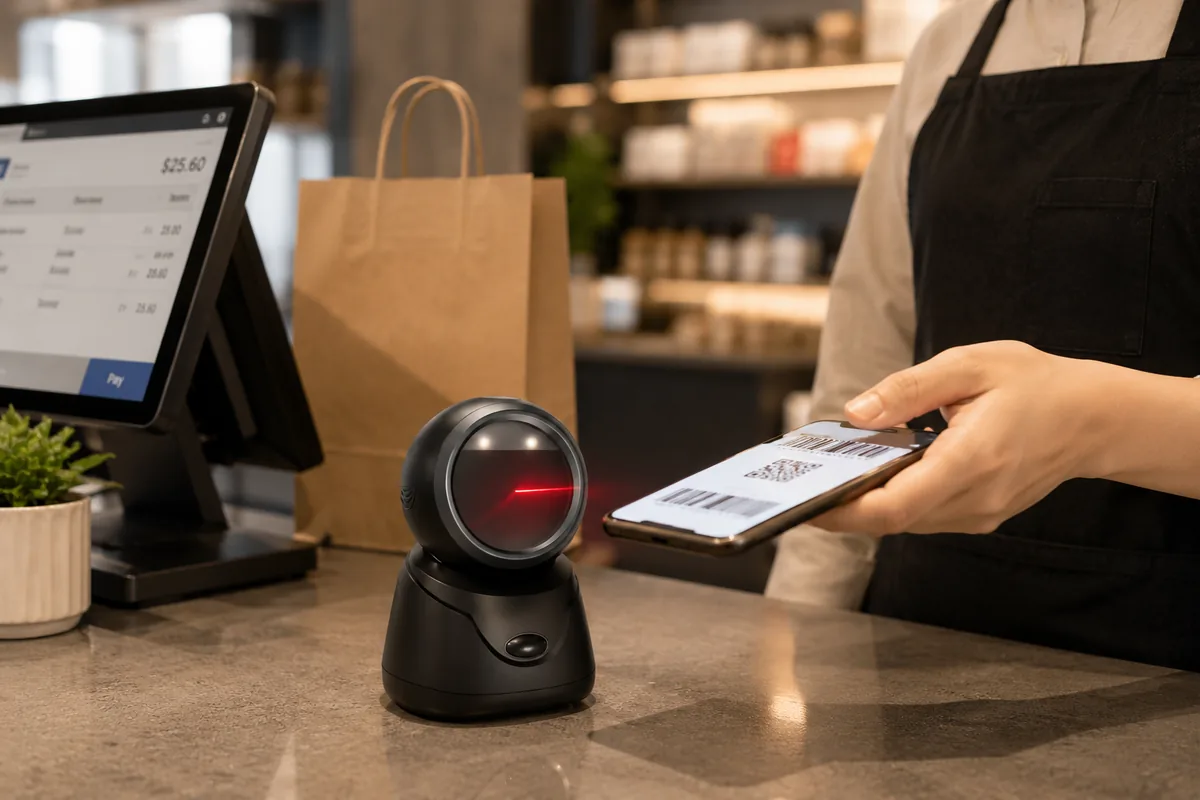
Scanned in 0.1s
The Screen-Reading Imperative.
Modern consumers demand digital convenience. 1D laser scanners are physically incapable of reading light-emitting screens. Attempting to scan a phone with a laser results in bouncing light and zero data capture.
By deploying 2D imagers, digital loyalty programs, e-wallets, and QR-based mobile payments are supported. Friction at the checkout is eliminated, and your cashiers never have to manually key-in a promo code again.
Specs & 5-Year Financial Modeling
Why paying more upfront for 2D imagers actually saves money long-term.
Detailed Feature Comparison
| Feature | 1D Laser Scanner | 2D Imaging Scanner |
|---|---|---|
| Supported Codes | UPC, EAN, Code 39, Code 128 | All 1D + QR, Data Matrix, PDF417, Aztec |
| Screen Reading | Cannot read screens | Reads phone/tablet screens |
| Scanning Angle | Linear alignment required | 360-degree omnidirectional |
| Scan Speed | ~100 scans/sec | ~60 frames/sec |
| Damaged Label Reading | Poor (requires clean label) | Excellent (image processing recovery) |
| Durability | Moving parts (motor + mirror) | Solid-state (no moving parts) |
| Lifespan | 3-5 years (motor wear) | 5-7 years (solid-state longevity) |
| Future-Proof | No (legacy technology) | Yes (supports all digital code types) |
| Unit Cost Avg. | $60 - $120 | $120 - $250 |
5-Year Total Cost of Ownership
Scenario: A 10-lane supermarket deploying scanners across all checkout lanes. Evaluating the hardware lifecycle based on actual mechanical failure rates.
| Cost Line | 1D Laser (10 units) | 2D Imager (10 units) |
|---|---|---|
| Initial Hardware Cost | $800 ($80/unit) | $1,500 ($150/unit) |
| Year 2-3 Failure Replacements | $400 (2 motors failed) | $0 (0 failures - solid state) |
| Year 4-5 Failure Replacements | $600 (3 motors failed) | $150 (1 physically dropped) |
| 5-Year TCO Total | $1,800 Effective: $180 / lane | $1,650 Effective: $165 / lane |
The Surprising Truth: While the 2D imager costs nearly double upfront, its solid-state construction eliminates motor failure — the #1 failure mode in 1D laser scanners. Over 5 years, the TCO is actually lower for 2D imagers, and the store gains omnichannel mobile payment capabilities at zero net extra cost. The mechanics behind that failure mode explain what the moving parts in a laser engine actually do, and what replaces them once the sensor does the reading.
Retailers in Action
How specific sectors deploy scanning technology.
Regional Supermarket
When they launched a mobile loyalty app generating QR-code coupons, their aging 1D scanners could not read customer screens. Staff manually typed promo codes, causing peak-hour bottlenecks.
Hospital Pharmacy
Required by the Drug Supply Chain Security Act (DSCSA) to scan GS1 DataMatrix codes on medication. 1D scanners physically could not decode these 2D barcodes.
Distribution Center
A beverage distributor using printed labels exclusively. No mobile payments occur. The environment is harsh, and scanners are dropped frequently.
POS Integration & Software Compatibility
Both 1D and 2D scanners connect to POS systems through identical interfaces. From the POS software's perspective, a scanner is simply an input device.
1. POS Software Compatibility
Virtually all POS software supports USB-HID (keyboard emulation mode) out of the box. No driver installation is needed for either 1D or 2D scanners in this mode. Whatever it reads appears as typed characters in the active field.
2. Advanced SDK Integration
If your POS app needs to control scanner behavior (beep volume, lighting, or capturing images of documents/signatures via a 2D camera), the manufacturer SDK is required. TillNode provides full Android and Windows SDKs.
3. Wireless Management
For Bluetooth-connected scanners (both 1D and 2D), ensure your POS software and hardware support multi-device pairing if you plan to use multiple handheld scanners per terminal.
4. Symbology Configuration
2D imagers may occasionally need configuration (scanning setup barcodes from a manual) to enable or disable specific rare barcode types, though most ship with all common retail symbologies enabled by default.
Frequently Asked Questions
Can a 2D scanner read standard 1D barcodes?
Are 2D scanners slower than 1D laser scanners?
Do I need 2D scanners if I don't currently accept mobile payments?
Are 2D imagers more fragile than 1D laser scanners?
Scanner Decision Framework
The checklist to finalize your data capture topology. If the interface rather than the imager is still open, read the wired versus wireless scanner comparison, or browse the full comparison index.
Choose 1D Laser Scanners if:
- ✔ You scan only printed labels (no mobile payments)
- ✔ Your environment is warehouse or back-of-house only
- ✔ Strict budget constraint is the primary decision factor
- ✔ Your POS software does not support QR promotions
Choose 2D Imaging Scanners if:
- ✔ You accept or plan to accept mobile wallet payments
- ✔ You run a digital loyalty or coupon program
- ✔ You operate in regulated sectors (pharma, transit, events)
- ✔ You want to future-proof checkouts for the next 5+ years
- ✔ You experience high mechanical failure rates with 1D motors
Request Hardware Quotes
Connect with engineering for bulk volume pricing.