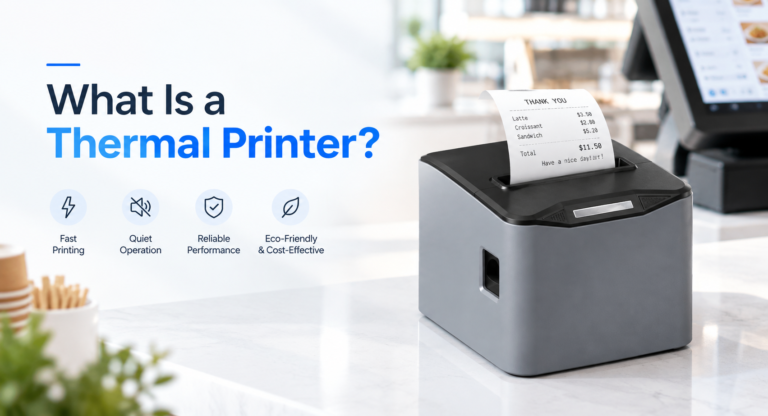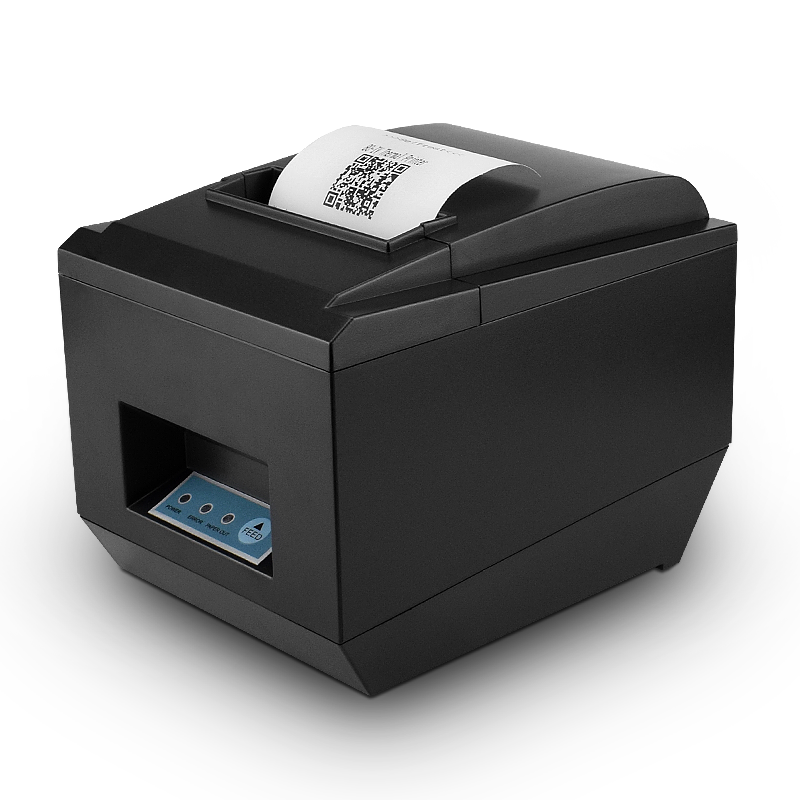
Receipt width is the one hardware decision that locks in more downstream cost than any other part of a POS build. Change it later and you change paper stock, printer mounts, counter cut-outs, spare-parts inventory and the layout of every receipt your staff has ever been trained to read. This page compares 58mm and 80mm on the numbers that actually differ, and gives a decision rule by store format.
The short answer
Standardize on 80mm unless your receipts are short, your counter is small, or the printer has to move. An 80mm machine prints 48 characters per line against 32, carries roughly three times the paper per roll, and is the only width in our range with an integrated auto cutter. A 58mm machine is smaller, cheaper to buy, and the correct answer for mobile printing, market stalls, kiosk-style counters and any format where the receipt is a token rather than a document.
If you run quick-service counters only, 58mm is defensible. If you run anything with itemized lines, modifiers, discounts or a tax breakdown that a customer has to read, 80mm pays for itself the first week.
What actually changes: the numbers side by side
These are figures from our own specification sheets, not rounded industry averages. SN-POS5890 is the 58mm desktop reference; SN-POS8250 and SN-POS8370 are the 80mm ones.
| Specification | 58mm (SN-POS5890) | 80mm (SN-POS8250 / 8370) |
|---|---|---|
| Paper width | 58.0 ± 0.1 mm | 79.5 ± 0.5 mm |
| Print width | 48 mm (384 dots) | 72 mm (576 dots) |
| Characters per line, standard font | 32 | 48 |
| Resolution | 203 dpi | 203 dpi |
| Print speed | 90 mm/s | 220 mm/s (8360) · 260 mm/s (8250) |
| Max roll diameter | 50 mm | 83 mm |
| Auto cutter | No — hand-tear edge | Yes, full or partial, rated 1.5 million cuts (8360 / 8370) |
| Print head life | 100 km (5810 mobile) | 100 km |
| Footprint | 120 × 105 × 102 mm | 190 × 145 × 145 mm |
Two of those rows matter more than the rest, and neither is print speed. They are characters per line and paper per roll.
Characters per line is the real constraint
At the standard 12 × 24 dot font, a 384-dot print head fits 32 characters across, and a 576-dot head fits 48. That single number decides whether a receipt reads like a receipt.
Take a restaurant line item with a modifier: 2x Cheeseburger no onion 18.00. That is 33 characters. It does not fit on a 58mm receipt, so the printer wraps it, and the price lands on its own line under the item description. Do that eight times on one bill and the customer has to reassemble the total by eye. On 80mm the same line sits on one row with two columns of room left for a second modifier.
The gap widens with the things that make a receipt legally or commercially useful:
- Tax breakdown. A line that reads
VAT 20% on 142.50 28.50is 30 characters before you add an item description. - Discount and promotion lines. These almost always need two columns — the rule and the amount.
- Payment split. Card plus cash plus tip, each on its own row with a reference.
- Return policy and QR code. A 32-character line turns a four-line policy into seven.
58mm receipts solve this by abbreviating. That works until an abbreviation is ambiguous to a customer, an auditor or a new member of staff. If your format needs full words, you need 48 characters.
Speed: the number that sounds important and usually is not
220 mm/s against 90 mm/s looks like a 2.4× advantage. It is not, because the wider printer also prints a longer receipt.
A 58mm quick-service receipt is typically around 150mm long. At 90 mm/s it takes about 1.7 seconds. An itemized 80mm restaurant bill runs to roughly 280mm; at 220 mm/s it takes about 1.3 seconds, and on the SN-POS8250 at 260 mm/s about 1.1 seconds. The physically slower printer is not the slower one in practice, because it is printing less paper per transaction.
Where speed does bite is duplication and volume bursts: a kitchen copy plus a customer copy on the same printer, or a 60-line end-of-day report. If either is in your format, the 80mm machine earns its place on throughput alone. If you print one short slip per sale, speed is not your bottleneck — the payment terminal is.
How many receipts one roll actually holds
Nobody publishes this, and it is easily computed. Roll length is a function of outer diameter, core diameter and paper thickness:
length = π × (D² − d²) ÷ (4 × t)
With a 12mm core and 0.08mm paper, a 50mm roll of 58mm paper carries about 23 meters. An 83mm roll of 80mm paper carries about 66 meters — a ratio of 2.9, which holds for any thickness because it cancels out.
| 58mm, 50mm roll | 80mm, 83mm roll | |
|---|---|---|
| Paper on the roll | ≈ 23 m | ≈ 66 m |
| Typical receipt length | 150 mm | 280 mm |
| Receipts per roll | ≈ 150 | ≈ 235 |
| Roll changes per 1,000 receipts | ≈ 7 | ≈ 4 |
The 80mm roll holds nearly three times the paper but prints nearly twice the length per sale. Net effect: roughly one and a half times the receipts per roll, and about three fewer roll changes per thousand sales. Three interruptions per thousand sales sounds trivial until the change happens at the front of a queue.
One practical note: the 83mm roll is also the reason an 80mm printer needs a taller body. If your counter has a fixed under-shelf clearance, measure the roll housing, not the base footprint.
The cutter question
Our 58mm desktop model has a hand-tear edge. Every 80mm model in the range has a full or partial auto cutter rated for 1.5 million cuts.
The rating sounds like the argument and is not. At 300 receipts a day, 1.5 million cuts is roughly thirteen years of operation — the cutter will outlive the terminal. The real argument is staff time and presentation: a torn edge leaves a ragged strip that staff either hand to a customer or tear again, and a torn receipt is harder to staple, file or reprint cleanly. In a format where staff print 300 slips a day, a half-second of tearing per slip is about 25 minutes a week across the team.
The counter-argument is real too: a cutter is a wear part with a blade, and blades blunt on grit and adhesive. It is the one component on an 80mm printer that will need replacing inside a five-year estate plan. Budget for it rather than being surprised by it.
Counter space and paper clearance
Footprint differences are smaller than people expect — 120 × 105 mm against 190 × 145 mm, which is 70mm wider and 40mm deeper at the base. Height differs more: the 80mm body is about 40mm taller before the roll lid opens, because it has to house an 83mm roll.
Two things to check before you commit to 58mm for space reasons:
- Does the receipt need to be visible to the customer? A taller 80mm body usually puts the paper exit closer to eye level at a counter.
- Where does the spare roll live? An 83mm roll is a bulkier item to store behind the counter, which cuts the other way.
Where 58mm genuinely wins: mobile and pop-up
58mm is the correct standard when the printer moves. Our SN-POS5810 mobile unit is 118 × 83 × 59 mm at 260g with the battery fitted, prints at 70 mm/s, and manages about 120 rolls on a charge with four days of standby. There is no 80mm equivalent that a server carries in an apron pocket.
That is the honest split. 58mm is a mobile and light-duty width. 80mm is a point-of-sale width. Choosing 58mm for a fixed counter to save money is trading a small saving against a permanent layout constraint.
One consequence worth knowing before you standardize: our 58mm models carry USB and optional Bluetooth and no cash-drawer port. The drawer runs from the terminal or from an 80mm printer, which is why the cash drawer range is specified against the printer rather than the till. If your format is drawer-driven, that single missing port decides the width for you.
A decision rule by store format
| Format | Width | Why |
|---|---|---|
| Quick-service, counter service, food truck | 58mm or 80mm | Short receipts and speed matter more than layout. 58mm works if the slip carries no tax breakdown. |
| Full-service restaurant | 80mm | Itemized bills with modifiers, splits and tips need 48 characters. Kitchen copies are long. |
| Grocery, convenience, pharmacy | 80mm | Many line items per basket, plus a drawer port on the same device. |
| Table-service with handheld ordering | Both | 58mm in the handheld, 80mm at the counter for the final bill. |
| Pop-up, market stall, event | 58mm | The printer travels, runs on battery, and the receipt is a token. |
| Multi-lane supermarket | 80mm | Roll capacity and cutter throughput per lane, not per receipt. |
Running both widths in one estate
A mixed fleet is defensible when the formats are genuinely different: 58mm in handhelds and pop-ups, 80mm on fixed lanes. What is not defensible is mixing widths inside the same format, because then you carry two paper SKUs, two spare-parts lines and two staff habits for one job.
If you do run both, hold the interface constant. Both widths run ESC/POS, so the same print code drives either — the failure mode in mixed estates is almost never the protocol, it is paper stock. Specify roll diameter and core size in writing, not just width, and buy the 80mm rolls at 83mm outer diameter rather than a smaller third-party roll that fits the housing but halves the receipts per change.
What to specify in the RFQ
Whether you buy from us or elsewhere, put these eight items in the enquiry. Suppliers who cannot answer all eight are guessing:
- Paper width and maximum roll diameter, with tolerance
- Print width in millimeters and dots, and characters per line at the standard font
- Print speed in mm/s at the rated supply voltage
- Cutter type and rated cut life
- Print head rated life in kilometers
- Interface list, and whether each is standard or optional
- Cash-drawer port presence and its voltage
- Supply voltage and current, plus adapter input range
The same eight questions, applied to a wider set of models, are covered in our POS printer buying guide. If you are still deciding whether thermal is the right technology at all, start with what a thermal printer actually is and come back to width afterwards.
Frequently asked questions
Is an 80mm printer better than a 58mm printer?
For fixed-lane retail and restaurant use, yes: 48 characters per line, roughly three times the paper per roll, and an integrated auto cutter. For mobile, pop-up and token-receipt formats, 58mm is the better fit because it is smaller, lighter and can run on battery.
Can I put 58mm paper in an 80mm printer?
No. The paper path, the platen and the print head are sized to the roll. A 58mm roll will not sit on the spindle correctly and will not align with the head, so printing will skew or fail. The reverse is also impossible.
Which width is cheaper to run?
Per meter, 80mm paper costs more. Per receipt, the difference is smaller than it looks, because an 80mm receipt carries more information in one pass and needs fewer reprints for corrections. The larger running-cost difference is roll changes: an 80mm roll yields roughly one and a half times the receipts of a 58mm roll.
Do I need an auto cutter?
If staff hand receipts to customers all day, an auto cutter saves a measurable amount of time and produces a tidier slip. If the printer is in a kitchen or prints for internal use only, a hand-tear edge is adequate. Remember that a cutter is a wear part with a rated life of about 1.5 million cuts on our models.
Can a 58mm printer drive a cash drawer?
Not on our 58mm models, which carry USB and optional Bluetooth and no drawer port. The drawer connects to the POS terminal or to an 80mm printer. Confirm the port and its voltage on the specific model before you assume a printer can open a drawer.
Does receipt width affect tax or legal compliance?
It can. Some jurisdictions require an itemized receipt showing a tax breakdown, which needs more horizontal room than 32 characters comfortably allows. Check the requirement for each market you sell into before fixing the width, because changing it later means changing every printer, mount and paper contract in the estate.
If you want the width decision checked against your actual receipt layout, send a sample receipt and your expected daily transaction count through the receipt printer range page and we will tell you which model fits rather than which model is cheapest.