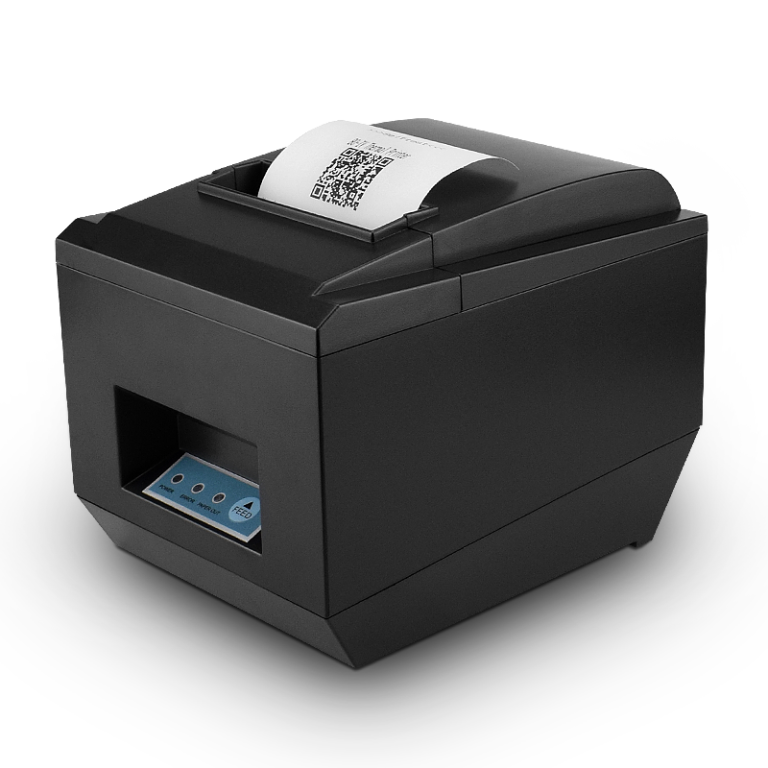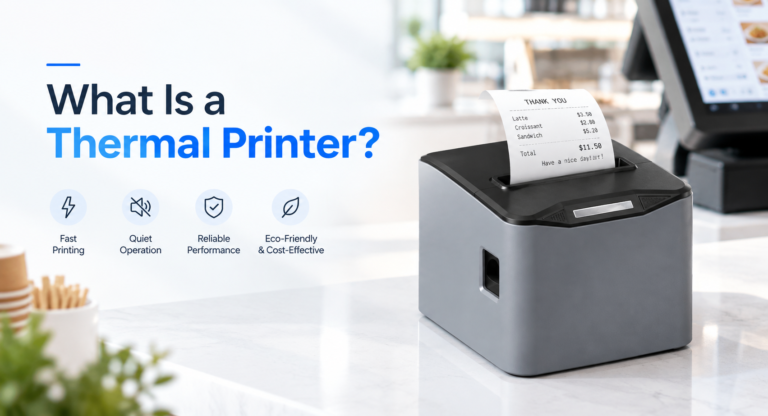
A retail receipt printer is among the least expensive devices on the counter, and one of the fastest ways to stop a checkout. It has no screen, no operating system, and no software update schedule. It does one thing, thousands of times a day, until the day it stops — and when it stops, the line stops with it.
This guide is about the thermal printers behind retail receipts specifically: what happens inside the machine when a receipt comes out, how the two thermal technologies differ in ways that change what you should print on them, which hardware numbers actually predict whether a printer survives a year or five, and the maintenance routine that decides the answer. It is written for retail and hospitality operators buying receipt printers, and for distributors and integrators specifying them for clients.
Quick answer: A thermal receipt printer makes marks by heating paper that has been coated with a heat-reactive dye, so it needs no ink, toner, or ribbon. Retail receipts almost always use direct thermal (paper only) because it is the fastest and least expensive method at the counter. Its trade-off is that the printed image fades over months to years depending on paper grade and storage, which means the hardware choice and the paper choice are really one decision.
Table of Contents
- How a Thermal Printer Works, Step by Step
- Direct Thermal vs. Thermal Transfer on a Retail Counter
- What a Direct Thermal Receipt Should and Should Not Carry
- The Specs That Decide Whether a Receipt Printer Survives
- Matching the Printer to Your Daily Receipt Volume
- The Maintenance Routine That Doubles Printhead Life
- Five Failure Modes and What They Actually Mean
- ESC/POS and the Connection Question
- Paper: The Spec That Damages the Printer
- Receipt Printer Selection by Retail Scenario
- Frequently Asked Questions
How a Thermal Printer Works, Step by Step
A thermal printer works by pressing paper against a row of microscopic heating elements and switching those elements on and off in a pattern. Where an element is on, the paper turns dark. Where it is off, the paper stays white. There is no transfer of ink from any reservoir — the image is created inside the paper coating itself. The sequence, in order:
- The platen roller pulls the paper forward. A rubber roller grips the roll and feeds it in small, precise increments. Feed accuracy sets the vertical spacing of every line on the receipt.
- The printhead presses against the paper. The head is a ceramic strip carrying hundreds of tiny resistors, one per printable dot, arranged across the full width of the paper. A typical 80mm head carries roughly 576 dots across 72mm of print width.
- Selected elements heat up. The printer logic decides which dots belong to the current line and pulses current through exactly those resistors for a few hundred microseconds. Each pulse is a single dot.
- The coating reacts. The heat causes a dye and a developer compound in the coating to react and turn dark. This is the step that gives direct thermal its name, and the step that later reverses when the paper is exposed to heat, light, or certain chemicals.
- The roller advances one line and repeats. The whole line is written in one pass and only then does the paper move. This is why thermal printers are fast — nothing has to travel back and forth.
- The autocutter separates the receipt. A guillotine blade cuts the finished receipt either after a preset length or when the software sends a cut command.
Two consequences follow directly from this design, and both matter more than any feature list on a thermal printers spec sheet. First, the only thing that touches the paper is the printhead and the roller — which is why print quality problems trace back to those two parts almost every time. Second, the printhead is a wear part, not a permanent component. It has a rated life measured in kilometers of paper, and every receipt you hand out consumes some of it.
Direct Thermal vs. Thermal Transfer on a Retail Counter
Both technologies heat a printhead. The difference is what the heat acts on: paper coating, or a ribbon that then transfers onto paper. For a checkout receipt the answer is almost always direct thermal, but knowing the trade-off matters when the same counter also prints labels, tickets, or kitchen slips.
| Criterion | Direct thermal | Thermal transfer |
|---|---|---|
| Consumable | Thermal paper only | Plain paper or label stock plus ribbon |
| Image life | Weeks to years, grade and storage dependent | Several years, including outdoor and industrial use |
| Print speed | Fast, single-pass, no ribbon handling | Slightly slower, requires ribbon loading and alignment |
| Running cost | One SKU to stock | Two SKUs, plus ribbon disposal |
| Resists heat and light? | No — the image is heat-written and heat-sensitive | Yes |
| Typical retail use | Customer receipts, order tickets, queue slips | Product labels, asset tags, license plates, freezer labels |
| Machine footprint | Compact, few moving parts | Larger, includes ribbon take-up mechanism |
There is one operational rule worth carrying away from this table: do not use a direct thermal printer for anything the customer must still be able to read next year. Warranty certificates, tax documents, long-term rental agreements, and anything with legal retention requirements either need a thermal transfer printer, a premium long-life paper grade, or a digital copy. Printers do not fail at this — expectations do.
What a Direct Thermal Receipt Should and Should Not Carry
Because thermal printers write a direct thermal image with heat, it can also be unmade by heat, by ultraviolet light, by moisture, and by a surprising list of ordinary shop chemicals. Understanding which is which lets you decide what belongs on a receipt instead of discovering the problem from an angry customer.
| Content | Safe on a direct thermal receipt? | Why |
|---|---|---|
| Transaction total, items, time, store address | Yes | Needed for minutes to weeks; only has to survive normal handling |
| Barcode and QR for a digital receipt link | Yes, and it is the better habit | The durable record lives in the customer's account, not on paper |
| Return window and short-term policy notice | Yes | Relevant within the fade horizon of standard grades |
| Promotions, loyalty prompts, feedback QR | Yes | Marketing value expires long before the print fades |
| Warranty proof to be kept for years | Only with a premium grade or a digital copy | Standard grade can become hard to read within months |
| Signature on a credit or delivery slip | Not ideal | Hand-written marks can smudge, and the print beneath them fades too |
| Anything exposed to a hot vehicle, a heated food bag, or direct sun | No | Heat is exactly what produces the image, so heat also erases it |
The fading mechanism is worth stating plainly, because it explains why some receipts vanish in weeks and others stay readable for a year. The coating contains a colourless dye and a developer. Heating makes them react and the reaction product is dark. But the reaction sits near its reversal threshold, so a second heat exposure darkens the whole sheet, sunlight drives it further forward until the contrast between printed and unprinted areas collapses, and plasticiser from a plastic sleeve or a hand sanitiser can undo the color entirely. Two receipts printed on the same printer, with identical settings, can therefore have completely different lifetimes once they leave the counter.
The Specs That Decide Whether a Receipt Printer Survives
Product pages list dozens of numbers. Most of them do not predict whether the printer in a busy store is still working in three years. These are the ones that do, and the values to hold when specifying.
| # | Spec | What to hold |
|---|---|---|
| 1 | Print method | Direct thermal line printing for receipts |
| 2 | Printhead life rating | Rated in kilometers of paper feed — commonly quoted between 50 km and 150 km, and the single clearest durability indicator |
| 3 | Printhead resolution | 203 dpi (8 dots/mm) is the receipt standard; 300 dpi only where small, dense barcodes are required |
| 4 | Print speed | Roughly 200 mm/s for a normal lane; 250–300 mm/s for peak-volume lanes |
| 5 | Paper width | 80mm for standard retail counters; 58mm for handheld and compact mobile POS |
| 6 | Autocutter rating | Rated in cut count, commonly 1 million cuts and up — cut count, not speed, is what fails first on cheap units |
| 7 | Interfaces | USB plus Bluetooth or Wi-Fi for retail; add Ethernet for fixed lanes and back-office printers |
| 8 | Command set | ESC/POS compatibility, so the printer is not locked to one POS software vendor |
| 9 | Cash drawer port | An RJ-11 drawer kick port, if a cash drawer shares the receipt station |
| 10 | Paper-end and error sensing | Paper-out, cover-open, and cutter-error detection that reports back to the POS |
| 11 | Feed mechanism | Drop-in, clam-shell or easy-load design — it directly reduces mis-threaded paper and the jams that follow |
| 12 | Duty rating and cooling | Continuous versus peak duty specification, and metal rather than plastic print mechanism for heavy volume |
One spec deserves a warning because it is widely misread: resolution is not print quality. A 203 dpi printer with a clean head, correct paper, and tight feed control produces sharper receipts than a 300 dpi printer with a dirty head or cheap paper. Resolution sets the ceiling on detail, but the maintenance routine and the consumable decide what you actually get. When a receipt looks bad, the number to suspect last is dpi.
Matching the Printer to Your Daily Receipt Volume
Printhead wear is proportional to paper fed, which is proportional to receipts printed. Converting your daily volume into kilometers of paper per year explains far more about how long the hardware will last than any marketing claim, and it also tells you how often you should be cleaning the head.
| Receipts per day | Paper fed per year (approx.) | Head cleaning | What it means in practice |
|---|---|---|---|
| Under 100 | Under 10 km | Monthly | A rated 50 km head can last years; paper grade matters more than rated life |
| 100 to 300 | 10 to 30 km | Every two weeks | A starter-class printer is being asked to do mid-duty work |
| 300 to 600 | 30 to 60 km | Every two weeks | A generic low-rated head is now a consumable, replaced roughly annually |
| Over 600 | Over 60 km | Weekly | Duty rating, cutter rating, and color of the paper path all become purchasing criteria, not features |
The reason this table determines your budget is that the printhead, not the printer, is the thing you actually buy repeatedly. A printer specified with a 50 km head in a store printing 60 km a year is a head replacement every single year, on top of the downtime and the service visit. The same store with a 150 km heavy-duty head turns that into an occasional part rather than an annual event. The purchase price gap between those two classes is almost always smaller than two years of replacement heads and the labor around them.
The Maintenance Routine That Doubles Printhead Life
Thermal printers do not fail at random, and their printheads do not either. Field patterns show the same head lasting six months in a dusty grocery store and five or more years in a clean office, and three factors explain nearly all of the spread: abrasive paper, skipped cleaning, and static discharge. All three are manageable.
The wear mechanism, in one line
A printhead has a protective glaze over its heating elements. Everything that shortens its life is a way of attacking that glaze. Grit in cheap paper abrades it, residue film makes the driver raise energy to compensate and accelerates the damage, and a single static discharge can vaporise individual elements outright. Once the glaze is breached, elements oxidise and die, which is why the visible symptom is a permanent white stripe rather than a gradual fade.
The cleaning procedure, in order
- Power off and let the head cool. It can be hot enough to burn immediately after printing; wait a minute.
- Remove the paper roll and set it aside somewhere clean.
- Discharge static by touching the metal chassis or wearing a grounded wrist strap. This step is the one most often skipped and the one that causes instant, permanent damage.
- Wipe the element strip with high-purity isopropyl alcohol on a lint-free swab, in one direction, along the full width. Avoid water, ethanol, acetone, and low-purity alcohol — they leave residue or attack the glaze.
- Clean the platen roller too. The rubber roller collects the same residue. Skipping it is the most common reason a cleaning "does not help".
- Let it dry fully before closing the mechanism — a wet head leaves streaks.
- Run a self-test print and check for missing dots, fading, or smudging before putting the station back in service.
Early warning signs of a worn head
Watch for a fixed white stripe that appears in the same place on every receipt — that is a dead element, not a dirty head, and cleaning will not fix it. Gradual fading that corrects itself after cleaning is residue. Fading that persists after cleaning and a paper change is the head nearing the end of its rated life. A receipt that prints blank on one side only usually means the roll is loaded coating-side up, not that the printer has failed; the print side of thermal paper can be identified by scratching it firmly with a fingernail.
Five Failure Modes and What They Actually Mean
When a receipt printer misbehaves, most of the diagnostic work is deciding whether you are looking at a consumable problem, a wear problem, or an electrical one. These five account for the large majority of incidents.
- Blank receipts. Either the roll is loaded with the coating facing away from the head, or the head has failed. Check the paper orientation first by scratching both sides with a fingernail.
- Faded or streaky output. A dirty head, worn elements, or paper with an uneven or low-sensitivity coating. Clean first, then change paper, then consider the head. Consistent white stripes mean dead elements and a replacement.
- Repeated jams. Wrong roll width or core size, a roll that was dropped or compressed and no longer unwinds evenly, debris in the paper path, or a glazed, cracked platen roller. A shiny or hardened roller must be replaced; it cannot be cleaned back to life.
- Printer not detected. Cable seating at both ends causes more of these than actual hardware faults, followed by the wrong port or driver in the POS configuration.
- Cutter failures. Typically a paper jam at the blade, a dull blade after its rated cut count, or a misaligned cutter following a previous jam that was cleared by pulling paper out by hand.
The order of diagnosis matters because it maps to cost: paper orientation is free, cleaning costs a swab, paper quality costs a roll, and the printhead or cutter is a part. Work through them in that order and most incidents never reach the expensive end of the list.
ESC/POS and the Connection Question
ESC/POS is a command set that tells the printer to print a line, cut the paper, open the cash drawer, or feed. It was defined for Epson receipt printers and became the de facto language of thermal receipt printing, which matters to buyers for one reason: a printer that understands ESC/POS can be driven by virtually any POS software or middle layer, while a printer with a proprietary command set can only be driven by the vendor that sold you the software.
This is worth verifying before purchase, because it is the difference between swapping one printer when it fails and renegotiating your entire POS stack. Practically, you want three things confirmed: the printer accepts standard ESC/POS commands, the vendor publishes the command reference, and the interface you need — USB, Bluetooth, Wi-Fi, or Ethernet — is either built in or available on the model. In retail, USB with Bluetooth covers most mobile and flexible counters; fixed lanes and back-office stations generally want Ethernet. If a cash drawer shares the counter, confirm the RJ-11 drawer kick port is present on the printer rather than buying a separate drawer interface.
Paper: The Spec That Damages the Printer
Paper is normally treated as a running cost, which is the mistake. It is simultaneously the consumable that produces the image and the abrasive that consumes the printhead. The saving per roll and the cost of a printhead are on the same ledger.
| Property | What good paper does | What cheap paper does |
|---|---|---|
| Coating uniformity | Consistent darkness across the receipt | Splotchy print with light and dark bands |
| Surface smoothness | Even contact with the head, less wear | Acts as an abrasive and wears the glaze faster |
| Dust and lint | Minimal, so the head stays clean between cycles | Significant, so residue film builds up quickly |
| Embedded abrasives | Within specification | Often above specification, which is the main cause of shortened head life |
| Print surface | Producing the image on the correct face | Inconsistent coating on either face and blank receipts |
| BPA status | Phenol-free alternatives available | Traditional developers, with the regulatory questions attached |
| On a 80mm counter roll | Higher unit price | Lower unit price — the entire visible saving |
When you buy paper, ask the supplier for the paper specification rather than only the price. Width tolerance, core diameter, coating grade, and whether the sheet is phenol-free are the four facts that determine whether the roll feeds correctly, prints evenly, and protects the head. Then buy by the meter of usable paper rather than the roll price, and check that your scanner reads the barcode on a sample before ordering a pallet — an unreadable barcode on a receipt costs more at the counter than any saving on the carton. For a deeper look at roll formats and the paper side of the decision, see our thermal receipt printer range and paper-compatible roll options.
Receipt Printer Selection by Retail Scenario
Most retail receipt printing resolves into a handful of patterns. These are the configurations that hold up in practice, expressed as the settings to specify rather than as named products.
| Scenario | Configuration | The spec to hold |
|---|---|---|
| Single-lane retail or boutique, under 100 receipts a day | Direct thermal, 80mm, USB | A 50 km head is adequate; prioritize quiet operation and easy paper loading |
| Supermarket or convenience checkout, 300-plus receipts a day | Direct thermal, 80mm, heavy-duty mechanism | 200–250 mm/s, 100 km-plus head, 1 million-cut cutter, drop-in loading |
| Peak-volume lanes with queue pressure | Direct thermal, 80mm, high-speed | 250–300 mm/s, high cut rating, Ethernet or USB with a stable power supply |
| Restaurant kitchen tickets | Direct thermal, 80mm, front-exit | Heat and moisture tolerance, splash-resistant housing, audible alert on new order |
| Mobile or line-busting checkout | Direct thermal, 58mm, Bluetooth | Battery endurance across a shift, drop resistance, fast reconnection |
| Counter with a drawer at the same station | Direct thermal, 80mm, with RJ-11 | Drawer kick port on the printer rather than an external drawer interface |
| Self-service kiosk or order terminal | Direct thermal, embedded | Panel-mount or embedded form factor, long rated life, remote error reporting to the kiosk software |
| Counter that also prints product labels | Separate label printer | Do not force a receipt printer to do barcode label work — use thermal transfer for permanence |
Seen together, these scenarios explain why no single receipt printer is right for every counter. The variables that actually differ are volume, environment, and whether the receipt must survive beyond the day — not the logo on the front. Specifying against those three questions produces a shortlist that holds up, whether you are equipping one store or one hundred.
Frequently Asked Questions
Do thermal receipt printers need ink or toner?
No. A direct thermal receipt printer has no ink, toner, or ribbon. The image is created by heating a coating already present on the paper, so the only consumable is the paper roll itself. This is why thermal printers have fewer parts to fail and lower running costs than inkjet or laser alternatives at a retail counter.
How do thermal printers work if there is no ink?
The paper is coated with a colourless dye and a developer compound. A printhead carrying hundreds of tiny heating elements presses against it and heats selected dots for a fraction of a millisecond. Where the coating is heated, the dye and developer react and the area turns dark. Where it is not heated, the paper stays white. The pattern of heated dots forms the text and barcodes.
How long does a thermal receipt last?
It depends almost entirely on the paper grade and how the receipt is stored. Standard grades can become difficult to read within months, especially if exposed to sunlight, heat, moisture, or plasticiser from a plastic sleeve or hand sanitiser. Premium and long-life grades are formulated for extended legibility. For anything that needs to be kept for years, use a long-life grade or keep a digital copy rather than relying on the paper.
How long does a thermal printhead last?
Printheads are rated in kilometers of paper feed, and receipt printers commonly fall in the 50 km to 150 km range depending on the class. Real-world life can vary widely — the same head might last under a year in a dusty, high-volume store and several years in a light-use environment. Paper quality, cleaning frequency, and static discharge control are the three factors that decide which end of that range you get.
Why does my receipt printer print blank paper?
In most cases the roll is loaded with the thermal coating facing the wrong way. The coating is only on one side of the paper, and it must face the printhead. Scratch both sides firmly with a fingernail — the side that darkens is the print side. If the paper is correctly oriented and the output is still blank, the printhead may have reached the end of its life.
Do I need a 58mm or an 80mm receipt printer?
80mm is the standard for fixed retail counters because it carries more information per receipt, including itemised lines, tax breakdown, and a promotion footer. 58mm is used where space is limited, such as handheld and compact mobile POS devices. The choice follows the counter, not the price: a full retail receipt is cramped at 58mm, while a 58mm printer is a burden on a fixed lane that could hold a wider unit.
Can I use any thermal paper roll in any thermal printer?
No. Roll width and core diameter must match the printer's specification, and paper that is too wide will not feed while paper on a wrong-size core can bind and jam. Beyond fit, coating quality differs enormously between grades. Off-spec paper with embedded abrasives is one of the main causes of premature printhead wear, so matching the roll to the printer and choosing a reputable grade both protect the hardware.
How often should a receipt printer be cleaned?
It scales with duty. A counter printing more than 300 receipts a day should be cleaned every two weeks or so; a light-use counter supported by monthly cleaning; very high-volume stations weekly. In all cases, clean before running any other diagnostic when print quality drops, since residue is the most common cause of fading and the least costly to fix.
Specifying Receipt Printers for Your Stores
Thermal printers for receipt printing are a solved technology — which is exactly why the differences between one printer and another show up not in the feature list but in the printhead rating, the cutter rating, the paper you feed it, and the routine you keep. Get those four right and a receipt printer becomes one of the most reliable devices in the store.
TillNode supplies direct thermal receipt printers across 58mm and 80mm formats, including compact counter units, high-speed heavy-duty models for peak-volume lanes, and embedded printers for self-service kiosks and order terminals. Printhead life rating, autocutter rating, resolution, and interface options are specified on each model so you can match the printer to your actual receipt volume rather than to a marketing claim. If the same counter also needs cash drawers, barcode scanners, or a full POS terminal, those pair on the same station and can be quoted together.
Tell us your receipt volume per day, your paper width, and whether the receipts need to survive beyond the day, and we will point you at the right class of printer. Request a quote or contact our team with your requirements.
Related reading: What Is a Thermal Printer? — the technology in general terms; Thermal Receipt Printers — the TillNode 58mm and 80mm range; POS Printers — receipt and kitchen printing for retail counters; Cash Drawers — the drawer that shares the receipt station; Barcode Scanners — the other half of the checkout lane; Point of Sale Systems — terminals and the hardware around them; Retail Solutions — hardware configured by store type.