A mall kiosk and a staffed counter are not two versions of the same retail unit. They are two different cost structures, and the hardware sits on opposite sides of the ledger. One has rent and almost no labor. The other has labor and almost no rent per square foot. Almost every comparison online stops at that observation. This guide goes further: it turns the shopping center kiosk economics into a model you can actually run with your own numbers, and then shows what that model means for the hardware you specify.
The reason hardware matters here is that the model and the equipment are not separate decisions. A kiosk deployment that is justified on low labor cost falls apart if the unit needs a staffed attendant six hours a day to reboot terminals, clear jams, or reconnect a payment device. A staffed counter that is justified on higher average ticket falls apart if lanes queue because a card reader or a receipt printer is the choke point. So the question is not "which is cheaper." It is "which cost structure am I actually buying, and does the hardware support it unattended."
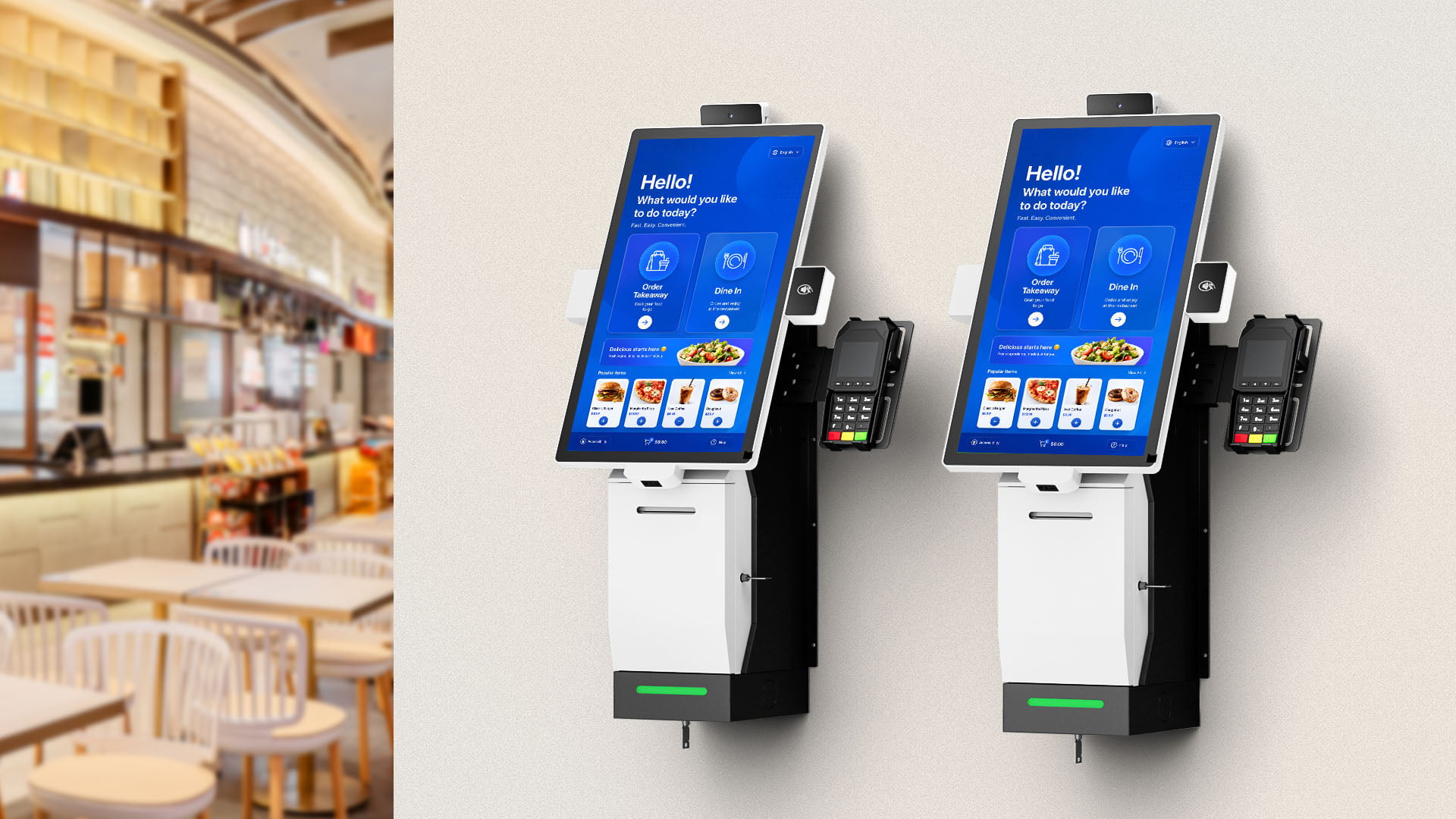
Before going further, one boundary matters for sourcing. This guide covers the electronic hardware inside a kiosk or a staffed lane — the terminal or self-service unit, the touchscreen, the payment peripheral, the receipt printer, the cash drawer, the scanner, and any industrial control box behind them. It does not cover millwork, joinery, fascia, cabinetry, signage fabrication, or mall interior fit-out. Those are separate trades with separate suppliers, and treating them as part of a hardware quote is one of the most common ways a kiosk budget gets misread. If the question is "what electronics go in and what do they cost to own," this is the right page.
The Two Cost Structures, Side by Side
A staffed counter concentrates cost in people. A shopping center kiosk concentrates cost in rent and space. Both then spend on hardware, utilities, and payment processing, and the proportions are what decide whether a format works at a given volume. The table below lays out the eight lines that make up a total cost of ownership for either format. It is deliberately structural rather than numeric, because the numbers move by market — the point is which lines dominate and which lines are absent.
| Cost line | Staffed counter | Mall / shopping center kiosk |
|---|---|---|
| Space rent | Fixed, priced per square foot or meter, long lease term | Often a shorter-term license or concession, frequently with a percentage-of-sales component on top of base rent |
| Common area / CAM charges | Typically bundled into the base lease | Usually a separate line, charged per square foot of the unit footprint |
| Labor | The dominant cost — multiple shifts, benefits, training, turnover | Low or zero during unattended hours; may still need one attendant for peak periods or assisted sales |
| Hardware capital | Multiple lanes, each with a full set of peripherals | One or a small number of self-service units plus a compact back-office set |
| Fit-out and installation | Build-out, counters, wiring, signage, permits | Lighter build-out, but power and network drops still have to be provisioned |
| Utilities | Lighting, HVAC for a full sales floor | Smaller footprint, but lighting and any active cooling for the unit itself |
| Payment processing | Per-transaction fees scaled by volume | Same per-transaction model, different average ticket and transaction count |
| Service and spares | Shared across lanes, one call covers several devices | Per-unit — a single failed kiosk is a full outage for that point of sale |
Two things follow from that table before any arithmetic. First, the kiosk format is not automatically cheaper — it trades a labor line for a rent-and-percentage line. Second, the service and spares line behaves differently: a staffed counter has redundancy built in because other lanes keep working, while a single unattended unit has none. That is a hardware design problem, not an accounting problem, and it is where most kiosk hardware specifications are weakest.
Unit Economics: Rent, Labor and Sales per Square Foot
The economic case for a kiosk rests on three ratios. Get them right and the format works at modest volumes. Get any of them wrong and the unit never covers its own footprint, no matter how well the hardware performs.
Rent per square foot, and why CAM changes the comparison
Retail rent in a shopping center is quoted as a base rate per square foot, but the invoice rarely equals base rate times area. Common area maintenance charges — CAM — cover shared lighting, cleaning, security, and parking-area upkeep, and they are typically billed per square foot of your unit. A high-traffic mall situs therefore carries two space-related costs, not one. When a landlord also takes a percentage of gross sales above a breakpoint, the effective rent rises with success. That structure is normal for kiosk and concession licenses, and it means the space cost is partly variable rather than fully fixed.
For a kiosk operator this has a direct implication: the unit must clear base rent, CAM, and any percentage component before it contributes. A small footprint helps, but a small footprint in a premium corridor can still carry a high per-square-foot rate. The useful exercise is to compute total monthly occupancy cost — base plus CAM plus the expected percentage component at your projected sales — and divide it by the number of transactions you realistically expect. That gives you a rent cost per transaction, which is the number you compare against a staffed format's labor cost per transaction.
Labor as a fully loaded line, not an hourly rate
A staffed counter's labor cost is never the advertised hourly rate. It is the hourly rate plus payroll taxes, benefits, paid time off, scheduling overhead, training, and the cost of turnover — recruiting and onboarding a replacement every time someone leaves. Add the reality that a counter must be staffed during open hours whether or not customers are present, so a meaningful share of paid time is idle time. That idle time is the specific cost a kiosk format removes.
The comparison should therefore be labor cost per transaction against rent cost per transaction, at the same sales volume. Below a certain volume the kiosk wins because it eliminates idle staffing. Above a certain volume the staffed counter can win, because labor cost per transaction falls as volume rises while rent cost per square foot stays fixed and the percentage-rent component grows. That crossover point is the single most useful number in this whole analysis, and it is specific to your site.
Sales per square foot as the real scoreboard
Because a kiosk footprint is small, sales per square foot is usually where it outperforms. The metric is simply annual or monthly revenue divided by occupied area. A kiosk with a fraction of the floor area of a counter can post a far higher figure even at lower absolute revenue. But that ratio is also easy to flatter: if the kiosk is placed in a high-traffic corridor that would not be viable for a staffed store, the comparison is not like for like. Use sales per square foot to compare kiosk sites against each other, and use the crossover calculation above to compare the kiosk format against the staffed format.
Building the Crossover Model With Your Own Numbers
The model below is deliberately simple and uses only quantities you can estimate before committing. It answers one question: at what monthly transaction volume does the kiosk structure become cheaper to operate than a staffed counter, given your rent, your labor rate, and your hardware ownership cost?
- Monthly occupancy cost of the kiosk. Base rent plus CAM plus the percentage-rent you expect at projected sales. This is a fixed-plus-variable figure.
- Monthly fully loaded labor cost of the counter. Hourly rate times staffing hours per month, then multiplied by a loading factor for taxes, benefits and turnover. Add a share of supervisor time if the counter needs it.
- Hardware ownership cost per month. Purchase price amortized over its expected service life, plus annual service and spares divided by twelve. Compute this separately for the kiosk and for the counter's lanes.
- Per-transaction variable cost. Payment processing plus any consumables — receipt paper, for instance — on both sides. These scale with volume and do not change the crossover much, but include them for honesty.
- Solve for the crossover. Set total monthly cost of both structures equal and solve for transactions. Compare that figure against your realistic volume. If your projected volume is comfortably above the crossover, the staffed format is structurally cheaper; if it is below, the kiosk is.
Run the model once with conservative volume and once with optimistic volume. If the kiosk case only works at the optimistic number, the decision is sensitive to footfall — which means the hardware specification needs to emphasize reliability and unattended uptime, because you cannot afford downtime eating into a thin margin. If the kiosk case works even at conservative volume, you have room to choose hardware on capability rather than on lowest capital cost.
What the Cost Structure Changes About the Hardware
This is where a cost model becomes a specification. Each economic feature of the kiosk format maps to a hardware requirement, and missing the mapping is why kiosks underperform their spreadsheet.
| Economic feature | Hardware implication |
|---|---|
| Unattended or lightly attended operation | The unit must boot reliably without a person present, resume operation after a power interruption, and tolerate being left on for extended hours. Cooling and power design matter more than peak performance. |
| No redundancy — one unit is the whole point of sale | Serviceability becomes a design requirement: accessible ports, swappable peripherals, and a documented spares strategy. A single sealed unit with no field-replaceable parts is a liability. |
| High traffic per square foot | The touchscreen and enclosure take more contact per hour than a staffed lane. Surface durability and mounting rigidity are not cosmetic choices. |
| Compact footprint | Integration density rises: fewer separate boxes, more functions in one unit where possible, and a mounting approach that does not consume sales area. |
| Percentage rent tied to sales | Payment and receipt functions must be reliable and accurate, because transaction integrity directly affects reported sales. |
| Short license terms | Hardware should be re-deployable. Modular peripherals that move between sites protect the capital if a location is not renewed. |
Read the table as a filter. If a candidate kiosk specifies a sealed, non-serviceable chassis with no external ports, it fails the second row. If it specifies a consumer-grade panel with no durability information, it fails the third. If the payment peripheral and receipt printer are integrated in a way that cannot be individually replaced, it fails the fourth and fifth. None of these are exotic requirements; they are simply the requirements that follow from running a point of sale without a person standing next to it.
Specifying the Kiosk Hardware Stack
A shopping center kiosk deployment usually resolves into four layers. Each can be sourced independently, and each has its own failure mode. The point of separating them is that a single-vendor bundle hides which layer is driving cost, whereas a layered specification lets you buy the layer that matters and economize on the one that does not.
Layer 1 — The self-service unit
The unit itself is the terminal, display, and enclosure taken together. The specification questions are size and resolution of the panel, the mounting arrangement, whether the unit is freestanding or integrated into a counter, and whether it is intended for indoor controlled-climate use or for a space with variable temperature. For a mall interior, an indoor-rated unit is normally sufficient; the environmental specification becomes critical only when the unit sits near an entrance or in a semi-outdoor corridor. Confirm the operating temperature range against the actual location rather than assuming an indoor rating covers every indoor position.
Layer 2 — Payment and input peripherals
Card acceptance, barcode scanning and any customer-facing input sit here. The design question is reachability and replaceability: can a worn card reader be swapped without replacing the whole unit, and can a scanner be repositioned to suit the actual merchandise. For kiosk formats with a fast-moving product mix, a flexible scanner mounting earns its cost quickly. This layer is also where transaction accuracy is determined, which matters if rent carries a percentage-of-sales component.
Layer 3 — Receipt, cash and reconciliation
Receipt printing and, where the format still handles cash, a cash drawer with a defined reconciliation routine. An unattended unit that prints receipts needs a paper path that is easy to clear without tools, because a jammed printer on an unattended kiosk is an outage until someone arrives. Where cash is handled, the drawer and its reconciliation procedure need to be part of the operating design from the start, not added later.
Layer 4 — The control box
Behind any kiosk there is a computing element — sometimes integrated into the unit, sometimes a separate compact industrial computer. Separating it has practical advantages: it can be replaced without touching the display, it can be positioned where heat and dust are less severe, and it can serve more than one unit in a multi-kiosk deployment. When the control box is a separate industrial-class computer, specify it on reliability and thermal behavior rather than raw speed, because its job is to run the same limited workload for years without intervention.
The Staffed Counter Side: What You Are Actually Comparing Against
It is easy to model the kiosk and hand-wave the alternative. That produces bad decisions, because a staffed counter's cost structure is not simply "a kiosk plus salary." A staffed lane needs a full terminal with a touchscreen facing the operator, a customer-facing display when the format requires it, a receipt printer, a cash drawer, a scanner, and often a scale or a secondary printer. Multiply that by the number of lanes, and the hardware capital line grows faster than most first estimates assume.
The staffed format's structural advantage is throughput and basket size. A trained operator can handle exceptions, upsell, and resolve a stalled transaction in seconds, where a self-service unit may require an attendant to intervene anyway. At high volume, that advantage compounds: labor cost per transaction falls, and average ticket can rise because a person can make a recommendation a screen cannot. This is why the honest conclusion is rarely "kiosks are cheaper" in the abstract. It is "kiosks are cheaper below a volume threshold at a given rent, and staffed lanes are cheaper above it."
The Hybrid: Kiosk Peaks, Counter Covers Exceptions
The most common real-world outcome is neither pure format. A shopping center kiosk handles routine, high-frequency transactions unattended, and a single staffed position covers exceptions, assisted sales and peak periods. This hybrid changes the economics in a useful way: you keep most of the idle-labor saving, avoid the worst of the unattended-service risk, and retain the ability to convert a browsing customer into a sale.
The hardware consequence is that the two sides must share data cleanly. A transaction started on a kiosk and completed with assistance, or a return processed at the staffed position for a purchase made at the kiosk, requires that inventory, pricing and reporting be consistent across both. That is a system-integration question, but it determines what interfaces the hardware must expose. Specify the kiosk and the counter lane as one deployment with two form factors, not as two unrelated purchases — otherwise you buy two systems that cannot see each other, and the hybrid advantage disappears into manual reconciliation.
Failure Economics: Why Uptime Is a Financial Variable
On a staffed counter, a failed device is an inconvenience — the lane is closed, the queue moves to the next lane, sales continue. On an unattended kiosk, a failed device is a full outage for that point of sale. The financial consequence is not just the lost transactions during the outage; it is that a percentage-rent site may still owe its occupancy cost while earning nothing. That asymmetry is why uptime planning belongs in the business case, not only in the maintenance plan.
Three practices reduce the exposure. First, hold spares for the components most likely to wear — the printer mechanism, the card reader, the scanner — and define a swap procedure an on-site person can perform without a technician. Second, design for graceful degradation where possible, so a unit can continue accepting some transactions even if one peripheral is down. Third, specify hardware with accessible, field-replaceable parts in the first place; a unit that must be returned to a workshop for a worn printer converts a one-hour fix into a multi-day outage.
Where Customization Changes the Economics
Standard kiosk hardware is designed for a general case, which means it usually carries functions a particular operator does not need and omits ones it does. For a multi-site operator, the mismatch is expensive in both directions: paying for capability that sits unused, and paying again to work around a missing feature. This is the point at which a custom or configurable hardware program starts to pay for itself.
Customization in this context is not limited to a new industrial design. It can mean choosing the panel size and mounting to fit a specific footprint, selecting which peripherals are integrated versus external so field replacement stays simple, adapting the enclosure for a site's thermal conditions, and defining the interface set so the unit talks to the operator's existing back office. For a kiosk format, the highest-value customizations are usually serviceability and footprint, because those are the two things that directly affect the cost structure the model above describes.
This is where sourcing from a manufacturer rather than a reseller matters. A manufacturer can alter the bill of materials — panel, enclosure, peripheral set, control box — to match the economics you have calculated, and can support a spare-parts program matched to the failure modes you expect. A reseller can only sell what exists in a catalog, which forces your operation to fit the hardware instead of the other way around. For a single kiosk the difference is small; across a rollout it is the difference between a deployment that matches the model and one that erodes it.
For teams comparing build options, our OEM and ODM hardware manufacturing page sets out where a custom POS or kiosk project starts and stops, and what a buyer needs to decide before a first prototype. It is written for exactly the situation this article describes: a cost structure you have already modeled, and hardware that has to fit it.
Procurement Checklist Before You Commit
- Total monthly occupancy cost computed including CAM and any percentage-rent component at projected sales
- Fully loaded labor cost of the alternative staffed format, including taxes, benefits and turnover
- Crossover volume calculated, and compared against conservative and optimistic volume estimates
- Hardware ownership cost amortized over a realistic service life, plus annualized service and spares
- Environmental range of the actual installation position confirmed against the unit's rated range
- Every wearable component identified, with a spare and a documented swap procedure
- Fallback behavior defined for the loss of each individual peripheral
- Interface and reporting requirements confirmed if a staffed position will share the deployment
- Mounting and footprint verified against the licensed area so the unit does not consume sales space
- Whether any requirement needs a modified bill of materials rather than a catalog unit
FAQ
Is a mall kiosk cheaper to run than a staffed counter?
Not unconditionally. A mall kiosk removes most of the labor cost but adds rent, CAM, and sometimes a percentage-of-sales component. It is usually cheaper below a certain transaction volume at a given rent, and more expensive above it once labor cost per transaction falls at the staffed format. The correct answer comes from computing the crossover for your own site, not from a general claim.
What is a shopping center kiosk's biggest hidden cost?
Occupancy cost beyond base rent. CAM charges are billed per square foot on top of base rent, and percentage rent rises with sales. Operators who budget only base rent routinely underestimate the monthly occupancy line. Hardware service and spares is the second most commonly underestimated item, because a single unattended unit has no redundancy.
How much floor space does a self-service kiosk need?
It depends on the unit and the mounting. A freestanding unit needs a footprint plus unobstructed access on the user side; an integrated counter-mounted unit needs less floor area but more counter depth. The practical constraint is often the licensed area in a shopping center rather than the unit's own dimensions, so verify both before specifying. A compact unit that fits the footprint also keeps sales per square foot high, which is the metric kiosk formats usually win on.
Can one kiosk unit be shared between a kiosk and a staffed position?
Yes, in the sense that a hybrid deployment can run kiosk transactions and assisted transactions through the same system, with a staffed position covering exceptions and peaks. The requirement is that both form factors share inventory, pricing and reporting so a transaction can move between them without manual reconciliation. Specify the deployment as one system with two hardware form factors rather than as two separate purchases.
Does kiosk hardware need to be custom, or is a standard unit enough?
For a single location, a standard unit is often adequate. For a rollout, a standard unit usually carries capability you do not need and omits serviceability you do. The customizations that pay back fastest in a kiosk format are usually footprint and field-replaceability, because those directly affect the occupancy and uptime cost lines. A manufacturer can adjust the bill of materials to match; a reseller can only supply what the catalog offers.
How do you compare kiosk economics across different sites?
Use sales per square foot to compare kiosk sites against each other, since it normalizes for footprint. Use the crossover calculation to compare the kiosk format against a staffed format, since that comparison depends on rent and labor together. Mixing the two metrics is the usual reason a site comparison produces a misleading winner.
Related reading: how to choose a self-service kiosk, ROI analysis for self-service kiosk rollouts, self-service kiosk hardware, smart retail hardware solutions, point of sale systems, and OEM and ODM hardware manufacturing.