POS Cashier Machine
Buying Guide
The hardware decision comes first. The software layer is your POS provider's job.
A POS cashier machine is the terminal your staff actually touch every day — the screen, the printer, the drawer, and the scanner that decide how fast your line moves. This guide covers the machine itself: which form factor fits your store, which parts drive the price, and what to specify before you order in volume.
1. What Is a POS Cashier Machine?
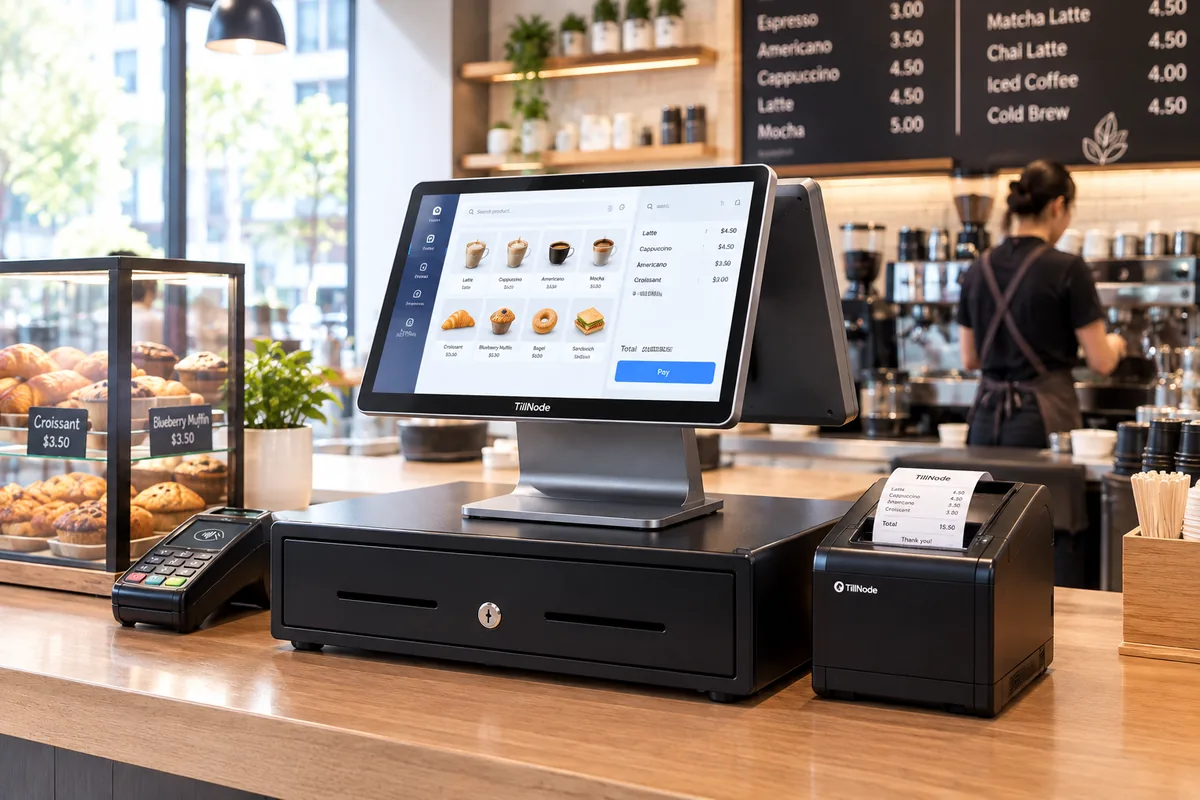
A POS cashier machine is the physical checkout terminal where a transaction is completed: the operator-facing screen or keypad, the receipt printer, the cash drawer, and the barcode scanner that turn a price into a paid sale. In everyday usage the term covers anything from a simple electronic cash register to a full all-in-one touchscreen terminal — and the industry uses several names for the same box.
What a cashier machine is not is a complete system on its own. The machine is the hardware layer. The software layer — the point of sale application, the payment processing, the inventory and loyalty logic — is supplied separately by the POS software provider the operator selects. A hardware vendor's job is to make sure the machine boots the software reliably, connects to every peripheral in the lane, and survives a full day of transactions without failing.
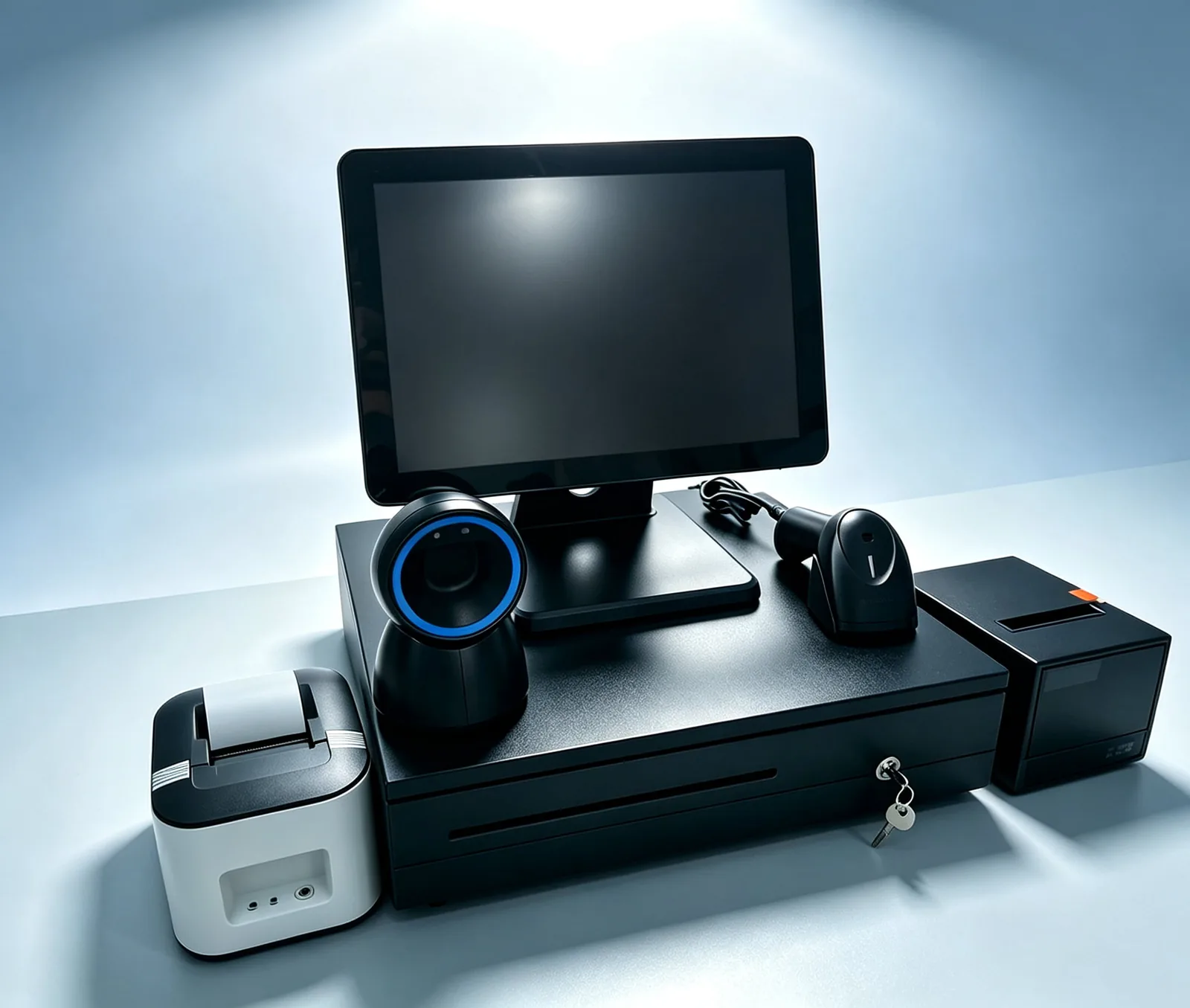
That split matters when you buy. If you are evaluating a cashier machine for a store, you are really answering four hardware questions: which form factor, which screen, which built-in or external printer, and which peripherals the lane needs. The sections below walk through each.
"POS machine" is the same box. Buyers searching for a POS machine — or POS machines — are looking for exactly this hardware layer: the terminal, the printer, the drawer, and the scanner. The full phrase POS system cashier machine names the same object from the software side: the cashier machine that runs a point of sale application.
In British and Commonwealth markets the same hardware is often called a cash machine. Whatever the label — POS machine, cashier machine, cash machine, till, or terminal — the procurement question is identical: which POS machine hardware do you specify for this lane, and what must it be able to run? This guide uses cashier machine throughout because that is the term the hardware trade uses, but every section applies equally to the unit a buyer calls a POS machine.
The distinction matters most with POS machine terminal purchases at volume. A single POS machine system bought for one counter can be swapped at will; twenty units specified for twenty lanes become an infrastructure decision, where OS, port layout, and spare-part availability decide whether the estate stays serviceable for five years.
2. Three Hardware Form Factors
Every cashier machine on the market is one of three hardware architectures. They differ less in what they can do than in how much floor space they take, how they are repaired, and how much they cost per lane.
Electronic Cash Register (ECR)
A purpose-built keyboard machine with a fixed keypad, a small operator display, and a built-in receipt printer. It does one job — ring up a sale and print a receipt — and does it without an operating system to maintain. Lowest unit cost, longest service life, but no software ecosystem, no third-party apps, and no path to scan-heavy workflows.
Best for: single-counter shops, market stalls, and any lane where the cashier's job is a fixed set of keys.
All-in-One Touchscreen Terminal
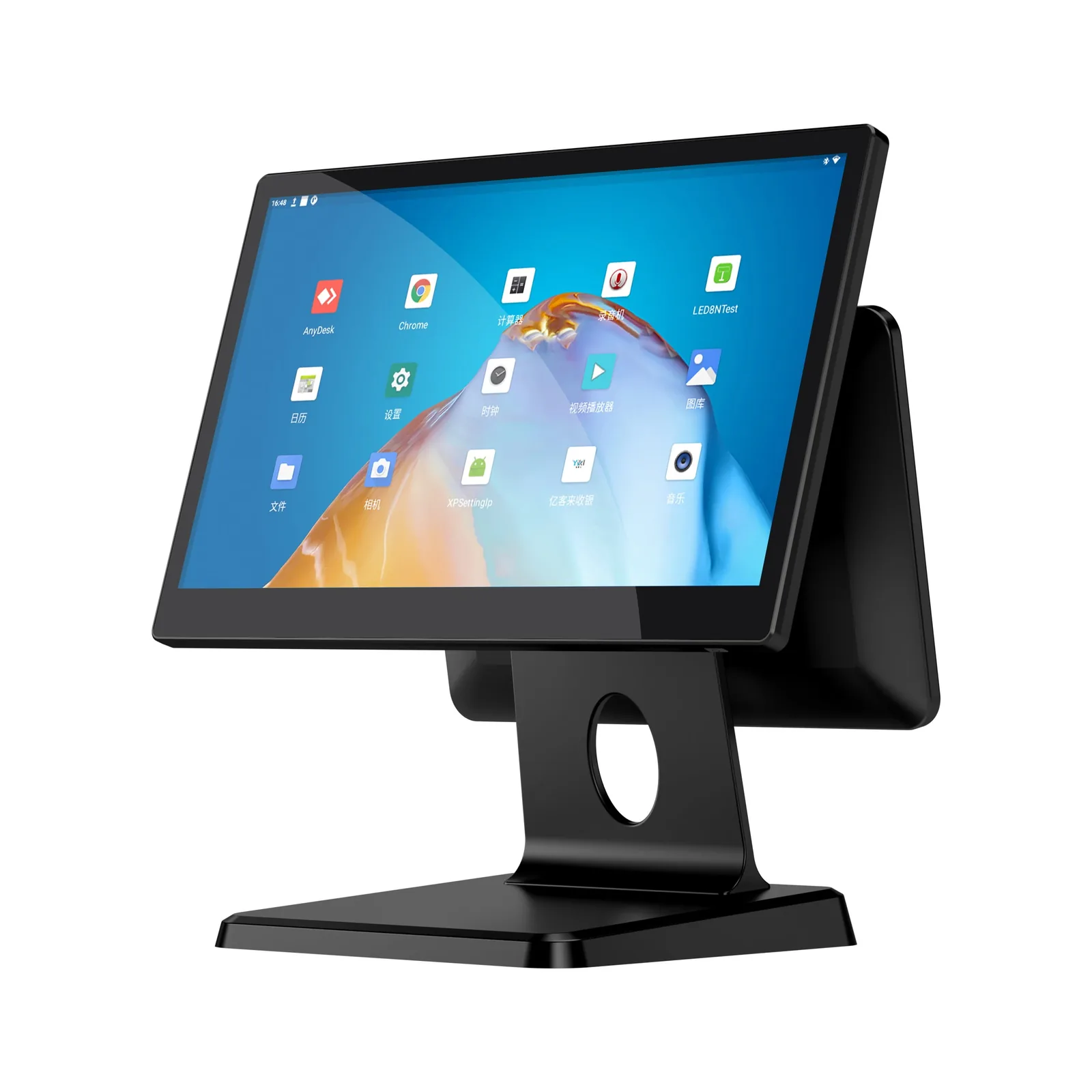
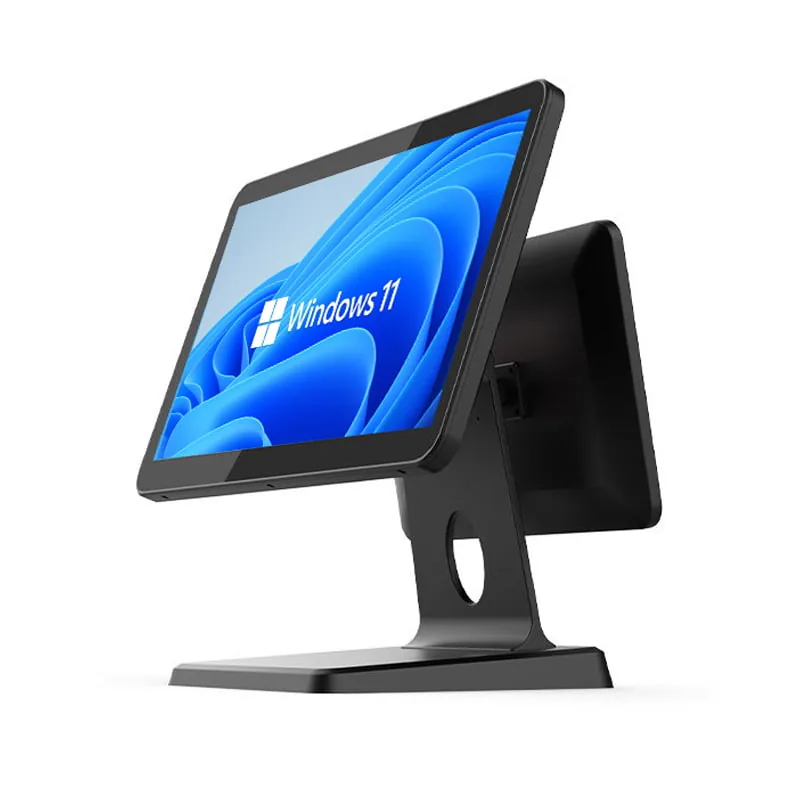
A single chassis that integrates the display, the computing board, the receipt printer, and the customer-facing display into one unit. This is the form factor most retailers picture when they say "cashier machine." Ports are exposed on the base for a cash drawer, a scanner, a card terminal, and a scale. Service means one unit, one power lead, and one device to replace.
Best for: supermarkets, convenience stores, QSR counters, and any lane handling hundreds of SKUs a day.
Tablet + Peripherals
A consumer or rugged tablet on a stand, paired with an external receipt printer, drawer, and scanner over Bluetooth or USB. The lowest entry cost and the most flexible screen position, but every part of the lane is a separate device to power, pair, and troubleshoot.
Best for: pop-up stores, food trucks, salons, and service counters where the lane is not fixed.
Common POS Machine Configurations by Lane
The three architectures above are the structural choice. Within them, the trade names the same unit by what it is built to do — which is how a buyer searching for one type of POS machine ends up looking at a unit built for another. These are the configurations you will actually be quoted on.
Touch Screen / Tablet POS Machine
A capacitive or projected-capacitive panel as the primary operator interface, either as a fixed all-in-one body or as a tablet on a stand. A cashier machine touch screen removes the keypad entirely, which shortens training but puts the whole workflow one glass failure away from a dead lane. Specify bonded glass and a spare panel for high-volume sites.
Scanner-Led / Handheld POS Machine
A lane built around the scan rather than the keypad — a cashier machine with scanner, or a handheld POS machine / handy POS machine carried to the shelf. Mobile and portable POS machine bodies move the checkout to the customer instead of the customer to the checkout, at the cost of battery and radio reliability. A cashier scanner is the reader that lane is built around; a lane specified as a cashier with scanner — or simply a scanner cashier station — makes the scan, not the screen, the primary input, which is the configuration to choose when scan volume rather than display quality is the binding constraint.
Wireless / Mobile POS Machine
Wi-Fi or 4G-connected units with no fixed cabling, used for pop-ups, seasonal lanes, and outdoor counters. A wireless POS machine or mobile POS machine must survive intermittent connectivity — decide up front whether the software tolerates offline queueing, because the hardware cannot solve that for you.
Compact / Smart / All-in-One POS Machine
Small-footprint counters where the terminal must do the work of the whole lane. A mini POS machine, a smart POS machine, or an all in one POS machine integrates screen, board, and printer into one chassis — the right answer when counter space is the binding constraint, and the wrong one when serviceability matters more than footprint.
Two specifications cut across every configuration. The first is the OS: an Android POS machine gives you a cheaper board and a wider app market, while Windows or Linux gives you compatibility with the older desktop POS software many multi-store operators still run. The second is where the receipt comes from — a POS machine with printer integrated into the chassis is tidier and cheaper to deploy, while a separate printer is cheaper and faster to replace when the cutter wears out. Neither choice is universal; both follow from the software and the lane, not from the price list.
| ECR | All-in-One Touchscreen | Tablet + Peripherals | |
|---|---|---|---|
| Core hardware | Fixed keypad, small LCD, built-in printer | Display + compute board + printer in one chassis | Tablet + stand + external printer, drawer, scanner |
| Screen | 2–4 line monochrome | 10"–15.6" capacitive touch | 8"–12" (tablet-dependent) |
| Built-in printer | Yes (58mm typical) | Yes (58 or 80mm, optional) | No — external only |
| Lane footprint | Smallest | Largest, but self-contained | Medium, cable-dependent |
| 2026 price tier | Entry | Mid to premium | Entry to mid |
| Service model | Swap unit | Swap unit or on-site module | Swap individual parts |
| Best for | Single-counter, low SKU | High-volume retail & QSR | Pop-up, mobile, non-fixed lanes |
For a deeper look at the touchscreen form factor, see our all-in-one POS terminals range.
3. POS Machine vs Cashier Machine vs Cash Register vs POS System
Search results, supplier pages, and even POS software vendors use these three terms as if they were interchangeable. In hardware procurement they are not.
| Term | What it actually means | Boundary |
|---|---|---|
| Cash register | The oldest term, from mechanical registers. Today usually means an ECR or standalone till. | Emphasizes the drawer + printer form |
| Cashier machine | An umbrella term for any checkout terminal a cashier operates — ECR, all-in-one, or tablet. | The term used in this guide |
| POS system | The bigger concept: software (POS app + payments + inventory) plus hardware (terminal + peripherals). | Hardware is only one part of it |
| POS machine | The buyer's everyday name for the same physical unit: terminal, printer, drawer, scanner. | Synonym for cashier machine |
Practical rule: if you are buying a POS system, you are choosing software and hardware together — and the software choice usually comes first. If you are buying a cashier machine, you are choosing hardware only, and it must be specified to run whatever software you have already selected. That second job is what this guide covers.
The same unit carries several more labels across supplier listings and search bars. A POS cashier system or a point of sale cashier is the loose, all-in-one name for the checkout station as a whole — the machine plus the software that turns a scan into a paid sale. Buyers who type cashier pos, cashier machine pos, cashier pos machine, or system pos cashier are simply reversing the same two or three words, and a cashier register system is that same hardware seen as a register rather than a workstation. None of them are different products. What changes with the label is the quotation format, not the specification you are buying.
The longest of those labels is also the one buyers most often type on its own: POS system cashier machine, or the shortened POS system cashier, names the identical station from the software side rather than the hardware side. A modifier tightens the same base unit instead of replacing it — a cashier machine with scanner and a cashier machine touch screen are still one machine, just with an input or a display choice already fixed. That is how a supplier's order form will name it, and it is the wording to keep on the specification sheet.
4. Choosing a Cashier Machine for Retail, Restaurant, and Convenience Store
The right form factor is decided by transaction pattern, not by store size. Three patterns cover most of the market.
Retail Stores
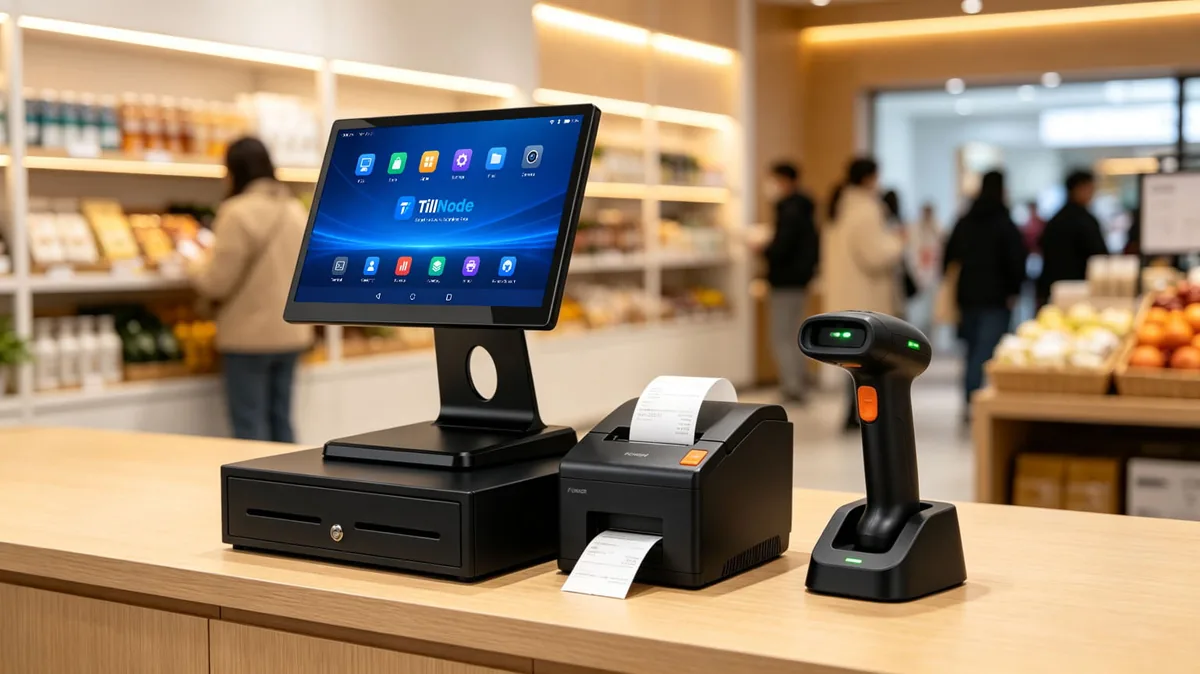
Deciding factor: SKU count and scan volume. Under a few hundred SKUs, an ECR is enough. Past that, scanner throughput dominates every other variable — you want an all-in-one with a fast 2D scanner on the counter and a customer-facing display so the buyer can follow the total. Screen size matters less than the scanner, but a 15.6" panel keeps a basket view readable without scrolling. The cashier checkout counter itself is not hardware you buy, but its depth and height decide whether a fixed all-in-one or a tablet on a stand is the practical fit.
Restaurants and QSR
Deciding factor: environment and ticket flow. A restaurant lane faces heat, grease, and moisture that a retail counter never does. Specify a fanless chassis (no intake to clog), an all-touch display that works through a screen cover, and a printer with a fast auto-cutter so the back-of-house ticket prints without slowing the counter. Where the kitchen is separate, the printer must support a network interface rather than USB only.
Convenience Stores and Forecourt
Deciding factor: speed and cash handling. Transactions are small and frequent, so the drawer and the printer are in constant motion. Choose a machine with a high-duty print mechanism and a drawer sized for the note volume your cashiers handle. A second screen for the customer is not optional here — it reduces disputes on totals when the line is long.
POS Machine by Store Type: What Changes
The same machine behaves differently depending on the counter it sits on. This is the fastest way to narrow a specification: find the row that matches your store, and the hardware answers follow.
| Store type | Typical POS machine | What drives the spec |
|---|---|---|
| Small business / single counter | All-in-one touchscreen or ECR | A POS machine for small business is bought once and serviced rarely — favor the simplest unit the software will run on, and buy a spare of the one part that fails. |
| Supermarket / grocery | All-in-one + scanner + scale + drawer | A POS machine for supermarket use is scan-throughput-bound. Port count, scanner speed, and printer duty cycle dominate; screen size barely matters. |
| Restaurant / QSR | Compact all-in-one + kitchen printer | A POS machine for restaurant work happens under heat, grease, and time pressure — sealed front panels and a reliable cutter matter more than raw processor speed. |
| Convenience store / forecourt | All-in-one, often dual-display | Many small transactions per hour. Duty cycle and drawer solenoid life decide the unit, not the feature list. |
| Pop-up / market stall | Tablet or handheld | No fixed lane, no fixed power. Battery life and radio reliability are the specification; everything else is secondary. |
5. The Hardware Checklist: Four Core Parts
Every cashier machine is assembled from the same four parts. Where you spend money between them decides both the price and the failure rate.
Terminal or Computing Unit
The screen and the board behind it. The board decides which software runs and for how long — a fanless ARM or Intel board with no moving parts will outlast a fan-cooled unit in a dusty store, at the cost of some peak performance. A cashier terminal is the screen-and-board unit the rest of the lane hangs off, so it sets the ceiling for every peripheral you can attach.
Receipt Printer
Decide 58mm or 80mm first: the paper width sets how much fits on a receipt and how much the roll costs over a year. Then decide auto-cutter or tear-bar — high-volume lanes need the cutter or the cashier will slow the line tearing paper by hand. Confirm the print mechanism's rated throughput before specifying it for a peak-hour counter. Explore our receipt printer options.
Cash Drawer
Sized by note and coin capacity, not by brand. A small drawer suits a boutique; a forecourt or supermarket lane needs the wider model with more note slots. Check the trigger interface (the drawer is driven by the printer, not the board) so the drawer opens on every completed sale. See cash drawers.
Barcode Scanner
Handheld, presentation, or integrated. Presentation scanners win in high-volume lanes because no alignment is required — the cashier sweeps the item past a window and it reads. Pair the scanner's interface with the terminal's available ports so the lane is plug-and-play. A lane that lists a cashier barcode scanner as an option is really asking whether the scanner is integrated or presentation-mounted — decide that before the terminal, because it fixes the mounting hardware. Browse barcode scanners.
One part sits outside the core four but still moves the bill: a cashier pin pad is a separate device on its own port, so count it before you fix the terminal's I/O — a pin pad that needs a dedicated USB or serial connection can force a different board.
6. Screen, Touch, and Printer: What Actually Changes the Price
Two cashier machines with the same form factor can differ several times in price. The gap is almost never the brand — it is five specifiable parts.
| Component | Entry | Mid | Premium |
|---|---|---|---|
| Display | 10"–11.6" resistive / basic touch | 15.6" FHD capacitive 10-point | 15.6" FHD + bonded glass, high-brightness |
| Second display | None (or VFD 2×20) | VFD or 11.6" LCD | 15.6" customer touch display |
| Built-in printer | 58mm, tear-bar | 58/80mm, auto-cutter | 80mm high-speed, auto-cutter + paper sensor |
| Computing board | ARM (Android-class) | Intel Celeron / J-series | Intel Core i3/i5 |
| Enclosure & IP | ABS, no rating | Aluminum, partial sealing | Die-cast / IP-rated front panel |
The pattern to remember: the screen sets the price, the printer sets the throughput, and the board sets the lifespan. If your budget is fixed, spend it on the screen first (it is what the cashier stares at for eight hours) and the printer second (it is what jams at peak hour). The board can stay mid-tier if the software is light. See our intelligent cash register for a mid-to-premium example of this spec pattern.
7. OS, I/O, and Software Compatibility
A cashier machine is only as useful as the software it runs. Before you specify hardware, collect four facts from the software provider: which operating system it requires, which peripheral drivers it supplies, which card terminal interface it expects, and whether it needs a network port or will run entirely on Wi-Fi.
On the hardware side, that translates to a short checklist. Windows and Linux boards open the widest software ecosystem but carry higher cost and a fan in some SKUs; Android boards are cheaper and fanless but restrict you to Android-class POS apps. Port count matters more than most buyers expect: count your peripherals first (printer, scanner, drawer, card terminal, scale, customer display) and make sure the terminal exposes enough USB, RJ11/RJ12, and RJ45 to serve them all without a hub. For the software-side decision, see our POS system selection guide.
8. Built for Continuous-Duty Counters
A cashier machine at a supermarket lane can be in use for twelve hours a day, seven days a week. It has to survive heat, dust, grease, and the occasional spill — none of which a home tablet is built for.
The hardware features that matter for continuous duty are the unglamorous ones. Fanless construction removes the component that fails first in a dusty store. A sealed or IP-rated front panel lets a cashier wipe the screen down without shorting it. A die-cast or aluminum chassis handles being knocked by baskets and shift changes. And a rated print head life tells you how long the printer — usually the first thing to wear out — will last before it needs replacing.
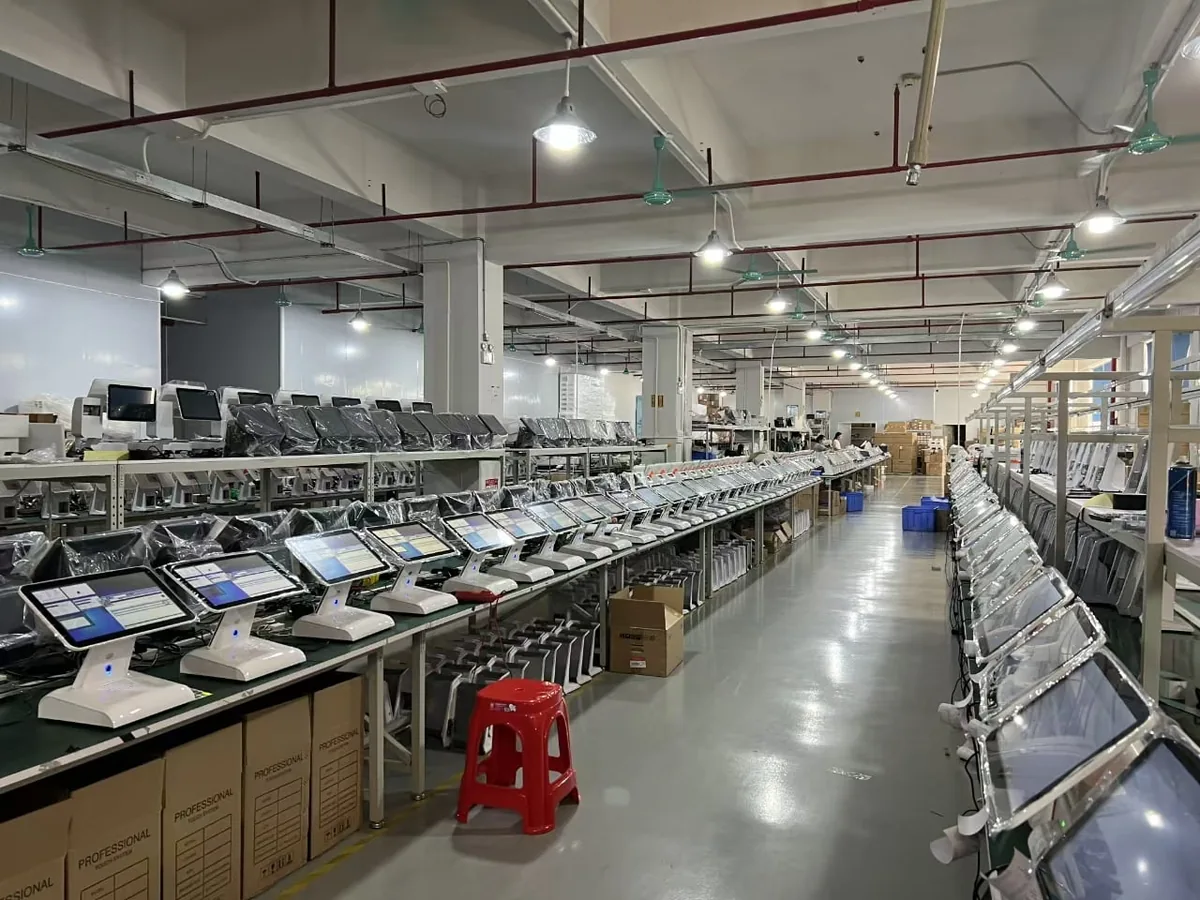
When you evaluate a supplier, ask what the machine is tested for rather than what it is made of. Aging tests, drop tests, and ingress protection reports are the evidence that a terminal is meant for a counter and not a showroom. See our quality and test reports.
9. White-Label Cashier Machines for ISVs and Distributors
ISVs and distributors rarely buy one machine. They buy a hardware platform they can brand, certify, and roll out across a customer base — which changes what matters.
For a distributor, the priorities shift from looks to logistics: consistent specifications between batches, a stable firmware image, a packaging standard that survives export, and spare-part availability for the drawer and printer, the two parts most likely to need service in the field. For an ISV, the priority is a machine that ships with the ports and BIOS options your software assumes, so your installers do not have to improvise at the counter.
Both cases come down to the same question: can the manufacturer hold a specification across repeat orders and customize without breaking the platform? That is an OEM/ODM conversation, and it should start before the first bulk order, not after. Learn more about our OEM/ODM program.
Choosing a cashier machine supplier is therefore a specification-consistency question before it is a price question. Two suppliers can quote the same form factor and still ship units that differ in board revision, port layout, or firmware image — which is why the supplier you can hold to a written specification across repeat batches is worth more than the one with the lowest first quote.
FAQ
A note on the two most common names
Whether you found this page by searching for a POS machine, a POS cashier machine, or a cash machine, you are looking at the same class of equipment. POS machine is the term buyers use; POS cashier machine is the term the hardware trade uses, because it names what the unit is for rather than what system it belongs to. Both refer to the terminal hardware only. If you need the software, payments, and inventory layers, that is a POS system, and the software decision comes first — as covered in section 3 above.
What is a POS cashier machine?
It is the physical checkout terminal a cashier operates: screen or keypad, receipt printer, cash drawer, and barcode scanner. The term covers anything from a simple electronic cash register to a full all-in-one touchscreen terminal. It is the hardware layer only — the POS software runs on top of it and is supplied separately.
Is a cashier machine the same as a cash register?
In everyday speech, yes. In procurement they differ: a cash register usually means an ECR or standalone till, a cashier machine is the broader umbrella for any checkout terminal, and a POS system is the complete package of software plus hardware. Buy the term that matches what you are actually specifying.
What are the three types of cashier machine?
Electronic cash registers with a fixed keypad, all-in-one touchscreen terminals with the printer and board in one chassis, and tablet-plus-peripheral setups. They differ in floor space, service model, and cost per lane rather than in basic capability.
What is a cashier machine with a scanner?
A machine bundled with an integrated or external barcode scanner. For high-volume lanes, a presentation scanner is the better pairing because it reads items swept past a window with no alignment — the cashier never has to aim.
How much does a cashier machine cost?
Cost is driven by four specifiable parts: display size and bonding, second customer display, the built-in printer, and the computing board. Two machines in the same form factor can differ several times over. Section 6 breaks down the tiers; for a quote, see the product range or request pricing.
Does the cashier machine include the POS software?
No. The software is licensed separately by your POS software provider. The hardware's job is to run that software reliably and connect every peripheral in the lane — which is why OS and port compatibility should be checked before you order, not after.
Is a POS cashier system the same as a POS cashier machine?
In this guide's terms, no — and the distinction is the whole point. A POS cashier system is the everyday name for the complete checkout station, machine plus software. A POS cashier machine is the hardware layer only: the terminal, printer, drawer, and scanner. If a supplier quotes you a cashier system, confirm whether software is included or whether you are buying the machine alone.
Do I need a separate cashier pin pad?
Only if your payment flow requires it — but if it does, treat the cashier pin pad as part of the terminal specification, not an afterthought. A pin pad draws its own port, so a lane that assumes four USB peripherals without counting the pad can end up one connection short at install time.
Cashier Machine Buying Checklist
Review these points before bulk purchasing checkout hardware.
Need Help Choosing a Cashier Machine?
Tell us your transaction volume, your POS software, and the peripherals in your lane. We will recommend the form factor, screen size, and printer that fit — and quote per unit for your order.