A cash drawer is the lowest-cost line item on a checkout lane and the one most likely to stop a lane cold. When a drawer jams, the operator cannot take cash at all — not because the POS software failed, but because a 30-dollar sliding box quit after a few hundred thousand openings. On high-volume lanes in supermarkets, convenience stores, and quick-service counters, the drawer is the component working hardest per transaction, and the one most often specified by habit rather than by arithmetic.
This guide is for buyers, integrators, and store-engineering teams who already have the terminal and printer decided and now need to get the drawer right. It works through the same sequence an integrator should: define the volume, derive the cycle life, pick the interface, choose the till layout, plan for the failure modes, and keep spare parts on the shelf.
What "High Volume" Actually Means for a Drawer
Vendors label drawers "light duty," "standard duty," and "heavy duty," but the label alone tells you nothing about whether a drawer suits a given lane. The useful unit is not transactions per day. It is drawer openings per day, because a drawer does not open once per transaction — and not every transaction opens it.
Three kinds of events trigger a drawer:
- Cash payment — the obvious case. The operator takes notes and coins and the drawer opens.
- Non-sales openings — a cash drop to the safe, a till change at shift handover, a no-sale to break a large bill, a refund or void that returns cash, a manager inspection. These are pure overhead on the mechanism and are routinely forgotten when a buyer estimates volume.
- Pay-in and pay-out operations — adding change, removing excess notes when the drawer runs heavy, correcting a miscount mid-shift.
On a mid-volume specialty store, non-sales openings may be a handful per day and can be safely ignored. On a supermarket lane that runs three shifts, handovers alone add several openings a day before a single customer is served, and cash drops during peak periods can double the effective count. The gap between "transactions" and "openings" is where over-specified and under-specified drawers both come from.
The practical consequence: a lane you have classified as "medium volume" by transaction count can present a duty cycle closer to a heavy-duty lane, and the reverse also happens. Count openings, not sales.
Deriving Your Required Cycle Life
A drawer's life is rated in cycles, where one cycle is one complete open-and-close action. Ratings are given as a number of operations before components are expected to begin wearing — the latch, the rollers, the solenoid, and the slide rails all accumulate load together. Because the rating is a wear threshold rather than an assurance of service life, real longevity depends on load per opening: a drawer that opens for a single note wears differently from one that opens for a full till count.
To size a drawer, estimate annual cycles and compare them against the rating, allowing for the fact that most commercial counters keep a drawer in service for five years or more before the lane is rebuilt.
| Lane type | Cash openings / day | Non-sales openings / day | Total / day | Operating days | Annual cycles |
|---|---|---|---|---|---|
| Boutique / specialty counter | 40 | 5 | 45 | 300 | ~13,500 |
| Mid-volume retail lane | 120 | 15 | 135 | 330 | ~44,500 |
| Convenience store, long hours | 250 | 40 | 290 | 360 | ~104,000 |
| Supermarket checkout lane | 400 | 80 | 480 | 360 | ~173,000 |
| QSR / drive-thru position | 500 | 60 | 560 | 360 | ~202,000 |
Read the table as a sizing exercise, not a specification. The point is the shape of the numbers. A boutique counter may take most of a decade to reach a few hundred thousand cycles, while a supermarket lane will pass the same figure in two to three years. If a drawer is rated for a million operations, a supermarket lane is consuming roughly a fifth of that rating annually — which is why heavy-duty construction pays back on high-volume lanes and is wasted money on a boutique counter that opens forty times a day.
Two adjustments matter for international projects. First, cash-heavy markets where card penetration is low push the cash-payment share up and the non-sales share with it; a lane that looks mid-volume on a spreadsheet can behave like a supermarket lane. Second, extended trading hours multiply everything: a 24-hour format can reach a supermarket lane's annual cycle count with less than half the per-hour throughput.
Printer-Driven vs USB: The Interface Chain
A cash drawer is a peripheral with no brain of its own. It opens when something else tells it to, and the chain that carries that instruction is the single most common source of "the drawer will not open" support calls. Getting the interface right is not a detail to settle after the drawer is chosen — it belongs in the specification from the start.
Printer-driven drawers
The dominant arrangement connects the drawer to the cash-drawer port on a thermal receipt printer using a modular cable, usually described as RJ11 or RJ12. The software sends an open-drawer command to the printer; the printer emits a short electrical pulse on that port; the drawer's solenoid releases the latch. This is the arrangement TillNode's SN-CD410, SN-CD330, and SN-CD170 are built around, with 12V and 24V handling and 1,000,000-operation durability.
The advantage is simplicity: the printer is already on the lane, the drawer needs no driver and no operating-system support, and the same drawer works under Windows, Android, or Linux because the command never reaches the host computer. The trigger is handled a layer down, at the printer. For most retail and hospitality lanes, this is the correct default.
USB drawers and USB triggers
A USB drawer connects to the host computer rather than the printer, opening through a driver or a virtual COM port. This becomes necessary when the lane has no receipt printer, when the printer has no cash-drawer port, or when the software is written to control the drawer directly rather than through the printer. A USB trigger adapter achieves the same thing for a printer-driven drawer by sitting between host and drawer.
USB introduces obligations that printer-driven drawers avoid. The host operating system must support the driver, the software must be able to address the device, and the deployment now depends on a computer that must be powered and awake for the drawer to open. On a lane where the terminal can sleep, lose USB enumeration, or be reimaged, those are new failure modes. USB is the right answer when the printer cannot do the job — not a default upgrade.
Choosing between them
| Condition at the lane | Recommended interface | Why |
|---|---|---|
| Receipt printer present with a cash-drawer port | Printer-driven (RJ11/RJ12) | Fewest moving parts; OS-agnostic; no driver to maintain |
| No receipt printer at the position | USB drawer or USB trigger | No printer port exists to carry the pulse |
| Printer present but port occupied or absent | USB trigger | Keeps the existing drawer; adds an adapter rather than replacing everything |
| Software controls the drawer directly, no printer command path | USB drawer | Matches the software's control model |
| Self-service or kiosk unit with an embedded controller | Depends on controller I/O | Often a relay or GPIO trigger; verify before ordering |
| Mobile or pop-up position, no fixed host | Portable drawer with manual or Bluetooth trigger | No always-on host to drive a USB device |
Why the Same Connector Is Not the Same Signal
Two errors account for most cash-drawer integration failures, and both come from assuming that a connector shape defines a signal.
The cash-drawer port is not an Ethernet port. A modular socket on the back of a receipt printer can look identical to the RJ45 socket used for networking, and a drawer cable looks like a network cable. Plugging a drawer into a network port, or a network cable into the drawer port, does nothing useful at best and can damage the printer's drawer circuit at worst. Treat the drawer port as its own thing: identify it before the lane is cabled, and label both ends in multi-device lanes.
RJ11 and RJ12 describe the plug, not the voltage. The same six-position connector is used across printers and drawers that run at different voltages and expect different pulse polarity. A drawer built for a 24V pulse may behave erratically on a 12V printer and may not open at all; a 12V drawer fed a 24V pulse may open reliably for a while and then fail. Neither symptom announces itself as a voltage mismatch, so the fault gets blamed on the drawer or the software instead of the pairing. For the electrical detail behind that pairing, the six-pin assignment and the ESC p timing walk through the port one contact at a time.
Three checks prevent both errors. Confirm the printer's drawer-port output voltage (12V or 24V) and match it to the drawer's solenoid rating. Confirm the pinout of the printer port against the drawer's cable, since not every manufacturer assigns the same pins. And confirm the pulse behavior the software expects — a drawer that is triggered by a short pulse and one that expects a sustained signal are different devices. TillNode's drawers handle 12V and 24V automatically precisely so that one SKU can be stocked across printer brands, but the printer side still has to be verified.
| Mismatch | Typical symptom | How to confirm before deployment |
|---|---|---|
| 24V drawer on 12V printer port | Intermittent opening, weak latch release, works warm but not cold | Check printer spec for drawer-port voltage; test one unit on the actual printer |
| 12V drawer on 24V printer port | Opens reliably at first, solenoid fails early | Same voltage check; add the drawer's solenoid rating to the BOM |
| Pin assignment differs between brands | Drawer never opens, or opens on the wrong command | Compare printer port pinout with drawer cable; test with a known-good printer |
| Drawer plugged into a network socket | No opening; possible damage to the printer or network port | Label the drawer port at installation; keep drawer and network cabling physically separated |
| Software expects a printer command path the lane lacks | Drawer opens in test, fails in production | Walk the full path: software, host, driver, printer or adapter, cable, drawer |
Till Layout: 5 Bill / 8 Coin vs 4 Bill / 8 Coin vs Flip-Top
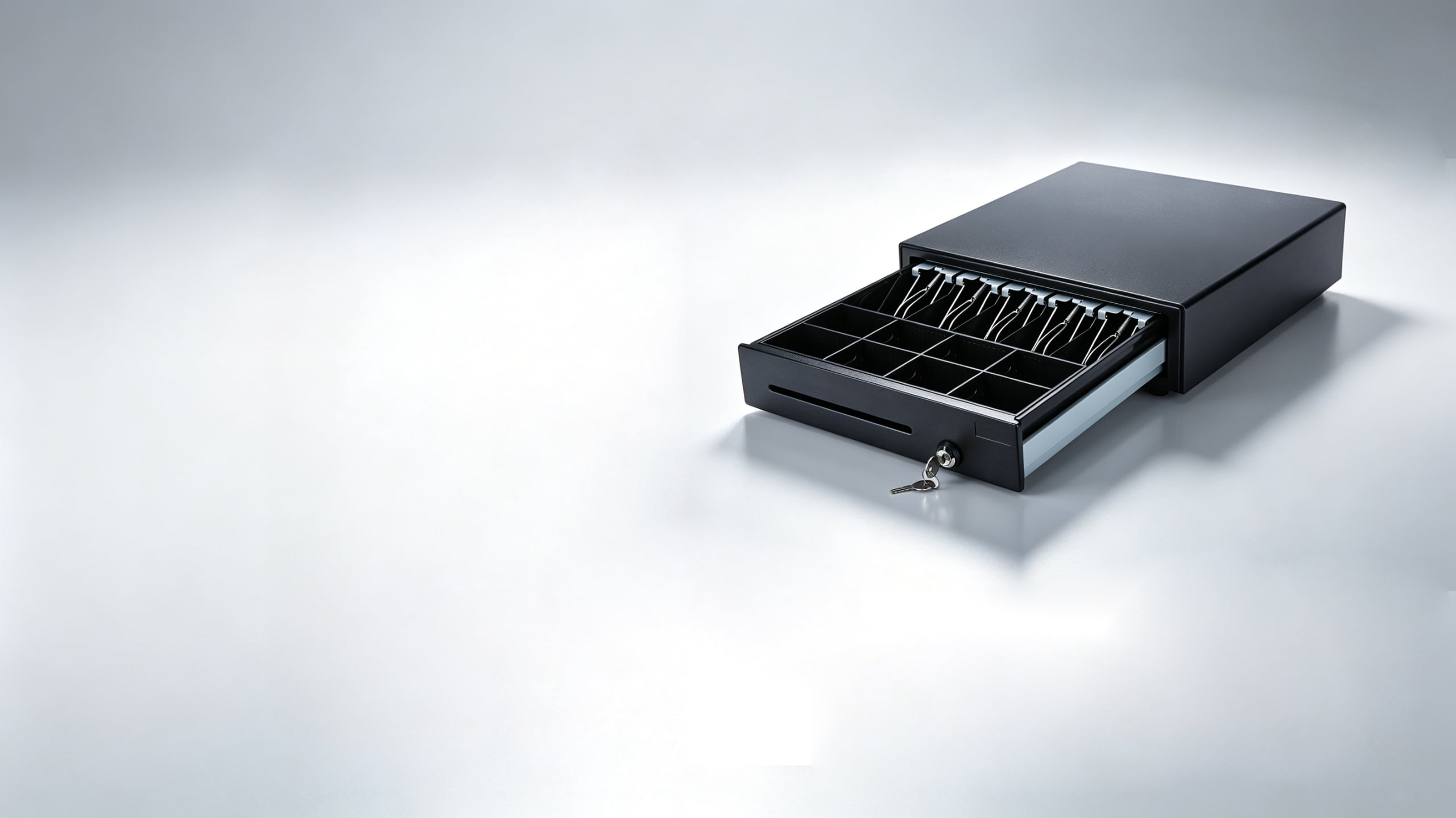
Till layout is described by bill and coin compartments — 5B/8C, 4B/8C, 3B/4C — and the right layout follows the currency, not the store's image. A layout that suits one market's note sizes will not suit another's, and a lane that runs out of a compartment slows down every transaction for the rest of the day. If your store team says till where a supplier says drawer, the two words are separated in what an EPOS till is.
Start by counting what the store actually handles. How many note denominations are in regular circulation, and how many coin denominations? Which ones need to be reached fastest — the ones handed back most often — and which can sit in a less accessible compartment? Are coupons, checks, or foreign notes handled as part of the till, or separately? A lane that accepts a large-denomination note it cannot break is a lane with a queue behind it.
Three physical formats cover most deployments, and they trade counter space against capacity:
| Format | Counter footprint | Capacity | Fits best |
|---|---|---|---|
| Full-size, front-opening | Largest depth | Highest compartment count | Supermarket and QSR lanes with heavy coin and note volume |
| Compact, front-opening | Reduced width and depth | Lower bill count | Cafés, boutiques, food trucks, pop-up and limited counters |
| Flip-top, vertical | Very shallow depth | High bill count, standard coin | Custom scanning counters and tight under-printer positions |
Within a format, insist on two properties regardless of compartment count. The coin section should be removable as a unit, so a shift change is a swap rather than a count, and the whole inner tray should be liftable so the drawer can be cleared and recounted away from the lane. Bill dividers should be adjustable, so a drawer bought for one currency does not become useless when a market's note mix changes or when it is redeployed. These are the features that turn a drawer into a cash-handling tool rather than a box.
Slide, Latch, and Solenoid: Where High-Volume Drawers Fail
A drawer does not fail as a whole. It fails at one of four places, and each place fails for its own reason. Knowing which one is carrying the load tells you whether a specification is genuinely heavy-duty or only labeled that way.
- Slide mechanism. Runners carry the full weight of the loaded till on every opening. Plastic-roller slides wear into a wobble long before anything breaks; ball-bearing or polyurethane rollers hold alignment far longer. On a high-volume lane the slide is the first thing to degrade visibly.
- Latch and catch. The latch takes the shock of every close. A cheap latch starts missing engagement — the drawer appears closed but is not captured, and the operator discovers it as a jam. Fatigue-resistant latching is what separates a drawer that stays aligned for years from one that needs adjustment every quarter.
- Solenoid. The solenoid converts the printer's pulse into the release stroke, and it is the component most exposed to a voltage mismatch and to heat. It is also the wear part that can be replaced in the field if it is a swappable unit — which is the difference between a ten-minute repair and a drawer swap.
- Enclosure and mounts. Steel gauge and mounting provisions decide whether the drawer stays square under a heavy till and whether it survives being leaned on during a busy shift. Thin panels flex, flexing misaligns the slides, and misaligned slides load the latch.
TillNode drawers are built around the parts that take the abuse: 1.2mm SGCC cold-rolled steel chassis, high-impact ABS inner trays, stainless-steel wire bill grippers rather than plastic clips, heavy-duty ball-bearing roller systems, and a solenoid rated for 12V and 24V auto-selecting. The SN-CD410 spec lists 6.5 kg net weight behind a 410mm chassis and a tested 1,000,000-operation lifecycle — mass and rating that reflect the load path rather than a marketing tier.
Locking, Security, and Cash Handling Policy
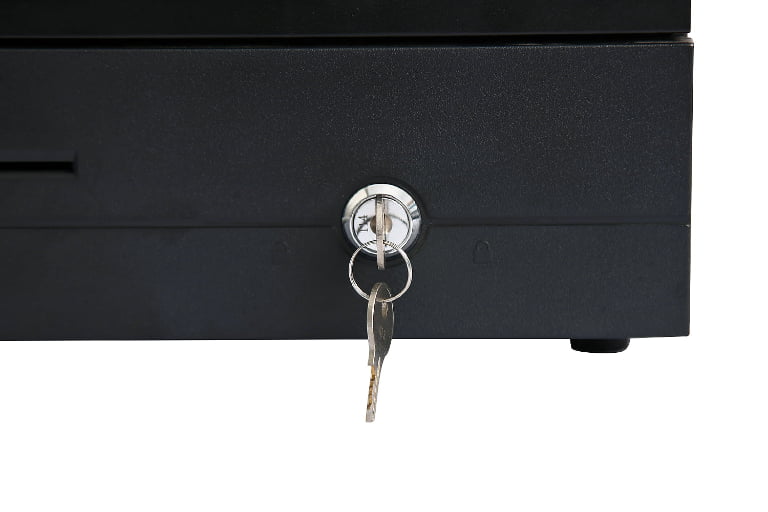
The drawer's lock is where hardware meets policy, and buying the wrong lock forces the store to work around the hardware. A three-position lock is the practical standard: one position is fully locked, one allows electronic opening by the POS, and one allows manual key opening for a manager or for use when power is unavailable. Any lane that must keep trading through a power failure needs that manual position, and any lane with cash accountability needs the managed electronic position to be the default.
A built-in micro-switch quietly does more for accountability than any lock. It reports drawer state — open or closed — back to the POS software, which lets the system decide whether a no-sale opening was authorized, whether a drawer was left open between transactions, and whether an opening happened without a matching transaction. For multi-store operators this is the difference between detecting a cash problem and only discovering it at month-end. TillNode's drawers include the micro-switch as standard so that the status signal is available to the software without an add-on.
Two more hardware decisions belong to policy. A front media slot lets an operator deposit a check, a large note, or a signed slip without opening the main drawer — it keeps the main compartment locked while still recording the deposit, and it speeds up lanes where large notes are common. And key management has to be decided before ordering: whether all drawers in a chain share one key code for simple management, or whether separate codes give stronger separation between stores. Standardizing is easier to operate; separating is easier to defend. Either way, spare keys belong in the office, not on the lane.
Mounting, Clearance, and Cable Routing
The most common installation mistake is measuring the drawer but not the drawer in motion. A drawer needs its full open depth clear in front of it, and a lane designed to the closed footprint will have the drawer colliding with a bagging area, a customer rail, or the operator's own position the first time it opens.
Measure three things at the actual position: the closed footprint including any rubber feet, the fully open projection including the tray, and the access needed by an operator to reach coins and notes from a standing or seated position. On a flip-top drawer, the projection is upward rather than forward, which is why it suits counters where forward depth simply does not exist — but the overhead clearance then matters instead.
Under-counter mounting frees counter space and puts the cash out of easy reach, and it is common on high-volume lanes for both reasons. It changes three requirements: the bracket must match the drawer's width and support its loaded weight, the drawer must be reachable without the operator bending below the counter line in a way that stops service, and service access behind the counter must still allow the tray to come out. Confirm bracket compatibility with the specific model rather than assuming a standard width, and confirm that the mounting orientation is supported before the counter is built.
Cabling deserves the same care. Run the drawer cable clear of customer walkways and sharp counter edges, leave enough length for the drawer to open fully without pulling on the connector, and never route it where it can be pinched by the slide. In lanes with several devices, label both ends so the next person to trace a fault does not have to unplug things to find out what is what.
Spares, RMA, and Swap Trays
On a high-volume lane, the cost of a drawer failure is not the drawer. It is the lane. A cash-only customer who cannot pay is a lost sale; a lane taken out of service to swap a drawer is lost throughput for every customer behind it. The drawer with the better replacement story often beats the drawer with the better spec sheet.
Three practices reduce the exposure. First, standardize on one or two drawer models across the estate, so a single spare part number covers every lane and a swap at one store can rescue another. Second, keep spare trays with lids in the back office, so a shift change or a cash count does not depend on the lane's hardware being free. Third, hold at least one complete spare drawer per high-volume store, sized so that a failure is a swap rather than a wait for a shipment.
The RMA terms matter as much as the spare quantity. Ask what the replacement path is for a failed solenoid, whether the solenoid is a field-replaceable unit or part of an assembly, and what the standard lead time is. A drawer that costs slightly more but can be repaired on site in ten minutes may be the cheaper drawer over five years. TillNode supplies standardized tray and layout options alongside the drawers themselves precisely so that a fleet can be kept consistent and a failed unit swapped without redesigning the lane.
Lane-Level Specification Checklist
Work through this before ordering, once per lane type rather than once per store (and settle the lane count first, from peak-hour transactions and service time):
- Record cash openings per day and non-sales openings per day separately, then total them.
- Multiply by operating days to get annual cycles; allow at least a five-year service horizon.
- Confirm the receipt printer's drawer-port voltage (12V or 24V) and pinout.
- Confirm the drawer's solenoid rating matches the printer, or that it auto-selects.
- Identify the intended drawer port physically and label it; keep it away from network sockets.
- List the note and coin denominations the lane handles and assign compartments to them.
- Choose front-opening or flip-top based on measured counter depth, not preference.
- Verify the coin section removes as a unit and the bill dividers adjust.
- Decide whether the drawer mounts on the counter or under it, and confirm the bracket fits the model.
- Measure open projection and operator access at the installed position.
- Confirm the lock has three positions including a manual override for power loss.
- Confirm the micro-switch status signal is available to the POS software.
- Decide key policy for the estate: shared code or separate codes.
- Walk the full trigger path — software, host, driver, printer or adapter, cable, drawer — on one real unit.
- Set the spare tray, spare drawer, and RMA plan before the lane goes live.
FAQ
How many open-close cycles does a high-volume cash drawer need?
Work backward from the lane, not forward from the label. A supermarket lane running 480 total openings a day, 360 days a year, passes roughly 173,000 cycles annually and will exceed 800,000 within five years. A drawer rated for 1,000,000 operations covers that horizon with margin. A boutique counter opening 45 times a day takes more than sixty years to reach the same figure, so a heavy-duty rating buys nothing there. Size the rating to the lane's arithmetic and to a realistic service horizon of five years or more.
Is RJ11 the same as RJ12 for a cash drawer?
They describe the physical plug, not the electrical signal. A six-position modular connector can be wired and driven differently between printers and drawers, and the same connector is used at both 12V and 24V. The connector shape tells you the cable will fit; it does not tell you the drawer will work. Verify the printer's drawer-port voltage, the pinout, and the pulse behavior against the drawer's requirements before ordering, and test one complete unit on the actual printer before a fleet rollout.
When should a lane use a USB cash drawer instead of a printer-driven one?
Use USB when there is no receipt printer at the position, when the printer has no compatible drawer port, or when the software controls the drawer directly rather than through a printer command. A USB trigger adapter is the lighter option when the drawer itself is already correct and only the control path needs to change. Printer-driven remains the better default where a printer exists, because it removes the driver, the host operating system, and the always-awake requirement from the chain.
What happens to the drawer during a power failure?
An electronically triggered drawer cannot open on a POS command when the lane has no power, which is why a three-position lock includes a manual key position. Staff need to know where the key is kept and who is authorized to use it before the situation arises, and the store's cash policy should say whether trading continues on manual opening or stops. If continuous operation matters, treat the manual position and key custody as part of the lane specification rather than an afterthought.
Can a cash drawer be mounted under the counter?
Yes, and on high-volume lanes it is common because it frees counter space and puts cash out of casual reach. It requires a mounting bracket matched to the drawer's width and loaded weight, enough room for the operator to reach the tray without stopping service, and service access so the tray can still be removed. Confirm that the specific model supports the mounting orientation before the counter is fabricated — this is not something to retrofit.
How many spare cash drawers should a multi-store operator keep?
At least one complete spare drawer per high-volume store, plus spare trays with lids in the back office. Standardize on one or two models across the estate so that a single part covers every lane and a spare held at one site can serve another. On a busy lane the cost of downtime usually exceeds the cost of the spare many times over, so the spare is a throughput decision rather than a capital one.
Related reading: POS Cashier Machine covers the terminal, printer, drawer, and scanner as one lane, and How to Choose a POS Terminal for C-Stores works through the hardware specification for convenience formats. For the drawer range itself, see Cash Drawers and the cash drawer repair and traceability solutions.