POS Payment Hardware Buying Guide
Card machines, terminals, readers, and PIN pads — how to choose the payment layer for your POS, what certifications to demand, and how to test it before you commit to volume.
- EMV Level 1 & Level 2 + PCI PTS certified options
- Magstripe, smart card, and NFC in one device
- Full SDK and API documentation for your software team
1. The Three Layers of a POS Payment Setup
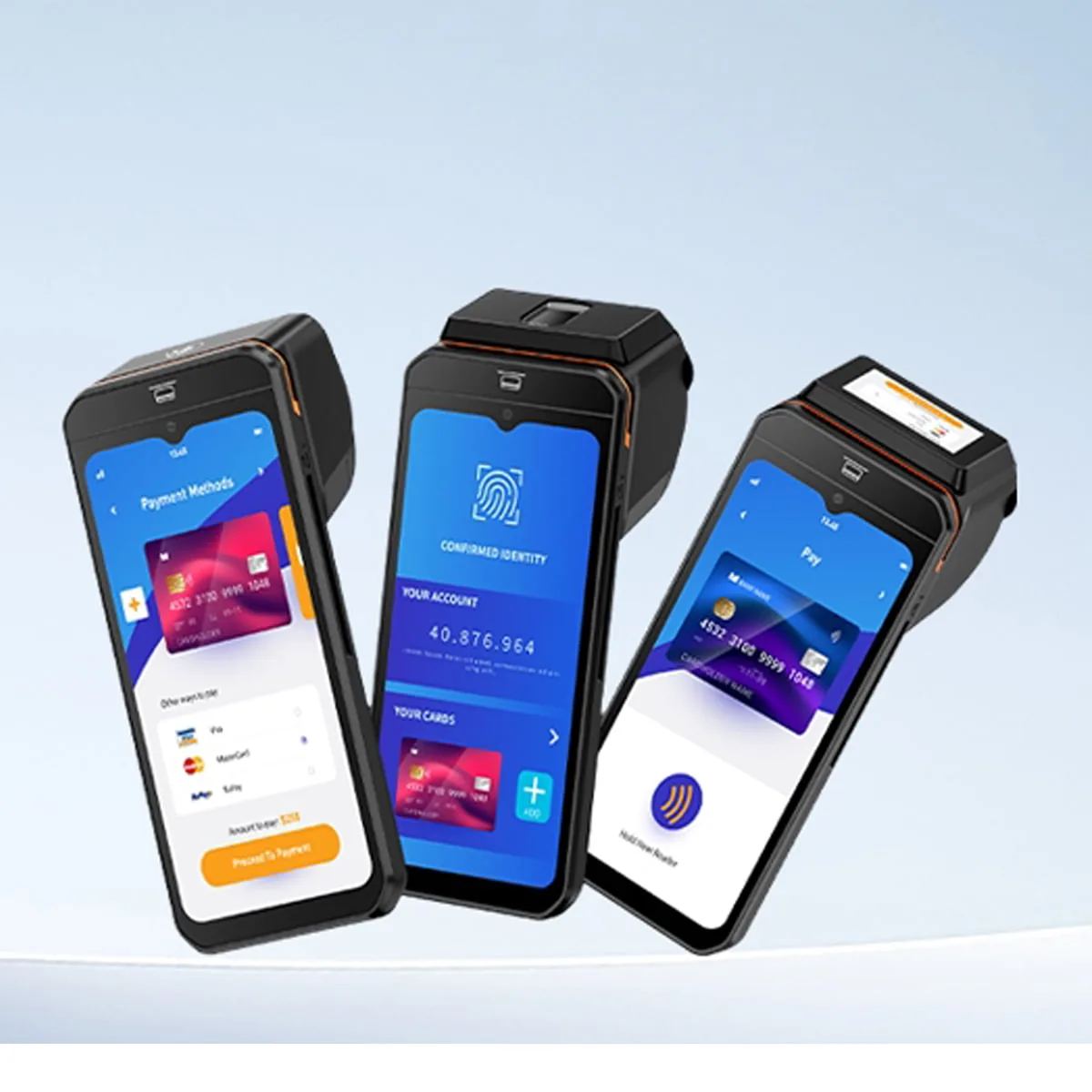
Before diving into hardware, it helps to separate the physical device from the money flow. A payment setup consists of the POS software (which totals the basket), the payment hardware (which reads the card and encrypts the data), and the Payment Service Provider or PSP (which processes the transaction with the bank). While understanding what a POS payment actually is matters for your merchant account, this guide focuses entirely on selecting the physical hardware layer that sits on your counter or in your staff's hands.
2. What You Are Actually Buying: A Decision Map
Selecting payment hardware is not just picking the sleekest device. You are answering four specific questions that define your checkout flow:
Where does the scan happen?
On a fixed counter, walking the sales floor, or unattended at a self-service kiosk?
How are cards presented?
Magstripe swipes, EMV chip dips, or NFC contactless taps?
How does it talk to the POS?
Via USB, Bluetooth, Wi-Fi, or baked directly into an Android all-in-one device?
Who verifies its security?
Does it hold EMV Level 1 & 2 and PCI PTS approvals to avoid liability shifts?
Getting these four pillars right ensures you avoid hidden fees down the line. Learn how hardware choices affect processing cost and integration.
3. Form Factor Comparison: Six Ways to Take a Card
Payment hardware comes in multiple form factors. Before looking at specs, identify which physical layout fits your checkout environment.
Countertop Terminal / PIN Pad
The traditional fixed device tethered to a main POS register. Reliable, robust, and ideal for high-volume lanes where the customer comes to the till.
Explore payment terminalsPortable / Mobile Handheld Terminal
A cordless device used for table-side service, line-busting, or pop-up retail. It usually connects via Wi-Fi or Bluetooth to the main system.
Portable Card Reader (mPOS)
A small peripheral that pairs with a smartphone or tablet. Great for micro-merchants, but lacks the durability and integrated receipt printing needed for enterprise use.
Explore portable card readersIntegrated POS Terminal
An all-in-one smart device where the POS software interface and the secure card reading module are housed in a single piece of hardware.
Explore all-in-one POS terminals →Unattended / Kiosk Module
Rugged, weather-resistant payment modules designed to be built into self-ordering kiosks, vending machines, and parking meters.
Explore payment kiosk machines →Software-Only (Tap to Pay)
Accepting contactless payments directly on a commercial off-the-shelf smartphone. A low-barrier entry, but entirely dependent on the phone's battery and consumer trust.
4. Card Read Technology: Magstripe vs EMV Chip vs NFC
A robust magnetic stripe reader or debit card machine today usually integrates all three generations of card technology to ensure no sale is lost.
| Feature | Magstripe (Swipe) | EMV Chip (Insert) | NFC / Contactless (Tap) |
|---|---|---|---|
| Read Method | Swipe / insert through a magnetic head | Insert; chip generates a unique cryptogram | Tap; antenna reads at 2–4 cm |
| Data Security | Static data — copyable. Skimming risk. | Dynamic per-transaction cryptogram | Dynamic, EMV-compliant; often tokenized |
| Speed | Fast read, slow fallback risk | ~2–4 s incl. PIN | Under 1 s |
| No-PIN Limit | n/a | Depends on issuer floor limit | Yes, under the local contactless limit |
| Fraud Liability | In EMV markets, stripe-only shifts liability to merchant | Covered by EMV liability shift | Covered |
| Should You Keep It? | Keep as fallback only (dirty chips force downgrade) | Required | Required |
Dive deeper into compliance: PCI and EMV safety standards explained →
5. Certification: What to Demand Before You Buy
Hardware specifications mean nothing if the device cannot legally process transactions in your region. This is the hardest layer for a manufacturer to achieve, and the most critical for you to verify.
The four terms that matter
EMV Level 1 (Hardware)
Validates the physical and electrical characteristics of the card interface (reader mechanics, power, signal).
How to verify: Request the EMVCo recognized L1 test report from a third-party lab.
EMV Level 2 (Kernel)
Validates the transaction kernel software that runs the logic for processing the card.
How to verify: Check if it is Contact or Contactless L2 (they are separate certifications).
PCI PTS (PIN Transaction Security)
Ensures the physical and logical security of the device against tampering and PIN theft.
How to verify: Search the exact model on the PCI SSC official Approved PTS Devices list.
SRED (Secure Reading and Exchange of Data)
A module under PCI PTS proving the device encrypts account data the moment it is read.
How to verify: Often bundled with PTS; crucial for standalone PIN pads.
At TillNode, "PCI PTS and EMV Level 1 & Level 2 certifications are integrated into our financial-grade models, ensuring all NFC and IC card transactions are heavily encrypted and secured." We do not cut corners on compliance. Learn more about our quality and certifications.
6. Interfaces & Integration: Making It Talk to Your POS
The best hardware is useless if it cannot pass the transaction amount and receive the approval code from your POS software cleanly.
USB-HID / Keyboard Wedge
Wired, plug & play.
USB (Type-C) + SDK
Wired, 2-way data.
RS-232 / Serial
Wired, industrial grade.
Bluetooth
Wireless, easy pairing.
Wi-Fi (2.4G / 5G)
Wireless, high bandwidth.
4G LTE
Wireless, standalone.
The three questions for your software team:
Will your setup use Android POS vs Windows POS? What are the POS hardware requirements for cloud POS software? Ensure you follow hardware & software integration best practices when matching POS peripherals to your host device.
7. Cost Structure: Beyond the Sticker Price
When sourcing merchant credit card machines, separating the hardware acquisition cost from the processing cost is vital for profitability.
| Cost Line | Type | Procurement Note |
|---|---|---|
| Device Hardware | One-time | The per-unit price. For multi-store deployments, calculate spares (we recommend 1 spare for every 20 units). |
| Certification R&D | Hidden One-time | Built into the hardware cost. A certified PTS device costs more to develop, but saves you from non-compliance fines. |
| Processing Rates | Recurring | Interchange + scheme fee + acquirer markup. This should be negotiated separately from your hardware purchase. |
| Contracts / Leases | Recurring Trap | Leasing a basic terminal often costs 3x its retail value over a contract. Outright purchase of open hardware is preferred. |
Avoiding costly roll-outs starts early. See how hardware testing saves you money before bulk orders →
8. Recommended Hardware: TillNode Handheld POS with EMV & PCI
For environments that need mobility and security combined, integrated Android handhelds are the standard. Here are three certified options designed for distinct workflows.
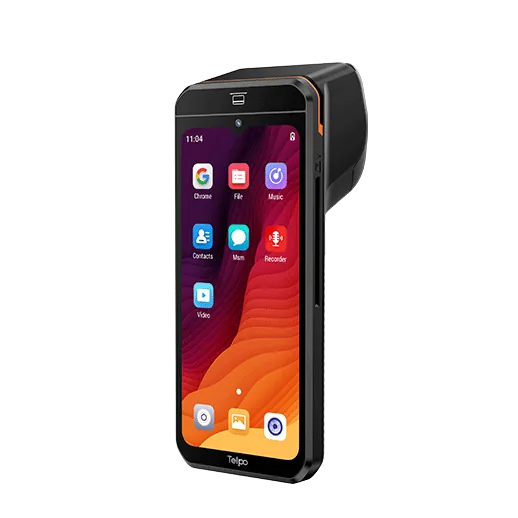
SN-H90 Smart Handheld POS
- · Android 14 / Octa-Core 12nm
- · Dual Screen (Customer Facing)
- · Pro NFC Engine / Tap to Pay
- · Ultra-thin 21.3mm profile
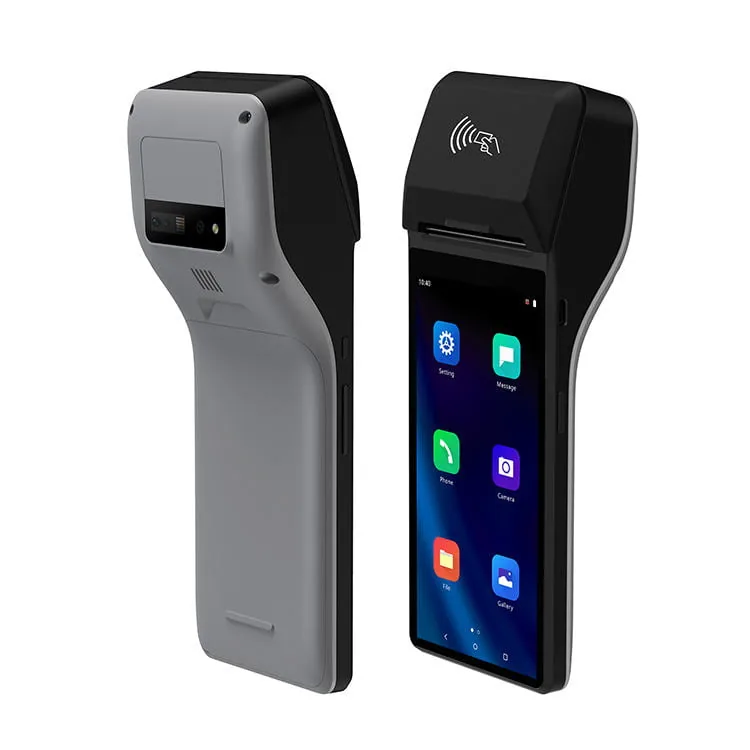
SN-H30 POS with Printer
- · Built-in 58mm Printer (70mm/s)
- · 6-inch TFT IPS, 1440×720
- · Magstripe + IC + NFC
- · 4G LTE + Wi-Fi + BT
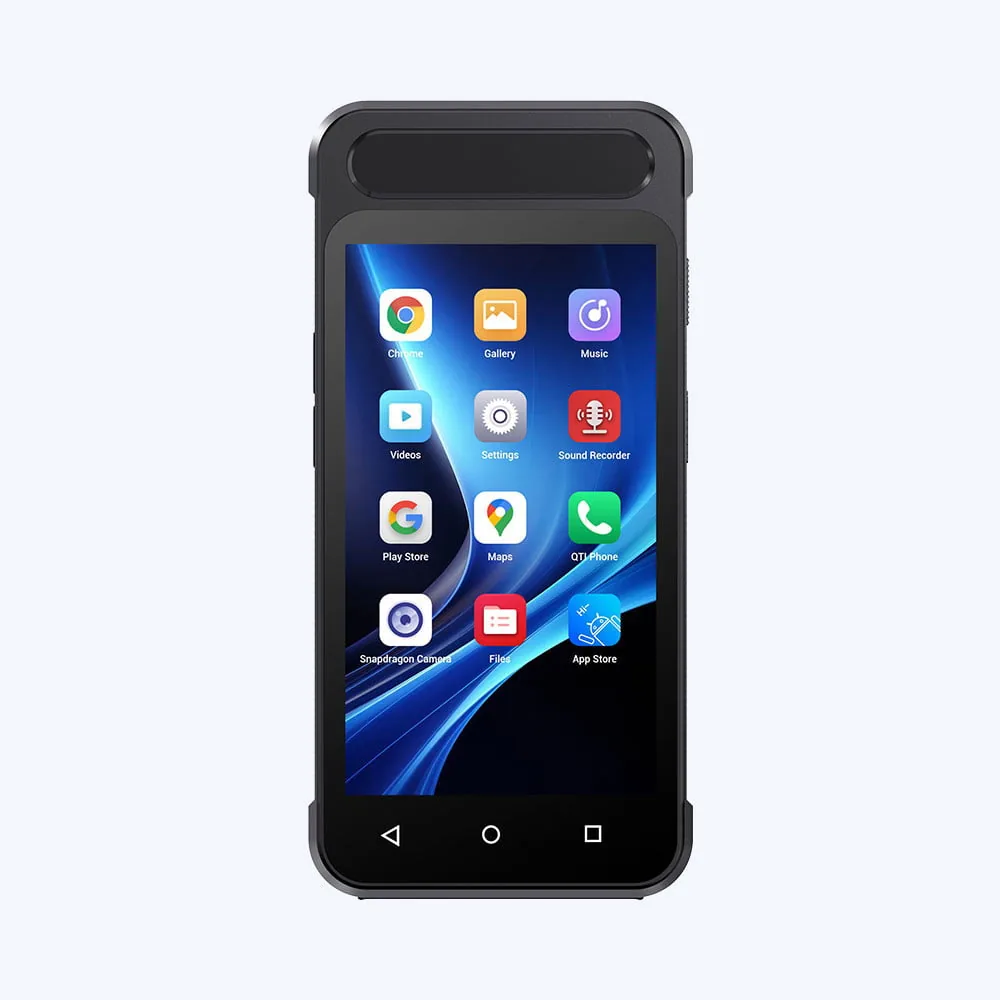
SN-H80 Android Mini POS
- · PCI PTS 6.x Certified
- · Pocket-sized, highly portable
- · 1D/2D Barcode Scanner
- · Magstripe · Smart Card · NFC
Which one for which job?
| Tableside checkout & receipts | SN-H30 | High-speed 70mm/s print + physical keypad + long battery. |
| Queue busting & premium retail | SN-H90 | Dual screen, advanced NFC engine, 21.3mm slim profile. |
| Aisle checkout & delivery | SN-H80 | Most compact, PCI PTS 6.x, BT/GPS integrated. |
| Need fingerprint / Fiscal module | SN-H30 | Enterprise options include FBI-certified fingerprint and fiscal modules. |
9. Procurement & Acceptance Testing Checklist
-
Verify Certification Scope
Demand copies of EMV L1/L2 and check PCI SSC portal for PTS listing before PoC.
-
Test Edge-Case Cards
Test worn magstripes, dirty EMV chips, and metal contactless cards in your actual environment.
-
Confirm SDK/API Documentation
Ensure your software team receives complete integration guides for Android or Windows hosts.
-
Define Repair & RMA SLAs
Payment hardware takes physical abuse. Establish clear replacement turnaround times.
Read the full acceptance-testing workflow or our guide to multi-store rollout planning.
10. OEM / ODM: Customizing the Payment Layer
For ISVs, PSPs, and hardware distributors, taking a white-label or custom approach to payment hardware protects your merchant portfolio. TillNode provides robust OEM / ODM services to customize everything from boot logos and casing to deep kernel-level OS modifications (MDM and Kiosk modes).
Interactive Buying Checklist
Take this summary to your next vendor meeting:
- Form factor matches counter/staff workflow
- EMV Level 1 & 2 certificates verified
- PCI PTS 6.x listing confirmed
- Interface (USB/BT/Wi-Fi/4G) matches software capability
Need Help Choosing a Payment Terminal?
Our hardware engineers can match the right certified terminal to your POS software and physical environment.
Talk to an ExpertContinue Research
Handheld POS Buying Guide
POS Certification Guide: PCI & EMV Safety Standards
Hardware & Software Integration Best Practices
How to Test POS Hardware Before Bulk Orders
All-in-One vs Modular POS Hardware
How to Choose a POS System for Retail
Ready to synchronize your retail operations?
Get certified payment hardware direct from the manufacturer.
Request a Quote