"Windows 10 has ended" is the wrong starting point for a POS migration plan. The operating system running your checkout does not ship as one product with one deadline — it ships as several builds, and they expire years apart. The build on your terminal decides whether you have weeks, months, or six more years of runway.
This guide is written for ISVs, system integrators, and retail IT leads who have to put a number on a fleet refresh. It covers the end-of-support dates per build, the TPM 2.0 and CPU gate that decides whether an in-place upgrade is even possible, and the three migration paths — including the LTSC path most vendor guides skip because it does not sell new hardware.
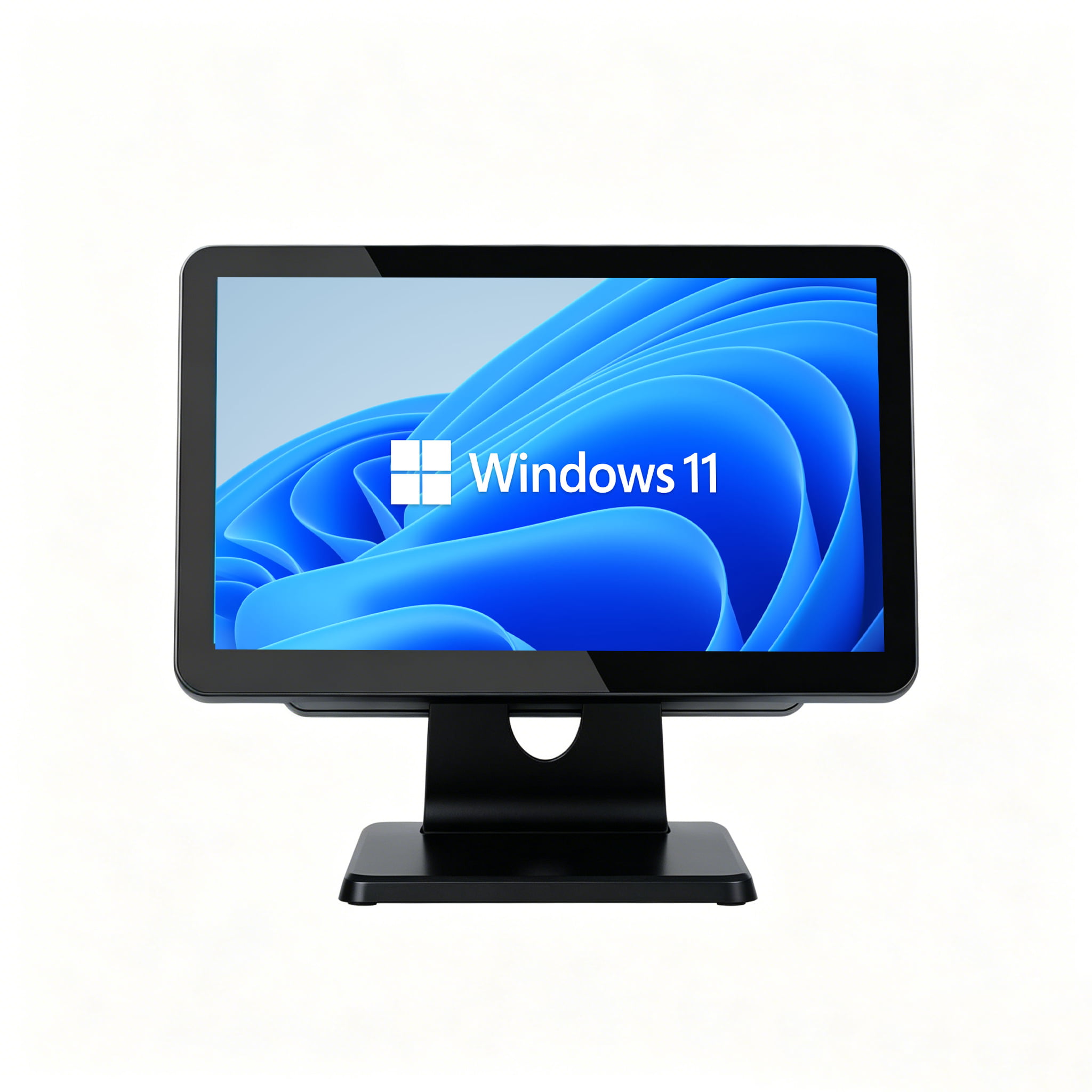
Table of Contents
- 1. Step One: Identify Which Windows Build You Are Actually Running
- 2. End-of-Support Dates That Apply to POS Terminals
- 3. The Hardware Gate: TPM 2.0, Secure Boot, and CPU Generation
- 4. Path A: In-Place Upgrade to Windows 11
- 5. Path B: Re-Image to Windows 10 IoT Enterprise LTSC
- 6. Path C: Replace the Hardware
- 7. Side-by-Side: Cost and Risk per 100 Terminals
- 8. The Peripheral Layer Nobody Budgets For
- 9. Fleet Migration Checklist
- 10. Frequently Asked Questions
1. Step One: Identify Which Windows Build You Are Actually Running
Before any purchasing conversation, confirm the build on each terminal. In practice a "Windows 10 fleet" is usually a mix — retail chains that bought in different years end up with different editions, and the editions have completely different deadlines.
On any terminal, open the Run dialog and type winver. That single command reports the edition and build number. Record three things per device: edition name, build number, and install year. This inventory is the input to every decision below.
The distinction that matters most is between consumer and general-purpose editions (Home, Pro, Enterprise on the standard servicing track) and LTSC / LTSB editions. The consumer track receives feature updates and a short support window. The LTSC track — Long-Term Servicing Channel, originally LTSB, Long-Term Servicing Branch — is built for fixed-purpose devices such as POS terminals, kiosks, and industrial controllers. It deliberately receives no feature updates, only security and quality fixes, which is exactly why it stays supported so much longer and why validated payment and medical environments standardize on it.
2. End-of-Support Dates That Apply to POS Terminals
The consumer deadline you have seen in the news is not the deadline for most POS terminals. Terminals that shipped with LTSC or IoT editions have far longer runways.
| Windows build | End of support | Feature updates | TPM 2.0 required |
|---|---|---|---|
| Windows 10 Home / Pro (22H2) | 14 Oct 2025 | Ended | No |
| Windows 10 Enterprise LTSC 2021 | 12 Jan 2027 | None by design | No |
| Windows 10 IoT Enterprise LTSB 2016 | 13 Oct 2026 | None by design | No |
| Windows 10 IoT Enterprise LTSC 2021 | 12 Jan 2032 | None by design | No |
| Windows 11 IoT Enterprise LTSC 2024 | 10 Oct 2034 | None by design | Yes |
Two practical consequences follow from this table. First, if your terminals run Windows 10 IoT Enterprise LTSC 2021, you are supported into early 2032 and the migration is a planning exercise rather than an emergency. Second, a terminal on Windows 10 IoT Enterprise LTSB 2016 — a very common POS image from devices purchased in 2016 to 2019 — has a deadline in October 2026, and that is the cohort that genuinely needs action now.
Microsoft also offers Extended Security Updates (ESU) as a bridge. For commercial customers ESU is priced per device and the price rises sharply in the second and third years, so it works as a delay tactic to spread a rollout across budget cycles — it is not a long-term plan. Treat ESU as insurance while you execute a migration, not as the migration.
3. The Hardware Gate: TPM 2.0, Secure Boot, and CPU Generation
The Windows 11 upgrade question is decided by hardware, not by software. Three requirements gate eligibility, and older POS terminals routinely fail at least one.
TPM 2.0
A discrete or firmware TPM version 2.0, and it must be enabled in the BIOS or UEFI. Many POS mainboards physically carry a TPM header but ship with the module disabled or unpopulated. This is the most common single blocker.
Secure Boot
Requires UEFI firmware with a signed bootloader chain. Terminals imaged in legacy BIOS or MBR mode need their boot configuration rebuilt, which in practice means a clean install rather than an in-place upgrade.
CPU generation
Windows 11 requires an 8th-generation Intel Core or AMD Ryzen 2000 series or newer, on Microsoft's supported processor list. This is the requirement that retires the largest volume of field hardware, because the low-power fanless chips widely used in cost-sensitive POS terminals fall on the wrong side of the line.
The reason these three requirements matter commercially is that they are not a preference — they are a hard upgrade ceiling. If a terminal fails any one of them, an in-place upgrade to Windows 11 is not a supported configuration, and no amount of driver work changes that. You are choosing between a different OS build on the same hardware (Path B) or different hardware (Path C).
When you are sourcing replacement terminals, the useful question is not "does it look fast enough" but "how many OS lifecycle cycles will this generation of silicon clear." A platform that meets Windows 11 requirements today also gives you a path to the next LTSC generation, which is the difference between one refresh and two.
4. Path A: In-Place Upgrade to Windows 11
This is the least disruptive option and it applies to only one situation: existing terminals that already meet all three hardware requirements. If they do, the upgrade preserves your software stack, your imaging process, and your software vendor relationship.
When it fits:
- Terminals clear the TPM 2.0, Secure Boot, and CPU-generation gate
- Your POS application is certified or tested on Windows 11
- Peripheral drivers exist for Windows 11 (verify printer, scanner, cash drawer, and card reader before committing)
- Your deployment tooling supports Windows 11 images
What it does not solve:
- The silicon is still the same age, so the next lifecycle deadline arrives on the same schedule
- Peripherals on aging drivers are a common source of post-upgrade breakage — this is the step that most often turns a two-hour upgrade into a two-week problem
- If the terminal needed a firmware or BIOS update to expose TPM 2.0, budget for that step explicitly; on some boards it can only be applied before the OS image
A practical mitigation is to pilot on a small sample of each hardware revision in the fleet rather than one representative unit. Mixed-age fleets usually contain several mainboard revisions, and TPM behavior is the most revision-sensitive part of the process.
5. Path B: Re-Image to Windows 10 IoT Enterprise LTSC
This is the path most vendor migration guides leave out, because it does not require buying anything. If your terminals fail the Windows 11 hardware gate but are otherwise mechanically sound, moving them to a supported LTSC build can extend their service life by years without new hardware.
The mechanism is straightforward: Windows 10 IoT Enterprise LTSC 2021 does not require TPM 2.0 or Secure Boot and is supported into January 2032, on hardware that Windows 11 refuses. For a fanless terminal with a low-power processor, that is a legitimate multi-year extension rather than a stopgap.
Why it works for POS specifically:
- The LTSC track ships no feature updates by design, so the OS image a POS application was validated against stays stable. Re-validation burden stays low across the support window
- It carries the lockdown tooling dedicated devices need: Unified Write Filter to protect the flash storage and return the device to a known state on reboot, Shell Launcher and Assigned Access to boot straight into the POS application, and Keyboard Filter to keep operators inside the intended workflow
- Extended lifecycle means the hardware refresh can be scheduled around capital planning rather than forced by an OS deadline
What to weigh before choosing it:
- IoT Enterprise LTSC is licensed for dedicated-purpose devices, so confirm the licensing model and channel with your distributor — this is a commercial question, not a technical one
- Moving to LTSC from a consumer or Pro edition is a clean install, not an in-place upgrade. Budget imaging time and application reinstallation
- Because the platform is fixed, application vendors that only certify against current mainstream builds may not support it — check with your ISV before committing
- It extends the current hardware rather than retiring it. If the fleet is also showing mechanical wear, this path buys time rather than solving the underlying refresh need
Path B is usually the right answer for a fleet that is two to four years old, mechanically reliable, and running software that is stable on a fixed platform. It is the wrong answer for a fleet that is already failing in the field for non-OS reasons — see the migration signals in the checklist below.
6. Path C: Replace the Hardware
Replacement is the right call when the terminals fail the hardware gate, when the fleet is already producing escalating field failures, or when the software roadmap itself is moving — for example an ISV that is prioritising a different platform. The two mainstream destinations are Windows 11 IoT Enterprise LTSC and Android-based terminals.
Android enters the picture because for many retail workloads it has become the mainstream alternative rather than a compromise. The platform comparison between Windows and Android — including where Windows still leads and where each platform fits — is covered in the dedicated Android POS analysis, and this guide does not repeat it. What matters here is the sourcing decision.
When sourcing replacement POS hardware for a fleet rollout, verify:
- OS lifecycle runway — ask which LTSC or IoT edition the platform is validated for, and read the date off the table in section 2. A platform shipping a general-purpose Windows edition has a shorter runway than one shipping an IoT LTSC image
- Platform stability across the order — in a multi-hundred-unit rollout, mainboard and firmware revisions can change between production batches. Ask how revision consistency is controlled and documented
- Driver and documentation package — a full driver set, imaging instructions, and BIOS/firmware availability are what let you build a repeatable image. This is the difference between a manageable rollout and per-unit troubleshooting
- Peripheral compatibility list — confirm the printers, scanners, cash drawers, and card readers in your existing estate are supported, ideally in writing
- Longevity of supply — a product line that will still be available when you need to replace units in year three, rather than a one-off build
For teams standardizing on this path, Windows POS terminals and Android POS systems show the two mainstream hardware directions, and our OEM and ODM programs cover fleet-level customization where a standard unit does not fit the deployment. The pre-bulk-order hardware test protocol is the recommended next step before committing a fleet.
7. Side-by-Side: Cost and Risk per 100 Terminals
Cost models are only useful when the assumptions sit next to the numbers, so the table below separates the hard cost from the operational risk. Substitute your own per-unit figures; the structure is what matters.
| Dimension | Path A — In-place W11 | Path B — LTSC re-image | Path C — Replace |
|---|---|---|---|
| Hardware spend | Lowest — no new units | None — same units | Highest — full fleet |
| Labor | Per-unit upgrade plus peripheral re-testing | Per-unit clean install and reimaging | Staged rollout plus decommissioning |
| Eligibility | Only units clearing TPM 2.0, Secure Boot, and CPU gate | Any x64 unit in good condition | All units |
| Support runway after | Until the Windows 11 lifecycle ends | Up to Jan 2032 | Resets to full lifecycle |
| Main risk | Peripheral drivers break after upgrade | ISV does not certify the fixed platform | Capital timing and rollout disruption |
| Ideal fit | Recent fleet, modern silicon | Aging but reliable fleet on stable software | Failing fleet or platform change |
A note on how these paths interact: they are not mutually exclusive across a fleet. It is normal — and often optimal — to run Path A on the newest third of a fleet, Path B on the middle, and Path C on the oldest units, all within the same budget year. The inventory from section 1 is what makes that segmentation possible.
8. The Peripheral Layer Nobody Budgets For
Migration plans are usually written around terminals and then derailed by peripherals. A terminal upgrade is a contained project; the equipment attached to it is where timelines slip.
The four categories to test explicitly before rollout:
- Receipt printers — the most common post-upgrade casualty. Driver availability and command-set support vary by model and generation, and a printer that worked on the previous OS can silently lose features such as drawer-kick or logo printing
- Barcode scanners and scales — units in HID or keyboard-emulation mode generally survive an upgrade; units relying on a vendor utility or COM-port emulation frequently need that utility reinstalled
- Cash drawers and customer displays — usually driven through the printer or a serial port, so validate them as part of the printer test rather than separately
- Card readers and payment devices — these sit in a separate compliance and certification track from the terminal itself. Confirm support with the device provider rather than assuming OS compatibility carries over
The practical technique is to build one fully configured pilot lane — terminal plus every peripheral in its real configuration — and run a normal trading day on it before touching anything else. That single test surfaces the majority of upgrade-day surprises at the cost of one counter.
9. Fleet Migration Checklist
Work through these in order. The output of each stage is the input to the next, and the whole sequence is designed to be re-runnable for every hardware revision in the estate.
Inventory every terminal
Run winver on each unit. Record edition, build, install year, and the hardware revision from the service tag. You cannot plan a fleet you have not counted.
Map each unit against the EOL table
Sort the fleet into "supported for years", "expiring within 12 months", and "already expired". This segmentation alone usually shrinks the urgent scope dramatically.
Test the Windows 11 hardware gate
For every unit in the expiring and expired buckets, confirm TPM 2.0, Secure Boot, and processor generation. Units that pass can consider Path A; units that fail choose between Path B and Path C.
Check fleet health, not just OS eligibility
OS eligibility says a unit can be migrated; it does not say it is worth migrating. Rising helpdesk tickets per terminal, intermittent peripheral dropouts, and increasing boot times are the signals that a unit should be replaced rather than re-imaged.
Confirm ISV support for the target platform
Before choosing Path B or Path C, get written confirmation that your POS application supports the target OS edition. This is the step that invalidates the most otherwise-sound plans, and it is least costly to discover first.
Build and run one pilot lane
One terminal, every peripheral, one full trading day. Fix what breaks here, not at scale. Include each hardware revision present in the fleet if they differ.
Sequence the rollout by business risk
Migrate the lowest-revenue locations first and the highest-revenue last, with a rollback image prepared for every stage. Stagger by store rather than by hardware type so each wave produces a working store.
Lock the new baseline into your procurement standard
Document the OS edition, hardware revision, and validation date for the new standard. This is what prevents the next lifecycle deadline from arriving as a surprise — you will already know when it lands.
Planning a fleet migration?
We supply Windows and Android POS terminals with documented OS lifecycle support, and we can advise on platform selection for fleets where the standard unit does not fit. Send us your inventory and target dates and we will work through the options with you.
Request Migration Consultation10. Frequently Asked Questions
Does my POS terminal stop working after Windows 10 end of support?
No. The terminal continues to operate normally. What stops is security patching, driver development, and vendor technical support. The practical consequence is that the device becomes progressively harder to keep compliant and harder to fix when something breaks, rather than stopping on a specific date.
Which Windows 10 end-of-support date applies to my POS terminal?
It depends entirely on the edition. General-purpose Windows 10 Home and Pro ended support in October 2025. Windows 10 Enterprise LTSC 2021 runs to January 2027. Windows 10 IoT Enterprise LTSB 2016 runs to October 2026, and Windows 10 IoT Enterprise LTSC 2021 runs to January 2032. Run winver on the terminal to identify which one you have.
Can I upgrade a POS terminal to Windows 11 without TPM 2.0?
Not in a supported configuration. Windows 11 requires TPM 2.0, Secure Boot, and a supported processor generation. Unsupported workarounds exist for consumer machines, but on a commercial POS terminal they produce a build outside the supported path, which is a poor foundation for a device handling transactions. Terminals that fail the gate should be evaluated for an LTSC re-image or replacement instead.
Is the Windows 10 IoT Enterprise LTSC edition a real alternative to replacing hardware?
Yes, for the right fleet. Windows 10 IoT Enterprise LTSC 2021 does not require TPM 2.0 or Secure Boot and is supported into January 2032, so terminals that fail the Windows 11 hardware gate can remain on a supported operating system for years. It suits a fleet that is mechanically reliable and running software validated on a fixed platform. Confirm licensing and ISV support before committing.
How long does a POS fleet migration take?
The timeline is driven by the pilot and the rollout sequencing, not by the per-unit work. A realistic structure is a few weeks to inventory the estate and confirm ISV support, two to four weeks for a pilot lane that includes every hardware revision and peripheral type, then a store-by-store rollout after the pilot is signed off. The pilot stage is where the schedule is won or lost.
Should I migrate to Windows 11 or switch to Android POS terminals?
It depends on your software stack and rollout horizon rather than on the hardware. If your POS application is Windows-only and certified on Windows 10 LTSC, a re-image or a Windows 11 replacement keeps you on a known platform. If your application has an Android build or you are replatforming anyway, the hardware refresh is the natural moment to evaluate both. Compare the two on your application, peripheral estate, and management tooling rather than on general platform arguments.
Do peripherals need to be replaced during an OS migration?
Not necessarily, but they must be tested. Receipt printers are the most common casualty because driver availability and command-set support vary by model. Scanners, cash drawers, and customer displays usually carry over but often need their configuration utilities reinstalled. Building one complete pilot lane with every peripheral in real configuration is the most reliable way to find out before rollout.