A cash drawer has no protocol. There is a plug, two of its conductors carry a switched DC pulse, and a solenoid inside the drawer pulls a latch when that pulse arrives. That is the entire interface. It is also why a drawer that will not open is almost never a software problem and almost always a mismatch between the pulse the host sends and the coil the drawer expects, which is knowable from two datasheets before either is purchased.
This page covers the signal itself: what the kick-out actually is, which pins carry it, why 12 V and 24 V disagree so often, and the command that fires it. It is the compatibility layer underneath the cash drawer range. If the drawer is already installed and simply stopped opening, the diagnostic sequence belongs to a different page, and there is a pointer to it at the end.
What the kick-out actually is
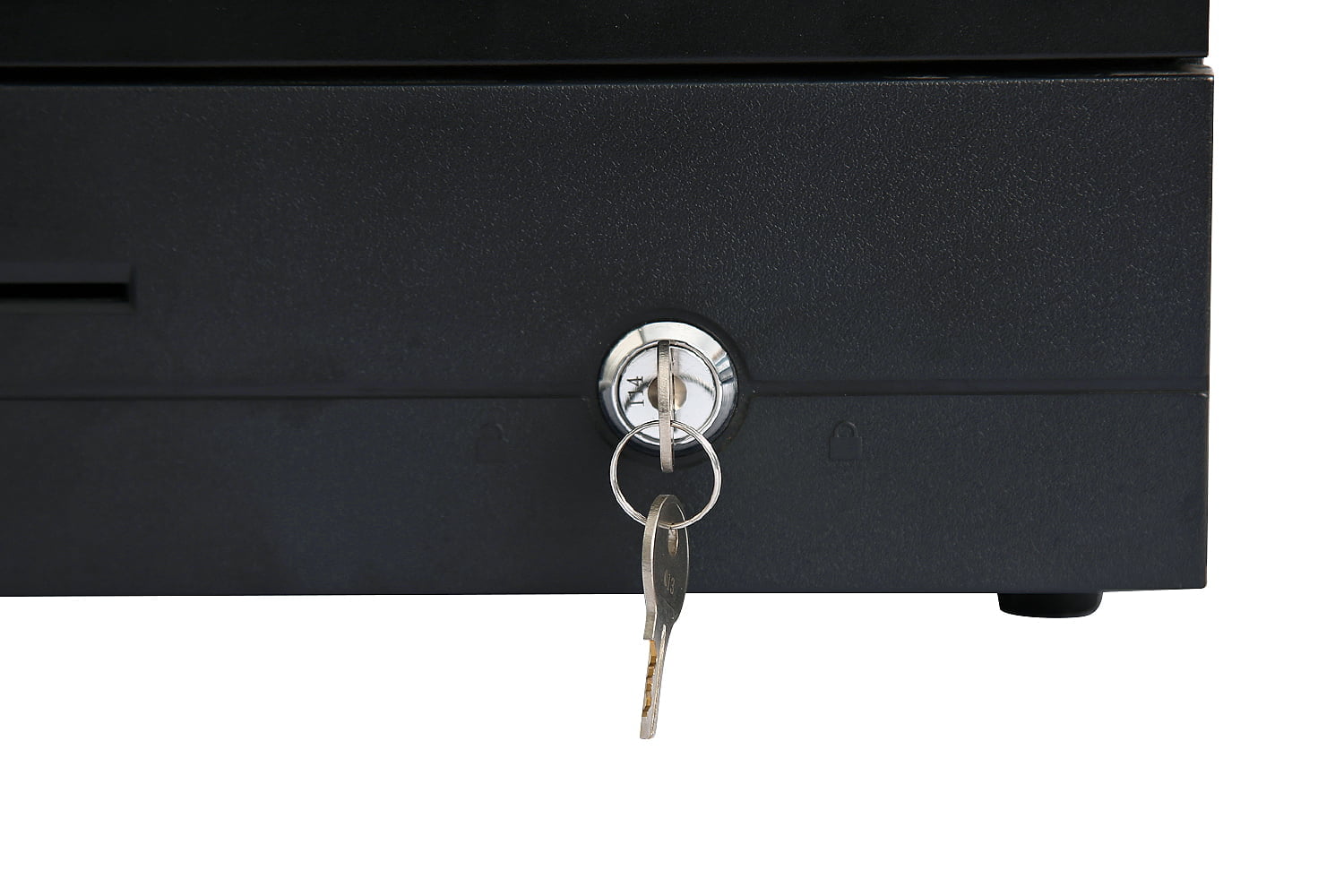
The drawer port on a receipt printer or a terminal is a switch, not a power supply. The host keeps its DC rail off those pins at rest. When the point of sale decides the drawer should open, the host closes the switch for a set interval, the drawer's coil energizes, and the switch opens again.
Four consequences follow from that design, and all four matter when a drawer does not behave.
- The drawer has no supply of its own. It cannot compensate for a weak host. Whatever voltage the host presents is the voltage the coil gets.
- The pulse is short by design. Typical settings are tens of milliseconds on and a few hundred off. The coil is rated for that duty, not for continuous energizing.
- There is no handshake. The host does not ask whether the drawer opened. It sends a pulse and moves on, unless a micro-switch reports state back separately.
- Nothing is negotiated. No enumeration, no capability exchange. If the voltage and the wiring are right, it works; if either is wrong, it fails silently and identically every time.
That last point is why this interface generates so many support tickets. A wrong voltage looks exactly like a wrong pin assignment, which looks exactly like a software setting that was never saved. The only way to separate them is to measure, and measuring is easier than most buyers expect.
The connector: RJ11, RJ12 and what the names hide
Both names describe the same six-position modular body. The difference is how many of the six contact positions are actually fitted with metal.
| Designation | Positions and contacts | What it means for a drawer |
|---|---|---|
| RJ11 | 6 positions, 4 contacts fitted (6P4C) | The outer positions are empty. A cable wired this way may not populate the center pair the drive pulse uses |
| RJ12 | 6 positions, 6 contacts fitted (6P6C) | All six positions usable, which is what a two-drawer or status-reporting wiring needs |
| Labelled RJ11, actually 6P6C | Six contacts in a socket called RJ11 | The common case on receipt printers. The label is a shorthand, not a specification |
The practical rule: do not trust the label, count the contacts. A drawer lead that only uses the outer pairs will click into place, look correct, and never fire, because the coil is waiting on the center pair. This is the single most common wiring fault in the category and it costs nothing to avoid if the cable is checked before it goes under the counter.
The pinout the industry settled on
Cash drawers converged on the wiring used by the dominant receipt printers, which is why a drawer bought from one supplier usually works on a printer bought from another. On a six-position connector, viewed with the latch away from you and the contacts toward you:
| Pin | Function | What it carries |
|---|---|---|
| 1 | Frame ground | Chassis reference |
| 2 | Drawer 1 status | Micro-switch contact, read by the host to report open or closed |
| 3 | Drawer 1 drive | One side of the solenoid, switched by the host |
| 4 | DC rail | The other side of the solenoid, held at the host's drawer voltage |
| 5 | Drawer 2 status | Micro-switch contact for a second drawer |
| 6 | Drawer 2 drive | Second solenoid, where the host supports it |
Pins 3 and 4 are the pulse. Pins 2 and 5 are the switch. Everything else in this category is a variation on that layout, and the variations are the reason to verify rather than assume: some hosts drive on the outer pair, some drawers use pin 5 rather than pin 2 for status, and a cable rewired for a different printer will look identical from the outside.
Verification takes a minute and needs no tools beyond a meter. With the drawer disconnected and the host idle, measure between pins 3 and 4: you should see the host's rail sitting on pin 4. Trigger a drawer open and the pair should show a brief pulse. If pin 4 reads nothing, the host is not presenting a voltage on the drive pair and the problem is upstream of the drawer.
12 V or 24 V: whose number is whose
This is where most of the confusion lives, and it comes from reading the drawer's specification as if it were a requirement. It is not. A drawer's voltage rating is a tolerance, not a demand: it states what the coil will accept, not what it needs. The number that decides whether the lane works is the host's output.
| Side | What it is specified at | How to read it |
|---|---|---|
| Our receipt printers | 1 x RJ-11, 12 V / 1 A on the drawer port | A source specification. This is what the drawer will actually receive |
| Our POS terminals | 1 x RJ-11 at 12 V; product pages list 12 V / 24 V as an optional build | A source specification with a build option. It has to be stated on the order, because it is not a switch on the back of the unit |
| Our drawers, SN-CD330 | Solenoid voltage 12 V / 24 V, compatible with all major printers | A tolerance. Either host voltage will drive it |
| Our drawers, SN-CD410 | Solenoid voltage 12 V / 24 V auto-select | A tolerance that adapts. The safest choice where the host fleet is mixed |
| Our drawers, SN-CD170 | Driving voltage 12 V / 24 V, other voltages to order | A tolerance with a custom option for unusual estates |
Read that table as three columns of different things: a source, a tolerance, and a decision. When the source and the tolerance overlap, the lane works. When they do not, no amount of configuration will fix it, because the mismatch is physical.
Two of the three drawers are explicit about this. The compact cash drawer states 12 V / 24 V and names printer compatibility directly; the heavy-duty drawer adds auto-select, which removes the question entirely for a fleet running more than one printer model. The flip-top drawer takes the same two voltages and will accept a custom coil for an estate that needs something else.
What happens when the two numbers disagree
A solenoid coil has a fixed resistance, so for a given coil the power it produces scales with the square of the voltage applied. That single fact explains both failure modes.
| Mismatch | What the coil gets | Symptom |
|---|---|---|
| 24 V coil on a 12 V host | About a quarter of rated power | Weak or no pull. Sometimes opens when new and stops as the mechanism settles. Never intermittent in a useful way |
| 12 V coil on a 24 V host | About four times rated power | Opens hard and heats fast. Survives a short pulse, fails months later, and the drawer gets the blame |
| Correct voltage, wrong pins | Nothing, or the status line instead | Dead, or the drawer opens when the software reads its state rather than when it should |
| Correct voltage, center pair missing | Nothing | Dead, with a cable that looks properly connected at both ends |
The second row is the one worth remembering. An over-driven coil does not fail immediately, so the installation passes acceptance testing and the fault lands in year two, by which time the drawer is out of its warranty window and the pulse setting has been forgotten. If a drawer is being replaced for a second time on the same lane, check the on-time before fitting the third.
The command that fires it
In ESC/POS, which every receipt printer in this range speaks, the drawer is opened by one command with four parameters:
ESC p m t1 t2   →   1B 70 m t1 t2

m    drawer select      00 = drawer 1,  01 = drawer 2
t1   on time            units of 2 ms
t2   off time           units of 2 ms
A widely used default is 1B 70 00 19 FA. Read it as m = 0 for drawer one, t1 = 0x19 = 25 units = 50 milliseconds on, and t2 = 0xFA = 250 units = 500 milliseconds off. The drawer coil is energized for 50 milliseconds, which is long enough to pull the latch and short enough not to heat the winding.
The off time is a recovery interval, not a delay for the operator. Sending two opens in quick succession without respecting it stacks the pulses, and a rapid double-open from a misconfigured keyboard shortcut is a genuine cause of coil failure on busy lanes.
Where the value lives depends on the stack. In most point of sale software it is a driver setting with a friendly label and a default; in some it is buried in a printer configuration tool; on Android terminals it is often sent directly by the application. All three routes end at the same two bytes, which is why a drawer that opens from a test utility but not from the till is a software setting rather than a hardware fault.
Reading the drawer's state
Every drawer in this range carries a built-in micro-switch, and it exists for one reason: the host cannot otherwise tell whether the drawer it just pulsed actually opened. The switch closes when the tray is home and opens when it is out, or the reverse depending on the wiring, and the host reads it on pin 2.
Three things become possible once that state is readable, and all three are worth more than the pulse itself.
- No-sale and manual-open reporting. If the drawer opens without a transaction, the switch knows. On a lane with cash shrinkage, that is the only telemetry you get.
- Failed-open detection. A pulse with no state change is a jam, a wrong voltage or a dead coil, reported at the moment it happens rather than when the next customer waits.
- Reconciliation. A close-of-shift count can be tied to the number of opens, which turns a cash discrepancy into a timeline instead of an argument.
ESC/POS exposes the state through a real-time status request, DLE DC4, addressed to the drawer number. Not every driver surfaces it in the point of sale application, and a drawer whose status is not read behaves exactly like a drawer without a switch, which is why the feature is so often present and unused.
Two drawers on one lane
The command selects drawer one or drawer two, which suggests two drawers are a configuration choice. In practice they are a wiring and port question. Our receipt printers carry a single RJ-11 drawer port, so one printer drives one drawer, and pin 6 has nothing to connect to.
Where a lane genuinely needs two cash positions, both are shared by two cashiers across a shift change, there are two honest routes. A second printer gives the second drawer its own port and its own pulse. Or a drawer with its own network interface is triggered directly over TCP/IP rather than by a printer pulse, which is what the intelligent cash drawer does, with a heavier solenoid rated past two million operations and an open API for the software to call.
What does not work is a passive splitter. Two solenoids in parallel on one port halve the current each receives and make an already marginal voltage situation worse, and the failure looks like two unreliable drawers rather than one overloaded port.
How to specify it in five lines
The compatibility question collapses to five numbers, and all five belong in the enquiry rather than in the installation email.
- The host's drawer port output. Voltage and current, as a source specification. For our printers this is 12 V / 1 A.
- The drawer's accepted voltage range. Not the nominal voltage, the range it tolerates, and whether it auto-selects.
- Connector and conductor count. Six-position jack, and how many conductors the supplied lead actually uses. State the cable length you need.
- Whether status reporting is required. If the software reads drawer state, the micro-switch and its wiring are part of the specification, not an optional extra.
- How many drawers per lane. One port drives one drawer. Two drawers is a second printer or a network drawer, and it should be decided before the order rather than after the installation.
One further line belongs on the commercial side rather than the technical one. The drawer is the only part of a lane that performs a mechanical action on every cash sale, so the cycle rating matters as much as the voltage: our three drawer families are tested past one million operations, and the standard layouts cover the note and coin divisions for the currencies we ship most often.
When the drawer is installed and simply stopped opening
That is a different problem and it has its own page. Once the drawer is in service, the question stops being what the signal is and becomes which layer of the chain has failed: the software setting, the driver, the printer's port, the cable, or the solenoid. Cash drawer will not open works through those layers in order and includes a forced-open test that separates a mechanical jam from an electrical fault in about a minute.
The split is deliberate. This page is for the buyer deciding what to order and the integrator checking whether two parts will work together, where the answer is in a datasheet. That page is for the person standing at a lane that has stopped, where the answer is in a meter.
Frequently asked questions
What is a cash drawer kick-out signal?
It is a switched DC pulse, not a data message. The receipt printer or the terminal holds the drawer port at rest, then briefly connects its own DC rail across two pins for a few tens of milliseconds. That pulse energizes a solenoid inside the drawer, the solenoid pulls a latch, and a spring pushes the tray out. The drawer has no power supply and no processor of its own, which is why the only two things that can be wrong are the voltage on the pulse and the wiring that carries it.
Is a cash drawer RJ11 or RJ12?
Both names get used for the same physical connector, and neither is precise. The jack is a six-position modular socket. A true RJ11 is wired with four contacts and an RJ12 with six, but most printers labelled RJ11 actually carry six. What matters in practice is how many conductors the supplied cable uses and whether the center pair is populated, because the drive pulse travels on the center pair. A four-conductor cable that skips the center pair will connect the drawer and never open it.
Does a 24V cash drawer work on a 12V printer?
Usually not reliably. The coil has a fixed resistance, so the power it produces falls with the square of the applied voltage: a coil wound for 24 V driven at 12 V gets roughly a quarter of its rated power, which is often not enough to pull the latch against the spring. The drawer may open occasionally when new and stop opening as the mechanism settles. Match the drawer to the host's output rather than to the drawer's label, because the label describes what the coil tolerates, not what it needs.
What happens if I put 12V into a 24V drawer port?
The reverse mismatch is the dangerous one, because the drawer will appear to work. A coil wound for 12 V driven at 24 V gets about four times its rated power, pulls hard, and heats fast. If the on-time in the driver is short the coil survives many cycles, which is why the fault often appears months later and gets blamed on the drawer rather than on the setting. Check the pulse width before changing hardware.
What is the ESC/POS command to open a cash drawer?
ESC p m t1 t2, sent as the bytes 1B 70 m t1 t2. The m byte selects drawer one or drawer two, and t1 and t2 set the on and off times in units of two milliseconds. A common setting is 1B 70 00 19 FA, which is 50 milliseconds on and 500 milliseconds off for drawer one. The on-time is the one to be careful with: the coil is a heater while it is energized, so a long on-time on a mismatched coil is the usual cause of a burnt solenoid.
Can I run two cash drawers from one printer?
Only if the printer has two drawer ports or the second drawer is wired to the second drive pin and the software addresses it. Our receipt printers carry a single RJ11 drawer port, so the straightforward answer is one drawer per printer. Where a lane genuinely needs two tills, the alternatives are a second printer or a network-connected intelligent drawer that is triggered over TCP/IP rather than by the printer's pulse.