Almost every guide to a gas station POS system answers the wrong question. It lists software brands, compares subscription plans, or recommends a bundle — and stops there. But the reason fuel-retail hardware projects go wrong is rarely the software. It is that a fuel site is not one checkout environment. It is two, sitting twenty meters apart, with different dust loads, different temperatures, different cable runs and different failure economics.
This guide treats a fuel site as a two-zone hardware problem: the store side, indoors, where a c-store lane runs at retail speed; and the forecourt side, outdoors under a canopy or on an island, where hardware has to survive weather, temperature swing and a customer who has never been trained. We cover what has to be specified differently in each zone, the ratings and numbers that actually mean something in a specification table, and where the two zones must agree for the site to work as one business rather than two.
One boundary statement first, because it saves time. TillNode builds the hardware layer for the store side and for unattended outdoor enclosures — all-in-one POS terminals, industrial mini PCs, barcode scanners, thermal receipt printers, cash drawers and outdoor-rated kiosk hardware. We do not supply fuel-dispenser card readers or dispenser-integrated electronics, which sit inside the petroleum-forecourt ecosystem managed by the dispenser vendor. This guide is about specifying the store-and-enclosure hardware correctly, and about knowing exactly which decisions belong to your dispenser vendor rather than to you.
Table of Contents
- Why a Fuel Site Is Two Hardware Zones, Not One
- Zone A — The Store Side: What Indoor Hardware Has to Do
- Zone B — The Forecourt Side: What Outdoor Hardware Has to Survive
- The Two-Zone Specification Matrix
- Outdoor Ratings Decoded: IP, IK and Operating Temperature
- Thermal Design: Why Sealed Enclosures Fail in Sunlight
- Enclosure and Mounting: Canopy, Island and Wall
- Power and Network Across the Two Zones
- Where the Zones Must Agree: The Shared Data Boundary
- Unattended Operation: What Changes When Nobody Is Watching
- Uptime Planning: Spares, Swaps and Failure Economics
- What Buyers Mean by "Gas Station POS for Sale"
- Two-Zone Hardware Checklist
- FAQ
1. Why a Fuel Site Is Two Hardware Zones, Not One
The single most useful planning decision on a fuel site is to stop treating it as one installation. The two zones share a business, a network and often a data boundary — but they do not share an environment, and they should not share a hardware specification.
| Parameter | Store side (indoor lane) | Forecourt side (outdoor) |
|---|---|---|
| Environment | Climate-controlled, clean, dry | Rain, dust, sun load, freeze-thaw cycles |
| Temperature range | 18 – 26 °C typical | −20 °C to +55 °C, plus solar gain on the enclosure |
| User | Trained cashier, repeat shifts | Untrained public, one-off, in a hurry |
| Supervision | Attended — staff can intervene | Unattended for long stretches |
| Vandalism risk | Low | Real — screen, card slot, cash door |
| Failure cost | Queue slows; one lane affected | Revenue stops entirely at that point |
| Cable run | Short, indoor, serviceable | Long, buried or overhead, hard to service |
| Service access | Immediate — walk up to the lane | Planned — needs a site visit |
Read that table as a specification driver list. Every row on the right increases either the required ingress protection, the required thermal headroom, or the required spare strategy — and none of those rows applies to the indoor lane in the same way. A specification written for one zone and copied to the other is the origin of most forecourt hardware complaints.
2. Zone A — The Store Side: What Indoor Hardware Has to Do
The store side of a fuel site is a convenience-store lane, and it should be specified like one. The distinguishing feature is not the presence of fuel but the breadth of what crosses the counter: packaged goods, age-restricted items, lottery, food service, and a fuel prepay or post-pay transaction that has to be reconciled against the outside world.
Three hardware decisions carry most of the weight indoors.
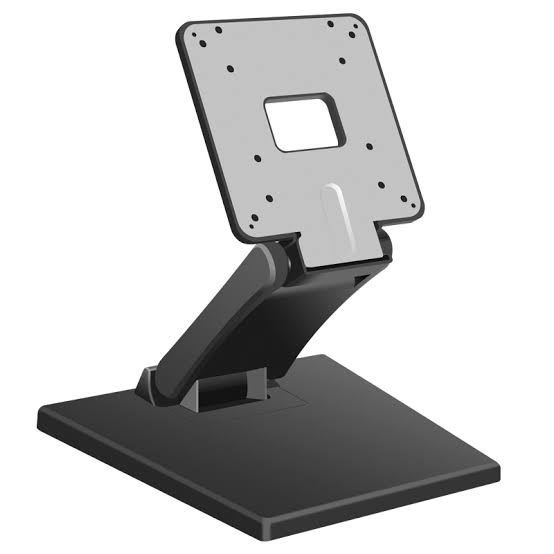
The terminal or the terminal-plus-mini-PC. An all-in-one POS terminal is the simpler answer: one enclosure, one power brick, one support surface. It is the right default for a single-lane or dual-lane store. A separate industrial mini PC driving a standalone touch monitor becomes the better answer when the lane has to run multiple displays, when the store runs a heavier back-office application, or when the terminal must be replaced without replacing the screen.
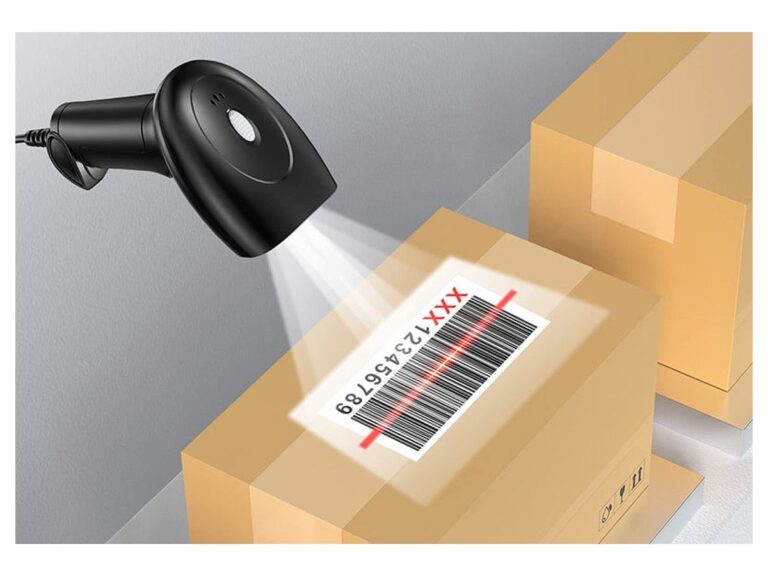
Scanning that works at c-store speed. A c-store basket is scanned fast and includes barcodes that are not retail UPCs — loyalty cards, fuel prepay slips, age-verification codes on a driver license. A 2D imager with a wide field of view reads all of these without a deliberate aim, which matters more than paper-spec read rate when the queue is six deep.
A printer that is not the bottleneck. The receipt printer on a fuel-retail lane does more than print receipts: it produces the fuel-prepay slip that authorises the transaction outside, and it frequently triggers the cash drawer. It is the single component most likely to stop a lane. Front-loading paper access and an auto-cutter are baseline, not upgrades.
What the store side does not need is outdoor-grade protection. Paying for an IP65 store terminal buys nothing: the lane is indoors, the failure modes are mechanical wear and thermal load from its own electronics, not water ingress. This is the first place a badly written specification wastes budget.
3. Zone B — The Forecourt Side: What Outdoor Hardware Has to Survive
The forecourt side is where fuel-site hardware projects are won or lost, and it is where most buying guides go quiet — because the outdoor payment terminal on a dispenser belongs to the dispenser ecosystem, and writers stop there. But there is a whole class of outdoor store-side and unattended hardware that is specified by the retailer, not the dispenser vendor: outdoor self-service points, prepay kiosks, air-and-water or car-wash payment points, and outdoor signage-and-service terminals.
Six environmental factors determine whether outdoor hardware lasts five years or eighteen months.
- Water and dust ingress — driven rain at an angle is harder to seal against than vertical rain, and it is what actually reaches a canopy-edge installation.
- Solar load — a dark enclosure in direct sun can sit 20 – 30 °C above ambient air temperature. This, not the ambient figure, is the real operating condition.
- Temperature swing — repeated heating and cooling drives moisture migration. A unit that is sealed but not breathable condenses water inside the enclosure.
- Impact and vandalism — an outdoor public terminal takes deliberate and accidental impact on the glass and on the card area.
- Corrosion — road salt, fuel vapour and coastal air attack untreated steel and exposed connectors.
- Unattended failure — nobody notices a blank screen for hours. Failures must be either self-recovering or remotely visible.
Each of these maps to a specification line. The next two sections translate them into numbers and into enclosure design.
4. The Two-Zone Specification Matrix
This is the table to hand to a distributor. It states, zone by zone, what to specify and — more importantly — which zone a given requirement belongs to, so budget and protection land where they are needed instead of being spread evenly across both.
| Specification | Store side | Forecourt side | Why it matters there |
|---|---|---|---|
| Ingress protection | IP5x or none required | IP65 minimum; IP66+ for exposed islands | Angled driven rain reaches canopy edges and islands |
| Impact rating | Not specified | IK08 minimum on glass and card area | Public access, deliberate and accidental impact |
| Operating temperature | 0 – 40 °C | −20 °C to +55 °C, validated at enclosure surface | Freeze-thaw plus solar gain above ambient |
| Cooling method | Fan-assisted is acceptable | Fanless or filtered positive-pressure with sealed electronics bay | A fan draws dust and moisture into the enclosure |
| Display brightness | 250 – 350 nits | 1,000 nits+ with auto-dimming | Direct sunlight washes out an indoor-brightness screen |
| Display surface | Standard toughened glass | Bonded / laminated glass, anti-glare coating | Readability in glare; shatter containment |
| Enclosure material | Molded plastic or light steel | Galvanised steel, anti-corrosion coating, sealed seams | Corrosion from salt, fuel vapour, coastal air |
| Connectivity | Wired Ethernet | Wired plus cellular failover | No sale when a single link drops |
| Power conditioning | Standard PSU | Surge and lightning protection, wide-input PSU | Long outdoor runs pick up transients |
| Monitoring | Local / attended | Remote heartbeat, watchdog auto-restart | Unattended failure is invisible for hours |
| Service access | Any | Front-serviceable, keyed or tooled panel | On-site repair without a full teardown |
If a supplier quotes an outdoor unit that cannot state a figure for the middle column — or quotes the same unit for both zones without qualification — that is the signal to ask where the outdoor validation evidence is. A specification without an ingress figure and a validated operating temperature is a marketing claim, not an engineering one.
5. Outdoor Ratings Decoded: IP, IK and Operating Temperature
Three rating systems appear on every outdoor hardware datasheet. They are frequently quoted in isolation and therefore frequently misread. Here is what each one actually commits the supplier to.
| Rating | Means | Forecourt relevance |
|---|---|---|
| IP54 | Dust-protected; splash-resistant from any direction | Adequate for a covered counter under a deep canopy |
| IP65 | Dust-tight; protected against low-pressure water jets | The working baseline for canopy-edge and island hardware |
| IP66 | Dust-tight; protected against powerful water jets | Use where the unit is fully exposed or hose-washed |
| IK08 | Resists a 5 joule impact (a 1.7 kg mass dropped 30 cm) | Minimum for public glass and card-entry surfaces |
| Operating temp. | Validated range at which the unit functions | Must be quoted at enclosure surface, not ambient |
Two misreadings are worth flagging. First, IP ratings are not additive with temperature. A unit rated IP65 is not thereby rated for −20 °C, and a unit rated for −20 °C is not thereby sealed. The two are separate tests and both have to appear on the datasheet.
Second, the temperature figure is meaningless without a stated measurement point. Ambient-air rating tells you nothing about a black enclosure in direct sun. Ask for the range at the enclosure surface, or for an internal-component rating. A supplier who can answer that question is a supplier who has actually tested the product outdoors.
6. Thermal Design: Why Sealed Enclosures Fail in Sunlight
This is the most under-specified failure mode on a forecourt, and it is worth understanding because it explains a design decision that otherwise looks like a downgrade.
An outdoor enclosure must reject two heat sources at once: the electronics inside, and the sun outside. A fan solves the first and worsens the second, because a fan cannot cool air below ambient — it can only move air. Worse, moving air through an unfiltered fan draws in the dust and moisture that the IP rating was supposed to keep out. A fan-cooled "outdoor" unit is therefore internally inconsistent: it protects against water at the seam and then pumps humid air across the electronics.
The consistent answer is fanless, passively cooled electronics inside a sealed enclosure, with a separate thermal path for solar load. In practice that means: an industrial fanless computing module (the same class used in industrial mini PCs), an enclosure whose surface is designed to shed heat rather than absorb it, and an air gap or shade structure between the sun and the electronics bay. Where a display is involved, the brightness rating and the thermal design are related — a 1,000-nit panel produces more heat than a 300-nit panel, so the brighter screen must come with a larger thermal budget, not the same one.
The practical test to apply when sourcing: ask what the internal temperature reaches at 40 °C ambient in direct sun, and what protects the electronics if a fan is present. A supplier who specifies fanless industrial computing in a sealed enclosure can answer both.
7. Enclosure and Mounting: Canopy, Island and Wall
Where the hardware sits determines how much protection it needs. Three mounting situations cover most fuel sites, and each carries a different exposure profile.
Under canopy. Protected from vertical rain and most direct sun, but exposed to angled driven rain at the canopy edge and to windblown road dust. IP54 to IP65 is normally sufficient here, and the mounting question becomes cable routing and service access rather than weather sealing.
On an island or pedestal. The most exposed position on the site. Full sun, rain from any angle, and physical impact from vehicles and pedestrians. This is where IP65 or IP66, IK08 and a validated wide temperature range stop being optional. Enclosure material and anti-corrosion treatment matter more here than anywhere else on the site.
Wall-mounted. Provides the most protection and the simplest cable run, but constrains reach and accessibility. A wall-mounted outdoor unit is the right answer for a service or signage point; it is a poor answer for anything a customer has to operate from a vehicle.
For whichever position applies, confirm four things before ordering: the mounting footprint and whether it matches an existing concrete or steel base; the cable entry point and whether it can be sealed after termination; whether the front panel is serviceable without demounting the unit; and whether the enclosure can be keyed so that only staff open it. On an unattended site, the enclosure is a security boundary as much as a weather one.
8. Power and Network Across the Two Zones
Power and network are where the two zones interact most, and where a design decision made for the store side quietly constrains the forecourt.
Power. The store side behaves like any indoor installation: a standard supply, ordinary protection, short runs. The forecourt side does not. Long outdoor runs pick up transients and, on an exposed site, lightning-induced surges. Specify surge protection at the enclosure, a wide-input power supply, and a defined earthing point. Where the site grid is unreliable, a small UPS at the store-side head end protects both zones if the forecourt units are homed to it — which is usually preferable to putting an individual UPS in each outdoor enclosure, where heat and battery life become new problems.
Network. The reliable pattern is a wired link to each fixed outdoor point, with cellular failover wherever an unattended unit must keep selling. Do not assume site Wi-Fi reaches the forecourt: forecourt structures are metal, weather degrades signal, and a unit that loses its link is a unit that stops taking money. Decide explicitly whether the outdoors point can operate offline for a period, and if so for how long and what it stores.
Segmentation. Store-side lane devices and outdoor public-facing devices should sit on separate network segments with the same head-end. This keeps a fault or a security event on the publicly accessible zone from reaching the cash lane, and it makes remote monitoring of each zone independently meaningful.
9. Where the Zones Must Agree: The Shared Data Boundary
The two zones can be specified independently in hardware and still have to agree at exactly one point: the data boundary where a prepay or post-pay fuel transaction is reconciled against the store lane. Getting this boundary right is a software-and-integration question, but it constrains the hardware, so it belongs in the hardware plan.
Four questions determine the boundary, and all four should be answered before hardware is ordered — with the relevant vendors, not internally.
- Who owns the fuel transaction record? The dispenser control system or the store system. This decides which side is authoritative when the two disagree.
- How do the two sides exchange data? A direct interface, an integration middleware layer, or manual reconciliation. Each implies different hardware requirements at the store-side head end.
- What happens when the link fails? A defined fallback — prepay-only operation, manual authorisation, or a queue — has to exist, because the link will fail.
- Which vendor is responsible for which half? Write this down. Most forecourt integration disputes are not technical; they are a gap between two vendors each assuming the other owned a piece.
The hardware implication is concrete: the store-side head end needs the ports, the processing headroom and the storage to serve as the reconciliation point if that is where the boundary lands. Specifying a minimal all-in-one terminal for the lane and then discovering it has to be the integration host is a common and expensive sequencing error. Where the boundary is likely to land at the store side, an industrial mini PC alongside the lane terminal is the more durable arrangement. Our industrial mini PC range covers the fanless units typically specified for this role.
10. Unattended Operation: What Changes When Nobody Is Watching
Store-side hardware is attended: when something misbehaves, a cashier notices within seconds. Outdoor hardware is not, and that single difference changes the specification more than any environmental factor.
Three requirements follow.
Self-recovery. The unit should be able to restart its own application, and reboot itself, without a site visit. A hardware watchdog that performs an automatic restart on a hung application converts a two-hour outage into a two-minute one. This is a specification line, not a software afterthought.
Remote visibility. A heartbeat that reports online status, application status and internal temperature, so that a failure is seen from a desk rather than discovered by a customer. On an unattended site, an unmonitored failure is indistinguishable from a unit that is simply idle.
Physical resilience. Unattended public hardware takes abuse that attended hardware does not. Beyond the IK08 impact rating, this means a design where the exposed surfaces — glass, card area, buttons — are the replaceable parts. Ask what the serviceable sub-assemblies are, and whether they can be swapped on site.
Together these change the failure profile from "someone will tell us" to "we will know, and the unit will often fix itself." That is the actual justification for specifying industrial-grade outdoor hardware, and it is a more defensible argument to a finance team than durability in the abstract.
11. Uptime Planning: Spares, Swaps and Failure Economics
On a fuel site, uptime is not an IT metric. A store lane that goes down slows a queue; an outdoor payment point that goes down stops revenue at that point entirely, at whatever hour it happens. Design the spare strategy around that difference.
| Component | Store side | Forecourt side | Spare strategy |
|---|---|---|---|
| Receipt printer | High wear — cutter, feed path | High wear plus thermal stress | One spare per site, either zone |
| Scanner | High use, low stress | Rarely present | Swap from store reserve |
| Terminal / mini PC | Moderate | Moderate, but hard to access | One spare per multi-site fleet |
| Display / glass | Low failure | Impact and vandalism exposure | Replaceable front assembly |
| Power supply | Low failure | Surge exposure raises risk | Site-level spare, short lead time |
Two planning rules follow from the table. First, standardize the model across zones wherever the environment allows — a shared spare then covers both. Second, specify a swap time, not just a warranty period. A three-year warranty that takes ten days to honour is worth less on a fuel site than a next-business-day swap commitment, because the cost is dominated by downtime rather than by the unit. For chains, the sensible contract term is a stated swap SLA backed by a supplier holding stock, which is a different conversation from warranty length.
12. What Buyers Mean by "Gas Station POS for Sale"
The search phrase gas station POS for sale is a procurement phrase, not a product name. Buyers using it almost always mean one of three things, and they need different answers.
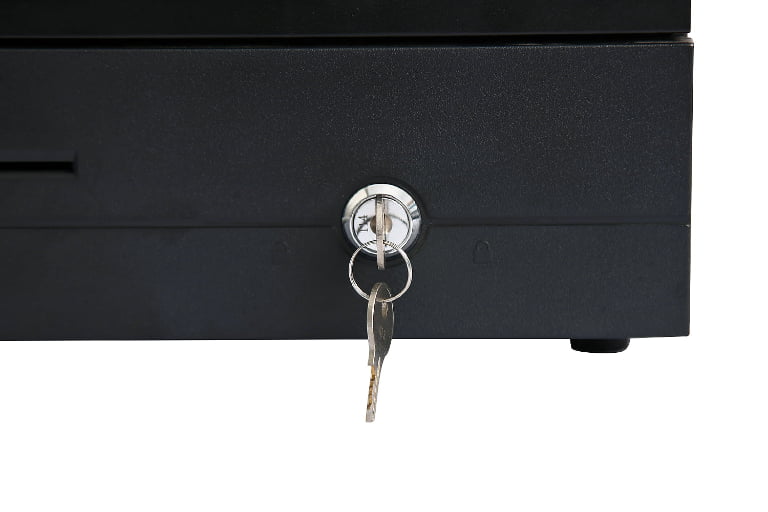
- "What should the store lane consist of?" — a counter kit: terminal or mini PC plus monitor, 2D scanner, receipt printer, cash drawer, customer display.
- "What do I need outside?" — an unattended outdoor point, either a self-service payment terminal in a sealed enclosure or an outdoor kiosk, specified to the forecourt column of the matrix above.
- "What can I buy as one order?" — a two-zone kit, where the value is that both zones are specified to the same interface standard and can be deployed repeatably across sites.
The third case is where a factory-direct hardware supplier adds the most, and it is not primarily about unit price. It is about repeatability: the same lane kit, the same outdoor enclosure, the same acceptance test, deployable across a fleet without re-specifying each site. On a multi-site rollout, the engineering cost of inconsistency usually exceeds the hardware cost of the units. Our convenience store POS hardware overview covers the store-side kit in detail, and the OEM and ODM manufacturing route is the relevant one where enclosure, port configuration or branding has to be specified rather than selected.
13. Two-Zone Hardware Checklist
Print this and take it to the specification meeting. Each line is a decision, not a preference.
- Zone stated for every line item — store side or forecourt. No unassigned hardware.
- Ingress protection quoted for every outdoor item, with a figure, not a description.
- Impact rating quoted for any surface the public touches.
- Operating temperature quoted at enclosure surface, with the measurement point named.
- Cooling method stated — and if a fan is present, the filtration and its maintenance interval.
- Display brightness stated in nits, with auto-dimming confirmed for outdoor units.
- Enclosure material and corrosion treatment stated for island or exposed mounts.
- Surge protection and earthing defined at the outdoor enclosure.
- Network topology drawn — wired, failover, segmentation — with an offline behavior defined.
- Data boundary decided: who owns the fuel transaction record, and which vendor owns which half.
- Watchdog and remote heartbeat confirmed on every unattended unit.
- Swap SLA stated in time, not in years, with who holds the spare named.
14. FAQ
What is the difference between store-side and forecourt POS hardware?
Store-side hardware sits indoors in a climate-controlled lane and is specified for retail throughput — scanning speed, printing reliability, cash handling. Forecourt hardware sits outdoors and is specified primarily for survival: ingress protection, impact resistance, a validated wide temperature range, fanless cooling and remote monitoring. The two share a data boundary but should never share a hardware specification, because the environment that determines the specification is different.
Does a gas station need an outdoor-rated POS terminal?
Only if a payment or service point is physically outdoors. An indoor store lane does not benefit from an outdoor rating and should not be specified with one. Where an outdoor point does exist — a self-service payment terminal, an outdoor kiosk, a car-wash or air-and-water payment point — that unit needs a stated ingress protection figure, an impact rating and a validated operating temperature. Note that dispenser-integrated card readers belong to the dispenser vendor's ecosystem, not to the store hardware order.
What IP rating should forecourt hardware have?
IP65 is the working baseline for canopy-edge and island installations, and IP66 where the unit is fully exposed or hose-washed. Deep under a canopy, IP54 is often adequate. The rating should be quoted per item and matched to the actual mounting position rather than applied uniformly, because paying for IP66 on a protected wall-mounted unit is budget spent on nothing.
Why does outdoor hardware need fanless cooling?
Because a fan cannot cool air below ambient — it only moves it — while it draws dust and moisture into the enclosure that the IP rating exists to keep out. On an outdoor unit, fan cooling is internally inconsistent. Fanless passively cooled industrial computing inside a sealed enclosure, with a separate thermal path for solar load, is the arrangement that survives sunlight, dust and rain together.
How many hardware units does a fuel site need in total?
One lane kit per indoor checkout position, plus a defined set of outdoor service points, plus a spare strategy. The more useful planning question is not the total count but the partitioning: how many store-side lanes, how many unattended outdoor points, and which components are shared across both zones. A printer is the component most likely to interrupt either zone, and the least expensive to hold in reserve.
Can a fuel retailer source both zones from one manufacturer?
Yes, and for a multi-site rollout it is often the better route, because the value is repeatability — the same lane kit, the same outdoor enclosure and the same acceptance test across every site. Factory-direct supply also gives wider latitude on enclosure design, port configuration and branding than a fixed local catalog. The trade-off is that logistics and spare-parts planning move to you. The exception is dispenser-integrated payment hardware, which stays with the dispenser vendor's ecosystem.
TillNode builds the hardware layer for both zones of a fuel-retail site — fanless all-in-one POS terminals and industrial mini PCs for the indoor lane, and IP-rated sealed enclosures with high-brightness displays and fanless computing for outdoor and unattended points, specified per site with port configuration, mounting and branding to order.
See the convenience store and fuel retail hardware overview or request a two-zone specification quote.
Related reading: industrial mini PCs for lane and head-end deployment, self-service kiosk hardware, barcode scanners for high-SKU checkout, thermal receipt printers, and how to choose a POS terminal for c-stores.