Commercial Restaurant Till Systems.
Built for the Rush, the Pass, and the Close.
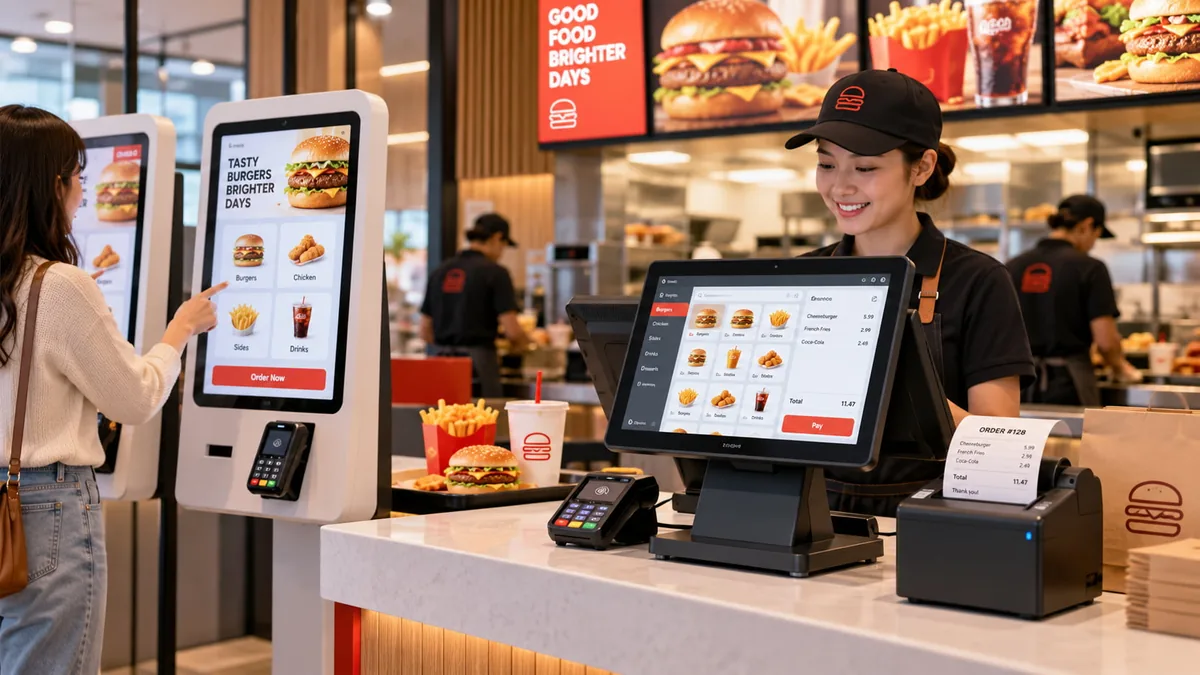
A durable restaurant till system is not a consumer tablet or an accounting register. It is the real-time operational spine that captures split orders during dinner peak, drives kitchen tickets without dropouts, and guarantees your cash drawer reconciles down to the penny at shift close.
1. A Restaurant Till Is Not a Cash Register
Calling food service equipment a "cash register" fundamentally misunderstands how modern hospitality venues operate. The two systems solve fundamentally different business problems.
A Cash Register Records Money. A Till Records the Service.
An electronic cash register records the financial transaction at the moment of payment. A dedicated restaurant till coordinates modifiers, seat numbers, courses, kitchen firing times, table transfers, and split bills long before tender is discussed.
The Three Places a Restaurant Till Actually Lives
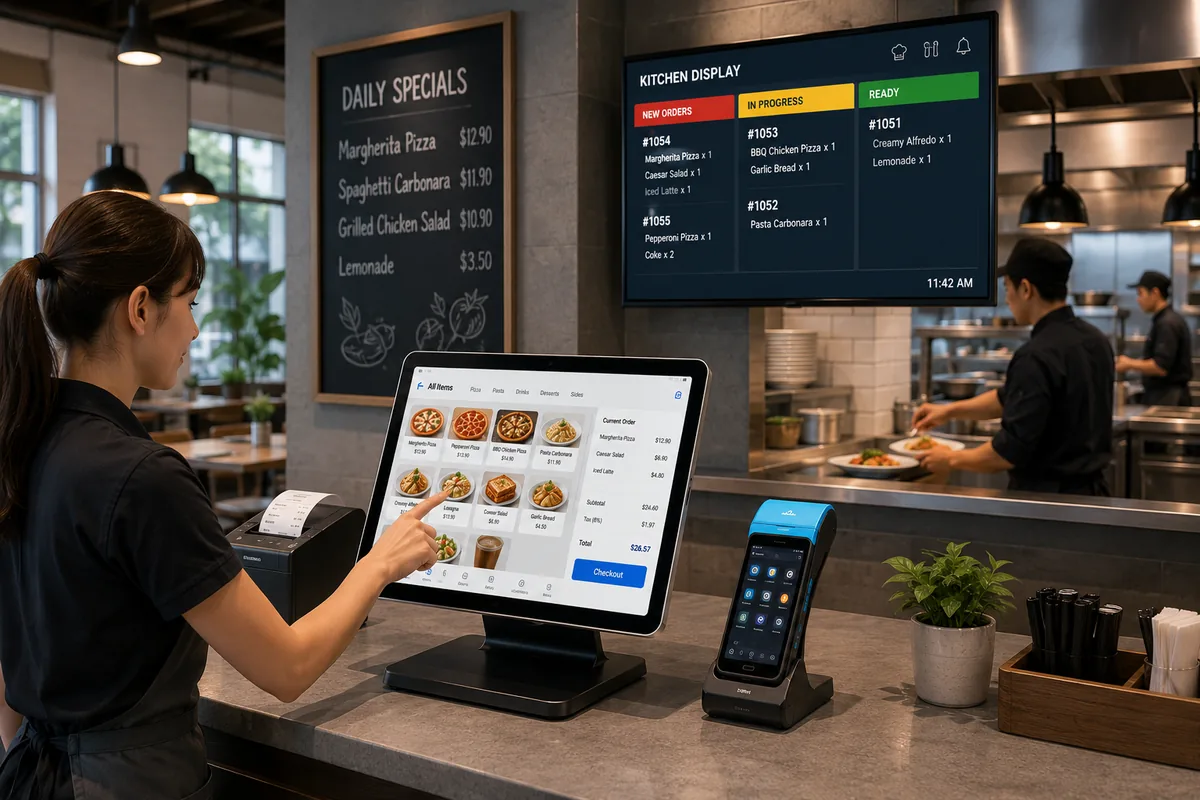
Unlike retail where a cash till sits static at an exit counter, restaurant till systems operate as distributed nodes: at the front-of-house host stand, embedded along the high-moisture service bar, and running as compact dispatch stations at the kitchen pass.
Where the Word "Till" Comes From
Historically derived from Middle English tille (a compartment for keeping valuables), the British and Commonwealth terminology has evolved from the physical drawer to designate the entire interactive point-of-service counter terminal.
2. Till vs Cash Register: The Two Names for the Same Counter
Whether operators search for cash register vs till or till vs cash register, regional dialects and architectural differences frequently cloud purchasing specifications.
Hardware Anatomy: UK Till vs US Cash Register
- • Focus: End-of-day tally & linear cash tender
- • Non-expandable proprietary firmware
- • Internal till refers strictly to cash tray
- • Focus: Real-time table modifiers & multi-node print
- • Open OS architecture (Win 11 IoT / Android)
- • Till refers to the complete operator touchpoint
| Specification Dimension | Traditional Cash Register (ECR) | Modern Restaurant Till (EPOS) |
|---|---|---|
| Regional Preference | Dominant American English term (US/CA) | Standard UK, Australian, European & Commonwealth usage |
| Physical Architecture | All-in-one fixed chassis (Numeric keypad + locked drawer) | Modular nodes (Touch terminal, remote drawer, ESC/POS printers) |
| Table & Order Management | None; linear tender transactions only | Graphical table layouts, kitchen firing, bill splitting, item modifiers |
| Software Expandability | Firmware-bound, closed non-upgradable logic | Open OS (Windows 10/11 IoT, Android), API integrations, cloud sync |
Till vs Cash Register: Which Term to Use Where
In procurement, specify a till system when requiring flexible peripheral communication (kitchen printers, barcode scanners, payment terminals). Reserve cash register when procuring standalone ECR units strictly for cash intake without inventory needs.
What "Till" Means in a Cash Register (and What It Does Not)
In technical ECR manuals, the word "till" often refers solely to the removable cash drawer insert (the coin and bill tray). In commercial hospitality, the term covers the complete interactive terminal.
Cash Register or Till: The Same Box, Different Job
Whether an operator orders a cash register or till, modern restaurant workflows demand multi-port interfaces (RJ12, PoweredUSB, RS-232, Gigabit LAN) so peripherals trigger automatically without manual tallying.
Till Register, Cash Till, Money Till: Sorting the Variants
Slang terms like money till, cashier till, and cash till refer to the point where currency exchange meets validation. At TillNode, we engineer these components as high-cycle commercial units tested to over 1,000,000 opening cycles.
3. Restaurant Service Breaks at Three Moments. Hardware Decides Which.
Hospitality turnover fails when hardware latches under physical strain. Service stability is determined across three high-stress timestamps.
Hardware Failure Exposure During Shift Lifecycle
The Order Moment
Grease/steam on touch surface triggers ghost clicks. Industrial PCAP IP54 zero-bezel glass preserves input accuracy.
The Pass Moment
Print queues backlog at the kitchen pass. High-speed jam-resistant thermal & impact cutter arrays prevent lost tickets.
The Close Moment
Solenoids jam and desync cash counts. Clean RJ12 microswitch feedbacks ensure physical drawer matches Z-Reports.
The Order Moment: One Hand, a Full Tray, No Second Chance
Waitstaff balance plates while modifying drink orders on the fly. Consumer touchscreens register ghost touches from wet fingertips or greasy palms. Industrial projective capacitive (PCAP) glass with zero-bezel true-flat IP54 construction ensures every tap registers accurately during lunch rushes.
The Pass Moment: The Ticket Must Arrive Before the Plate
Kitchen orders sent from the floor must print instantaneously at the pass or appear on the Kitchen Display System (KDS). A print buffer queue failure or heat-sensitive cutter jam halts the line immediately, leading to cold food and comped checks.
The Close Moment: The Z-Read Must Match the Drawer
At midnight, tired staff cannot afford a sticky cash drawer solenoid or desynchronized terminal tallies. The hardware kick-out sensor must cleanly report its open/closed state so the end-of-day Z-report matches physical currency precisely.
4. A Till System for a Restaurant Is a Hardware Layer, Not a Box
Rather than treating the point of sale as an isolated appliance, resilient operators deploy a cohesive ecosystem of specialized hardware nodes.
Central Till Station Peripheral Architecture
Till Terminal: The Screen the Counter Touches
Heavy die-cast aluminum stands resist counter tipping when staff punch orders forcefully. High-efficiency fanless processors eliminate kitchen grease ingestion.
Touch Screen Tills and Tight Counter Spaces
Integrated second displays for customer verification, built-in MSR/NFC, and concealed cable routing clear critical square inches on narrow bar counters.
Cash Drawer: The Box That Opens on Command
Heavy-gauge cold-rolled steel construction with multi-position keylocks, heavy-duty ball-bearing rollers, and dual 12V/24V RJ11/RJ12 solenoids prevent drawer stalls.
Till Trays, Inserts, and Drawer Keys
Removable ABS inserts with lockable lids let a cashier hand over a closed tray at shift change, so the count happens in the back office instead of in front of the queue.
Receipt & Kitchen Printers: Thermal at the Pass
High-speed 250mm/s thermal receipt printers front-of-house paired with impact dot-matrix or loud-buzzer thermal units resistant to kitchen steam and oil at the pass.
Kitchen Display: When Paper Tickets Stop
Solid-state high-heat commercial touch displays or rugged bump-bar controllers replace lost paper slips, tracking prep times across kitchen stations.
Handheld Ordering: When Orders Don't Walk
Ergonomic mobile POS terminals let servers take table orders, transmit immediately to the kitchen, and take payment tableside via integrated chip/NFC readers.
Card Reader & Payment Terminal: The Second Motion
Dedicated, PCI-PTS compliant card payment hardware with secure stand mounts ensuring rapid contactless and chip transaction authorization.
5. Restaurant Till Systems for Different Service Styles
Hospitality till systems must be architected around order sequencing, ticket velocity, and operator movement profiles.
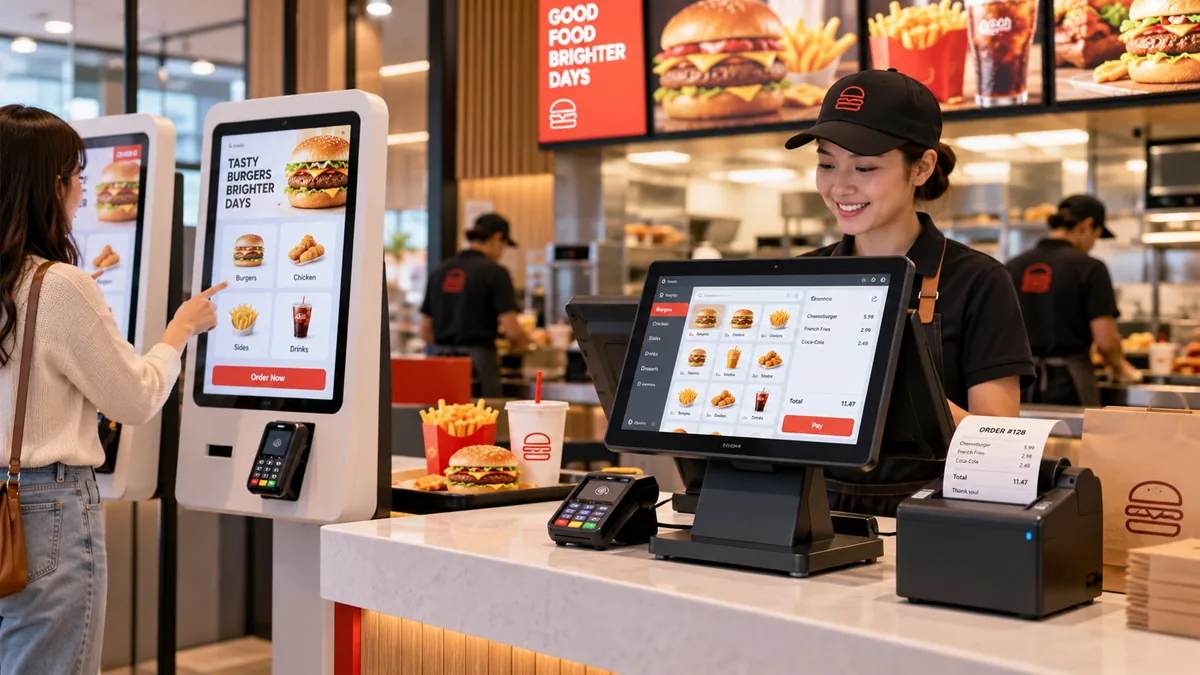
Counter-Service Restaurants: Speed Is the Only Metric
In fast-casual and QSR lanes, order entry and checkout occur in a single unified step. Key hardware requirements include integrated customer displays and sub-second auto-cutters.
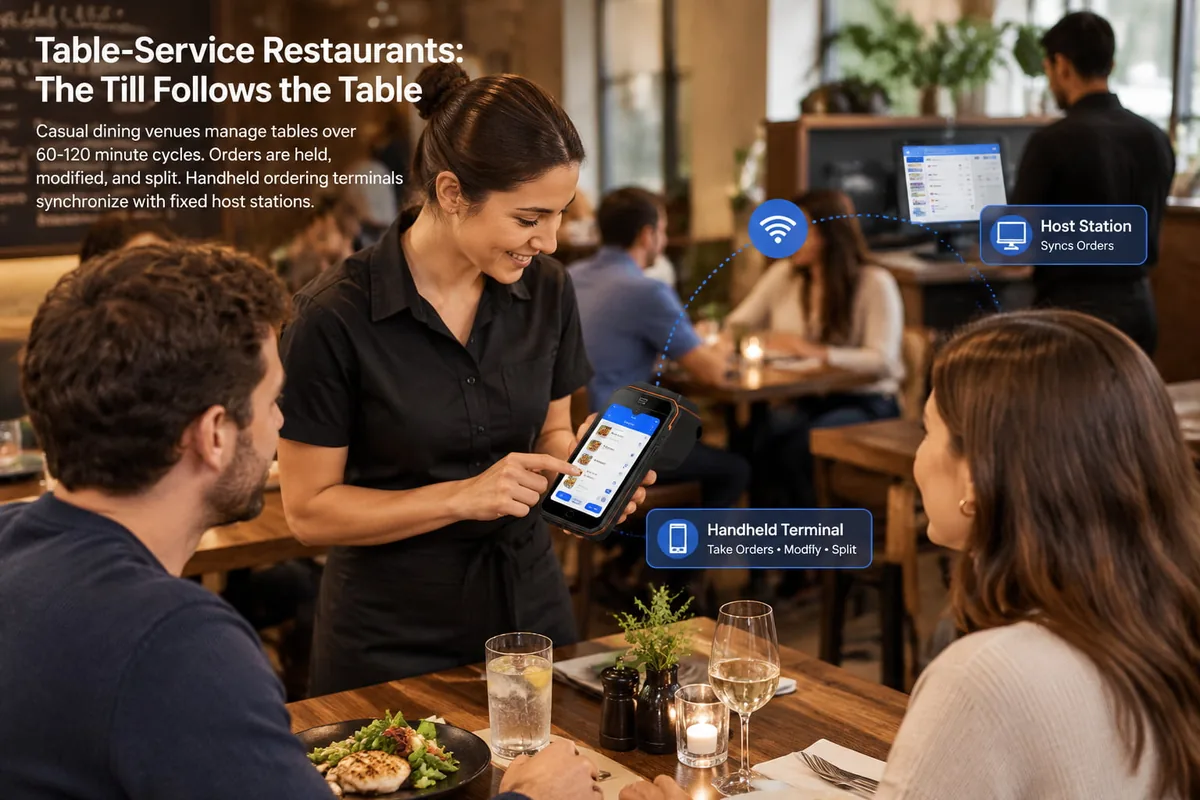
Table-Service Restaurants: The Till Follows the Table
Casual dining venues manage tables over 60–120 minute cycles. Orders are held, modified, and split. Handheld ordering terminals synchronize with fixed host stations.
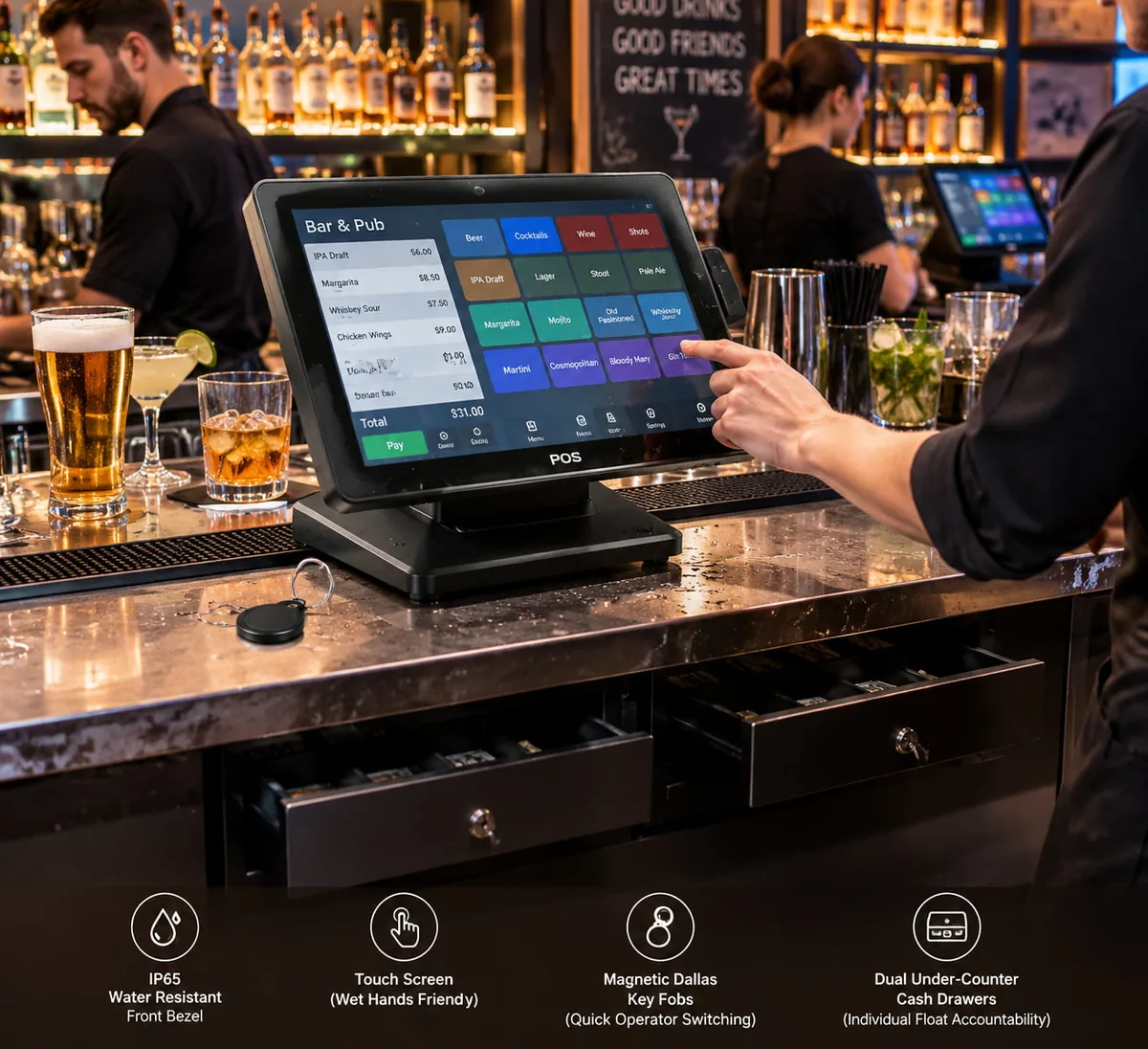
Bar and Pub Tills: Standing Operation, Wet Hands
Bar environments require spill-proof IP65 front bezels, rapid operator switching via magnetic Dallas key fobs, and dual under-counter cash drawers to maintain individual bartender float accountability.
Takeaway and Delivery Counters: Orders Arrive Twice
Takeaway stations process both walk-in counter sales and incoming third-party delivery aggregation tablets. Tills require multi-channel kitchen routing so web orders generate thermal prep slips with distinct customer metadata and pickup dispatch times.
Small Restaurants & Single-Site Kitchens: One Till, No IT Department
Independent operators need plug-and-play all-in-one till systems combining touch terminal, built-in thermal printer, and direct-kick cash drawer. With no in-house IT team, fail-safe local offline caching ensures transactions continue during broadband outages.
6. Retail Cash Tills and Shop Counters Share the Same Hardware Layer
While software workflows diverge dramatically, retail shop cash tills and restaurant systems share core industrial hardware standards.
Retail Cash Till: The Counter Measured in Centimeters
Retail checkout environments prioritize tight footprint optimization. Space-saving flip-top cash drawers, built-in omnidirectional barcode scanners, and pole-mounted customer displays dominate high-turnover grocery counters.
Cash Registers for Retail Stores: What Changes, What Does Not
Retail stores focus on vast inventory SKU catalogs (10,000+ items) and fast scanning. Restaurants focus on real-time modification trees and table states. But the core electrical signals driving the drawers and receipts remain identical standard protocols.
The Till Drawer Is the Same Part in a Shop and a Restaurant
Whether deployed in a busy bakery or a retail boutique, the physical cash drawer till utilizes the exact same RJ12 solenoid kick interface driven by ESC/POS standard commands emitted by the receipt printer.
7. Does a Cash Register Do the Math for You?
Business owners and staff frequently ask: does a cash register do the math for you or do cash registers calculate change for you? The answer depends entirely on your system vintage.
What the Till Calculates and What It Does Not
Basic electronic registers calculate line items, add programmed tax rates, and total the balance. However, older ECR models require cashiers to calculate manual bill splitting, percentage discounts, and tip distributions manually.
Who Counts the Change: The Terminal or the Operator
When an operator enters the exact tender received (e.g., entering $50 on a $34.20 ticket), modern restaurant till systems compute exact change ($15.80) on the screen. The machine calculates the difference, but the human operator remains responsible for selecting the correct denomination breakdown.
What "The System Does the Math" Actually Means in 2026
Modern smart EPOS systems handle automatic split billing by seat, calculate tip percentages (15%, 18%, 20%) on payment terminals, track inventory consumption per dish ingredient, and dynamically apply happy hour pricing rules without cashier mental arithmetic.
8. Balancing a Till at Close Is a Hardware Problem Before It Is a Maths Problem
Balancing a till (end-of-day cash reconciliation) fails when mechanical drawer drift, loose coin slots, or poor drawer breakdown procedures create discrepancies.
Cash Drawer Reconciliation Standard Pipeline
Z-Report Lock
Lock drawer transactions and spool the definitive register close slip.
Denomination Count
Count all physical currency onto the standardized count sheet.
Float Extraction
Separate the opening baseline fund ($100–$400) back to the safe.
Variance Record
Compare net cash with Z-totals and log variance with sign-offs.
The Float: How Much Change Should Stay in the Drawer?
The cash drawer float is the baseline fund of notes and coins placed in the till at the start of trading to make change. Leaving too little triggers an emergency mid-shift change run; leaving too much creates cash shrinkage risks.
Standard Till Cash Drawer Breakdown Models
| Float Target | Typical Venue Application | Coin Breakdown | Bill / Note Breakdown | Failure Mode if Incorrect |
|---|---|---|---|---|
| $100 Float | Small café, 90%+ card transactions | $30 (Pennies, Nickels, Dimes, Quarters) | $70 (10x $1, 6x $5, 3x $10) | Breaks on the first customer tendering a $50 bill |
| $150 Float | Fast casual lunch counter | $40 (Full standard coin tubes) | $110 (20x $1, 10x $5, 4x $10) | Depletes $5 bills during peak 12:00–1:00 rush |
| $200 Float | Full-service restaurant, busy bar | $50 (Rolls + tray change) | $150 (30x $1, 14x $5, 5x $10) | Optimal operational stability for split cash tabs |
| $300 / $400 Float | High-volume nightclub, cash-heavy events | $60 (Full multi-tier coin capacity) | $240–$340 (High density $1s and $5s) | High loss risk without mid-shift drop safes |
How to Reconcile a Cash Drawer Step by Step
-
1
Run the End-of-Day Z-Report: Lock terminal register access to generate final sales, card totals, and calculated cash sales.
-
2
Remove and Count Physical Drawer Cash: Tally physical notes and coins denomination by denomination onto your count sheet.
-
3
Extract the Opening Float: Deduct the fixed baseline float (e.g., $200) and return it to the safe for tomorrow's opening drawer.
-
4
Compare Net Cash to Z-Report: Compare remaining cash against expected cash. Record overages or shortages on the reconciliation form.
Download: Restaurant Till Count Sheet
Standardized reconciliation form eliminating shift arguments. Clean denomination lines and dual sign-off boxes.
Blind Drops, Shared Drawers, and Individual Attribution
To prevent staff colluding or masking losses, leading restaurants enforce "blind drops" where closing cashiers count the physical drawer without seeing the expected Z-report total. For high-volume multi-bartender environments, explore our specialized per-drawer traceability hardware systems enabling assignable dual-till inserts.
9. A Coffee Shop Till System Follows the Café Counter, Not the Restaurant Floor
Coffee bars have zero table-wait times; their workflow is defined by line speed, milk foam steam, and rapid modifier selections.
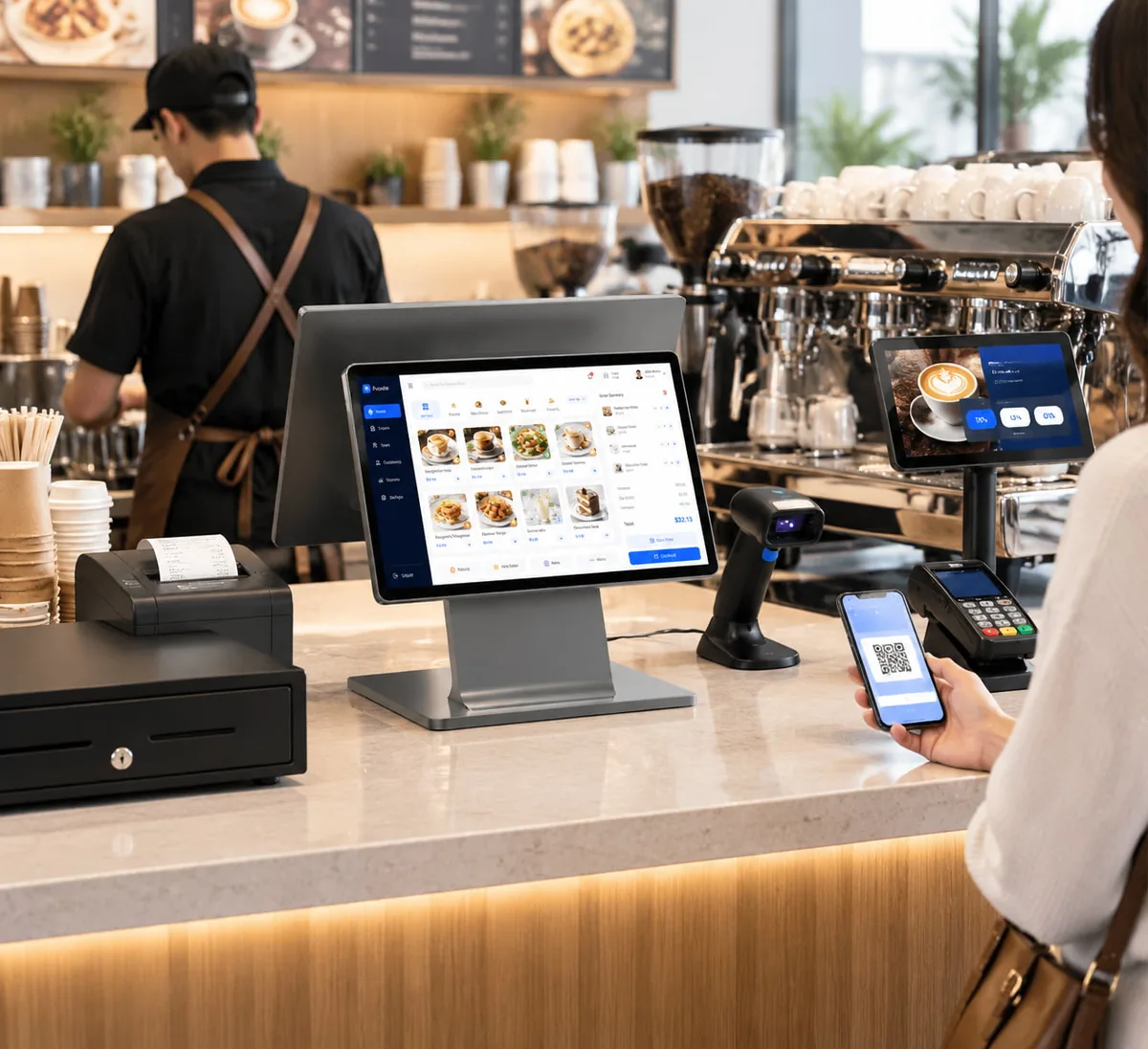
What Changes in a Café Till System
In high-turnover espresso bars, transactions clear in under 15 seconds. Milk alternatives, shot depths, and syrup modifiers require an uncluttered touch surface. Fast wireless barcode scanners scan member mobile apps, while customer-facing touch screens display rapid tipping options.
10. Recommended Restaurant Till Hardware Kits
Pre-tested, commercially balanced hardware bundles engineered to work out of the box with your chosen EPOS restaurant software.
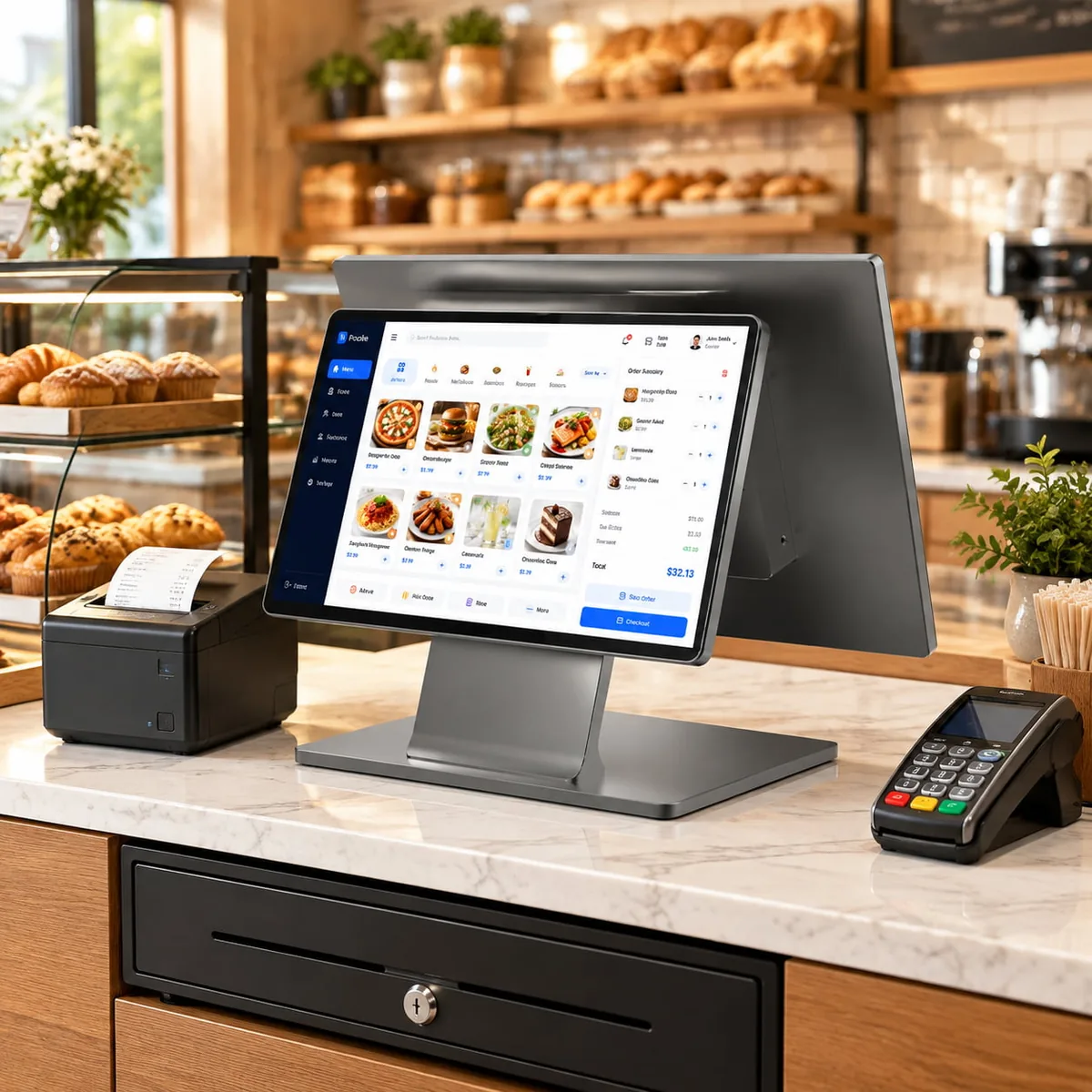
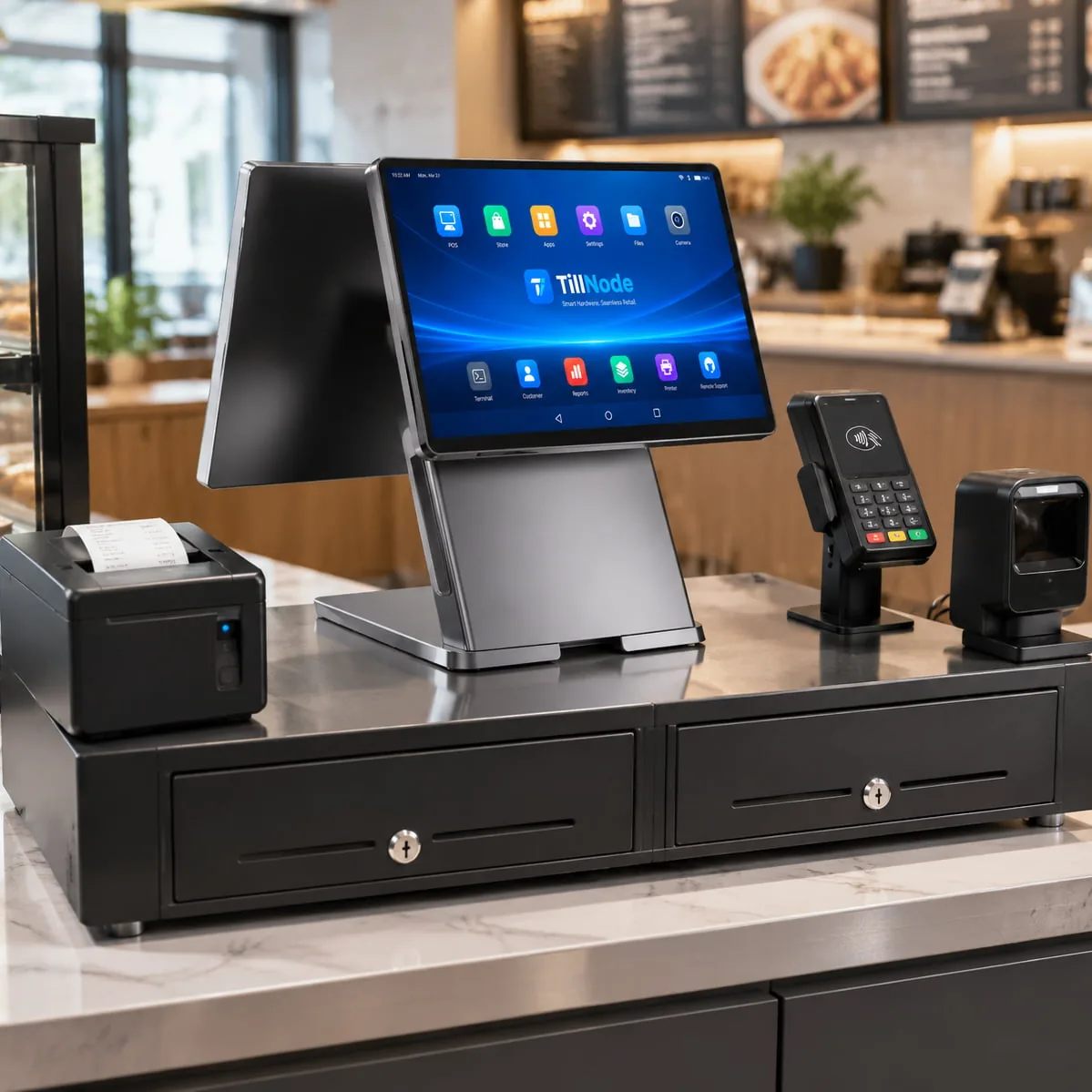
Counter Till Kit
Fast Casual, QSR, Bakeries
- ✓ 15.6" All-In-One Terminal
- ✓ Heavy RJ12 Cash Drawer
- ✓ 80mm High-Speed Thermal
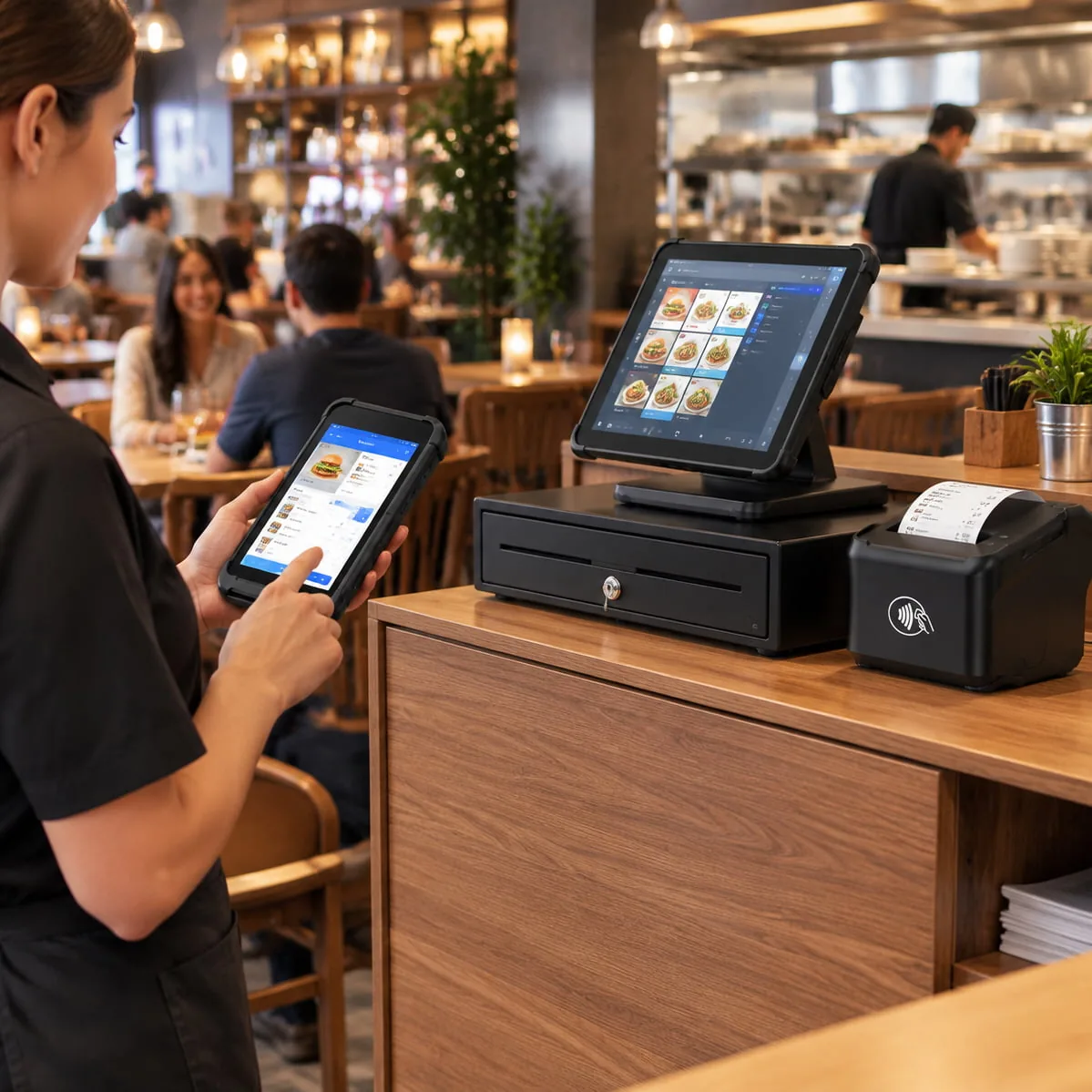
Table-Service Kit
Casual Dining, Bistro, Pubs
- ✓ Central Host Touch Terminal
- ✓ Rugged Mobile Order Handhelds
- ✓ Kitchen Impact Matrix Printer
Bar Till Kit
High-Velocity Wet Counters
- ✓ IP65 Water-Resistant Screen
- ✓ Dallas Key / RFID Magnetic Reader
- ✓ Dual Lockable Under-Drawers
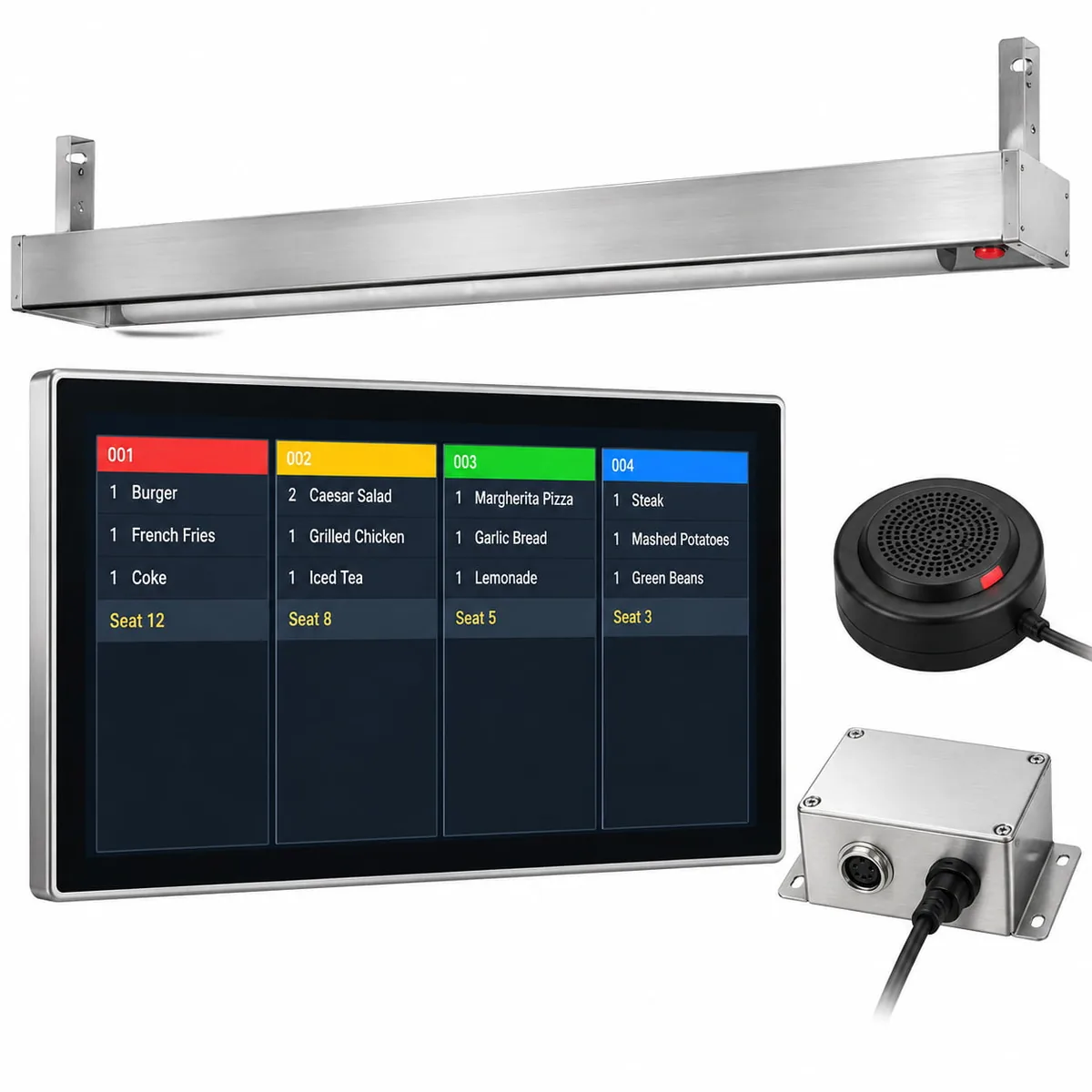
Kitchen Display Kit
Commercial Kitchen Pass Lines
- ✓ Fanless 21.5" Stainless KDS
- ✓ Heat/Oil Sealed Bump Bar
- ✓ Audible Alarm Order Buzzer
11. The Hardware Layer Works with the EPOS Till Software You Already Use
TillNode hardware does not trap you inside proprietary software silos. Our architecture functions as an open standard platform supporting leading hospitality EPOS solutions.
Hardware Abstraction Layer for Restaurant EPOS
EPOS Till System: What the Term Covers
In the UK, Australia, and European territories, the term EPOS till system describes hospitality management software running on ruggedized commercial touch terminals. Whether operating an epos touch screen till system or deploying multi-terminal estate software, driver-level hardware compatibility ensures reliable execution. The system-level difference between EPOS and POS, and why an American buyer means something narrower, is set out in how EPOS and POS differ.
EPOS Till Manual and First Setup
Setting up commercial till equipment requires clean port assignments. Our comprehensive setup documentation details step-by-step COM emulation, OPOS driver configuration, and static IP kitchen routing so technicians get systems online within minutes.
Software Layer: Printers, Drawers, and Drivers
Peripherals connect via standard ESC/POS commands, OPOS, and JPOS drivers. Cash drawers trigger through standard 12V drawer pulses, while customer displays format via universal Virtual COM USB endpoints.
Cloud or Local: What the Hardware Must Support
Modern cloud EPOS systems require local hardware spoolers. In the event of a broadband dropout, TillNode terminals execute local transaction caching, driving LAN printers over fallback network switches without missing a single order.
12. Restaurant Till Projects Are Piloted During a Real Service
Hospitality technology should never be rolled out across fifty venues based on a lab demonstration. Real environments expose cabling weaknesses and touch sensitivity issues immediately.
One Service, One Counter, One Printer
We advocate deploying pilot kits into the most demanding station in your busiest store during a live Friday dinner rush. If the touch responsiveness, drawer kick, and thermal cutter hold up during that window, the platform will succeed across your broader estate.
What a Rollout Looks Like Across Sites
Enterprise multi-site rollouts demand staged deployment images, BIOS pre-configuration, custom customer logo printing, and bulk palletization labeled by individual store destination to simplify franchise onboarding.
13. Why Restaurant Till Projects Are Built with TillNode
TillNode provides direct manufacturer stability for EPOS software houses, retail chains, and hospitality procurement divisions.
OEM and ODM Hardware Programs
Customize chassis plastics, silk-screen brand logos, tailor internal I/O port configurations, and lock down OS builds specifically for your restaurant software requirements.
Learn About OEM Programs →Certification and Compliance
Global electrical and environmental compliance ready for international expansion: CE, FCC Class A, RoHS, and food-service front bezel IP54/IP65 ratings.
Multi-Site Deployment Support
Benefit from multi-year component lifecycle guarantees. When expanding three years from now, you will receive the exact same chassis form factor and motherboard revision.
Speak to Our Solutions Team →14. Restaurant Till Systems FAQ
Direct answers to common technical, procurement, and daily operational questions.
Does a cash register do the math for you?
Traditional electronic cash registers sum item totals and add sales taxes, but older basic models do not automatically calculate complex split payments, item modifiers, or tip calculations. Modern restaurant till systems handle complete transactional math, including automatic change calculation, split bills by seat, happy hour discounting, and tip percentage distribution.
Do cash registers calculate change for you?
Yes, provided the cashier inputs the amount of cash tendered by the customer. Modern restaurant till systems immediately display the exact change due on both the operator screen and customer-facing display. The cashier remains responsible for selecting and counting out the physical coin and bill denominations.
What is a restaurant till system?
A restaurant till system is a specialized commercial hardware and software platform that manages food service operations. Unlike basic retail cash registers, a restaurant till coordinates table layouts, order modifications, kitchen ticket printing (via thermal printers or kitchen display systems), mobile payments, and end-of-shift drawer reconciliation.
What hardware does a restaurant till system need?
A complete restaurant till system comprises six essential hardware nodes: a commercial all-in-one touch terminal, a heavy-duty RJ12 cash drawer with removable insert, high-speed receipt and kitchen impact printers, a kitchen display system (KDS), handheld ordering tablets, and a PCI-compliant card reader.
Can a retail cash till be used in a restaurant?
Yes, physically. The underlying cash drawers, touch terminals, and receipt printers share common industrial interfaces like RJ12 and ESC/POS. However, the software layer must be changed to support table management, split checks, and kitchen ticket dispatch rather than barcode scanning.
How much does a restaurant till system cost?
Commercial restaurant till hardware costs vary based on deployment scale. A basic counter station (terminal, printer, drawer) typically ranges from $600 to $1,200 depending on processor specifications, while full-service configurations with kitchen displays, mobile handhelds, and multi-drawer setups range from $2,000 to $5,000+ per site.
Why is a cash register called a till?
The word “till” originates from the Middle English tille and Old English tyllan, historically describing a small drawer or compartment used for storing currency and valuables within a larger desk. While American English adopted “cash register” following James Ritty's 1879 mechanical invention, British and Commonwealth English retained “till” to describe the entire counter station.
How much change should the float hold?
Standard restaurant cash drawer floats typically range between $150 and $200 for full-service dining, $100 for small card-dominant cafés, and $300 to $400 for high-volume cash bars. The float must supply sufficient small denominations ($1, $5 bills and quarters) to make change during peak trade without requiring emergency safe drops.
Engineer Your Restaurant Till Infrastructure with TillNode
Whether deploying ten locations or rolling out thousands of franchise sites, partner directly with a commercial hardware manufacturer built for hospitality reliability.