A credit card reader is the device that takes the card out of the customer's hand and turns it into an authorized payment. It reads the credentials stored on a magnetic stripe, an EMV chip, or an NFC antenna, encrypts them, and passes them to a payment processor for approval. The reader does not approve the payment itself — it captures and transmits. Everything else in a card payment, from the authorization to the settlement into your bank account, happens behind it.
This guide explains what a credit card reader is, how one processes a payment in five steps, the three card technologies every reader supports, the four form factors readers come in, and where the phone-based readers that dominate small-business marketing fit. It closes with the security essentials every merchant should know and the shortest path to choosing hardware.
What Is a Credit Card Reader?
A credit card reader is an electronic device that reads the payment credentials stored on a credit or debit card and transmits them, encrypted, to a payment processor for authorization. Depending on the region it is also called a card machine, credit card machine, payment terminal, PDQ machine, credit card scanner, or POS terminal — these names refer to the same family of devices, and in practice the terms are interchangeable. What a buyer actually needs to pin down is which layer of the checkout a given quote covers, because that is where the prices and the contracts differ. A credit card reader is an electronic device that reads the payment credentials stored on a credit or debit card and transmits them, encrypted, to a payment processor for authorization. Depending on the region it is also called a card machine, payment terminal, PDQ machine, or POS terminal — these names all refer to the same family of devices, and in practice the terms are interchangeable.
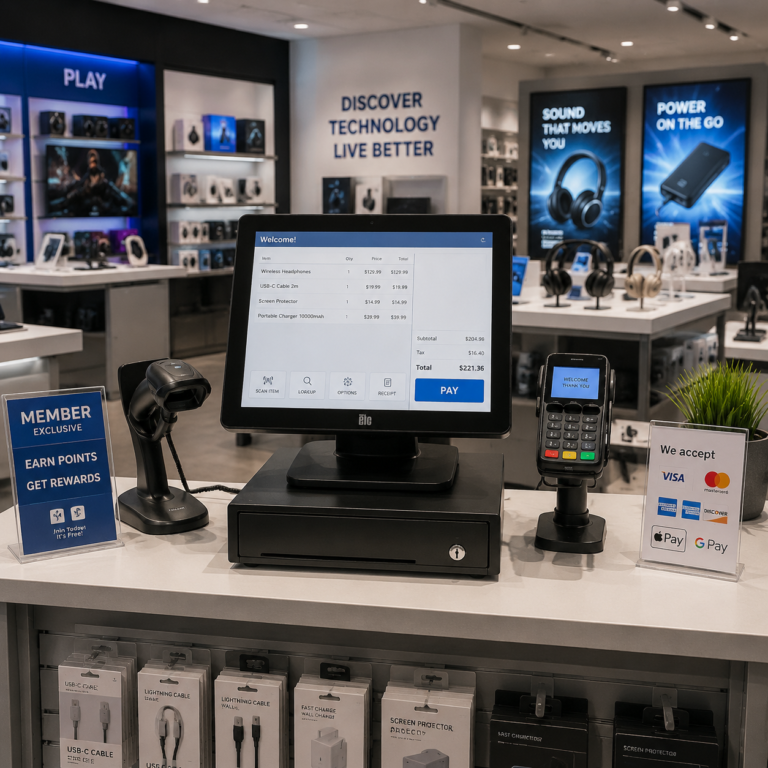
One distinction worth making before anything else: a credit card reader and a POS system are not the same thing. One distinction worth making before anything else: a card reader and a POS system are not the same thing. The reader is the payment-capture component. It reads the card and talks to the processor. The POS is the broader system that manages items, inventory, receipts, staff, and reporting — the reader plugs into it, literally and operationally. Some readers are built into terminals that do both; some are small add-ons that lean entirely on a phone or tablet for everything except the card read. That spectrum is covered in the form factor section below.
And to answer a common question directly: there is no difference between a debit card reader and a credit card reader. And to answer a common question directly: there is no difference between a debit card reader and a credit card reader. The same hardware reads both card types; the difference is in where the funds come from — a checking account versus a credit line — which is decided after the read, by the card networks and issuing banks, not by the reader.
So the short answer to "what is a card reader": it is the certified piece of hardware that takes card data out of the air, the stripe, or the chip, encrypts it, and hands it to software that can act on it. Everything else in a card payment happens around it. How the reader relates to the rest of the checkout — and why the same device is sold under four different names — is the first thing to get straight.
Reader vs. Terminal vs. Machine vs. Scanner: Which Word Means What
Search any of these four words and you will land on roughly the same object — but datasheets, quotes, and contracts use them precisely, and the difference decides what actually arrives:
| Term | What it covers | Where you will see it |
|---|---|---|
| Reader | The capture device only: the antenna, slot, or chip contact that reads card data and passes it on. No screen, no software, no approval logic. | Component listings and module datasheets; the smallest unit of any purchase |
| Terminal | A reader plus a screen, keypad, and often its own software, printer, and network connection. | Procurement specifications; what a payment processor ships to a merchant |
| Machine | The everyday word for a countertop terminal in daily use. Same object as the terminal, different conversation. | Buyer searches and shop-floor conversation; most "machine" queries are countertop intents |
| Scanner | Loosely, any device that reads a card — but in retail hardware the same word also means barcode scanners, which have nothing to do with payment. | Ambiguous usage; confirm which device is meant before comparing prices |
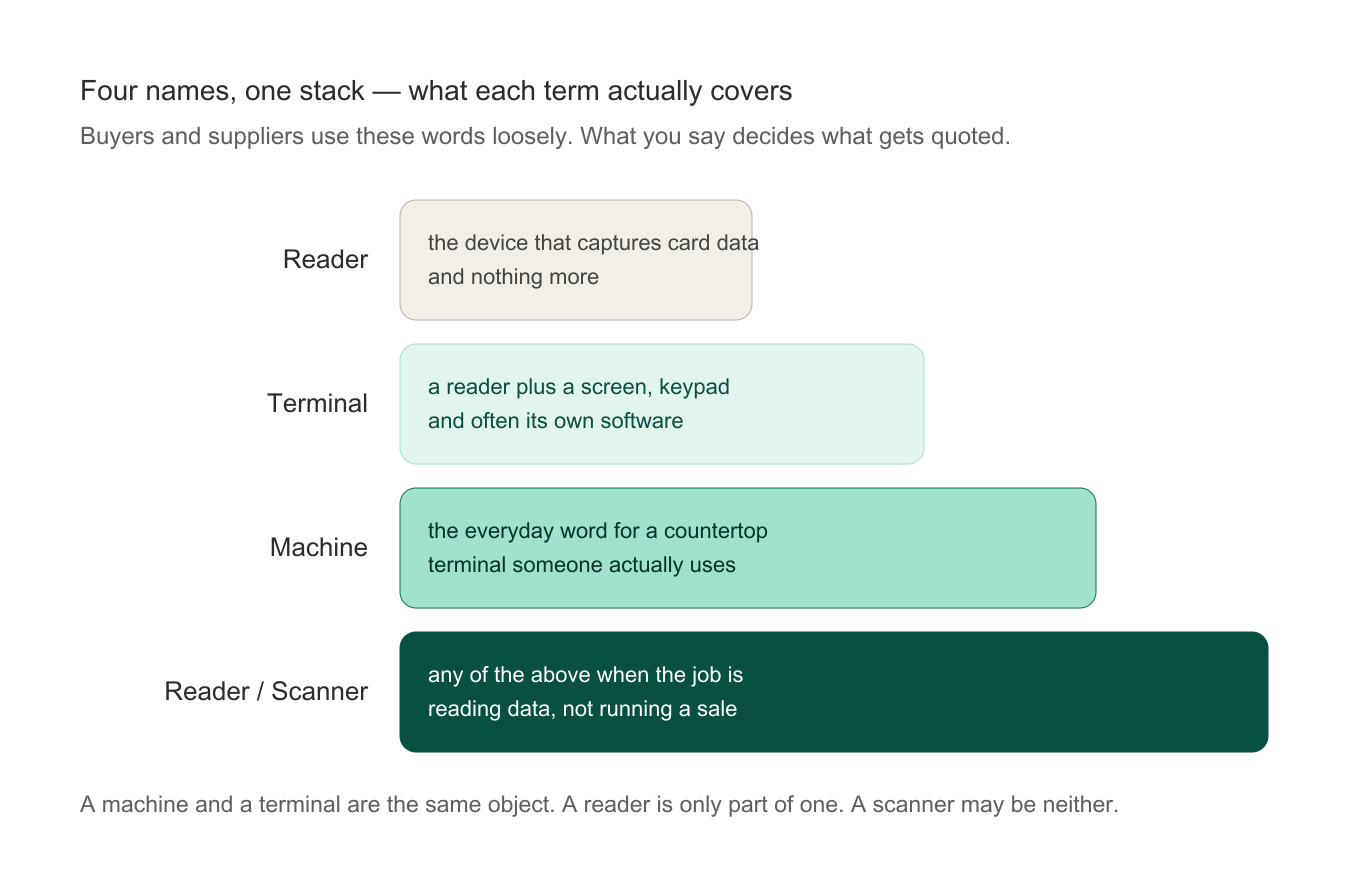
The practical rule when you request quotes: describe the job, not the word. "Send me a credit card terminal quote" gets you a price list. "Here is my counter, my transaction volume, my software, and my markets" gets you a configuration that fits — and it makes the quotes you receive comparable. A reader that is part of a complete checkout is one component of a full POS system; the reader alone never runs the sale. The same naming overlap shows up in everyday phrasings — a credit card processing machine, a credit card reading machine, and a card reader machine all describe the capture hardware, and which body it comes in is a separate question, covered further down.
How a Credit Card Reader Works: The Payment in Five Steps
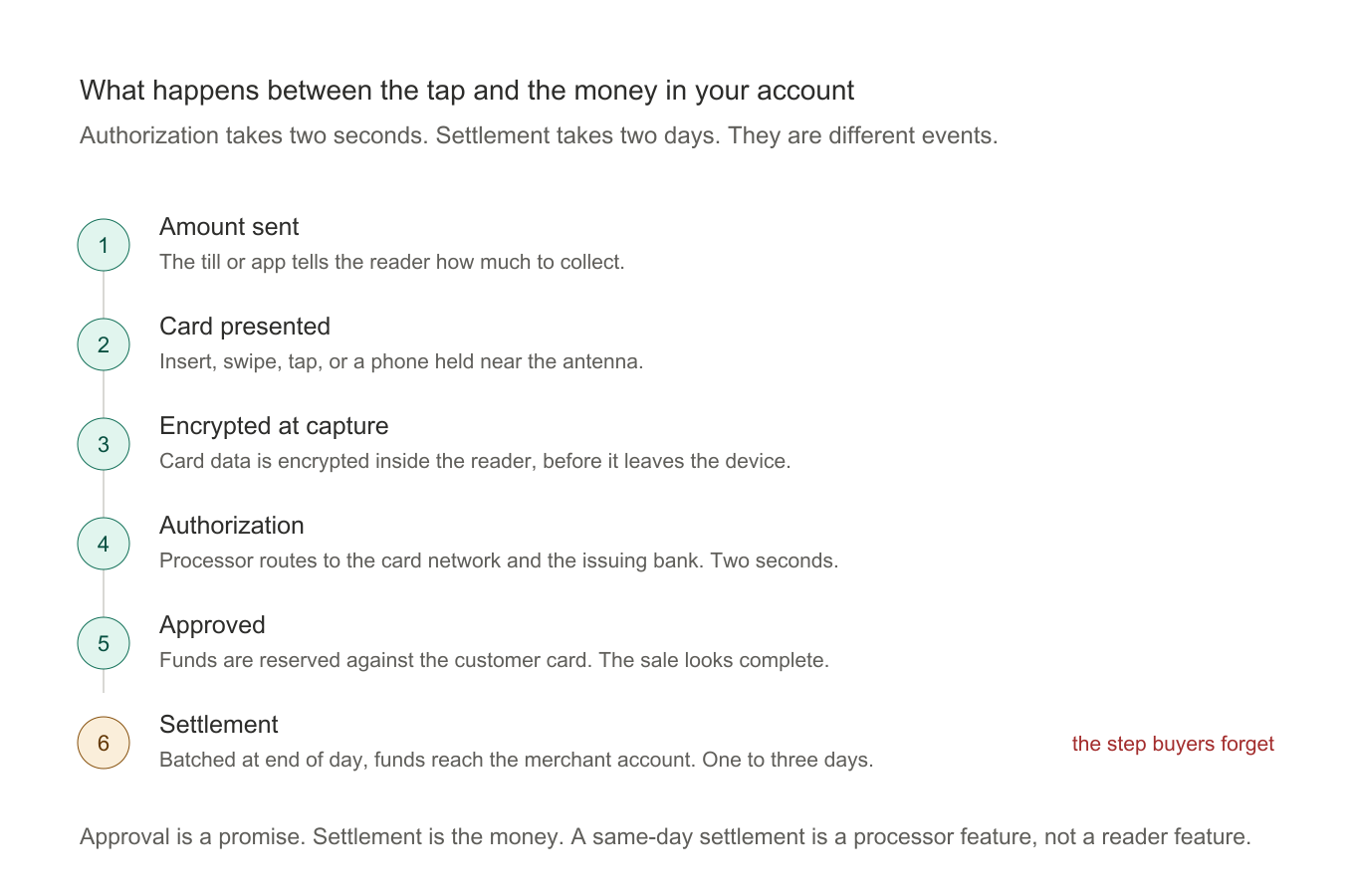
Every card reader machine, on any reader generation, follows the same sequence. It usually completes in a few seconds: Every card payment, on any reader, follows the same sequence. It usually completes in a few seconds:
- The amount is initiated. The merchant or the POS software sends the transaction amount to the reader — by integration from the till, or keyed in on the reader's own keypad.
- The card is presented. The customer inserts, swipes, or taps, or holds a phone near the reader. Each method reads different credentials — the details are in the next section.
- The credentials are encrypted and transmitted. The reader encrypts the card data at the point of capture and sends it over Wi-Fi, Ethernet, or a cellular connection to the payment processor.
- The payment is authorized. The processor routes the request through the card network to the bank that issued the card. The bank checks funds, validity, and fraud rules, and returns an approval or decline — typically in under two seconds.
- The result is confirmed and settled. The reader shows approval, prints or sends a receipt, and the sale is complete. The actual funds reach the merchant account later — usually one to three business days.
The step merchants most often overlook is the last one: authorization and settlement are not the same event. An approved transaction means the issuing bank has reserved the funds; settlement is when those funds actually move. Same-day settlement exists but is a processor feature, not a reader feature.
The Three Ways a Reader Reads a Card: Magstripe, EMV Chip, and Contactless NFC
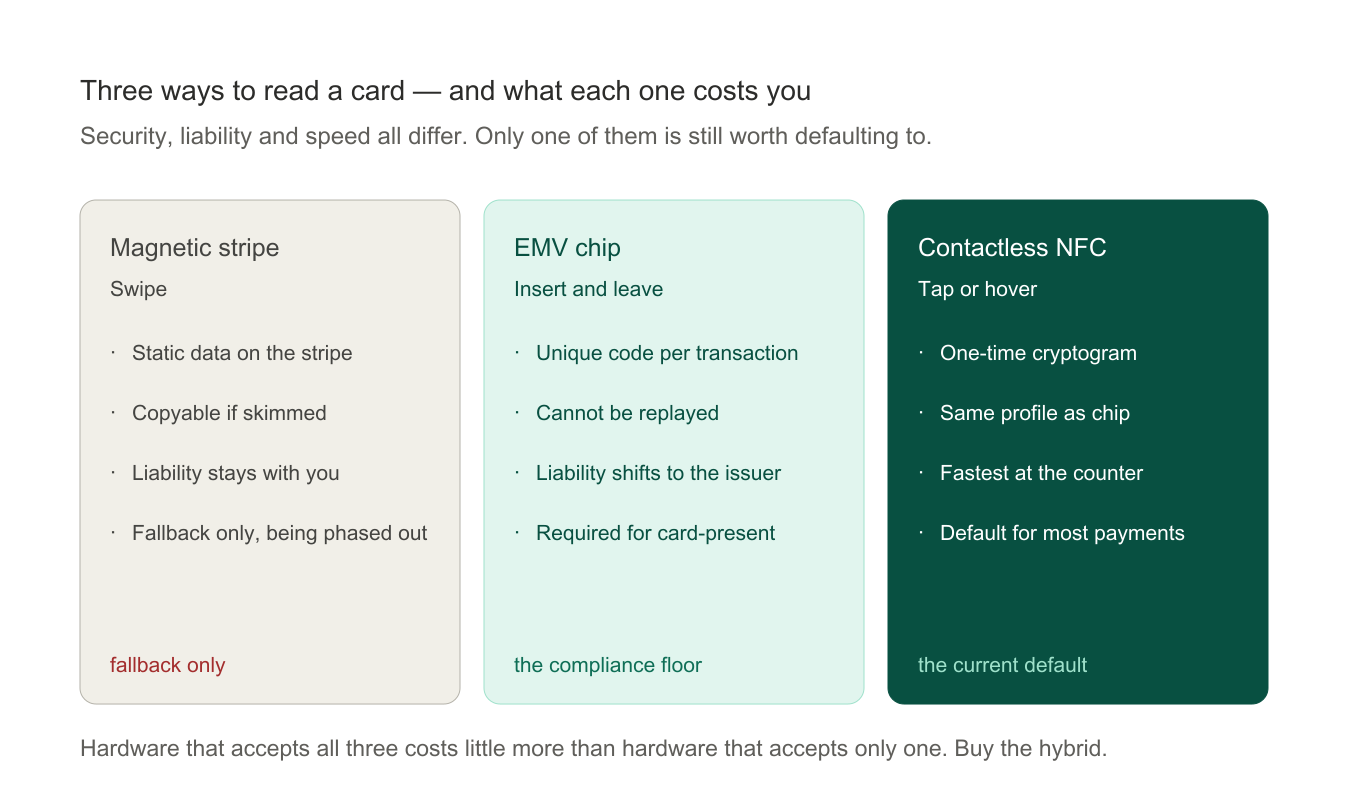
Credit cards have carried three successive credential technologies, and a modern commercial contactless credit card reader supports all three. Credit cards have carried three successive credential technologies, and a modern commercial reader supports all three. Knowing what each one does explains most of the security and speed differences between readers.
- Magnetic stripe. The black band on the back of the card stores the card number and holder data as static magnetic patterns, read by swiping. It is fast and cheap, but the data never changes — which is why stripes are trivially skimmable. Magstripe is now a fallback for damaged or older cards and is being phased out in most markets.
- EMV chip. The metallic chip is a small computer. When the card is inserted, the chip generates a unique cryptographic code for that one transaction — a code that cannot be reused. This is what made counterfeit-card fraud dramatically harder, and why chip transactions take a few seconds longer than a tap. EMV is also tied to the liability shift: in most markets, a merchant whose terminal does not support chip accepts fraud liability that the network would otherwise absorb.
- Contactless NFC. A contactless reader generates a short-range radio field. When a card, phone, or wearable enters it, the chip powers up and transmits tokenized credentials — nothing in the clear. Contactless covers both tap-to-pay cards and the mobile wallets (Apple Pay, Google Pay, Samsung Pay) that store tokenized cards on phones. It is the fastest of the three methods and the one customers now expect first.
| Technology | How the card is read | Security model | Status today |
|---|---|---|---|
| Magstripe | Swipe | Static data — skim-riskable | Fallback only, phasing out |
| EMV chip | Insert (dip) | Unique code per transaction | Required for liability protection |
| Contactless NFC | Tap or hover (<4 cm) | Tokenized, one-time cryptograms | Default method for most payments |
The practical rule for any business buying a credit card processing machine today: it must support EMV and NFC. The practical rule for any business buying a reader today: it must support EMV and NFC. Magstripe comes along regardless. A reader missing either of the first two is a liability and a checkout delay at the same time — chip-card holders on NFC-only hardware end up inserting, and wallet users walk away.
The Four Reader Form Factors: Countertop, Portable, Mobile, and Unattended
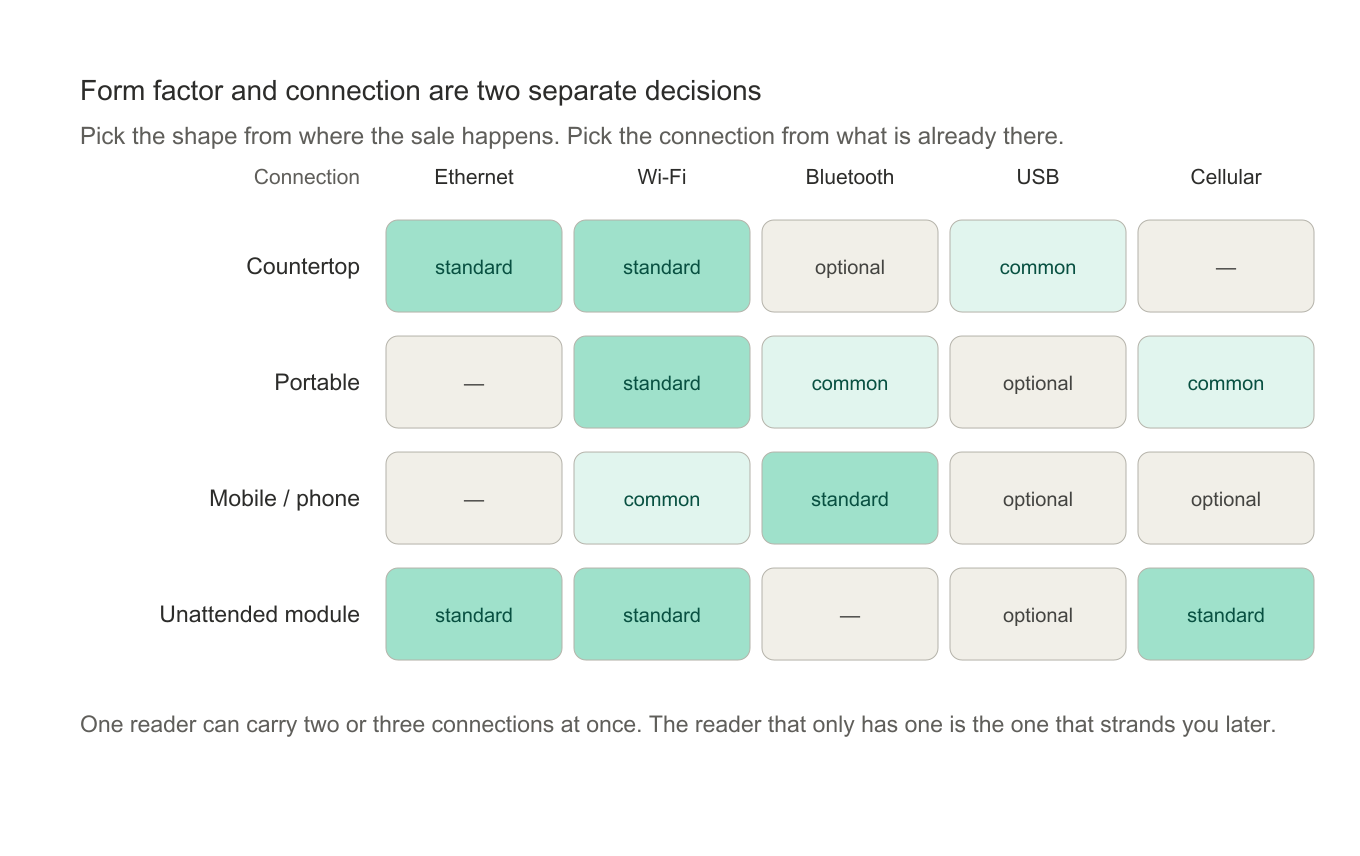
Beyond how a reader reads a card, the other axis is the body it comes in. Four form factors cover commercial use:
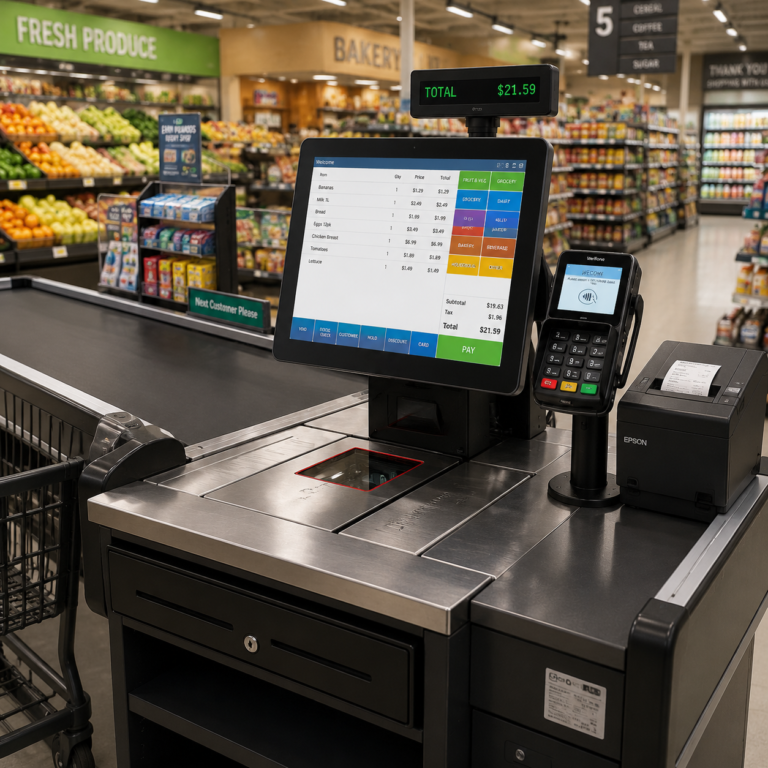
- Countertop terminals sit at a fixed checkout, connected by Ethernet or Wi-Fi, powered from the wall. They are the retail default: fast, reliable, and often paired with a receipt printer. Best for high-volume fixed points like retail counters and supermarket lanes.
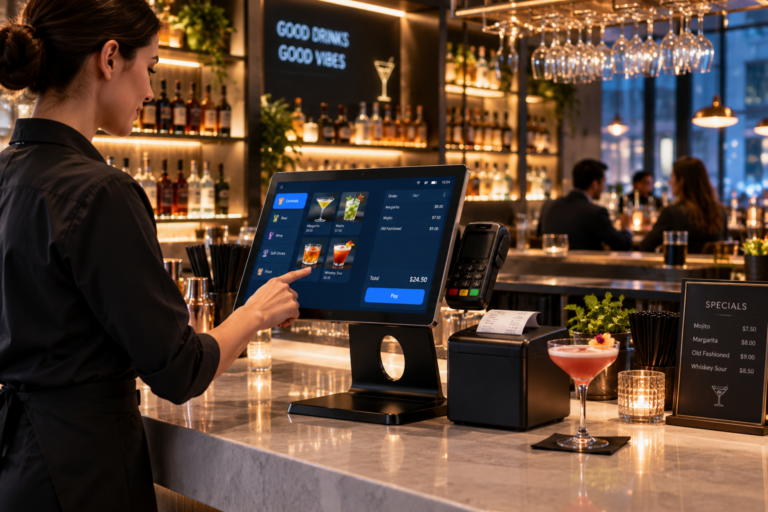
- Portable readers are battery-powered and connect by Bluetooth or Wi-Fi to a base station, with a range covering the premises. They are the hospitality standard — the reader is brought to the customer's table, not the other way around. See TillNode mobile POS terminals for the handheld class.
- Mobile (phone-based) readers pair with a smartphone or tablet app rather than a base station. This is the "phone credit card reader" category — a small reader that turns a phone into a terminal — and it has its own section below.
- Unattended modules are card readers embedded into self-service hardware: vending machines, payment kiosks, transit gates, and fuel pumps. These are specified at the OEM level and are built for no-staff operation — tamper-resistant housings, watchdog monitoring, and remote key management.
| Form factor | Power | Connection | Best for |
|---|---|---|---|
| Countertop | Mains | Ethernet / Wi-Fi | Retail counters, fixed lanes |
| Portable | Battery | Bluetooth / Wi-Fi to base | Restaurants, table service |
| Mobile / phone | Battery | Bluetooth to phone app | Mobile vendors, small merchants |
| Unattended module | Device power | Embedded / cellular | Kiosks, vending, transit |
Most real deployments mix more than one: a restaurant runs a countertop terminal at the bar, portables on the floor, and a phone reader in the delivery bag.
How a Card Reader Connects: USB, Ethernet, Wi-Fi, Bluetooth, and Cellular
A reader is only as useful as the connection it rides on. The five you will actually meet:
- USB — wired and powered by the host. The default for reader modules built into POS terminals and kiosks: no battery, no pairing, no drift.
- Ethernet — the most stable connection a countertop reader can have. Fixed lanes with cabling already in place should use it first.
- Wi-Fi — flexible placement without new cabling, but it shares bandwidth with everything else on the network. Fine for most counters; test it during peak hours, not on a quiet Tuesday morning.
- Bluetooth — how portable readers pair to a base station or a phone. Range is meters, not rooms; battery life is the real constraint.
- Cellular — what makes a mobile reader truly mobile, and what adds a SIM and a data plan to own. Unattended deployments use it where no other option exists.
Two connection questions to settle before the purchase, not after: what happens when the network drops, and what the reader does when power goes with it. A reader with an offline queue keeps accepting chip transactions during an outage and syncs them on reconnect; a reader without one turns every outage into a line of customers. On power, countertop readers run on mains while portable and mobile readers run on batteries — compare them in transactions per charge, not hours, because that is how a shift is actually measured.
Connection also decides what the reader can attach to. Printers, scanners, and cash drawers hang off the terminal around the reader, not off the reader itself — which is why the POS peripherals a terminal supports matter as much as the reader inside it. If the reader is one piece of a larger checkout build-out, the hardware around it is covered in what a complete POS system includes.
Phone Credit Card Readers: What They Are and When They Are Enough
A phone credit card reader is a small mobile card reader that pairs with a smartphone or tablet instead of a dedicated terminal. A phone credit card reader is a small reader that pairs with a smartphone or tablet instead of a dedicated terminal. The phone provides the app, the amount entry, and the network; the reader provides the certified card-reading hardware. Three connection generations exist:
- Audio-jack readers plugged into the 3.5mm headphone port and transmitted card data as audio signals. They were the first mPOS hardware and are now effectively legacy — modern phones dropped the jack, and the security model is obsolete.
- Lightning and USB-C readers plug into the charging port and draw power from the phone. Compact and simple, with the same certified security as bigger readers.
- Bluetooth readers pair wirelessly, run on their own batteries, and are the current standard for phone-based acceptance. They support chip, swipe, and contactless in one device, and some models add a keypad for PIN entry — which matters, because a reader without a keypad limits card-present options in many regions.
A newer option is software-only tap to pay: recent iPhones and Android phones can accept contactless payments with no reader at all, using the phone's own NFC chip. It is genuinely free of hardware cost and fine for a sole trader taking occasional payments — but it is contactless-only, it depends entirely on the consumer phone, and it is not a deployment platform.
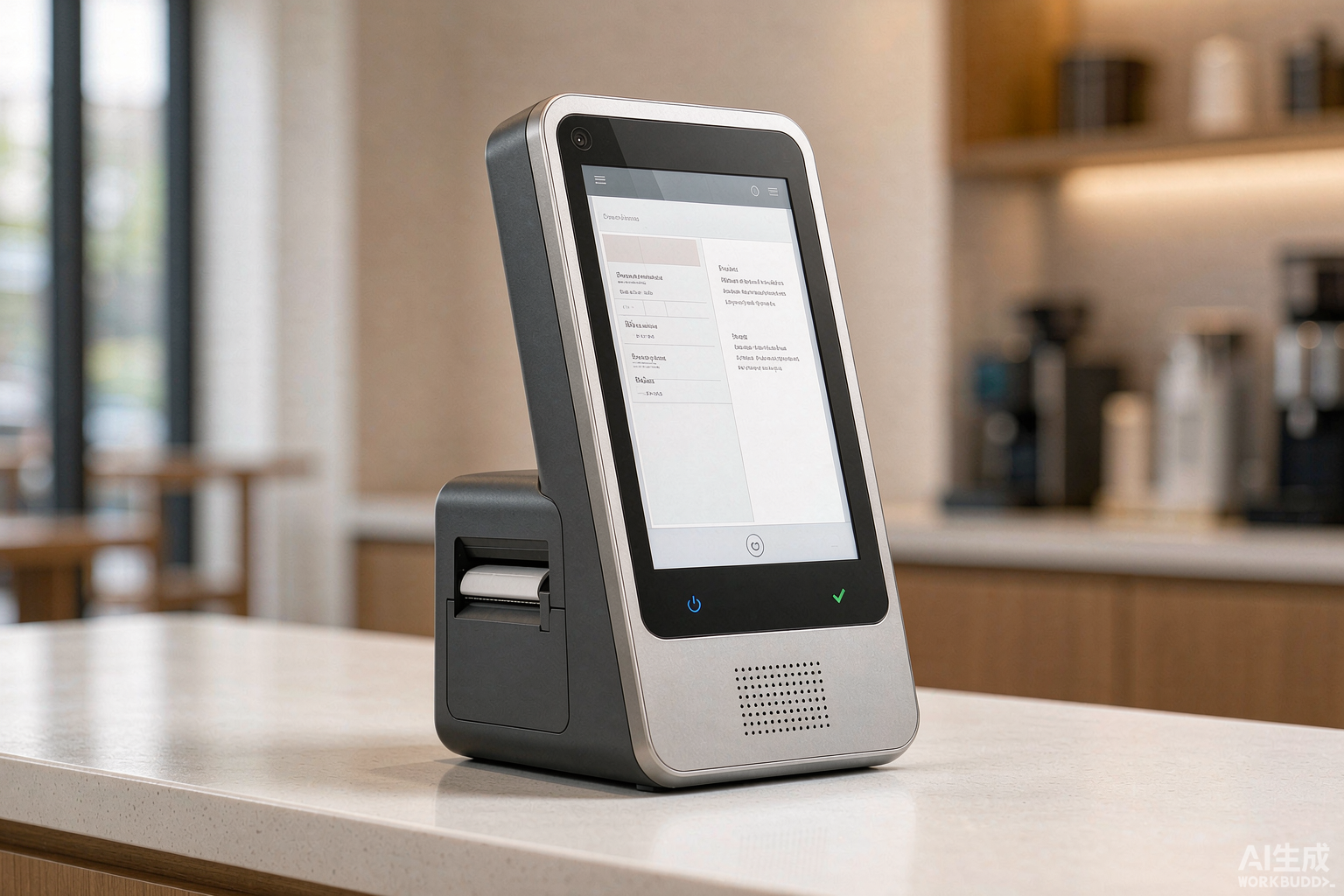
When is a phone reader enough? The honest answer: when volume is low and mobility is the point — market stalls, pop-ups, tradespeople, delivery. When volume grows, the limits appear quickly: no printer, slow receipt flow, one transaction per phone, and no integration with inventory. The dividing line is usually somewhere around a few dozen card transactions a day. Beyond that, a dedicated portable terminal or an integrated smart POS — like the handheld smart terminals that combine reader, screen, printer, and app in one device — pays for itself in queue speed alone.
Platform details change the phone-reader decision more than reader hardware does. On Android, the reader is usually a Bluetooth or USB-C module and the app does the rest; because pairing lives in the app rather than the hardware, one reader can serve several phones, which is why credit card readers for Android fill most catalogs. On iOS the field narrows to Bluetooth readers and dock connectors — and some phones can now accept contactless payments with no reader at all, using their own NFC antenna, at the cost of leaving chip cards nowhere to go. A rugged Android handheld with the reader and printer built in, like the units in our handheld smart POS terminals, collapses reader, phone, and receipt printing into one pocket-sized device.
The limits stay the same on any phone: battery, a screen the size of your hand, and a checkout flow that assumes a customer stands there and waits. A phone reader that is perfect at a market stall can be the slowest lane in a store during a Saturday rush.
From Imprinters to Tap to Pay: How Credit Card Readers Evolved
The credit card reading machine on your counter is the endpoint of seventy years of development, and the history explains a lot about the present: The card reader on your counter is the endpoint of seventy years of development, and the history explains a lot about the present:
- The imprinter era (1950s–1980s). The first "card reader" was a mechanical imprinter — the zip-zap machine — that pressed the embossed card number onto carbon-paper slips. Transactions above a floor limit required voice authorization by telephone. The carbon slip was the only record.
- The dial-up era (1980s–2000s). The first electronic terminals — the original "telephone credit card reader" — dialed the payment processor over a standard landline for each transaction. Each payment was a phone call: transaction data out, authorization back, line disconnects. It was slow, but it replaced carbon slips and voice calls, and it made electronic card acceptance mainstream.
- IP and cellular (2000s–2010s). Broadband and mobile data replaced the phone call with an always-on connection, cutting authorization from many seconds to under two. Cellular connectivity freed readers from the counter entirely.
- Contactless and mPOS (2010s). NFC tap-to-pay landed on cards and phones, and phone-paired readers turned card acceptance into a commodity a sole trader could set up in minutes.
- Tap-to-pay on phone (2020s). Consumer phones gained the ability to accept contactless payments natively, removing even the reader for low-volume sellers.
Dial-up readers are still encountered in niche low-volume locations, but processors have largely phased them out — modern security, contactless, and settlement requirements all assume a data connection. If you inherit one, treat it as a sign the payment setup is due for replacement, not repair.
Card Reader Security in Plain Terms: EMV, Tokenization, and PCI
Card readers handle the most sensitive data a business touches, and three layers of security do most of the work:
- EMV chip cryptography makes each transaction's data unique, so intercepted data cannot be replayed. This is the technology that earns liability protection for the merchant.
- Tokenization replaces card numbers with meaningless tokens — used by every mobile wallet and increasingly by the networks themselves. A stolen token is worthless outside that transaction chain.
- Certification standards — PCI PTS for the reader hardware, PCI DSS for the payment environment — are the compliance layer that processors, banks, and acquirers all demand. What each certification covers, and what to demand from a vendor before buying, is the subject of our POS certification guide.
The merchant's own responsibilities are modest but real: keep the reader firmware updated, run it on a network you control rather than public Wi-Fi, and do not bypass the reader's security prompts. The hardware handles the rest — if it is certified hardware from a vendor that publishes its certifications.
Buying Card Readers in Volume: What Changes at 100, 500, and 5,000 Units
Everything above describes buying one reader. Volume changes the conversation — and not only the price:
- Around 100 units — catalog models with your logo on the boot screen and the packaging. Lead time is the catalog lead time plus print.
- Around 500 units — firmware pre-configured to your software image, documentation and power adapters matched to each destination market, and a defined burn-in before shipment.
- 5,000 units and up — custom enclosures and tooling, certification transferred to your brand, a scheduled spare-parts ratio, and a pilot build before the production run.
Two volume-specific checks matter more than unit price. First, lock the software image before tooling starts — a late change costs a tooling cycle, which is the most expensive kind of delay. Second, test on your real stack — your processors, your networks, your POS application — before the order lands, not after; a structured approach is in our guide to testing POS hardware before bulk orders. For partners reselling hardware under their own brand, the distributor program and the wider OEM/ODM customization track cover branding, certification transfer, and territory terms.
Card Reader Setups by Setting: Retail Counter, Restaurant, Delivery, and Unattended
The same reader technology lands differently depending on where the sale happens:
- Retail counter — countertop terminals on Ethernet, one per staffed lane, peripherals wired in. The reader is rarely the bottleneck; lane throughput is the metric. Convenience stores run the tightest version of this — see the c-store hardware guide for the counter-specific trade-offs. see the c-store hardware guide for the counter-specific trade-offs.
- Restaurant — portable readers on the floor plus a countertop at the bar; battery swaps get scheduled like shifts. QSR lines lean on kiosks instead, and the reader disappears into the ordering flow.
- Delivery and field — mobile readers paired to phones, or rugged handhelds with the reader and printer built in. Cellular is the connection, and the battery rating that matters is in transactions, not hours.
- Unattended — readers embedded into kiosks, vending machines, and chargers. Uptime, remote monitoring, and enclosure security replace counter ergonomics as the deciding specs; the hardware side is covered under payment kiosk machines.
Match the setting to the form factor first and the connection second — the matrix earlier in this guide covers the combinations that hold up in each.
What a Credit Card Reader Costs: The Hardware and the Rate Are Two Budgets
Reader pricing is quoted in two currencies that should never be added together carelessly. The hardware is a one-off: the reader module and casing, certification for the markets you sell into, tooling if the enclosure is custom, and usually a spare-parts kit at volume. The rate is forever: a percentage of every sale, a fixed fee per transaction that hurts small baskets most, a gateway fee that arrives whether you sell or not, and a chargeback fee per dispute.
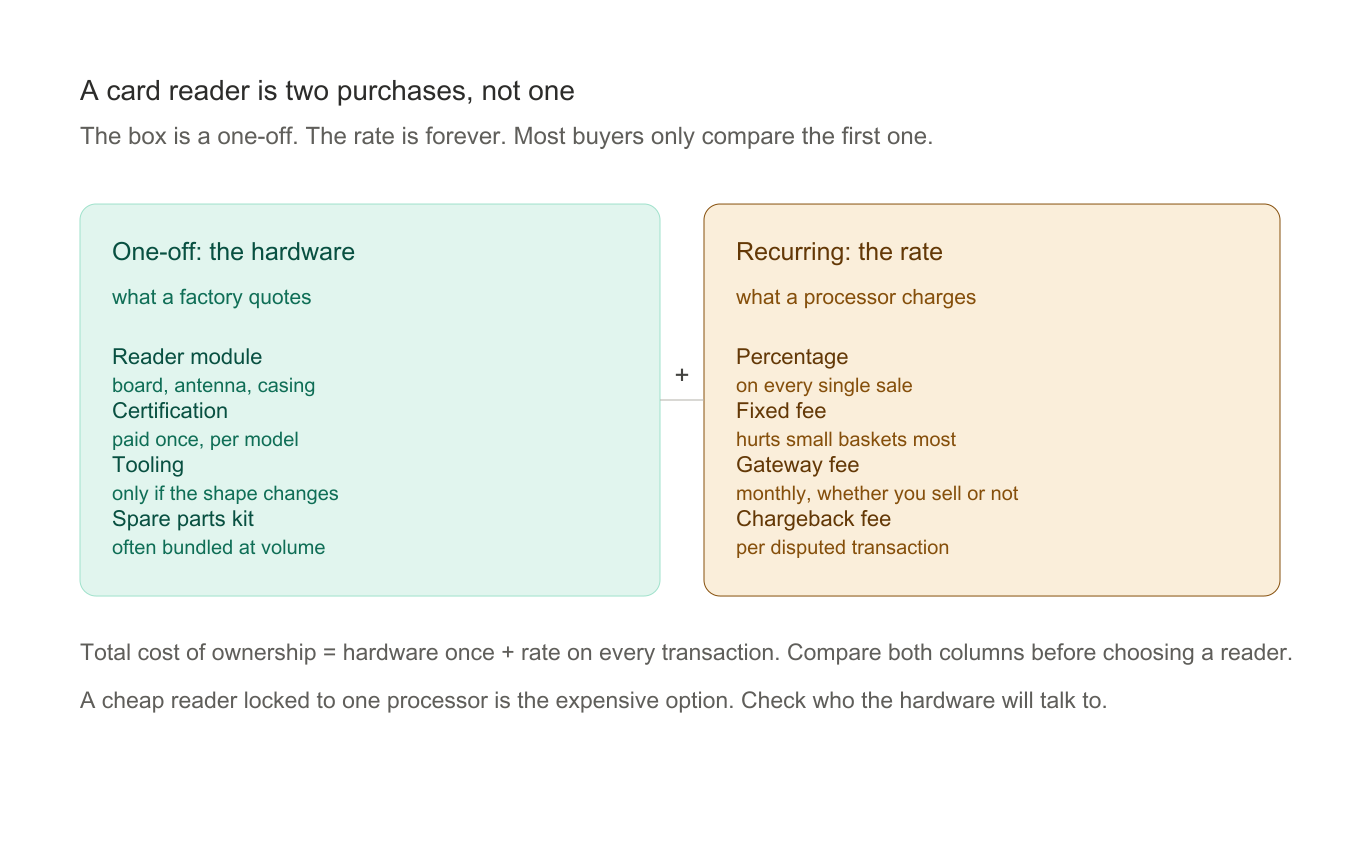
The way to compare offers honestly: add up the hardware once, then model the rate over twelve months of your real transaction mix — your actual average basket and volume, not a best case. A reader that looks expensive at the counter can be the cheaper one by month three if it connects to the processor with the lower rate. And a cheap reader locked to one processor's rate card is usually the most expensive thing in the drawer, because the hardware will not talk to anyone else. Hardware pricing alone is noisy since configuration moves it — the POS payment hardware buying guide walks through what drives a unit price up or down.
How to Choose a Credit Card Reader: The Hardware Checklist
Choosing a Reader: The Four Fit Questions
Choosing a reader starts with four questions about the job:
- Where will payments happen? Fixed counter → countertop. Tables and floors → portable. On the road → mobile or phone reader. Inside a self-service product → an unattended module.
- What must it accept? EMV chip and NFC contactless are non-negotiable; magstripe comes along anyway. PIN entry (a keypad or on-screen pad) is required in many regions.
- What does it connect to? A POS system, a phone app, or nothing but the network. Confirm the integration before buying, not after.
- How many transactions per day? Volume separates the phone-reader tier from the dedicated-terminal tier faster than any other variable.
For the full decision map — form factor comparisons, interface options, cost structures, and a procurement checklist — see the POS payment hardware buying guide. And if payment hardware is being specified as part of a full deployment, the POS installation guide covers getting it live. Whichever form factor you land on — a portable credit card reader, a fixed countertop unit, or a model built for a specific phone — the checks below stay the same. For the full decision map — form factor comparisons, interface options, cost structures, and a procurement checklist — see the POS payment hardware buying guide. And if payment hardware is being specified as part of a full deployment, the POS installation guide covers getting it live.
Hardware Checklist: Eight Checks Before You Buy a Reader
Fit narrows the field; these eight checks decide which unit survives its first two years of use.
- Card-network certification. EMVCo approval on the read path and PCI PTS on the payment path; without them, processors may refuse the hardware outright. What each certificate covers, and what to demand from a vendor, is unpacked in our POS certification checklist.
- Read-method coverage. Chip, contactless, and magstripe in one unit. Single-method readers cost little less and accept strictly less.
- Environment rating. Splash and dust resistance for counters near sinks, patios, or workshops; a drop rating for anything that leaves the counter.
- Ports and power. Enough USB and serial capacity for the peripherals you actually run, and a power budget that does not sag at peak load.
- Firmware policy. How many years the vendor ships security updates, and whether they install over the air or by cable.
- Offline behavior. Queue depth when the network drops — and what happens to a queued transaction if power dies with it.
- Failure rate and spares. Ask for the number, not the adjective, and confirm spare parts stay available for the model's full service life.
- Volume pricing. The price ladder from one unit to a thousand, and what each step includes.
These checks are also the fastest way to compare quotes that look similar on paper: two readers with the same screen size can differ completely on firmware policy and spare-parts terms. The specs vary the same way across form factors, which the payment terminal range makes easy to see side by side.
For a buyer weighing a dedicated unit against a phone-based setup, the practical difference between a credit card terminal and a mobile card reader is where the software lives and what happens when the phone leaves the counter — the checklist above applies to both.
Best Card Reader Options for Small Business by Setting
There is no single best card reader for small business — there is a best fit per setting, and the form factor does the choosing:
- Fixed counter or shop — a countertop terminal on Ethernet. The most stable, the easiest to support, and usually the cheapest per transaction.
- Café, restaurant, or bar — portables on Bluetooth for table payment plus a countertop at the till. Compare battery life in transactions per charge, not hours.
- Market stall, pop-up, or tradesperson — a phone-paired mobile card reader; for a stall wanting one device, an Android POS terminal folds reader, phone, and printer together. Compare daily volume before choosing.
- Delivery and field service — a mobile card reader with cellular built in. The connection, not the reader, is what keeps the sale from failing.
- Self-service or unattended — an embedded module where uptime and remote monitoring replace counter ergonomics.
Run the four questions above against each row: where payments happen, what must be accepted, what it connects to, and how many transactions a day. For a fleet of unmanned locations the same logic applies to credit card machines, except that the deciding spec shifts from ergonomics to uptime and remote monitoring. The answer usually points at one row. The answer usually points at one row.
FAQ
What is a credit card reader machine?
A credit card reader machine is any device that reads card credentials and transmits them for authorization — the same thing as a card reader, payment terminal, or card machine. The names vary by region and vendor, and they are used interchangeably. What distinguishes machines from each other is not the name but the card technologies supported (magstripe, EMV, NFC), the form factor, and the interface.
Is there a difference between a debit and credit card reader?
No. The same reader hardware handles both card types. A debit card and a credit card carry the same credential technologies — chip and contactless — and are read identically. The difference is where funds come from, which is decided after the read by the issuing bank, not by the reader. Any "debit and credit card reader" listing is describing the same hardware.
What is a telephone credit card reader?
A telephone credit card reader is the dial-up terminal — the generation of card machines that processed each transaction by placing a phone call over a landline to the payment processor. They were standard from the 1980s into the 2000s. They are now legacy: most processors have phased out dial-up support, and modern contactless, security, and settlement requirements assume a data connection.
How much does a credit card reader machine cost?
Indicative B2B ranges: phone-paired readers run $25–$150; portable Bluetooth terminals $80–$300; countertop smart terminals $150–$500; and unattended OEM modules vary with integration. The hardware price is the smaller part of the cost — transaction fees and any monthly software costs determine the real total, so compare the full cost, not the sticker.
Which credit card reader for phone should I buy?
The choice is decided by the phone, not the reader. On Android the widest range exists, because pairing lives in the app rather than the hardware: a card reader for phone on Android is usually a Bluetooth or USB-C module, and a single reader can serve several phones in rotation. On iOS you are choosing between Bluetooth readers and dock connectors. Whichever you pick, confirm the model is certified for the transaction types you accept, and check the phone-held case in your own hand before ordering — a reader that is awkward with a phone in a rugged case gets left in the drawer.
Can I use my phone as a credit card reader?
Yes, in two ways. A phone-paired Bluetooth reader gives you certified card hardware with the phone as the interface. And recent iPhones and Android phones support tap-to-pay acceptance natively — no reader at all, contactless only. Both are fine for low volumes; neither is a deployment platform for a business doing dozens of card transactions a day.
How does a card reader work on a phone?
The phone supplies the app, the amount entry, and the network; the reader supplies the certified capture hardware. The card reader for phone reads chip, contactless, or magstripe data and encrypts it at the point of capture, then hands the encrypted payload to the app over Bluetooth or the dock connector. The app forwards it to the processor, and the phone shows the result. Software-only tap-to-pay skips the reader entirely — the phone's own NFC antenna does the reading, which is why it works for contactless only and leaves chip cards with nowhere to go.
Are contactless credit card readers secure?
Yes — arguably more secure than chip insertion. Contactless transactions use tokenized credentials and one-time cryptograms, nothing static is transmitted, and the read range is a few centimeters. The residual risks (lost-card taps up to a regional limit) are managed by issuer-side fraud monitoring and zero-liability policies, not by reader hardware.
How much does a credit card reader cost?
Reader hardware spans roughly three tiers: phone-paired modules are the cheapest tier, countertop terminals sit in the middle, and rugged or unattended units cost the most. Two things move a quote more than the tier: which certifications the unit carries and how many units you buy. And remember the second budget — processing rates are charged per transaction for the life of the account, so model them over a year of real sales before judging the hardware price.
What is the difference between a credit card reader and a credit card terminal?
A reader is the capture device: it reads card data and passes it on. A terminal is a reader plus a screen, keypad, and usually its own software and connection. If you pair a reader to a phone, the phone is the terminal. If you buy a countertop unit, the reader is already inside it. When a quote says "terminal", expect a screen and a price to match; when it says "reader", expect to bring the software.
Can one card reader work with any payment processor?
No — and this is the single most common trap in reader shopping. Many affordable readers are locked to the vendor's own processing rate, permanently. Before buying, ask exactly two questions: which processors is this unit certified with, and is the certification open or exclusive? Openly certified hardware costs a little more up front and keeps your rate negotiable forever.
Do I still need a card reader if I already have a POS system?
Almost certainly yes — the POS software is the brain, but card-present payments still need certified capture hardware, and a phone camera or a software-only workaround is not a substitute on the counter. Most POS installations pair the software with a certified reader or terminal; what matters is confirming the two are certified to work together before you order. If you are specifying the whole checkout, the hardware side is covered in the POS payment hardware buying guide.
Compare mobile POS terminals with integrated readers, or browse the POS peripherals catalog for the full payment hardware range. Building card acceptance into your own product or kiosk? See our OEM/ODM capabilities, or tell TillNode your requirements for factory pricing.