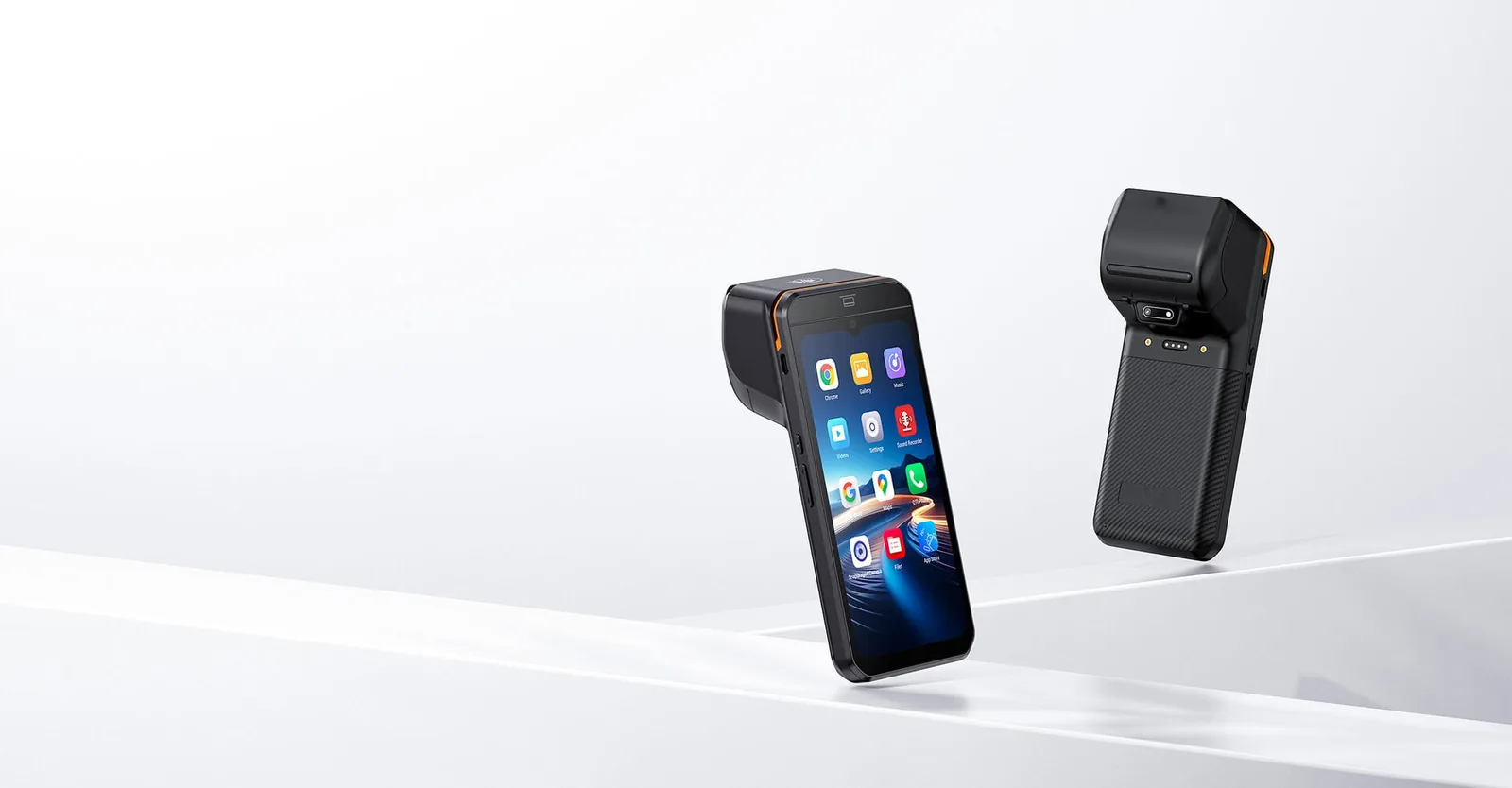
Take Every Payment
at the Terminal.
We provide payment terminals with built-in NFC contactless, EMV chip, and magnetic stripe reading across our countertop and handheld POS models. You can handle card acceptance directly on the terminal screen, or route it to an external payment device through USB, serial, or network interfaces.
Three Ways to Read a Card, and Which Terminals Support Each.
A credit card swipe machine, a chip reader, and a contactless reader are three different hardware paths to the same result. Most modern terminals carry all three, but the mix matters when your customers still use older cards or when speed at the counter decides how many people you serve per hour.
Magnetic Stripe (Swipe)
Still required as a fallback in markets where older cards remain in circulation. Handheld and countertop models build the stripe reader in, and it needs no separate peripheral.
EMV Chip (Dip)
The customer inserts the card and leaves it in place until the transaction completes. Chip reading is what shifts fraud liability when your setup meets the required standards.
NFC Contactless (Tap)
A contactless reader lets the customer tap a card, phone, or watch and complete the transaction in about a second. This is the fastest path at the counter and the one most customers now expect.

We Build Countertop Credit Card Terminals into the POS, Not Beside It.
On a fixed counter, the payment step can either live on the same screen that runs the sale, or on a separate device the customer reaches for. We supply countertop credit card terminals in our range as part of the POS terminal itself, so the cashier and the customer are looking at one workflow instead of two.
All-in-One Countertop Terminals
The terminal carries the screen, the card reader, and the receipt printer in one housing. You need no separate payment device at the counter, and cabling stays out of the customer's reach.
Modular Countertop Setups
The terminal stays on the counter while you route payment, printing, and cash handling to separate peripherals. You can replace or upgrade each part without replacing the whole counter.
Dual-Screen Terminals
A second screen faces the customer, showing line items, the amount due, and the payment prompt. This keeps the payment step visible to both sides of the counter.
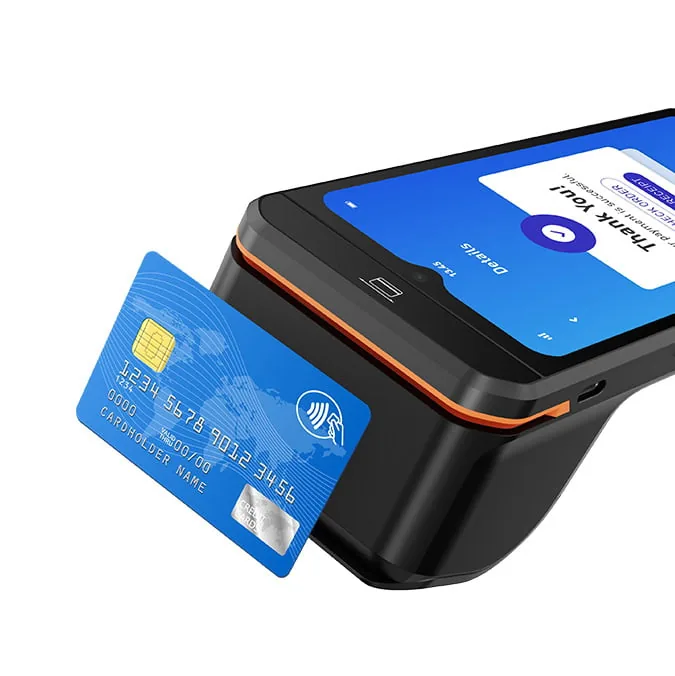
NFC POS Terminals Let the Customer Tap Instead of Hand Over a Card.
An NFC POS terminal reads a contactless card, phone, or wearable through short-range radio, with no insertion and no swipe. The reader sits behind a marked area on or near the screen, so staff can point to it without explaining the device. Contactless POS has become the default path in high-frequency retail because it removes the slowest step at the counter.
Where the Reader Sits
We position the NFC antenna so the customer taps the display area or a clearly marked zone on the housing, which reduces fumbles at the counter.
What It Accepts
Contactless cards, mobile wallets on phones, and contactless wearables all present the same way to the terminal.
Speed at the Counter
A contactless read completes in about a second, which shortens each transaction and reduces queue length during peak hours.
When a Tap Fails
Staff fallback is a chip dip or a swipe on the same terminal, so a failed tap does not stall the queue or require a second device.
The same reader handles credit card and debit card transactions, so a single terminal covers both card types without separate hardware.
Card Acceptance Can Leave the Counter When the Sale Moves.
Table-side ordering, queue busting, and delivery all move the payment step away from a fixed counter. Handheld POS terminals carry the same card reading capability as countertop models, including NFC contactless, so the customer can pay wherever the transaction finishes.
Handheld POS Terminals
A pocket-sized terminal with a touchscreen, card reading, and wireless connectivity, used for table-side payment and mobile checkout.
View Handheld POS TerminalsHandheld Terminals with Built-in Printer
The same handheld format with an integrated receipt printer, so a complete transaction can close away from the counter without returning to a fixed printer.
View Terminals with PrinterMini POS Terminals
The most compact handheld format, intended for queue busting and light mobile use where the terminal needs to fit in a hand or an apron pocket.
View Mini POS TerminalsThe Terminal Has to Talk to Whatever Else Is on the Counter.
A payment terminal is one device in a chain. It has to pass the completed sale to the receipt printer, release the cash drawer on a cash transaction, and reach an external payment device when card processing runs outside the terminal. Interfaces settle these connections, not software installation.
USB and Serial Ports
External card readers, PIN pads, and payment modules connect through USB or serial ports, and we plan the port count against the devices the counter actually needs.
Network and Wi-Fi
Where the payment device sits on the network, the terminal reaches it over Ethernet or Wi-Fi, which keeps the payment path separate from the sale screen.
Printer Connection
We connect the receipt printer to the terminal so the transaction result prints without a second action by the cashier.
Cash Drawer Trigger
On cash transactions, a signal from the printer or terminal releases the drawer, which is why you match the drawer to the printer rather than buy it on its own.
Customer Display
A customer-facing screen mirrors the amount due and the payment prompt, and connects to the terminal as a peripheral.
Peripheral Power Budget
We plan adapter voltage and power draw across all connected devices, so no component goes without a stable supply.
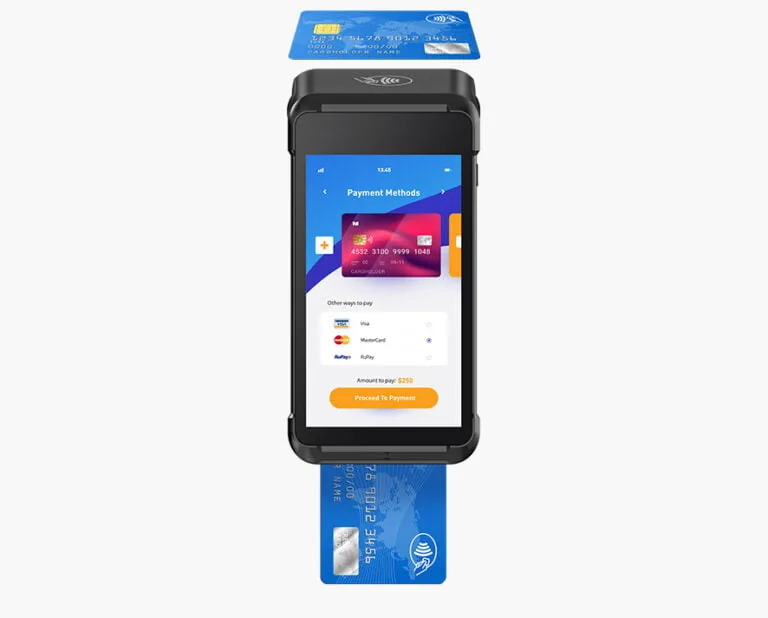
Payment Acceptance Is a Shared Responsibility Between Hardware and Acquirer.
We supply the terminal and the card reading hardware. Your acquirer and your software provider handle certification of the payment application, key injection, and merchant account setup. Being clear about that boundary is what keeps a deployment predictable.
What We Supply
The terminal hardware, the card reading modules (NFC, EMV chip, magstripe), the interfaces, and the OS image prepared for your application.
What Your Acquirer Handles
Payment application certification, key injection, terminal parameter download, and merchant account configuration.
What to Confirm Before Ordering
Which reading methods your customers actually use, which external payment device you will connect, and which interfaces that device requires.
We cover how these standards work in practice — and what to demand from any supplier — in our certification guide.
The POS Payment Hardware Buying Guide covers choosing between card reading setups, form factors, and cost structures.
Why Payment Terminals Come from TillNode.
We build the terminal and the card reading hardware around it, and we leave the payment relationship with your acquirer. That split keeps the hardware configuration stable and the payment setup under your control.
We build the terminal. Your acquirer runs the payment.
Reading Built In, Not Added On
We configure NFC, EMV chip, and magstripe reading into the terminal model rather than supply it as an add-on peripheral.
Interfaces Planned as a Set
We plan port count, adapter voltage, and cable routing against the full counter, including any external payment device.
Android and Windows Coverage
The same reading capability is available across Android and Windows terminal ranges, so the choice follows your software, not the hardware.
OS Image Prepared for You
We can supply a base system image with driver and interface settings aligned to your POS application before shipping.
Sample Units Before Volume
We can supply a sample terminal for counter testing with your own software and payment device before you commit an order.
OEM / ODM on the Terminal
You can customize casing, logo, boot screen, and packaging under your brand while the reading hardware stays the same.
Payment Terminals FAQ
What is a payment terminal?
A payment terminal is the device that reads a card at the point of sale, either by swipe, chip insertion, or contactless tap. In our range we build the reading hardware into the POS terminal, so the same device runs the sale and accepts the card.
Do your terminals support contactless NFC payments?
Yes, on the models specified with NFC. We build a contactless reader into the terminal, and the customer taps a card, phone, or wearable against the marked area to complete the transaction.
Can the terminal accept credit and debit cards?
The same reader handles credit card and debit card transactions. Which specific card types and payment methods you enable depends on the payment application your acquirer provides, not on the terminal hardware.
Is a separate credit card swipe machine required?
No. We build magnetic stripe reading into handheld and countertop models, so you need no separate swipe machine for the fallback path.
Can I connect an external payment device instead?
Yes. Where card processing runs on a separate certified device, the terminal can reach it over USB, serial, or the network, and we settle the port plan before the order.
Do you provide payment processing or a merchant account?
No. We supply the terminal hardware only. Your acquirer and software provider handle payment processing, merchant accounts, and payment application certification.
What about PCI and EMV certification?
Your acquirer and your software provider handle certification of the payment application and key injection. Our certification guide explains how these standards work and what to require from a supplier.
Where can I see the individual terminal models?
We list the full terminal range, including countertop, handheld, and mini formats, in the POS terminal matrix at /products/all-pos-terminals/.
Specify the Terminal for Your Counter.
Tell us which card reading methods your customers use and which payment device you will connect. Our engineering team will return a matched terminal configuration.
Start with a sample terminal. Scale to a fleet.
Related Resources
POS Payment Hardware Buying Guide
How to choose between card reading setups and forms.
POS Certification Guide: PCI & EMV Safety Standards
Understand the standards needed to process payments securely.
What Is a Credit Card Reader? Types and How They Work
The fundamental technologies behind terminal card reading.
POS Systems, Built from the Hardware Up
The complete ecosystem of point of sale components.
Handheld Smart POS Terminals
Mobile terminals taking the payment directly to the customer.
Industrial Payment Kiosk Machines
Unattended financial nodes with built-in EMV and PCI security.