What Is a POS? Systems, Devices, Equipment & Services Explained
TillNode Solutions Team
18 min read
What Is a POS? The Meaning Behind the Acronym
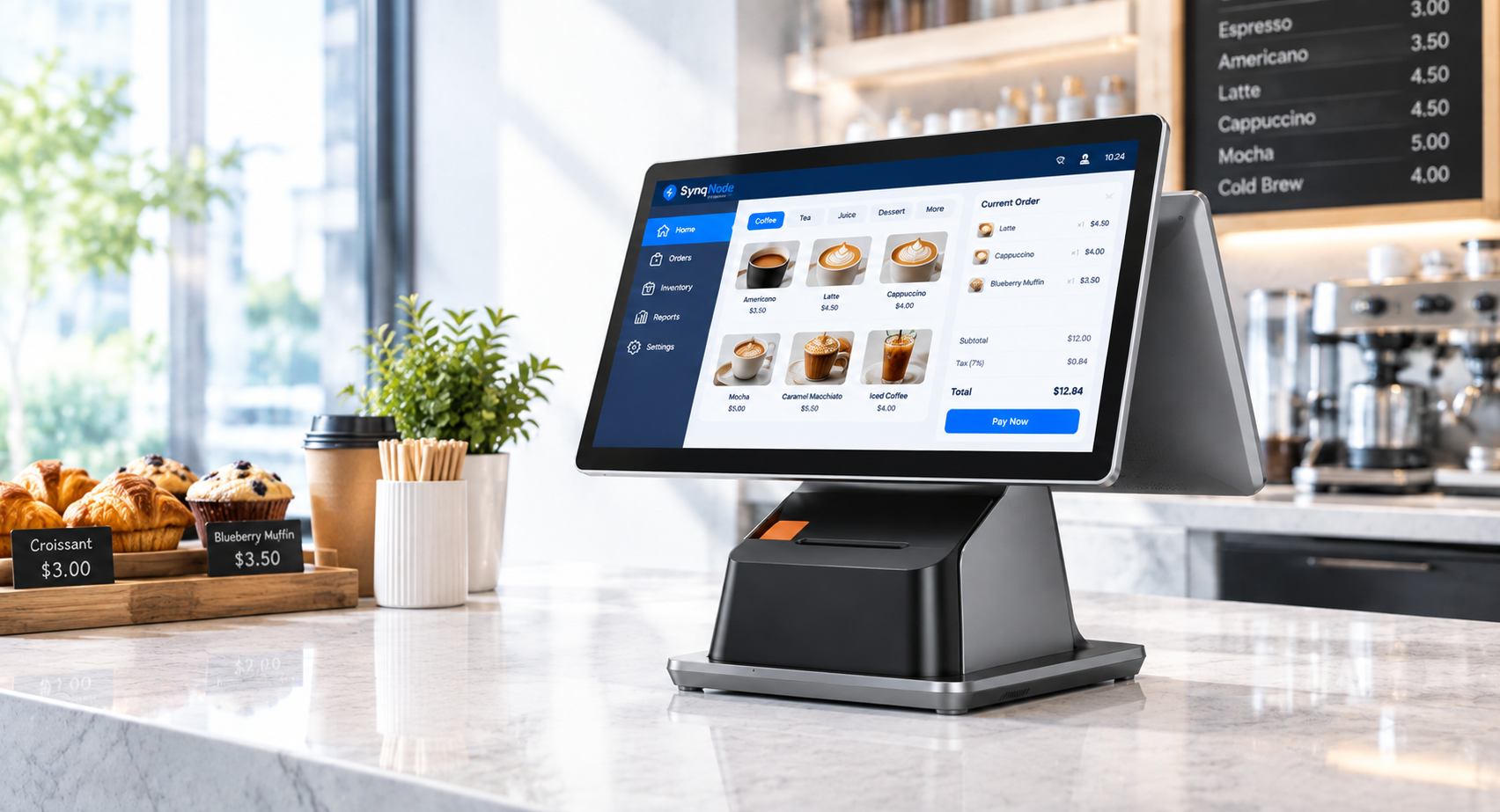
POS means point of sale — the moment and the place where a retail transaction is completed. That is the short answer to both "what is pos" and "what is a POS": the checkout itself. Twenty years ago the point of sale was a cash register and a locked drawer. Today it is a networked terminal running software that records the sale, updates inventory, and reports to the cloud in real time. The acronym survived because the job never changed; the equipment did.
The term has stretched to cover almost everything in a store: the terminal on the counter, the software running on it, the receipt printer next to it, and sometimes the entire vendor ecosystem behind it. That stretch is why buyers get confused — one supplier quotes you a "POS system" (software subscription), another a "POS machine" (the hardware), and a third a "POS solution" (hardware plus services plus support).
This guide untangles all of it: the terminology, the equipment, the types of POS devices, the services you should expect, and the different kinds of POS companies you can buy from — including when a custom POS makes sense.
If you only need the definition, here it is: POS stands for point of sale, and a POS system is the hardware and software that together process a sale at that point. Put the pos meaning in one line and it is simply the point where a sale is completed and recorded. The sections below unpack what is a POS system, what the phrase "point of sale" actually covers, how the checkout works end to end, and which kind of supplier to buy the equipment from.
POS Machine vs. POS Device vs. POS System vs. POS Solution
These four phrases get used interchangeably all over the internet, and they shouldn't be. Here is the distinction that matters when you're comparing quotes:
Term
What it is
Example
POS machine
The physical terminal itself — the all-in-one unit with screen, processor, and usually a built-in payment reader and printer.
A 15.6" countertop touch terminal
POS device
Broader: any hardware piece in the checkout stack — the machine, a handheld, a kiosk, or a peripheral like a scanner.
A mobile POS, a barcode scanner, a customer display
POS system
Hardware plus software working together: the terminal, peripherals, and the application managing sales, inventory, staff, and reporting.
Terminal running a restaurant or retail POS application
POS solution
The full commercial package: a POS system plus the services around it — deployment, payment integration, training, warranty, and after-sales support.
A 50-store rollout with OS imaging, spare parts, and 24-month warranty
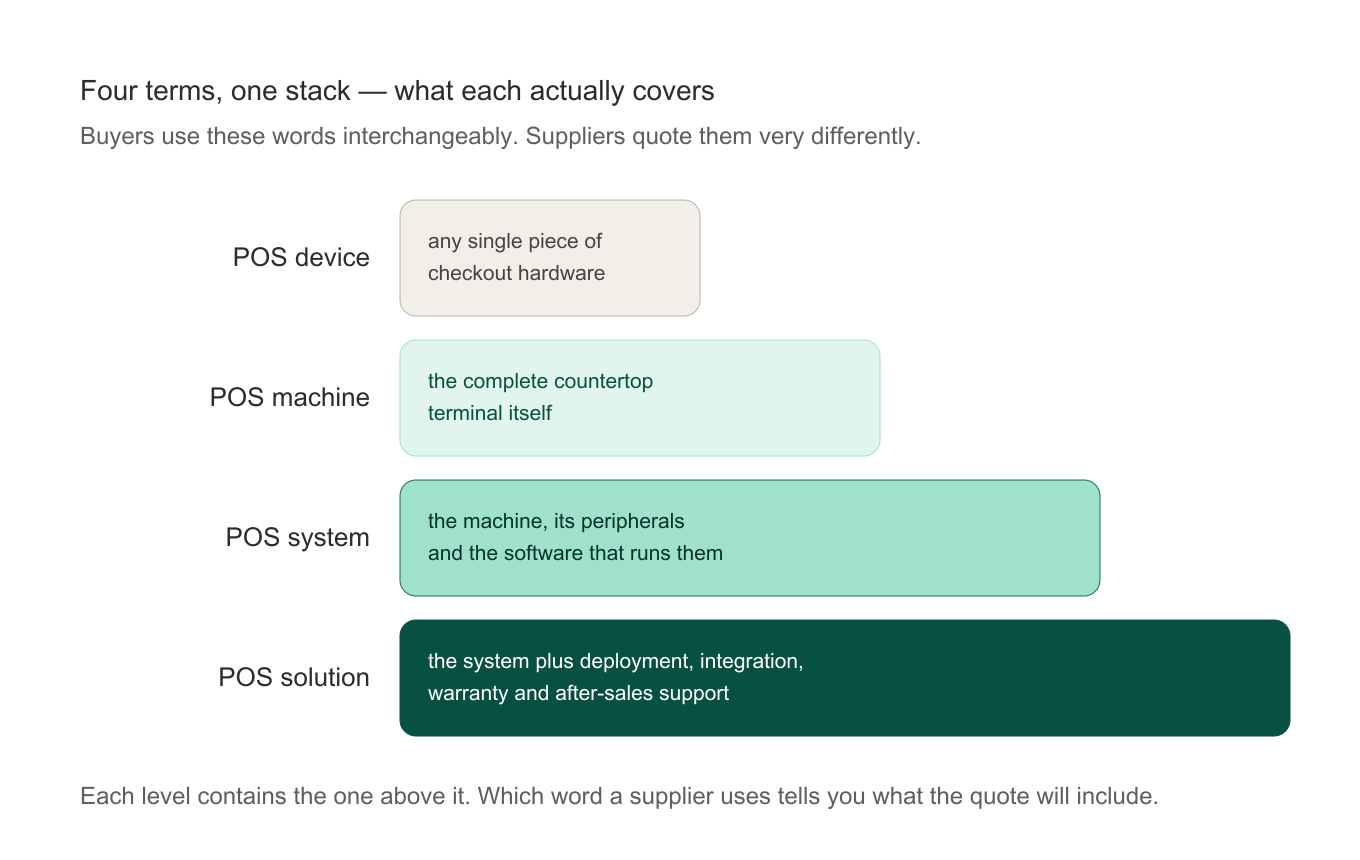
The one you will hear most often in sourcing is POS machine — usually from a buyer who means the countertop unit and is then quoted a software subscription by mistake. A POS machine is only the box; a POS device is any single piece of checkout hardware; a POS system is that hardware plus the software that makes it useful; a POS solution is the commercial package wrapped around the system. Because the three get used loosely in day-to-day buying conversations, the useful discipline is to ask what is included in the quote, not what the product is called.
Why does this matter commercially? Because the word your supplier uses tells you what they actually sell. A vendor talking only about "POS systems" is usually a software company. One talking about "POS machines and devices" is a hardware manufacturer. One that talks about "POS solutions" is offering to own the deployment with you — that's the tier where hardware, software, and service get bundled into one contract.
Four sourcing terms, ranked by what they include.
What Is a POS System? Definition and Scope
A POS system is the combination of checkout hardware and the software that runs it. The hardware takes the transaction at the counter; the software records it, prices it, applies tax and discounts, updates inventory, and pushes the data into reporting and accounting. Remove either half and you no longer have a POS system — you have a terminal with nothing to run, or an application with nothing to run on. The phrase point of sale system is the long form of the same thing.
That definition is worth stating precisely, because "what is a POS system" and "what are POS systems" get answered two very different ways online. One camp describes only software — subscriptions, dashboards, apps. The other describes only hardware — terminals, printers, scanners. For anyone buying equipment, the useful framing is the full stack:
Front of house — the terminal, the payment reader, the receipt printer, and the customer-facing display.
Back office — the software that manages products, prices, staff, and tax rules.
Data layer — where transactions land: a local server, a cloud account, or both.
Scope matters commercially. A single café needs the front-of-house stack and a cloud account. A forty-store chain needs all three layers specified, certified per market, and serviceable for years — which is why chain buyers tend to source hardware from a manufacturer and software from a platform, then require the two to be validated together. If you are choosing between hardware formats rather than definitions, all-in-one vs modular POS hardware covers that trade-off directly.
Point of Sale: What the Term Actually Covers
"Point of sale" is the full form behind the acronym, and it is broader than most buyers assume. Literally it is the point — physical or digital — at which a sale is finalized. In practice the phrase covers four things at once:
The location: a staffed lane, a self-checkout kiosk, a tableside tablet, a pop-up stall, or an online checkout page.
The moment: the instant payment is captured and the transaction is committed.
The technology: the terminal, the reader, the printer, and the software binding them together.
The data: the record the sale leaves behind, which is what most businesses actually run on.
That is why search results for "point of sale systems" look so inconsistent — hardware vendors, software platforms, and payment processors all legitimately answer the same query from their own side of the counter. When you read a point of sale system comparison, check first which layer the writer is pricing. A per-month software figure and a per-unit hardware figure are not alternatives; they are different line items in the same budget.
The digital version of the same idea deserves a note. Online checkout, mobile wallets, and QR payments are all points of sale without a counter. If your business sells across channels, the equipment question becomes how the in-store terminal and the online checkout share one catalog and one inventory count — see our notes on POS system integration and, for the hardware side, the hardware requirements for cloud POS.
How Does a POS System Work, Step by Step
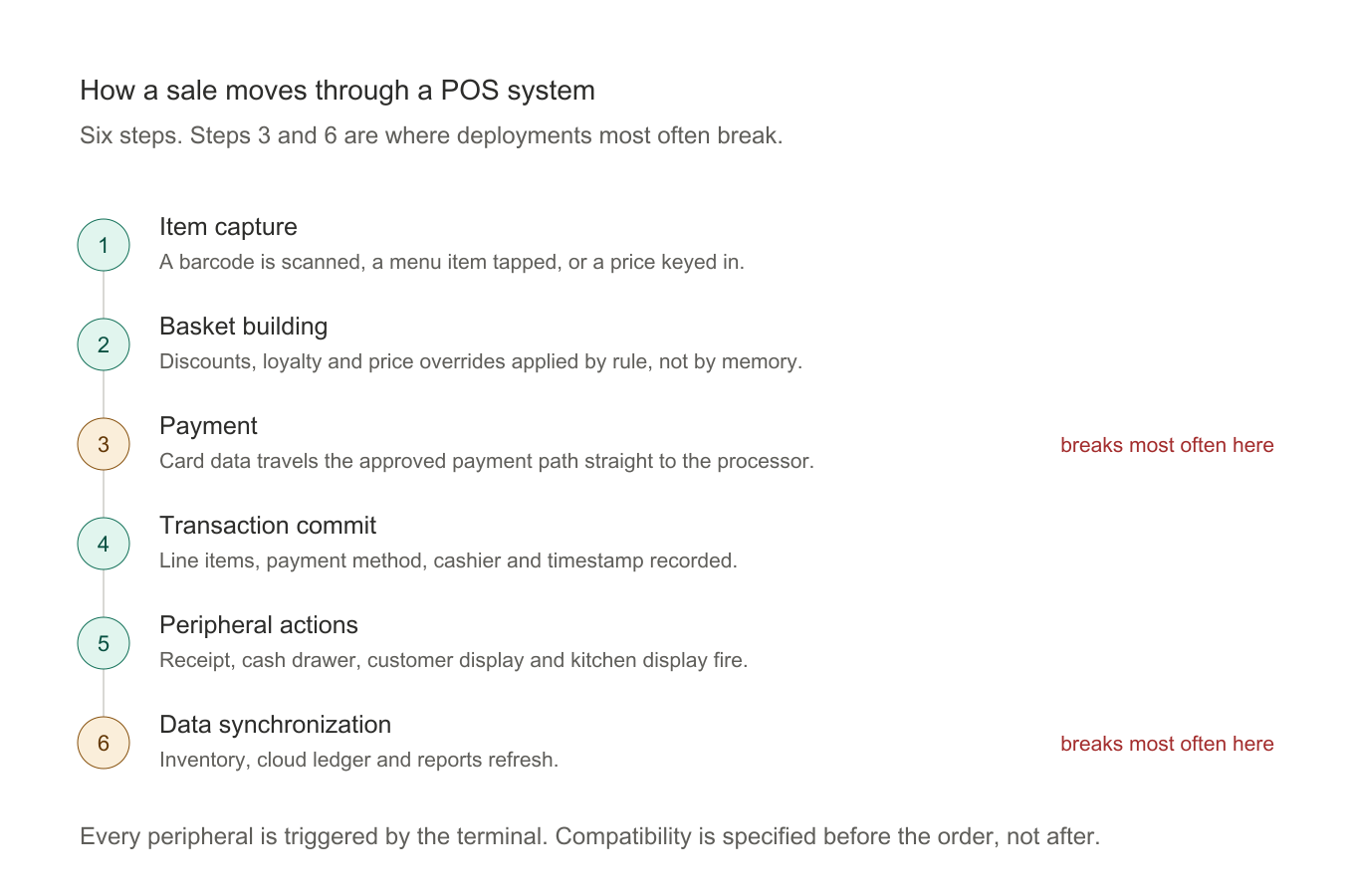
The meaning of POS system gets clearer once you follow a single sale through it. Whatever the industry, the sequence is the same six steps:
Item capture. A barcode is scanned, a menu item is tapped, or a price is keyed in. The terminal looks the item up in the product file and returns its price, tax class, and any active promotion.
Basket building. Items accumulate in the order. Discounts, loyalty, and price overrides are applied here by rule rather than by memory.
Payment. Cash, card, wallet, or QR. Card data travels the approved payment path — chip, contactless, or online — and never into the POS application's own database.
Transaction commit. The sale is recorded with its line items, payment method, cashier, and timestamp. That record becomes the source of truth for everything downstream.
Peripheral actions. The receipt prints, the cash drawer opens, the customer display shows the total, and the kitchen display fires the order. Each is triggered by the terminal, which is why peripheral compatibility is specified before the order, not after.
Data synchronization. Inventory counts adjust, the cloud ledger updates, and reports refresh. If the connection drops, a well-chosen system queues transactions locally and syncs them on reconnect.
Steps 3 and 6 are where deployments most often go wrong. An uncertified reader at step 3 can be refused by the payment processor; a terminal with no offline queue at step 6 stalls a lane every time the network blinks. Both are hardware decisions, and both are far cheaper to get right before the purchase order than after. To see what a modern terminal adds on top of this basic loop — self-service modes, peripheral ecosystems, remote fleet management — see what a smart POS adds.
The six steps every POS transaction runs through.
The Complete POS Equipment List
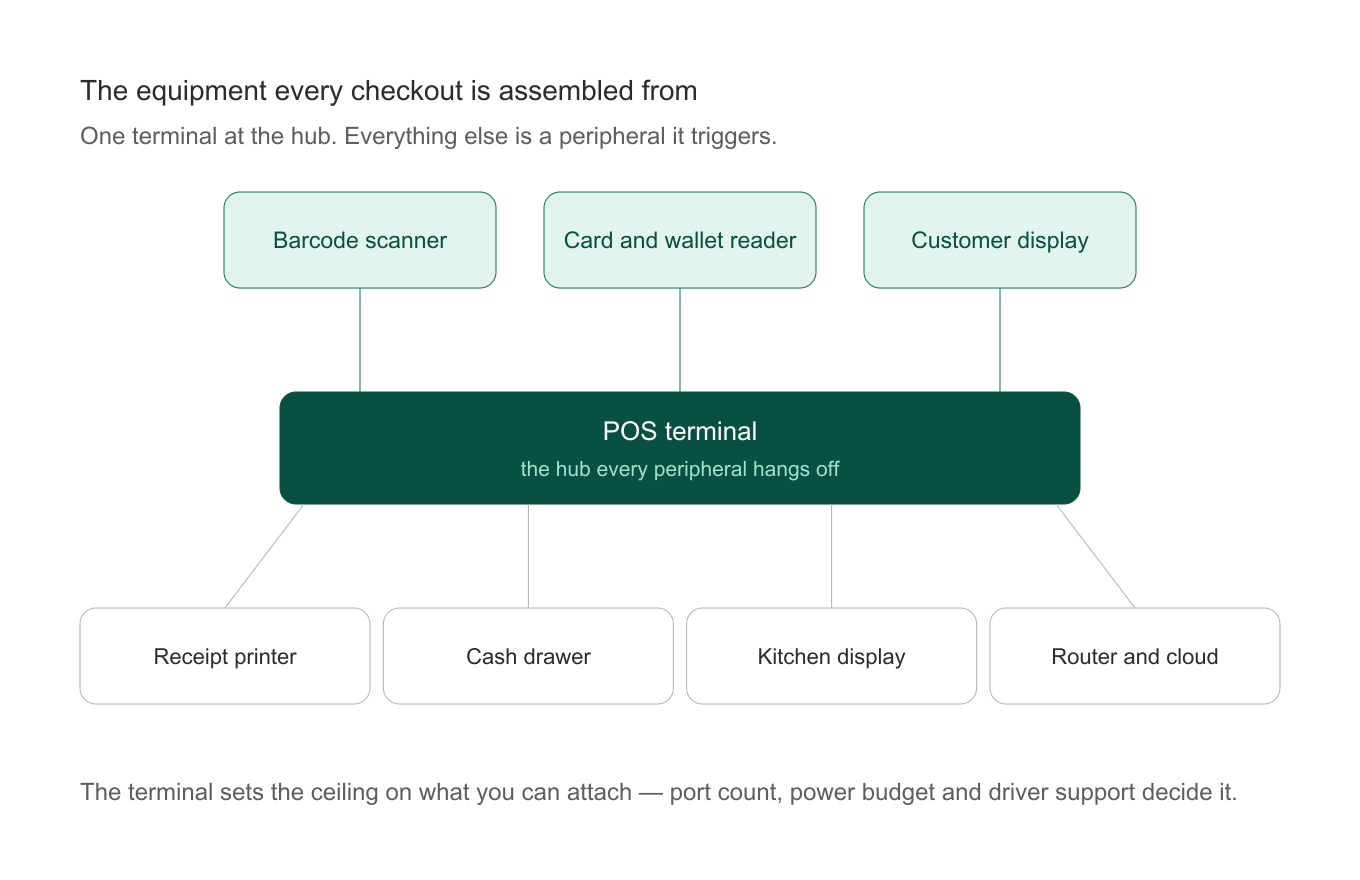
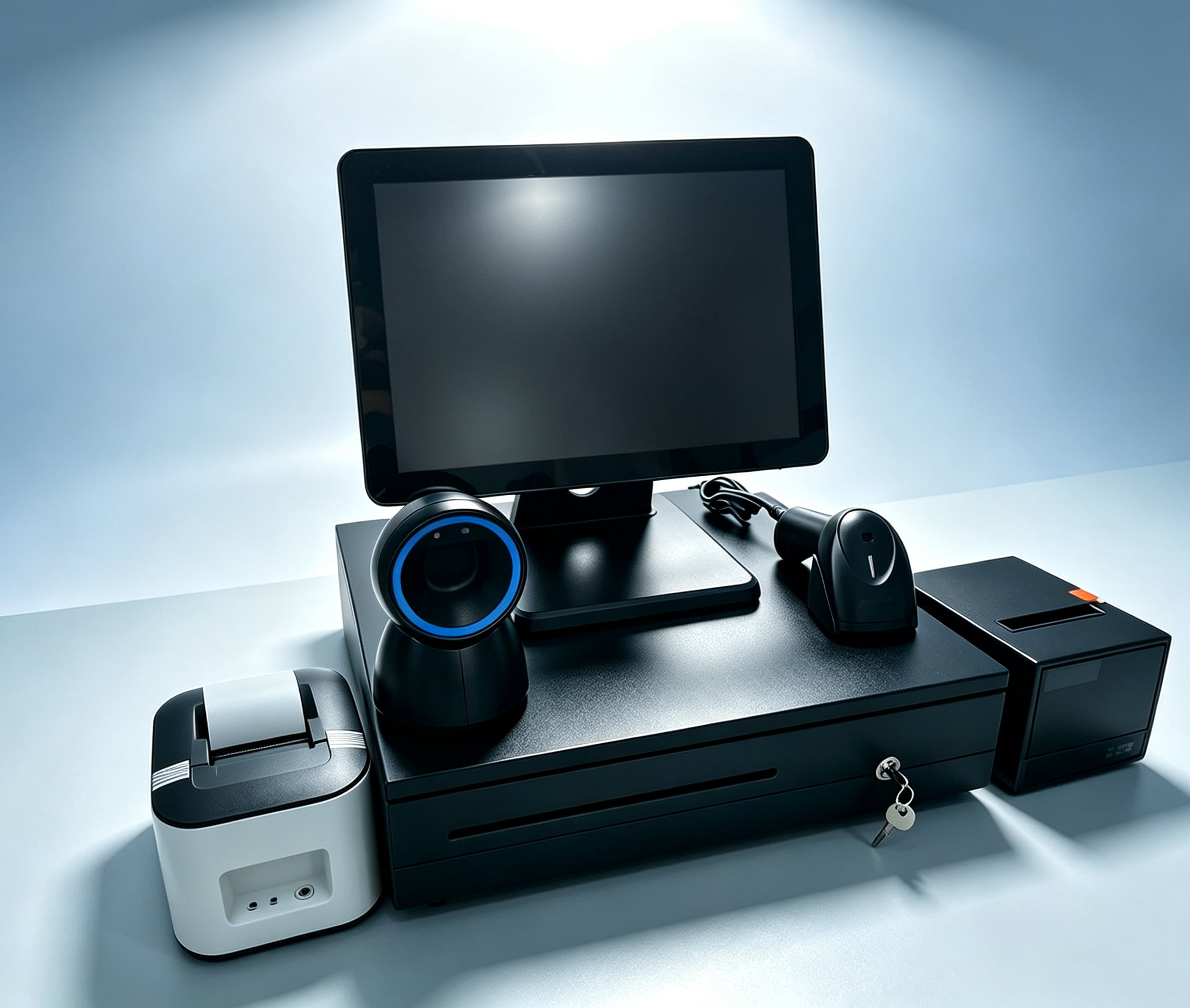
Whether you call it a machine, a device, or a system, every working checkout is assembled from the same core POS equipment. Here is what each piece does and what to look for:
1. The POS terminal (the machine itself)
The terminal is the computer at the heart of the checkout — a touchscreen, a processor board (Intel or ARM), RAM, storage, and an operating system (Windows or Android). This is the component that determines how many years your investment lasts, so processor generation, thermal design, and I/O ports matter more than screen size. Our POS terminal selection guide covers the spec-by-spec decisions.
2. Payment acceptance hardware
A card reader (chip), an NFC reader (contactless cards and mobile wallets), and increasingly a QR-code scanner for wallet payments. In certified terminals these are integrated; in modular setups they connect via USB or Bluetooth. Any reader touching card data falls under PCI and EMV certification — check this before you buy, not after.
3. Receipt printer
Almost always thermal — no ink, no ribbon, few moving parts. 80mm for retail counters, 58mm for handhelds and kitchen slips. If you also print shelf labels or shipping tags, a label-grade thermal printer is a separate purchase.
4. Barcode scanner
1D is fine for traditional retail barcodes; 2D (imager) is now the default because it reads QR codes, phone screens, and damaged codes. Choose handheld, presentation (hands-free), or embedded depending on throughput.
5. Cash drawer
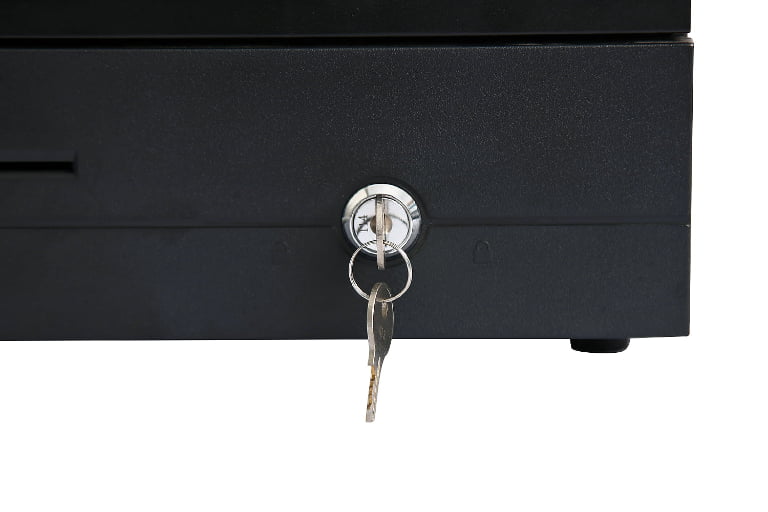
Still essential wherever cash is accepted. Printer-triggered (the drawer pops when the receipt prints) is the most common integration.
6. Customer-facing display
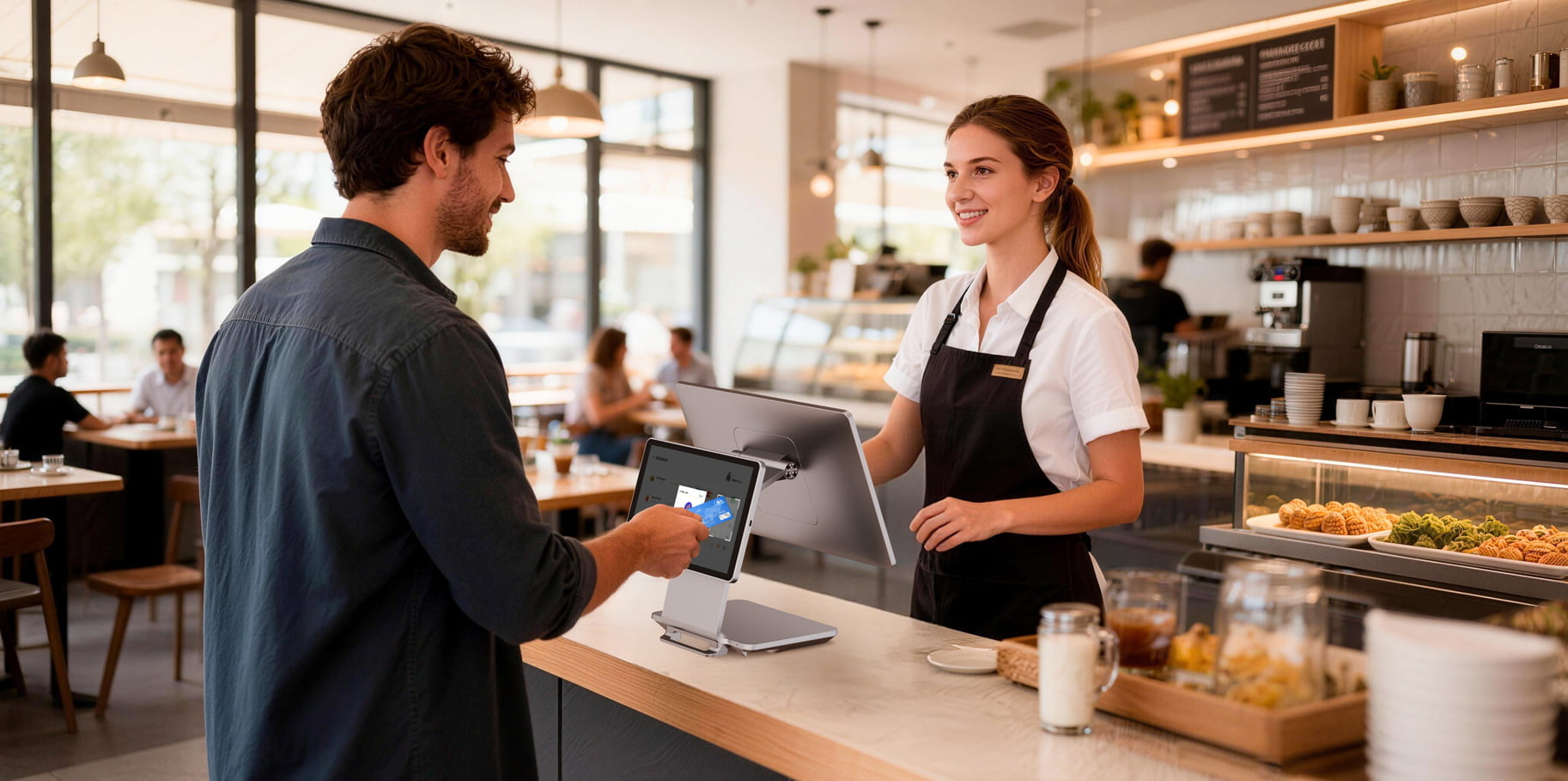
Shows the customer their basket, total, and payment prompts — and on idle screens can run promotions. On dual-screen POS terminals it's built in; on single-screen setups it's a separate peripheral.
Two of these parts deserve a closer look before you order. The card reader sits on the payment path and must carry the right approval for your processor — the checklist is in our guide to POS certification and compliance, and the device itself is covered under credit card readers. The terminal is the longer-term decision: processor generation, thermal design, and I/O determine how many years of software support you get, so it is worth reading choosing a POS terminal for retail before the specification is locked.
The terminal is the hub; everything else is a peripheral it triggers.
The Six Types of POS Devices
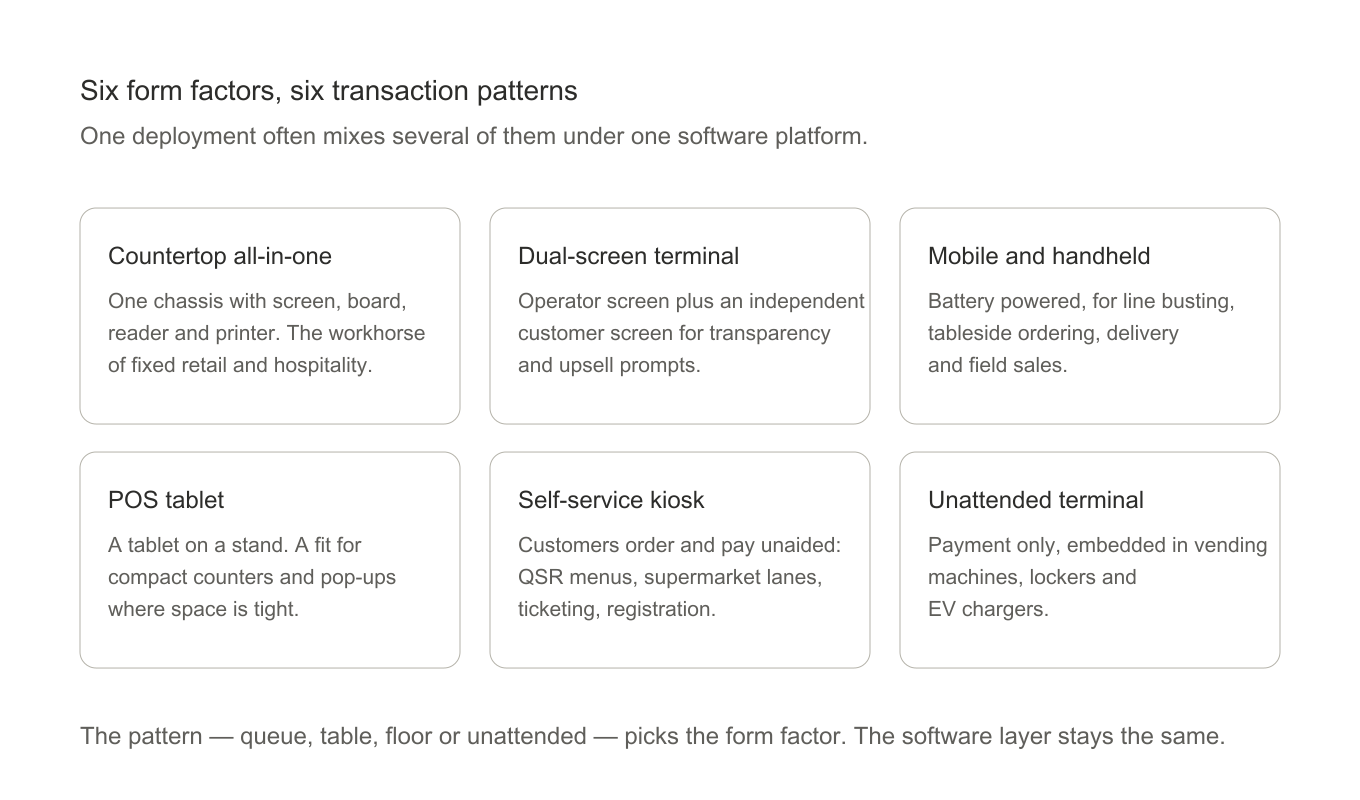
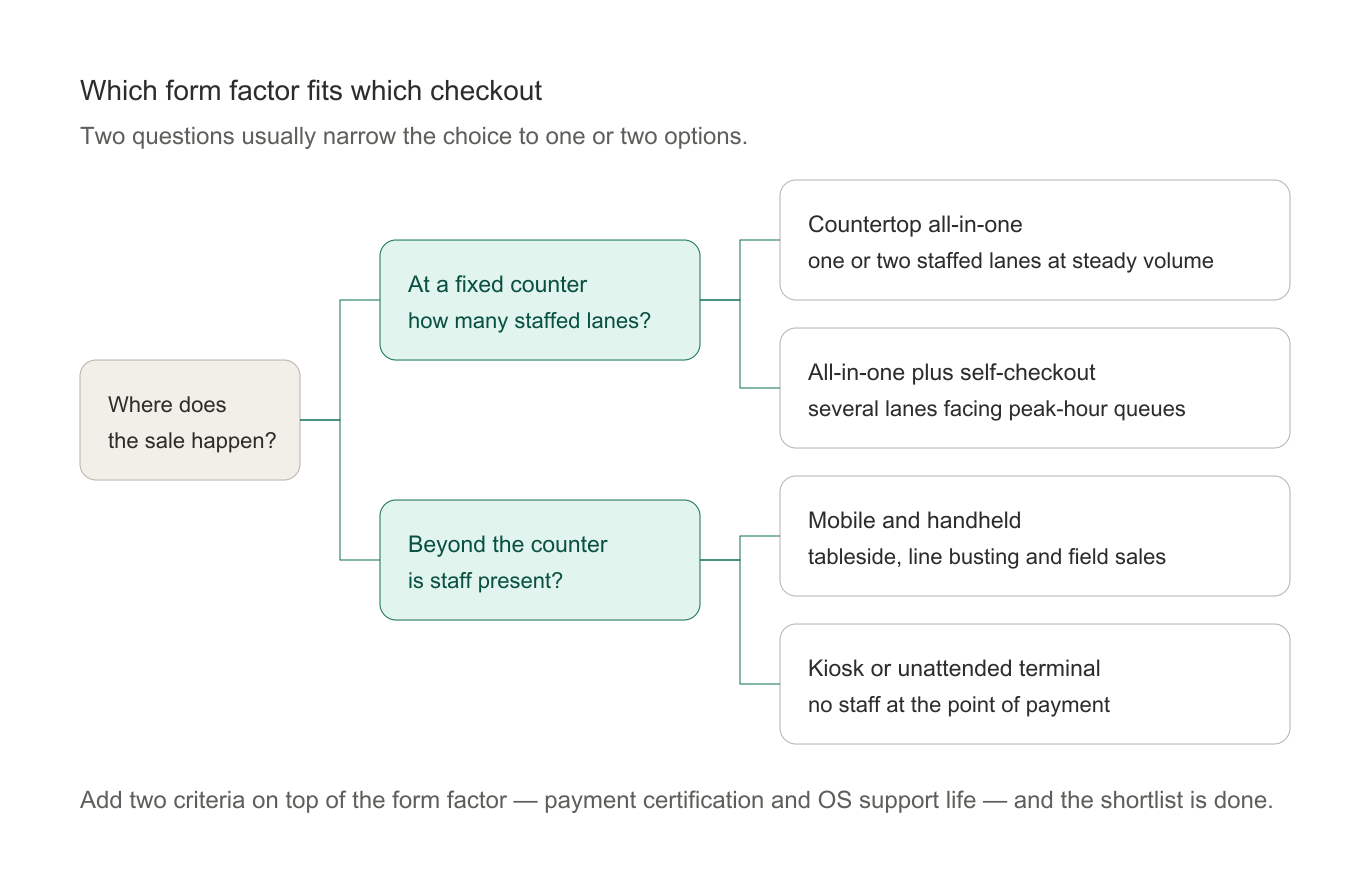
POS devices sort into six practical form factors. Each one is optimized for a different transaction pattern:
Countertop all-in-one terminals — the classic: screen, board, reader, and printer in one chassis, mounted at the counter. The workhorse of retail and hospitality. See all-in-one POS terminals.
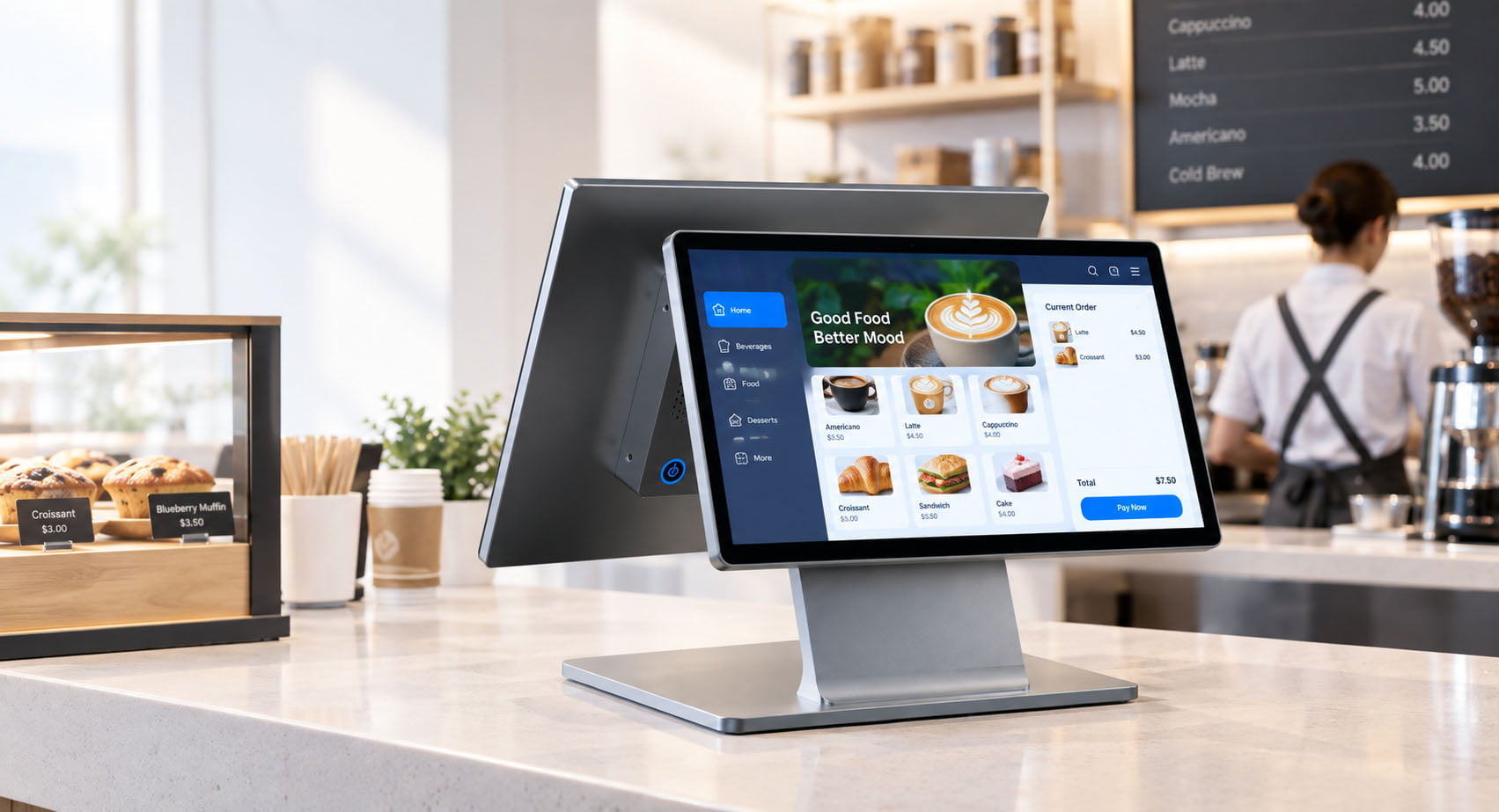
Dual-screen terminals — operator screen plus an independent customer screen for transparency, upsell, and loyalty prompts.
Mobile and handheld POS — battery-powered devices for line busting, tableside ordering, delivery, and field sales. See mobile POS terminals.
POS tablets — touchscreen tablets in stands, popular for compact counters and pop-ups where space and budget are tight. See POS tablets.
Self-service kiosks — customers order and pay without staff. QSR menus, supermarket checkouts, ticketing, hospital registration. See self-service kiosks.
Unattended payment terminals — payment-only hardware embedded into vending machines, lockers, and EV chargers.
One deployment usually mixes several: a supermarket runs countertop terminals at staffed lanes, self-checkout kiosks at the front, and handhelds on the floor during peak hours.
Six POS form factors and the transaction pattern each one serves.
What Are POS Services? What a Good Supplier Actually Delivers
Hardware is only half of what you're buying. The services wrapped around it decide whether a deployment succeeds — so when a POS provider quotes you, the question about POS services is not what they cost but what is included once the invoice is paid. This is the list to check:
Pre-sales configuration — helping you match terminal specs to your software, payment processor, and environment before you commit to an order.
OS imaging and licensing — shipping units with your Windows or Android image, your POS application pre-installed, and proper OS licenses attached. This alone saves days per store during rollout.
Quality and burn-in testing — aging tests (48–72 hours of continuous running) that catch board and panel defects before they reach your store.
Warranty and spare parts — a stated warranty period (12–24 months is standard in B2B hardware), plus a spare-parts channel that keeps your fleet running for its full lifecycle.
Deployment and after-sales support — DOA policies, replacement logistics, and an engineer who answers in your time zone. For what a rollout involves end to end, see our POS installation guide.
A supplier who quotes a low unit price but offers none of the above is selling you a device, not a solution. The difference shows up in month thirteen.
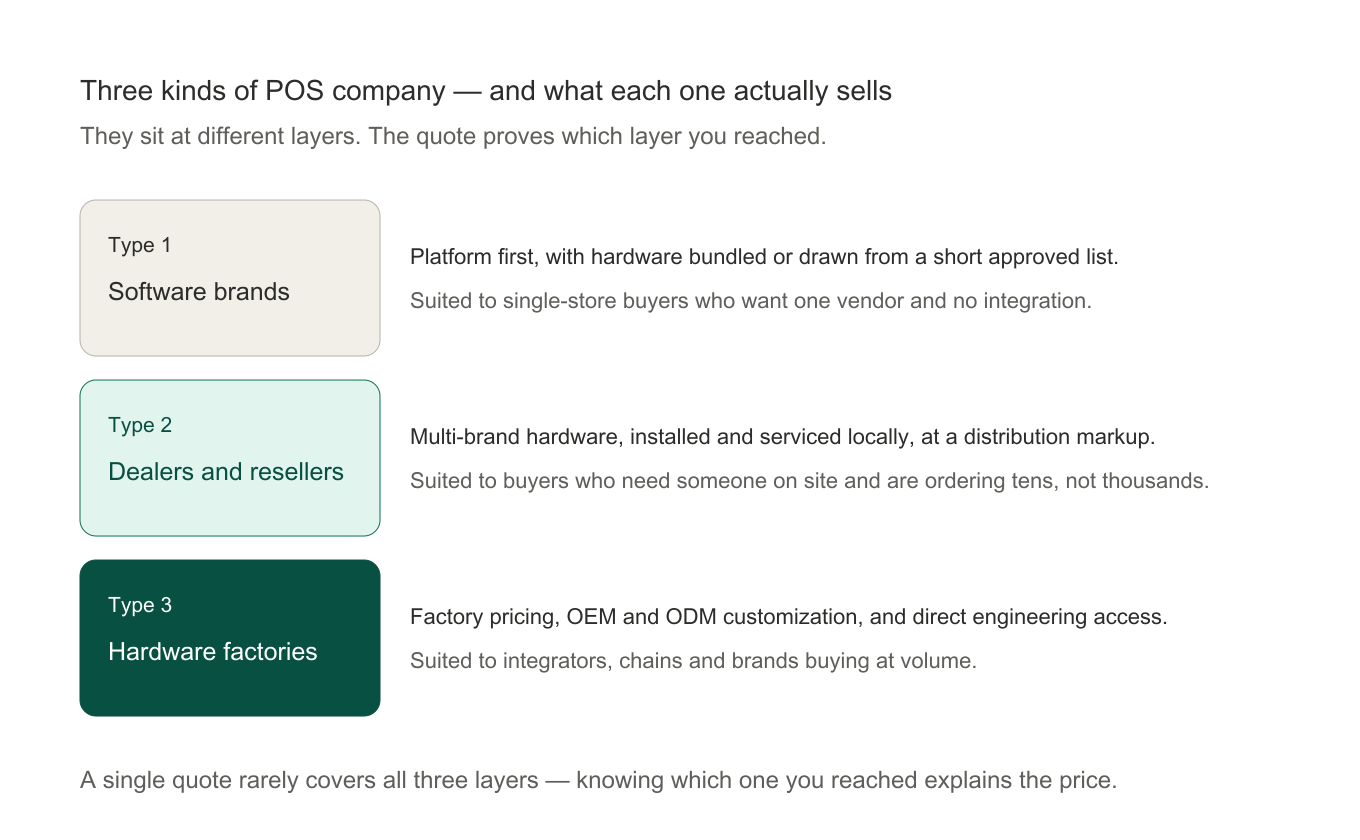
The Three Types of POS Companies — and Who Should Buy From Each
"POS companies" search results mix very different businesses. Every one of them falls into one of three categories:
Type 1: POS software brands
These vendors sell a software platform first; hardware comes bundled or from a short approved list. The purchase is simple and the software is polished, but you pay processing-fee premiums, hardware choice is limited, and customization is off the table. Suited to: single-store small businesses that want one vendor and zero integration work.
Type 2: Dealers and resellers
Local distributors who sell hardware from multiple manufacturers, install it, and service it on the ground. You pay a markup for availability and local support. Suited to: buyers who need someone on-site and are buying tens, not thousands, of units. If you're on the other side of this trade, see how to become a POS reseller.
Type 3: POS manufacturers (hardware factories)
The companies that actually build the terminals — mostly in Shenzhen and Dongguan. They sell at factory pricing, support OEM/ODM customization, and work directly with software vendors, integrators, and multi-site operators. Suited to: POS software companies needing certified hardware for their platform, system integrators, retail chains, and brands building their own product line. This is where TillNode works.
The practical rule: buy from a software brand if you're one store; buy from a dealer if you need local hands; buy from a manufacturer if hardware quality, customization, or unit economics at volume matter to your business.
What each kind of POS company actually sells.
Which POS Fits Which Business? Five Criteria That Actually Matter
Most "best POS" roundups online rank software subscriptions by feature count. When the terminal itself is the decision, the criteria change — and there are fewer of them. These five separate a machine that lasts from one that is replaced in two years:
Reliability engineering. Fanless cooling, aluminum or reinforced chassis, and components rated for 24/7 commercial duty. A terminal that fails during a Friday rush costs more in lost sales than the price gap between good and cheap.
Payment certifications. PCI PTS and EMV approval on the payment path. Without them, your processor may refuse the hardware outright.
Software and OS compatibility. Your POS application must be certified to run on the terminal, on an OS that will stay supported — a real concern for anyone still planning around Windows 10, covered in our Windows 11 migration guide and our analysis of why the market is shifting toward Android.
Total cost of ownership. Unit price + failure rate + power draw + spare parts + how long the platform stays serviceable. A cheap terminal replaced every two years is more expensive than a good one replaced every six.
Vendor supportability. Can this company still configure, fix, and supply parts for this model in year three? Ask before you buy.
Map those criteria onto your own context and the choice usually narrows fast. A single café optimizes for counter footprint and fast payment; a supermarket optimizes for throughput and self-checkout integration; a chain optimizes for fleet serviceability and identical configuration across sites; a vending or locker operator optimizes for unattended payment hardware. The same five criteria, weighted differently, produce different answers — which is why a list that ranks one machine above all others cannot answer your question. For the retail-specific version of that weighting, see how to choose a POS system for retail.
A two-question shortcut to a form-factor shortlist.
When Do You Need a Custom POS?
Most buyers are served by standard models. A custom POS earns its cost in specific situations:
Your software has special hardware needs — a specific scanner engine, an extra serial port for a scale, PoE power, or an integrated second screen.
You're building a brand: your logo on the casing and boot screen, your packaging, your manual — OEM customization.
Your environment is non-standard: outdoor markets, kitchens with grease and steam, vehicles, clean rooms.
You're going to volume and need the board, screen size, or I/O tailored to cut cost per unit.
The two customization routes are OEM and ODM, and the difference matters commercially — one rebrands existing hardware, the other develops new hardware with you. We break the two down (with when-to-choose rules) in OEM vs. ODM POS manufacturing.
How Much Does POS Equipment Cost?
Indicative factory-side pricing, so you can sanity-check quotes:
Equipment
Typical unit price (B2B, factory side)
POS tablet + stand
$100 – $300
Handheld / mobile POS
$150 – $400
Countertop all-in-one terminal
$300 – $800
Dual-screen terminal
$450 – $1,000
Self-service kiosk
$1,200 – $4,000
Peripherals (scanner / printer / drawer)
$40 – $250 each
Wide ranges, because screen size, processor tier, and certification level move the number more than form factor does. Note what's not here: software subscriptions and payment processing fees — with a software brand, those typically exceed the hardware cost within the first year or two.
FAQ
What does POS stand for?
POS stands for point of sale. The acronym refers to the place and the moment a retail transaction is completed, and by extension to the terminal, the software, and the equipment that complete it.
What is the difference between a POS device and a POS terminal?
A POS terminal is the countertop unit that runs the checkout. A POS device is any single piece of checkout hardware — the terminal, a handheld, a kiosk, or a peripheral such as a scanner or a customer display. Every terminal is a device, but not every device is a terminal.
What is a point of sale system used for?
Processing the sale is only the visible part. A point of sale system also prices items with tax and promotions, tracks inventory as it moves, records who sold what and when, and feeds the reports owners use to decide what to reorder and what to stop stocking.
What is a POS machine?
The physical point-of-sale terminal — a touchscreen computer that runs your checkout software and usually integrates payment reading and receipt printing. "POS machine" and "POS terminal" mean the same thing; "machine" is simply the more common phrasing in global buying conversations.
What's the difference between a POS and a cash register?
A cash register calculates and stores cash. A POS captures every transaction as data — updating inventory, syncing to the cloud, feeding reports, and accepting cards and wallets. Registers record money; POS systems run the business.
Can a POS terminal work offline?
The hardware keeps running and can store transactions locally; whether your specific POS software supports offline mode (and syncs cleanly when the connection returns) is an application question. Verify it with your software vendor before deployment in any location with unreliable connectivity.
Do I need a custom POS or a standard model?
Standard models cover the great majority of deployments. Go custom when your software, environment, branding, or volumes demand it — the decision framework is in the OEM vs. ODM guide.
Who should I buy POS equipment from?
One store buying once: a software brand or local dealer. Software vendors, integrators, chains, and brands buying at volume: a hardware manufacturer, for factory pricing, certification support, and customization. The full comparison is in the "three types of POS companies" section above.
Related Reading
If you are still narrowing the decision, these go deeper on the individual branches of it:
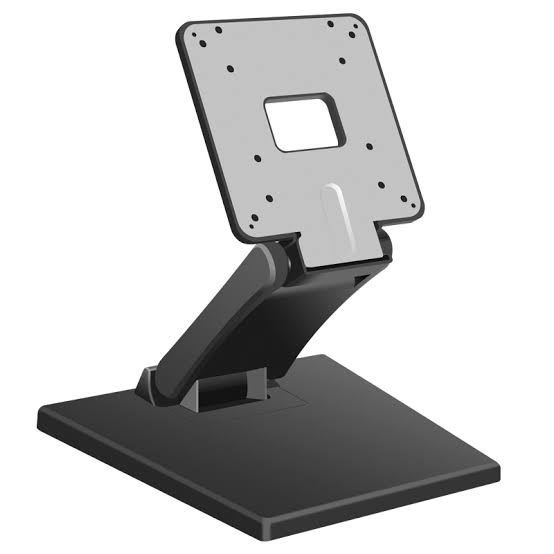
75 x 75 and 100 x 100 tell you the hole spacing and nothing else. What actually decides a mount: clearance, rotation, height and the moment behind the plate.
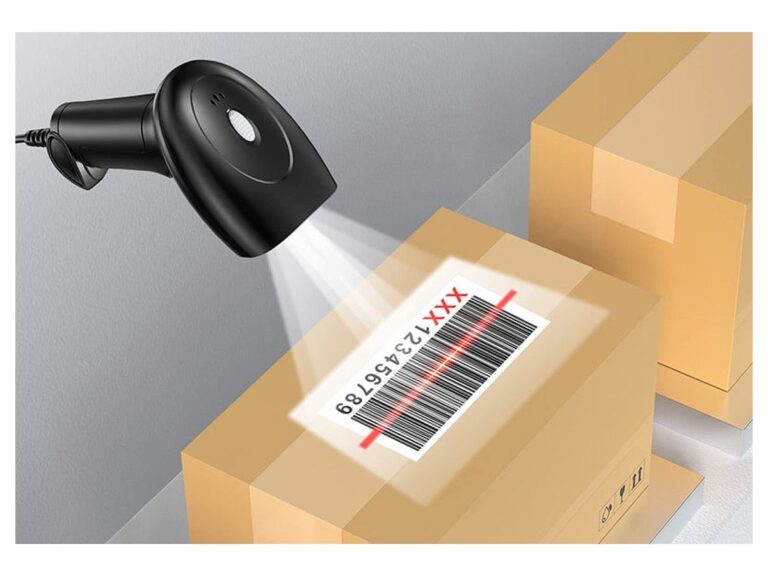
Laser, CCD, 1D imager and 2D imager are not four options on one list. What each front end can read, and why the name on the box never tells you the range.