Touch Screen POS Systems Built for Seamless Checkout.
A touch screen POS system only pays for itself when the panel keeps up with the queue. We build 15.6-inch and 8-inch terminals on Android and Windows, with true-flat 10-point capacitive glass, a fanless chassis, and the serial ports a scale or a PIN pad still asks for. Pick the model by the counter you have, not by the datasheet.
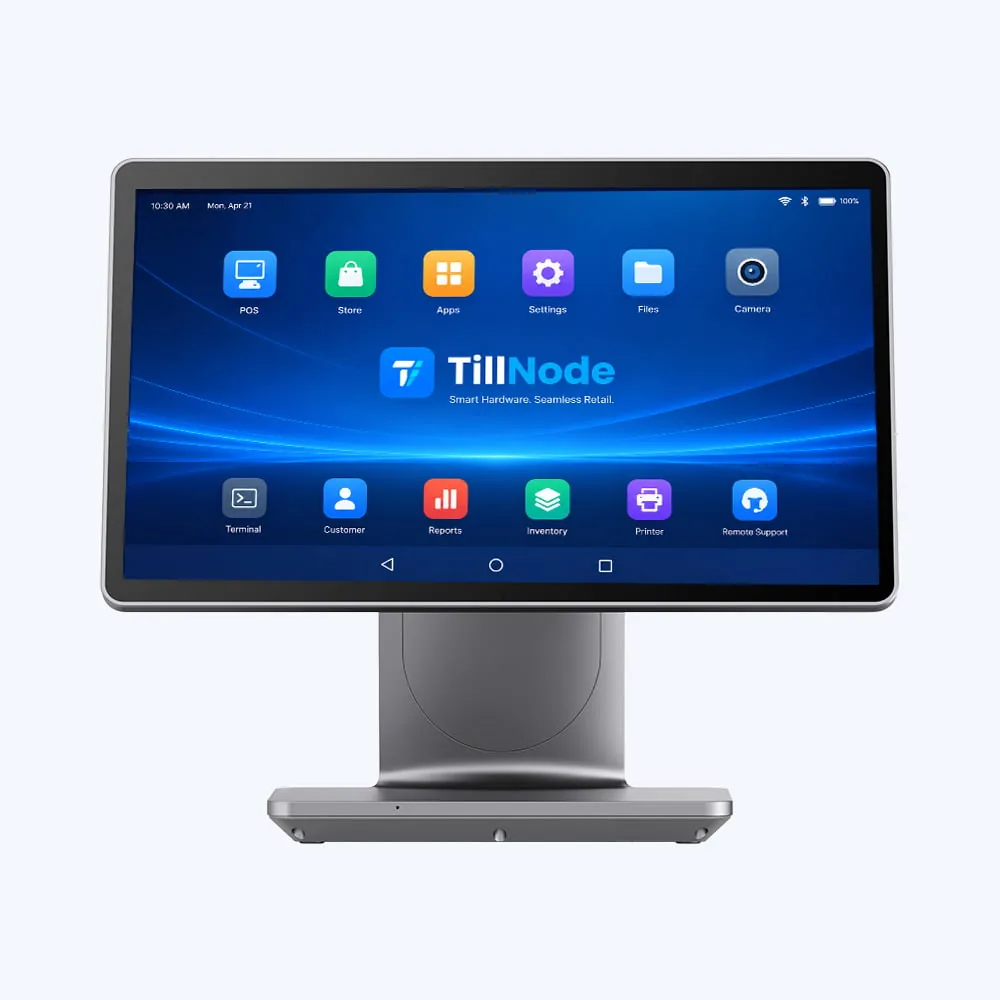
Start With the Counter, Not the Datasheet.
Three decisions settle most touch screen POS projects before anyone compares processors: how much counter you have, whether the customer needs to see the total, and where the receipt prints. Answer those and the model shortlists itself.
One Panel Is Enough
Your software already handles the customer side, or the counter is too narrow for a second panel. Go with a single 15.6-inch terminal and add the customer display later if the layout changes.
See the SN-B10 Windows terminal →The Customer Looks Too
A second panel shows the running total, the QR code and your promotions at eye level. It cuts the "how much was that" conversation and gives the counter a place to sell.
See the SN-P20 dual-screen POS →No Room for a Printer
If a separate receipt printer would eat the last of your counter, take the terminal with the printer inside. The cabinet keeps one power lead and one footprint.
See the SN-P90P with 80 mm printer →Engineered for Every Checkout Environment.
Discover our primary touch POS terminals. We provide modular, flexible configurations designed to integrate with your preferred POS software.
SN-P90 Dual-Screen 15.6" Android POS
Flagship Dual-Screen Terminal
- True-Flat Projected Capacitive Touch (PCAP)
- Octa-core 2.2 GHz on Android 11, 13 or 14
- 15.6" FHD 1920 × 1080, 350-nit IPS panel
- Optional 10.1" or 15.6" second screen
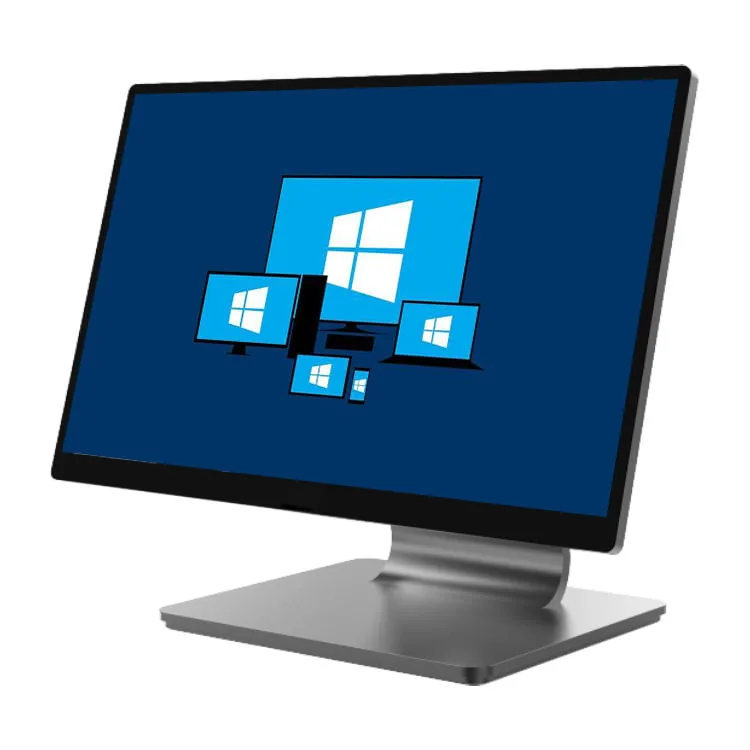
SN-P60 15.6" Fanless All-Aluminum POS
Compact Single-Screen Terminal
- True-flat 10-point PCAP glass, no bezel lip
- Celeron J6412, Core i3 or i5; RK3568 on Android
- Windows 10/11, Win 11 IoT LTSC or Linux
- Ultra-slim die-cast stand with hidden cabling
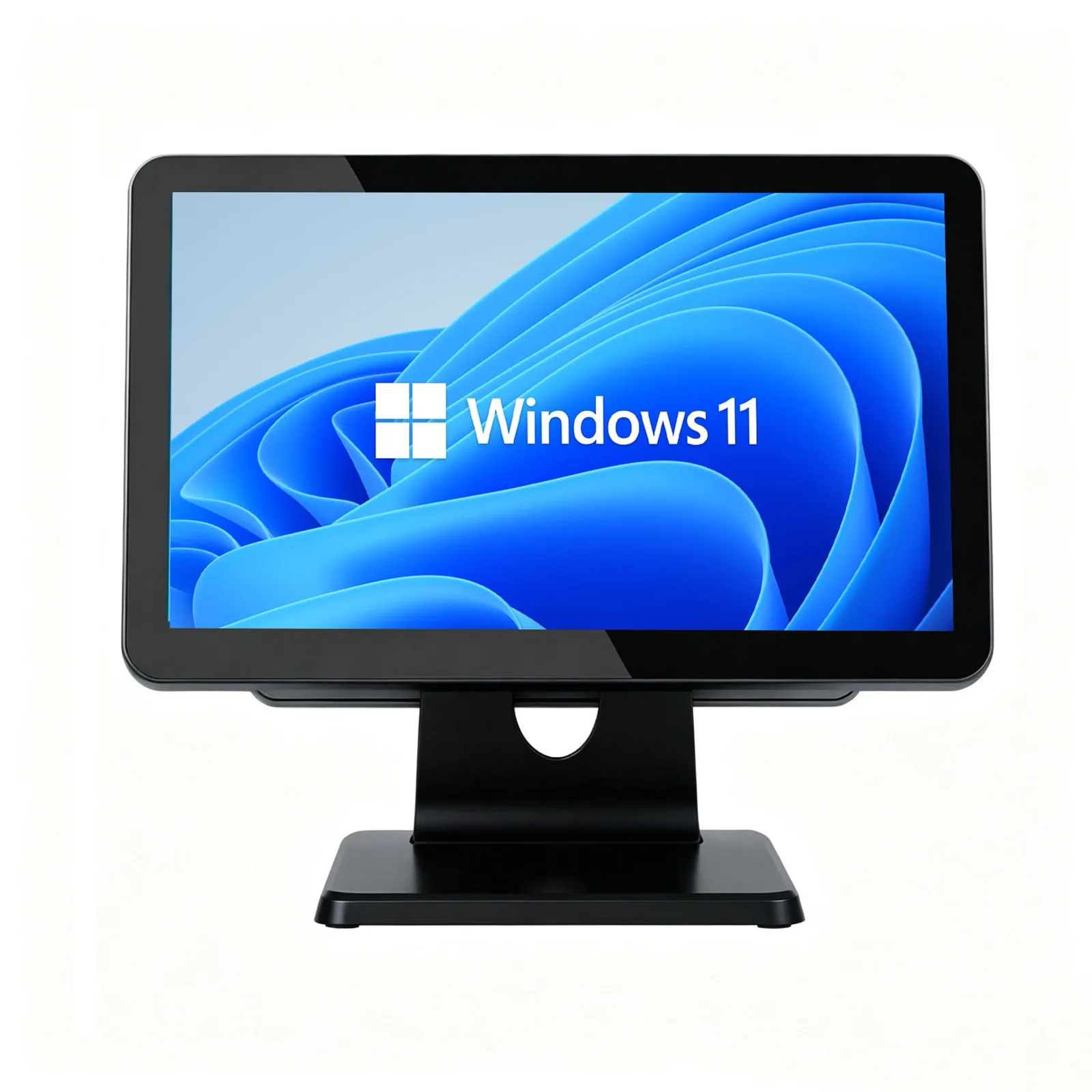
SN-B10 15.6" Windows POS Terminal
Heavy-Duty Checkout System
- Intel J1900, J6412, Core i3 or Core i5
- 6 × USB, 2 × RS232, VGA and RJ11 drawer kick
- 4–16 GB RAM, 64–512 GB mSATA storage
- Optional 11.6"/15.6" customer screen or VFD
Seven Terminals, Side by Side.
Every figure below comes from the model datasheet. Sizes, processors and storage are the standard build unless the row says otherwise.
| Model | Main screen | OS | CPU | Memory / storage | Pick it when |
|---|---|---|---|---|---|
| SN-P90 | 15.6" FHD 1920 × 1080, 350 nits | Android 11 / 13 / 14 | Octa-core 2.2 GHz | 4 GB + 64 GB (8 + 128 optional) | Your POS runs as an Android app |
| SN-P90P | 15.6" FHD + built-in 80 mm printer | Android 14 | Octa-core 2.2 GHz | 4 GB + 64 GB (8 + 128 optional) | No space for a separate receipt printer |
| SN-P60 | 15.6" 1920 × 1080, 11.6" second optional | Win 10/11, Win 11 IoT LTSC, Linux / Android 11 | Celeron J6412, Core i3 or i5; RK3568 / RK3588 / RK3576 | 4–16 GB DDR4, 64–256 GB NVMe | You want a fanless aluminum body in a thin profile |
| SN-P20 | 15.6" 1920 × 1080, 11.6" or 15.6" second | Win 10/11, Win 11 IoT LTSC, Linux / Android 11 | Celeron J6412, Core i3 or i5; RK3568 / RK3588 / RK3576 | 4–16 GB DDR4, 64–256 GB NVMe | You need the widest choice of second screen |
| SN-B10 | 15" or 15.6", up to 1920 × 1080 | Windows only | J1900, J6412, Core i3 or i5 | 4–16 GB DDR3L / DDR4, 64–512 GB mSATA | Legacy kit: a scale on RS232, a monitor on VGA |
| SN-P90W | 15.6" FHD IPS, IP65 front bezel | Win 11 IoT Enterprise, Win 10 IoT, Linux | Core i3-1215U (to 4.4 GHz) or N150 | Up to 32 GB DDR4, up to 512 GB NVMe | A wash-down counter plus heavy local software |
| SN-M80 | 8" 800 × 1280 + 3.2" customer display | Android 13 with GMS | Quad-core 2.0 GHz | 2 GB + 16 GB | A fixed-function till on a very small footprint |
Need the full port map, cut-out drawings or the datasheet PDF? Browse all all-in-one POS terminals or request the spec packs.
Commercial-Grade from the Inside Out.
Consumer tablets break under commercial pressure. We build our POS terminals specifically for rigorous 24/7 retail conditions.
10-Point True-Flat PCAP Touch
We utilize 10-point projected capacitive touch sensors. Cashiers experience instant response times, whether operating with wet fingers, gloves, or styluses during rush hours.
IP65 Front Bezel on the SN-P90W
The SN-P90W carries an IP65-rated front bezel, so a counter that gets wiped down at the end of a shift does not push water past the glass. The other models in the range ship true-flat 10-point PCAP glass; where a wash-down line is specified, quote the SN-P90W.
Clean Concealed Cable Management
Countertop clutter ruins store aesthetics. Our die-cast aluminum base conceals all power adapters, USB cables, and network wires cleanly inside the spine.
Capacitive or Resistive — and Why It Still Matters.
A projected capacitive (PCAP) panel reads the electrical change your finger makes, so it registers a light touch, supports pinch and multi-touch, and needs no calibration after installation. A resistive panel reads pressure through a flexible top layer, so it accepts a stylus or a gloved hand, but the layer wears with use and the contact point drifts until someone recalibrates it.
Every touch screen POS terminal we build ships true-flat 10-point PCAP glass. True-flat means the glass sits level with the bezel, with no raised edge for crumbs, grease or spilled milk to collect in — the difference you notice on a kitchen line rather than on a spec sheet.
Touch screen POS vs tablet POS: the full comparison →| Projected capacitive | Resistive | |
|---|---|---|
| Input | A finger, light touch | Pressure, stylus or glove |
| Multi-touch | 10 points | Single point |
| Calibration | None after install | Periodic, as the layer wears |
| Surface | Hardened glass, true-flat | Flexible plastic top layer |
| On our terminals | Standard across the range | Not offered |
The Ideal Hardware Foundation for Your POS Software.
We believe the hardware should never limit the software. TillNode POS systems provide open architectures, native driver libraries, and comprehensive I/O arrays to run your solutions out of the box.
Multi-OS Flexibility
Run your choice of Windows 10/11 IoT Enterprise, Android 11/13 (GMS optional), or Ubuntu Linux.
Extensive Peripheral Expansion
Connect thermal printers, cash drawers, 2D barcode scanners, and payment PIN pads simultaneously via high-speed USB and powered serial COM ports.
SDK & Driver Support
We provide OPOS and JPOS drivers to streamline development for software vendors and independent software vendors (ISVs).
Windows or Android? Choose by the Software You Already License.
The operating system is not a preference, it is a constraint. Whichever build your POS application was certified on decides the answer before the processor does.
Take Windows when…
- 01Your till runs a desktop POS client that installs as an .exe, with a local database or an on-premise server behind it.
- 02The counter also does catalog search, report generation or video, where a burst clock of 4.4 GHz on an i3 makes the difference.
- 03You need 32 GB of RAM and a 512 GB NVMe drive for a large local dataset.
Models: SN-P90W, SN-B10, all Windows POS.
Take Android when…
- 01Your application is an Android APK, or the software vendor publishes an Android build you can install and update remotely.
- 02You are rolling out many stores and want a lower bill of materials per till.
- 03The work is a fixed set of screens: order entry, payment, receipt. An octa-core at 2.2 GHz covers it without a fan.
Models: SN-P90, SN-P90P, SN-M80, all Android POS.
Still weighing it up? Read Android POS vs Windows POS, or the PC POS buying guide.
What Changes Between a Café till and a Supermarket Lane.
The panel stays 15.6 inches in most of these builds. What changes is the peripheral mix, the second screen and how much the counter gets cleaned.
QSR, cafés and bars
Order entry is fast and the menu is short. A second panel facing the guest carries the order total and the tip prompt, which removes the "what did I order" exchange at payment.
Restaurant POS systems →Supermarkets and convenience stores
A scale on RS232, a scanner on USB and a drawer on RJ11 all have to land on the same terminal. Port count matters more than screen size here.
POS cash registers →Fashion, beauty and specialty retail
The till sits in sight of the customer, so the footprint and the finish count. A thin aluminum terminal with concealed cabling reads as part of the fit-out.
Touch screen cash registers →Pharmacy and clinical counters
Counters get wiped with liquid disinfectant between patients, and a dual screen keeps the prescription total visible without turning the till around.
Pharmacy solutions →Scale Your Brand with TillNode Custom OEM/ODM Services.
Need a bespoke hardware identity for your software platform or retail chain? We partner with leading enterprises globally to manufacture customized touch POS terminals.
Bespoke Casing
Laser-etched metal badges, precision silk-screening, and custom Pantone colors.
Custom BIOS
Custom UEFI boot logos, automated app launching, and preloaded OS recovery images.
Modular Add-ons
Integrated snap-on MSR, RFID/NFC, iButton readers, and secondary LCD customer screens.
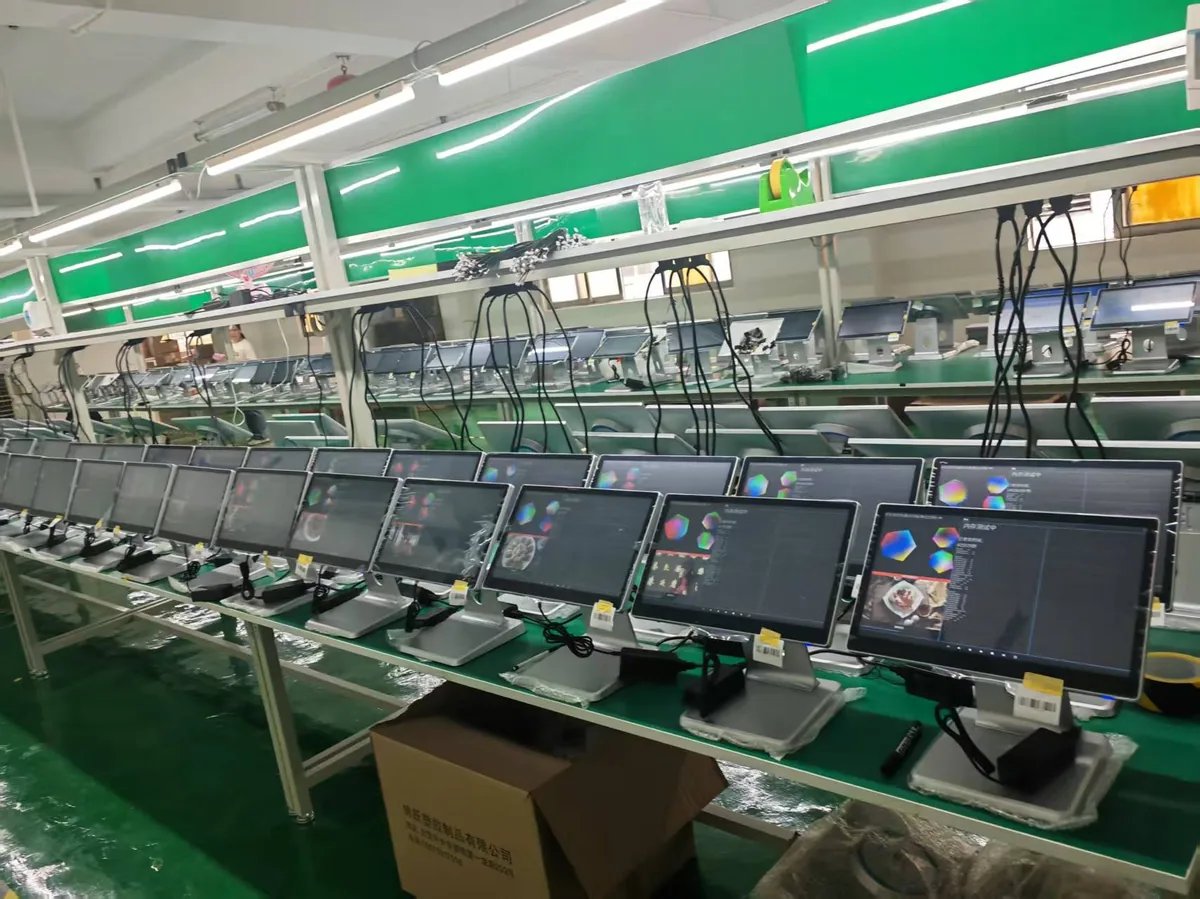
- Minimum OEM Order: 50 Units
- Custom Tooling Capability: Available
- Burn-In Testing Cycle: 48 Hours Full Load
Touch Screen POS: Straight Answers.
What is the difference between a touch screen POS system and a tablet POS?
+
A tablet POS is a general-purpose tablet in a stand, running a consumer app. A touch screen POS system is built for the counter: a fixed 10-point PCAP panel, a fanless board, RJ11 for the cash drawer, RS232 for a scale, and a chassis that survives being wiped down. A tablet gives you portability; a purpose-built terminal gives you the ports and the duty cycle.
Do I need a 15.6-inch screen, or should I go bigger?
+
15.6 inches at 1920 × 1080 is the working standard for a staffed checkout lane, and every model on this page uses it. Go larger only when the screen is customer-facing or doubles as signage — a 21.5 to 32-inch panel belongs on a kiosk, not on a till where the cashier has to reach across it.
Should I choose Windows or Android for a touch POS?
+
Choose the one your POS software is certified on. If your application installs as a Windows executable with a local database, take a Windows build such as the SN-B10, SN-P60 or SN-P90W. If your vendor publishes an Android app, an Android build costs less per till and updates remotely.
Can I keep the POS software I already run?
+
In most cases yes. The Windows builds run Windows 10/11 and Windows 11 IoT LTSC, the Android builds run Android 11 through 14, and we supply OPOS and JPOS drivers for software vendors and ISVs. Send us the software name and version before ordering so we can confirm the driver set.
Is the front panel really IP65?
+
On the SN-P90W, yes: its datasheet lists an IP65-rated front bezel. On the other models the panel is true-flat 10-point PCAP glass without a published IP rating, so if your counter is washed down at the end of every shift, specify the SN-P90W rather than assume the rating carries across the range.
How many peripherals can I connect to one terminal?
+
The SN-B10 carries 6 USB ports, 2 RS232 ports, VGA and an RJ11 drawer kick. The SN-P60 and SN-P20 carry 2 × USB 3.0 plus 4 × USB 2.0, 1 × RS232 (expandable), Gigabit LAN and an RJ11 drawer port. The SN-P90 carries 5 × USB-A, RJ45, RJ11 serial and RJ12 for the drawer.
All-in-one terminal or a separate compute box and monitor?
+
An all-in-one keeps one power lead and one footprint, which is what most counters want. A separate box and monitor makes sense when the compute unit has to be serviced without touching the screen, or when the screen has to be mounted away from the till. See the modular build if that is your case.
What is the minimum order for a custom build?
+
OEM projects start at 50 units, and custom tooling is available. For evaluation we ship sample units before a volume order, and our team replies to a spec request within 24 hours.
Ready to Upgrade Your POS Checkout Infrastructure?
Tell us about your project requirements. Our hardware specialists will respond within 24 hours with complete specification sheets, volume pricing, and evaluation sample availability.