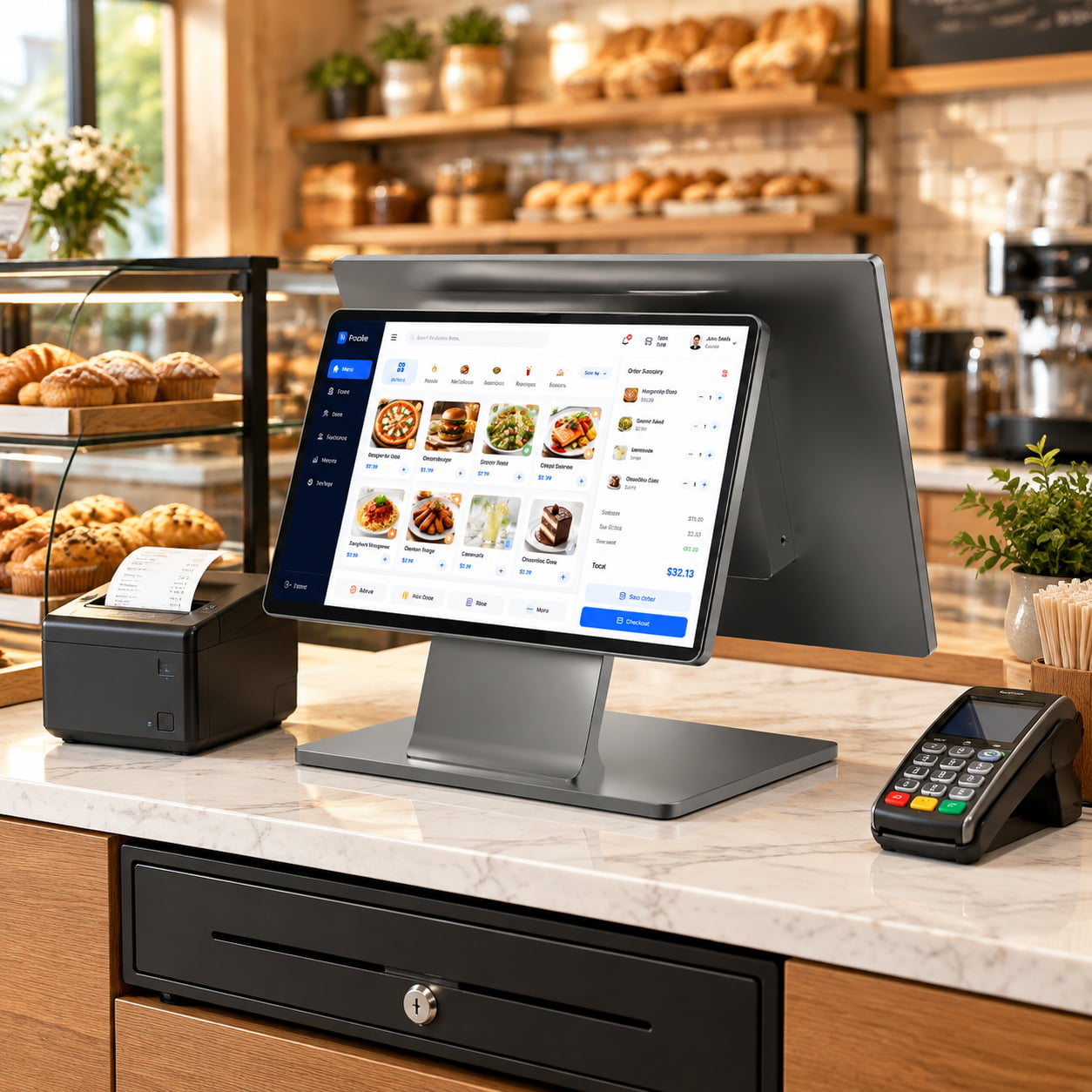
A convenience store does not run a smaller version of a supermarket lane. It runs a different job. The basket is small, the transaction is short, the counter is narrow, one person covers the whole shift, and there is no back office to call when something stops. Hardware specified for a supermarket usually works in a c-store and is usually the wrong shape for it.
This page sets out the four constraints that actually decide a c-store lane, with the numbers that show where each one bites: counter surface measured in square centimeters, receipt time measured in fractions of a second, drawer operations counted over a year, and the question nobody asks until the first outage. It is the reasoning behind the convenience store POS configuration, which covers what we supply for the format.
Four constraints, and where cheap hardware fails
Every c-store hardware complaint traces back to one of these. None of them is about processing power.
| Constraint | What it demands | Where an unsuitable unit fails |
|---|---|---|
| Short transactions, no queue tolerance | The receipt has to be in the customer's hand before the next basket lands | A slow printer with no cutter turns a 20-second sale into a 25-second one, and the queue forms in the five seconds |
| Narrow counter | Every component earns its surface area, because the same counter also holds impulse stock | A separate printer and its adapter consume more counter than the terminal that drives it |
| One person on shift | Nothing may require a second pair of hands or a trip to the back room | Paper loading that needs the unit unplugged and turned around, or a jam that needs a technician |
| Nobody on site to fix it | Recovery has to be possible by the person at the counter, or remotely | No remote management, no recovery image, and no documented behavior on power return |
The fourth row is the one buyers leave until it happens. A supermarket with an IT contractor absorbs a failed lane for a day. A single-staffed c-store at 6 a.m. with a terminal that will not boot is closed, and the person behind the counter has no escalation path.
The counter is the binding constraint
Take two ways of building the same 15.6-inch lane. One uses a terminal with no printer and a separate 80 mm receipt printer beside it. The other uses a terminal with the printer built into the cabinet. The published dimensions are enough to compare the surface each one takes.
| Build | Components | Counter footprint | Power adapters |
|---|---|---|---|
| Split | SN-C20 terminal, 375 x 215 x 330 mm, plus SN-POS8250 80 mm printer, 190 x 145 x 145 mm | 806 cm² + 276 cm² = 1,082 cm² | Two: 12 V 5 A for the terminal, 24 V 2.5 A for the printer |
| Integrated | SN-W50 terminal with built-in 58 or 80 mm printer, 34 x 23 x 44 cm | 782 cm² | One: 12 V 7 A |
The integrated build returns about 300 cm² of counter, roughly a third of a square meter, and removes one power adapter and its cable run from under the counter. On a 1.2 m counter that is a quarter of the working surface back, which is where the impulse stock goes. In a format that lives on attachment sales, counter surface is not a comfort issue, it is the merchandising plan.
Two honest caveats. The integrated unit takes more depth than the terminal alone, so it suits a counter with room behind the customer side of the till rather than a narrow slot against a wall. And if the printer fails, the whole lane goes down with it, where a separate printer fails on its own. That is why the spare-unit question in the fourth constraint is not rhetorical: the integrated build is the better footprint and the worse failure mode.
Two seconds a transaction is the whole business case
Receipt printers are the component buyers downgrade to save a little, and they are the one that costs time on every single sale. The two print speeds in this range are far enough apart to measure per receipt.
| Specification | Compact class | Counter class |
|---|---|---|
| Print speed | 90 mm/s | 160 mm/s |
| Paper width | 58 mm only, printable width under 50 mm | 58 mm or 80 mm, set at order |
| Cutter | None, receipt torn by hand | Auto-cutter, partial or full cut |
| Time to print a 140 mm receipt | 1.56 s | 0.88 s |
Two thirds of a second per sale does not sound like much until it is multiplied. At three hundred baskets a day it is a little over three minutes of pure printing, which is not the point. The point is the tail: the customer waiting for a receipt does not start moving until the paper is in their hand, and a hand-torn receipt takes longer to tear than to print. A cutter removes that last second, and the second is what decides whether the next basket starts on time.
The paper width decision matters as much as the speed. An 80 mm roll gives about 72 mm of printable width, roughly 48 characters, which is enough to keep an item and its price on one line. A 58 mm roll gives about 48 mm, around 32 characters, and a product name longer than a few words pushes the price to the next row. On a receipt that is checked at the door, a wrapped item line is a query at the counter. The width comparison has its own page: 58 mm against 80 mm thermal printers.
One person, one shift: what the hardware has to do alone
In a staffed supermarket lane, a jam is a call to the supervisor. In a c-store at 2 a.m., a jam is the person at the counter leaving the till. Hardware that assumes a second pair of hands is hardware that stops the store.
Three details decide this, and all three are visible on a specification sheet if you look for them.
- Drop-in paper loading. The roll goes in from the top without threading a path or removing the unit from its stand. On a built-in printer this is the difference between a fifteen-second roll change during a queue and a five-minute interruption.
- A cutter, not a tear bar. A hand-torn receipt slows the person at the counter, and paper tears badly under time pressure, which produces the receipt the customer asks to have reprinted.
- A recovery path the person at the counter can follow. Ask for a recovery image or a documented reset sequence. A unit that has to go back to a workshop is a lane that is closed for a week.
Remote management belongs in the same conversation. If the store runs several sites, the ability to push a configuration or restart a lane without sending someone is worth more than any single hardware specification, and it is a property of the software stack rather than the terminal. Ask which of the two parties, the software vendor or the hardware supplier, is responsible for the unit coming back after an update goes wrong. The answer is usually that nobody decided, which is how a lane stays dark for a day.
Power that comes back, and a lane that has to come back with it
A fixed all-in-one terminal has no battery. That is not a defect, it is a design decision, and it means the answer to a power interruption is a decision the buyer has to make rather than a feature they can assume.
| Option | How it behaves in an outage | Fit |
|---|---|---|
| Fixed terminal, no protection | The lane stops immediately. Whether it restarts unattended depends on the unit and on the software | Sites with stable mains power and an acceptable few minutes of downtime |
| Fixed terminal on a small UPS | The lane finishes the transaction in progress, then shuts down cleanly | Where the risk is a short dip rather than a real outage |
| Tablet on a charging base | The internal battery carries the unit across a short outage, and the lane keeps taking orders | Unstable power, pop-ups, and formats where the screen already travels |
The tablet route has real numbers behind it. The SN-N120 carries a 10,000 mAh internal pack in a 12.1-inch body, and the heavy-duty base for the range carries a further 20,000 mAh with PD 30 W input, which is the version specified for unstable power and outdoor trading. The SN-U1095 carries 6,000 mAh in a 10.95-inch body and ships without a camera, which some environments require. None of these figures is a runtime guarantee, because runtime depends on screen brightness, radio use and how busy the lane is. They are enough to say the unit will not die on the spot.
Whichever route you take, there is one question to put in writing to the supplier: on power return, does the unit start itself and return to the point of sale screen without anyone touching it? A unit that boots to a desktop and waits for a password is a lane that is closed until someone arrives. The smart POS tablet range and its docking bases is where the battery-backed option lives.
The drawer is the part that wears out
Of everything on a c-store lane, the cash drawer is the only component that performs a mechanical action on every cash sale. Nothing else moves that often. The solenoid fires, the drawer kicks open, the spring returns it, and the cycle repeats.
Put a number on it. A store doing 1,200 transactions over a twelve-hour day across two lanes handles 600 on each. If two thirds of those involve cash, one drawer fires 400 times a day, which is 144,000 operations in a 360-day year. A drawer rated for the cycle count of a supermarket lane and one rated for a low-volume boutique are not the same product, and the difference is in the solenoid and the latch rather than in the steel.
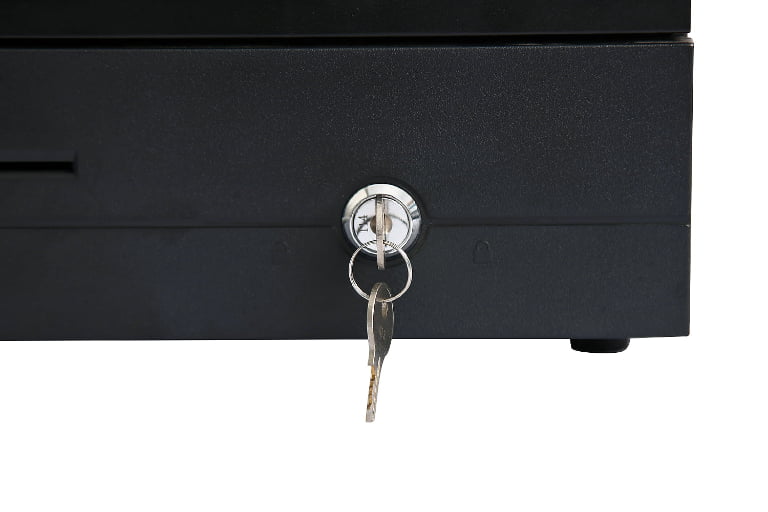
Two specification lines decide whether a drawer works on your lane. The first is the trigger: our terminals and printers present a 12 V pulse on the RJ11 drawer port. The second is the drawer's own tolerance, and this is where buyers get caught. A drawer whose solenoid accepts either a 12 V or a 24 V pulse will work from our terminal and from a third-party printer that outputs 24 V, which is what lets one drawer SKU serve a mixed estate. A drawer that expects one voltage and receives the other either does not open or holds the solenoid energised, and a held solenoid is a burnt coil.
The format matters too. A flip-top or compact drawer suits a counter where the operator stands at the front. A heavy-duty drawer with a wider body and a stronger latch is the right choice where the cycle count is high, and the extra depth is the cost. The drawer range and its trigger specifications are on the cash drawer range page.
A configuration that fits a 1.2 m counter
Two builds, both for a single staffed position in a store with a narrow counter. Neither is a recommendation in the abstract; they are the two shapes the decision usually lands on.
| Position | Compact build | Counter build |
|---|---|---|
| Terminal | SN-D3, 10.1 inch, 284 x 273 x 84 mm, 12 V DC input | SN-W50, 15.6 inch, 34 x 23 x 44 cm, 12 V 7 A |
| Printer | Built in, 58 mm, 90 mm/s, no cutter | Built in, 58 or 80 mm, 160 mm/s, auto-cutter |
| USB ports | 5 | 6 |
| Serial | None | 1 x RS232, configurable to 3 at order |
| Drawer port | 1 x RJ11, 12 V, optional | 1 x RJ11, 12 V |
| Customer display | 4.99 inch, or VFD, optional | 11.6 or 15.6 inch, or VFD, optional |
| Suits | A kiosk counter, a service window, a store where the till is not the main event | A staffed counter with a queue, where the receipt is checked at the door |
The compact build is the one buyers underestimate. At 84 mm deep it is shallower than the separate printer it replaces, and it needs one 12 V input rather than a terminal supply plus a 24 V printer supply. What it gives up is paper width and speed: 58 mm only, 90 mm/s, and no cutter. For a store moving mostly card payments with occasional receipts, that is a fair trade. For a store printing a receipt on every basket, the counter build pays for itself in queue time.
Both builds assume one position. How many positions a store needs is a capacity calculation rather than a rule of thumb, and the arithmetic behind it is on how many POS terminals a store needs.
The serial port is the line that quietly decides the compact build. It has none. If the store runs a weighing scale for loose goods, or a kitchen or deli printer on serial input, the compact unit cannot drive them and the choice moves up a class. Count the serial devices before comparing the two.
What to specify, and what not to pay for
The c-store specification is short. Most of the money saved in this format is saved by removing things, not by buying cheaper versions of them.
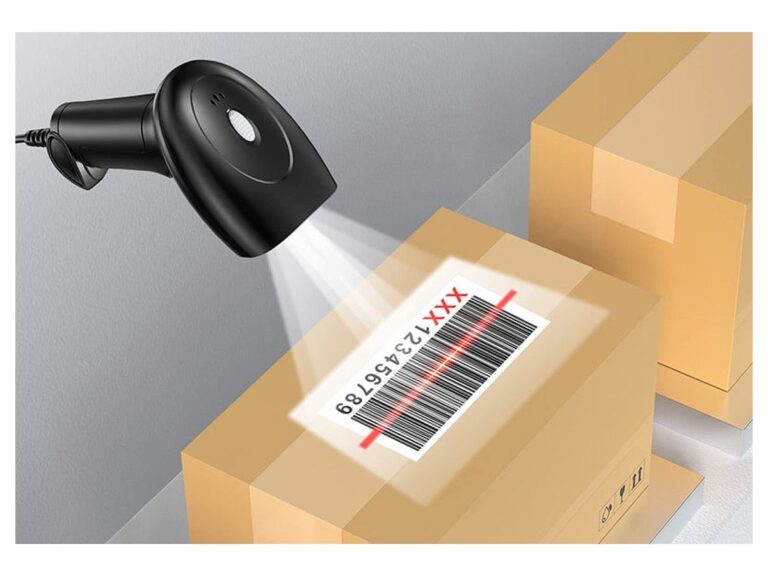
- Do specify a 2D imager, not a laser scanner. A large share of baskets start with a phone screen, and a laser scanner cannot read one. This is the single component where downgrading costs sales rather than seconds.
- Do specify the cutter. A tear bar is cheaper and slower on every transaction for the life of the unit.
- Do not pay for a 15.6-inch screen on a counter where nobody reads it. A 10.1-inch unit at 84 mm deep does the same job where the operator is looking at the scanner rather than the screen.
- Do not pay for a Windows license to run a web-based till. If the software is a browser application or a hosted app, the board is not the constraint and the license is pure cost.
- Do specify the drawer by cycle count, not by price. It is the only part with a mechanical life measured in tens of thousands of operations.
The commercial side is the same as any counter hardware order: quantity, connectors, certificates for the target market by model, packaging, the spare-parts allowance and the Incoterm. Those lines are set out in the POS hardware RFQ template, and the sample and lead-time terms are on the ordering terms page.
One further read, if the store is one of several: the board question is a software question rather than a hardware one, and comparing an EPOS terminal with an Android terminal works through what actually changes when the same cabinet ships with a different mainboard.
Frequently asked questions
What EPOS hardware does a convenience store actually need?
A terminal, a receipt printer, a cash drawer, a barcode scanner and a way to take card payment. The scanner matters more than in other retail formats because a large share of c-store baskets start with a phone screen, and a 2D imager reads a loyalty code or a QR payment from a screen where a laser scanner cannot. Everything else is optional, and most of it is decided by the counter you have rather than by the software.
Is a terminal with a built-in receipt printer better for a convenience store?
Usually, because counter is the scarce resource. An all-in-one unit with the printer inside takes less surface than the same screen next to a separate 80 mm printer, and it removes one power adapter and one cable from under the counter. The trade-off is service: if the printer fails, the whole terminal leaves the lane, so keep a spare unit or accept a repair window. Where the counter is deep and the printer can sit out of the way, the separate unit is easier to swap.
Can a convenience store keep selling during a power cut?
Not on a fixed terminal. Standard all-in-one units have no battery, so a power interruption stops the lane. Two options exist: put the lane on a small uninterruptible supply, or use a tablet on a charging base where the internal battery carries the unit across a short outage. A tablet with a 10,000 mAh pack and a base that carries a further 20,000 mAh is the version for sites with unstable power. Either way, ask the supplier what the unit does when power returns, because not every unit comes back to the point of sale screen unattended.
How many terminals does a convenience store need?
Usually two for a typical urban store: one primary lane and one for the peak hour. The number is a capacity calculation rather than a rule of thumb, and a c-store almost never lands on one, because a single lane at peak utilization carries no headroom at all. A store with a very short, genuinely single-staffed peak can run one, and in that case the spare-part question becomes the more important one, since there is no redundancy behind the lane.
Should a convenience store use Windows or Android terminals?
Whichever your point of sale software runs on. That single question usually settles it. Android suits stores running an app-based system with central management, because pushing a build to every lane at once is straightforward. Windows suits stores running a desktop application, or an estate where the back office already manages Windows machines. The hardware in the same cabinet can often be ordered either way, so the board is a software decision, not a hardware one.
What spare parts should a convenience store keep on site?
A spare receipt printer roll of the correct width, and a spare terminal if the store cannot tolerate a closed lane. Our shipments carry a 2 percent spare-parts allowance by unit count in the same carton, which covers the parts most likely to fail early. For a single-lane store that allowance is not enough on its own, because two percent of one unit is zero. Buy the spare deliberately rather than relying on the allowance.