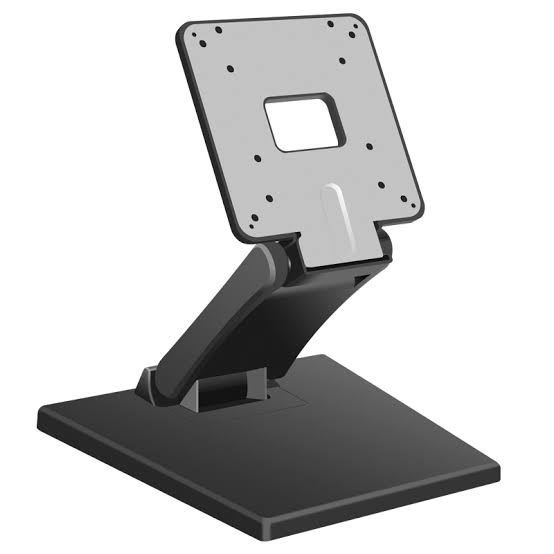
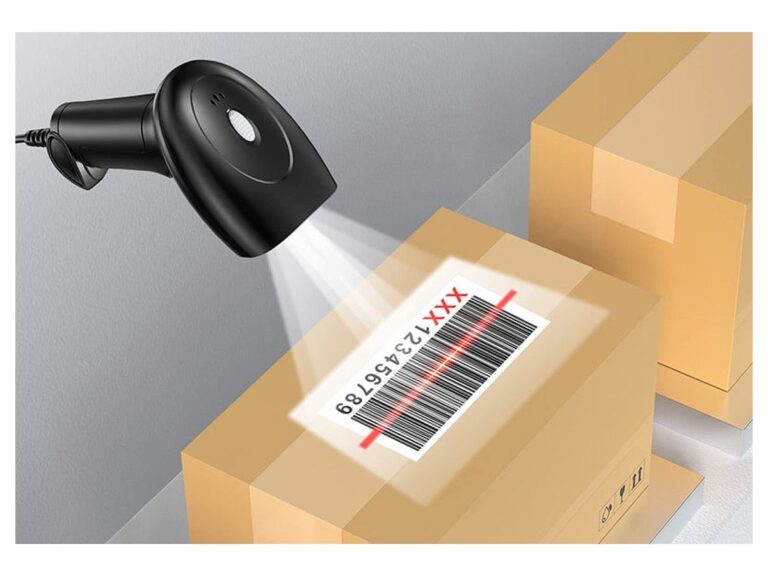
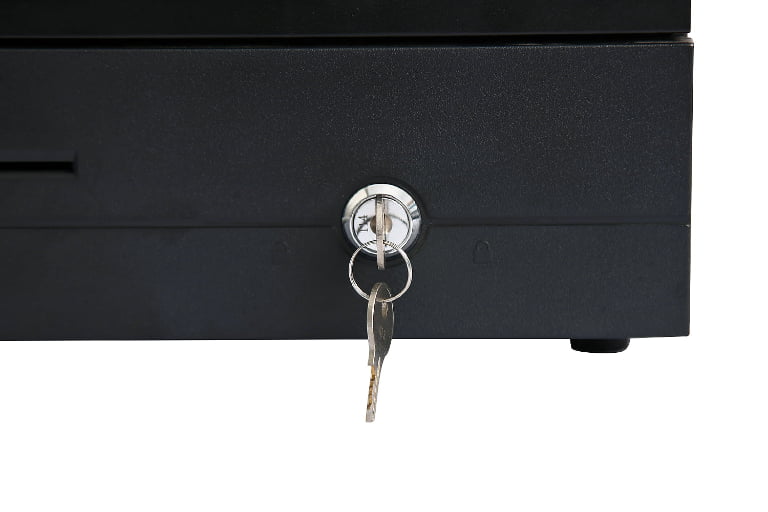
A POS system costs $500 to $2,500 in hardware for a typical single-location business, $30 to $200 per month in software, and 1.5% to 3.5% of every card transaction in payment processing. Budget $1,000 to $3,000 for the first year of a single-counter retail setup, and $3,000 to $7,000 for a full-service restaurant running two or three stations. Those are the numbers most buyers are looking for, and they are also the numbers most vendor quotes are built to hide.
This guide breaks the cost down the way it should be broken down: component by component on the hardware side, tier by tier on the software side, and as a percentage of sales on the processing side. It also covers the part almost nobody publishes, which is what the same hardware costs when you buy it from the factory instead of from a local reseller, and how that gap behaves at 1, 5, 20 and 100 units.
How Much Does a POS System Cost in 2026?
Quick answer: a complete POS system costs $500 to $2,500 per station in hardware (one-time), $30 to $200 per month per location in software, and 1.5% to 3.5% of card sales in processing. First-year cost of ownership runs from about $900 for a basic retail counter to $10,000 and above for a multi-station restaurant or kiosk deployment.
| Cost layer | Typical range | One-time or recurring | Who sets the price |
|---|---|---|---|
| Hardware (terminal, printer, drawer, scanner) | $500 – $2,500 per station | One-time | Manufacturer and reseller |
| POS software subscription | $0 – $300 per month per location | Monthly | Software vendor |
| Payment processing | 1.5% – 3.5% per transaction | Per sale | Processor and card networks |
| Installation and setup | $0 – $500 per station | One-time | Vendor or integrator |
| Consumables (thermal rolls, labels) | $100 – $400 per year per station | Annual | Paper supplier |
| Support and warranty beyond year one | $0 – $600 per year | Annual | Vendor or manufacturer |
Read that table twice, because the fourth column is where budgets break. Hardware is a number you agree to once. Software is a number you agree to every month for as long as you use the system. Processing is a number that grows every time you sell something, and it is the only line in the table that gets bigger when your business does well.
The practical consequence is that a quote advertising "$0 hardware, $49 per month" and a quote advertising "$1,200 upfront, $30 per month" cannot be compared on either number. The only honest comparison is a three-year total, and the sections below show you how to build one.
One transparency note before we go further: TillNode manufactures POS hardware. We do not sell software and we do not process payments, so the software and processing figures in this guide are industry-standard ranges taken from published vendor pricing rather than our own rate card. Our own numbers appear only where hardware is concerned, and we have labeled them. Browse our POS hardware range if you would rather start from specification sheets than from cost tables.
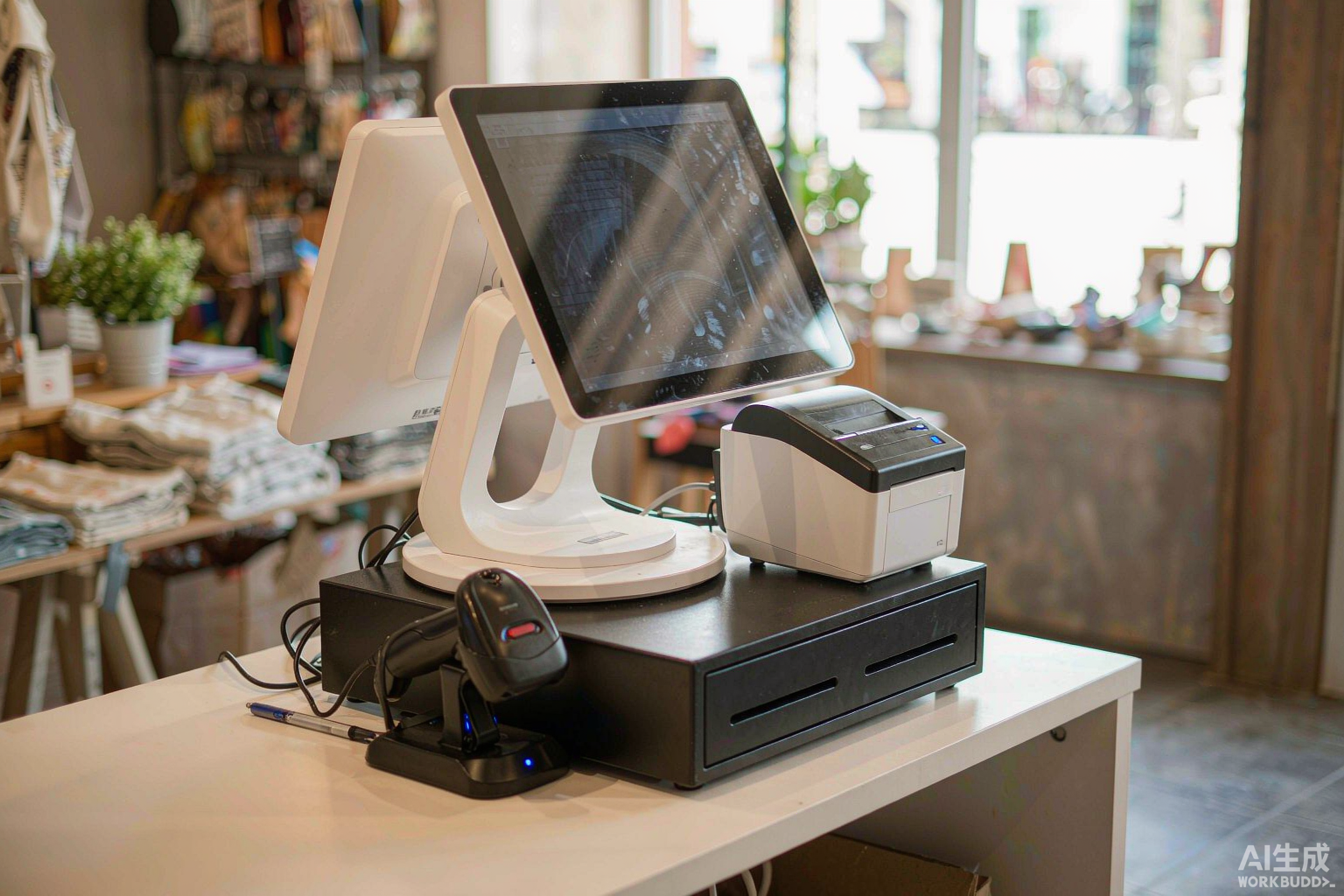
The Three Cost Layers: Hardware, Software and Payment Processing
Every POS deployment in the world is made of the same three layers. They are charged in different ways, on different cycles, by different companies, and confusing them is the single most common reason buyers end up paying more than they expected.
| Layer | What it covers | Charged as | Scales with | Share of 3-year spend |
|---|---|---|---|---|
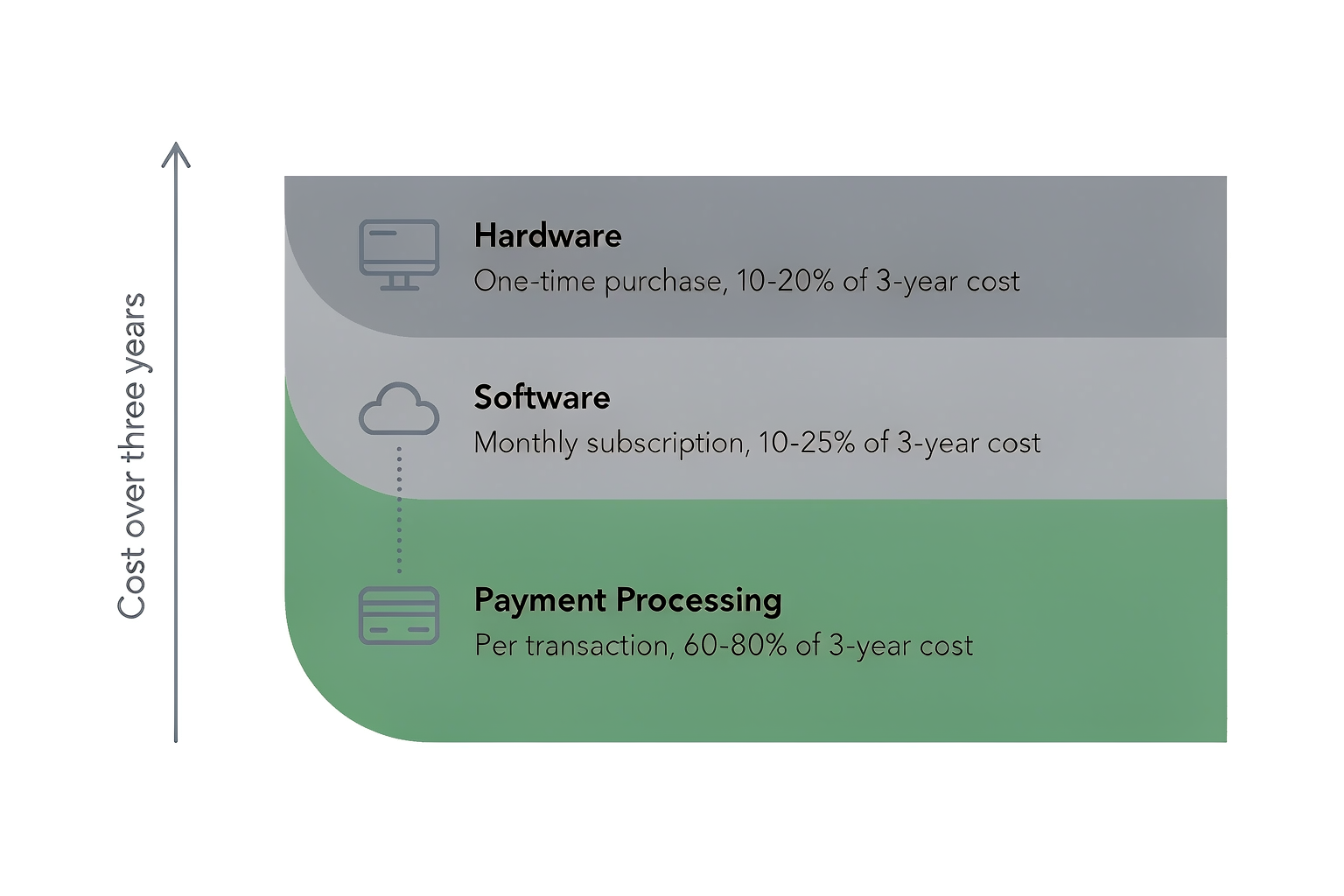
| Hardware | Terminal, receipt printer, cash drawer, barcode scanner, customer display, kitchen display | One-time capital | Number of stations and peripheral count | 10% – 20% |
| Software | POS application, inventory, reporting, employee management, integrations, support | Monthly subscription | Locations, terminals and modules switched on | 10% – 25% |
| Processing | Card network interchange, assessments and processor markup | Per transaction | Card sales volume | 60% – 80% |
Hardware is the layer buyers think about most and it is the smallest of the three over time. Software is the layer that looks controllable and is not, because modules get added. Processing is the layer that looks like a rounding error at 0.3% and is in fact the largest single expense in the entire system.
Why the split matters more than the total
When you compare two vendors, compare them layer by layer. Vendor A may be cheaper on hardware and two-tenths of a percent more expensive on processing. At $30,000 per month in card sales, two tenths of a percent is $720 per year, every year, forever, while the hardware difference is a one-time $300. The cheaper system is the more expensive one, and the only way to see that is to stop comparing totals and start comparing layers.
The same logic runs backwards through every "free" offer in this market. Free terminals, free tablets and free software are financed somewhere, and they are almost always financed through the processing rate. You are not receiving hardware; you are leasing it against future transaction volume, with the paperwork hidden inside your merchant agreement.
POS Hardware Cost: Components and Complete Station Builds
Hardware is the part we can speak about from the factory floor rather than from a price list. The table below shows what each component costs across three tiers. The tier that matters is not the one with the biggest screen; it is the one that will still be running in year five in a room full of grease, heat or dust.
What each component costs
| Component | Entry | Mid-range | Commercial grade | What changes at the top tier |
|---|---|---|---|---|
| POS terminal (all-in-one) | $250 – $500 | $500 – $900 | $900 – $1,800 | Aluminum or magnesium chassis, fanless cooling, 8GB RAM, five-year spare-parts availability |
| Dual-screen POS terminal | $380 – $600 | $600 – $1,100 | $1,100 – $2,000 | Secondary customer-facing display, higher-brightness panel, independent display control |
| Receipt printer (80mm thermal) | $60 – $120 | $120 – $220 | $220 – $400 | Auto-cutter rated to 1.5 million cuts, 250mm/s print speed, drop-in paper loading |
| Cash drawer | $40 – $80 | $80 – $150 | $150 – $300 | Heavier steel gauge, four to six bill compartments, one-million-cycle solenoid |
| Barcode scanner | $30 – $80 | $80 – $180 | $180 – $400 | 2D imager, drop rating, cordless charging base, batch mode |
| Customer display | $60 – $120 | $120 – $250 | $250 – $500 | 11.6in LCD or VFD, pole or flush mount, tip and signature prompts |
| Kitchen display system (per screen) | $300 – $600 | $600 – $1,000 | $1,000 – $1,500 | IP54 or IP55 sealing, 500-nit brightness, sealed bezel, glove-compatible touch |
| Payment terminal | $0 – $100 | $100 – $300 | $300 – $500 | EMV plus contactless, offline authorisation, PIN pad, PCI PTS certification |
Two of those rows deserve a closer look. Laptop-grade receipt printers fail at the cutter, not at the board, so a cheaper printer with a 500,000-cut cutter costs more per year than a mid-range unit with a 1.5-million-cut cutter once you account for one replacement. We cover paper, print head life and cutter ratings in our thermal printer guide. And a kitchen display is the one piece of POS hardware specified by environment rather than by workload, which is why IP rating and brightness drive its price more than resolution does. Our guide to kitchen display systems covers those specifications in detail.
Three complete station builds, priced line by line
Component tables are useful, but nobody buys a component table. Below are three builds that account for the overwhelming majority of single-site deployments, priced at mid-range tier and using the same illustrative card volume so the builds can be compared directly.
| Line item | Retail counter (one lane) | QSR counter | Full-service restaurant (two stations plus KDS) |
|---|---|---|---|
| POS terminal | 15.6in all-in-one, $450 | 15.6in all-in-one, $450 | Two 15.6in all-in-one, $900 |
| Receipt printer | 80mm thermal, $140 | 80mm thermal, $140 | Two 80mm thermal, $280 |
| Cash drawer | Steel, $90 | Steel, $90 | Two steel, $180 |
| Barcode scanner | 2D imager, $90 | 2D imager, $90 | 1D handheld, $60 |
| Customer display | Not required | 11.6in LCD, $180 | Not required |
| Kitchen display system | Not required | One 21.5in screen, $700 | Two 15.6in screens plus bump bar, $1,400 |
| Mounting and cabling | $40 | $120 | $260 |
| Hardware subtotal | $810 | $1,770 | $3,080 |
| Software, year one | $360 at $30 per month | $1,020 at $85 per month | $1,800 at $150 per month |
| Processing, year one (at $25,000 per month card sales, 2.6%) | $7,800 | $7,800 | $7,800 |
| Year-one total | $8,970 | $10,590 | $12,680 |
Notice what the bottom row says. The restaurant build costs nearly four times as much as the retail build on hardware and 10% more in total, because processing dominates both columns. That ratio holds across almost every deployment we see: hardware sets the entry price, processing sets the real price.
POS Software Cost: Tiers, Modules and What They Add
Software pricing in this market has moved almost entirely to monthly subscriptions, and the structure is consistent enough to plan against. There are three usable tiers, whatever the brochure calls them.
| Tier | Monthly cost per location | What is included | Typical buyer |
|---|---|---|---|
| Entry | $0 – $40 | Sales recording, receipt printing, one register, basic daily reporting. Processing rates are usually higher than market. | Single counter, low volume, price-first buyer |
| Mid-market | $60 – $120 | Full inventory, employee management, loyalty, one or two integrations, offline mode. | Growing single site, two to five staff |
| Full or multi-location | $120 – $300 and above | Multi-location reporting, advanced inventory, API access, priority support, role permissions. | Chains, franchise groups, multi-site owners |
What name-brand platforms actually charge in 2026
| Platform | Base plan per location | Advanced plan per location | What the advanced tier adds |
|---|---|---|---|
| Toast POS | From $0 plus processing | $132 | Online ordering, loyalty, marketing, multi-location reporting |
| Clover | $14.95 – $49.95 | $74.95 – $124.95 | Inventory, employee scheduling, advanced reporting |
| Square for Restaurants | From $0 plus processing | $60 | Multi-location, advanced reporting, course and table management |
| Lightspeed Restaurant | $69 | $169 | Advanced inventory, ecommerce, multi-location |
| Revel | $99 | $199 | Enterprise reporting, kitchen display, multi-location controls |
Those base plans are real and they are also incomplete. A base plan that includes a register and a daily report will not run a retail store with 4,000 SKUs, and the moment inventory, loyalty and online ordering are switched on you are in the advanced column. Budget the advanced column unless you have already proved you do not need it.
Modules that are billed separately
| Module | Typical monthly cost | Needed by |
|---|---|---|
| Inventory management | Included, or $20 – $150 | Retail, grocery, any business with more than 200 SKUs |
| Employee scheduling | $20 – $100 | Any business with more than five staff |
| Loyalty program | $20 – $150 | Repeat-customer businesses: cafes, salons, QSR |
| Email and SMS marketing | $15 – $200 | Restaurants and personal services |
| Online ordering | $30 – $200 | QSR, takeaway, delivery |
| Ecommerce integration | $20 – $300 | Retailers with an online store |
| Advanced reporting | Included, or $20 – $100 | Multi-site owners |
| Additional register | $20 – $100 per register | Every additional lane |
| Additional location | $30 – $300 per location | Chains and franchise groups |
Add the modules you genuinely need and the mid-market tier frequently becomes a full-tier bill. That is not a reason to avoid modules; it is a reason to price them before you sign rather than after the first invoice arrives.
Payment Processing Cost: The Line That Tracks Your Sales
Processing is charged by a company that is usually not the software vendor and usually not the hardware vendor. It is also the only cost in the system that grows automatically as you succeed, which makes it the most important number to negotiate.
There are four pricing structures in the market. Two are legitimate, one is opaque, and one is built to hide the markup.
| Model | How it is priced | Card-present rate | Keyed-in or online rate | Suits |
|---|---|---|---|---|
| Flat rate | One published rate for most card types | 2.6% + $0.10 | 2.9% + $0.30 | Very small businesses that want a predictable number |
| Interchange-plus | Card network cost plus a fixed markup | Interchange plus 0.10% – 0.50% | Interchange plus 0.30% – 0.80% | Businesses above roughly $20,000 per month in card sales |
| Tiered | Transactions sorted into qualified, mid-qualified and non-qualified buckets | Effective 2.0% – 3.5% | Effective 3.0% – 4.5% | The processor, not the merchant |
| Subscription plus interchange | Monthly fee plus near-cost interchange | Interchange plus $10 – $30 per month | Interchange plus $10 – $30 per month | High-volume merchants who want full transparency |
Under the hood the money is split three ways. Interchange goes to the bank that issued the card, assessments go to the card networks, and the processor markup is what is actually negotiable. A quote that does not separate those three components is a quote you cannot compare against another quote.
What the difference actually costs
Processing differences look trivial in percentage terms and are not. The table below models the same merchant at three different rate structures, at an average ticket of $40.
| Monthly card sales | Approx. transactions | At 2.4% + $0.10 | At 2.7% + $0.10 | At 2.9% + $0.30 |
|---|---|---|---|---|
| $5,000 | 125 | $133 | $148 | $183 |
| $10,000 | 250 | $265 | $295 | $365 |
| $20,000 | 500 | $530 | $590 | $730 |
| $40,000 | 1,000 | $1,060 | $1,180 | $1,460 |
| $100,000 | 2,500 | $2,650 | $2,950 | $3,650 |
| Annual cost at $40,000 per month | — | $12,720 | $14,160 | $17,520 |
| Difference against the lowest rate | — | — | +$1,440 | +$4,800 |
The last row is the whole argument. At $40,000 per month in card sales, the gap between the best and worst structure in that table is $4,800 per year. That is more than three years of mid-market software, and it is roughly six times the price of a mid-range terminal. It does not appear on the quote, and it is the largest number in the deal.
Five questions expose whether a rate is genuinely competitive. Is the advertised rate available on rewards and premium cards, or only on basic debit? Is there a separate per-transaction charge? Are keyed-in and online transactions priced differently? Is there a monthly minimum or statement fee? And can you leave, or does the agreement run for the life of the equipment? Our payment terminals work with whichever processor answers those questions acceptably, because the terminal should never be the thing that locks you in.
POS System Cost by Business Type
The same three layers produce very different totals depending on what the business does. The table below is the quickest way to place yourself on the map before you start requesting quotes.
| Business type | Typical hardware spend | Software per month | Estimated year-one total |
|---|---|---|---|
| Small retail or boutique, one counter | $400 – $900 | $30 – $60 | $900 – $1,800 |
| Convenience store | $700 – $1,400 | $40 – $80 | $1,500 – $3,000 |
| Quick-service restaurant | $900 – $2,000 | $60 – $120 | $2,000 – $5,000 |
| Full-service restaurant | $1,500 – $4,000 | $80 – $150 | $3,000 – $7,000 |
| Self-service kiosk deployment | $1,500 – $4,000 per kiosk | $20 – $100 per kiosk | $3,000 – $8,000 |
| Multi-location chain, five stores | $4,000 – $12,000 | $300 – $900 | $12,000 – $30,000 |
Year-one totals in that table exclude payment processing deliberately, because processing depends on card sales volume rather than on what the business sells. Add it separately using the formula in the previous section, and add roughly $150 per station per year for thermal paper.
What moves a business from one row to the next is rarely the number of customers. It is the number of stations, the number of peripheral devices per station, and whether the kitchen or the warehouse needs its own screens. A cafe doing $80,000 a month on one terminal and one printer sits in the quick-service row; a boutique doing $20,000 a month across three lanes with scanners, scales and label printers sits well above it. Kiosk deployments in particular have a cost shape of their own, which we compared against staffed counters in our kiosk versus staffed counter cost model.
Peripheral count is the variable buyers underestimate most. Every extra scanner, scale, label printer, customer display or kitchen screen carries its own hardware cost, its own cable, and usually its own line on the software bill.
Factory Price vs Retail Price: Where Your Money Actually Goes
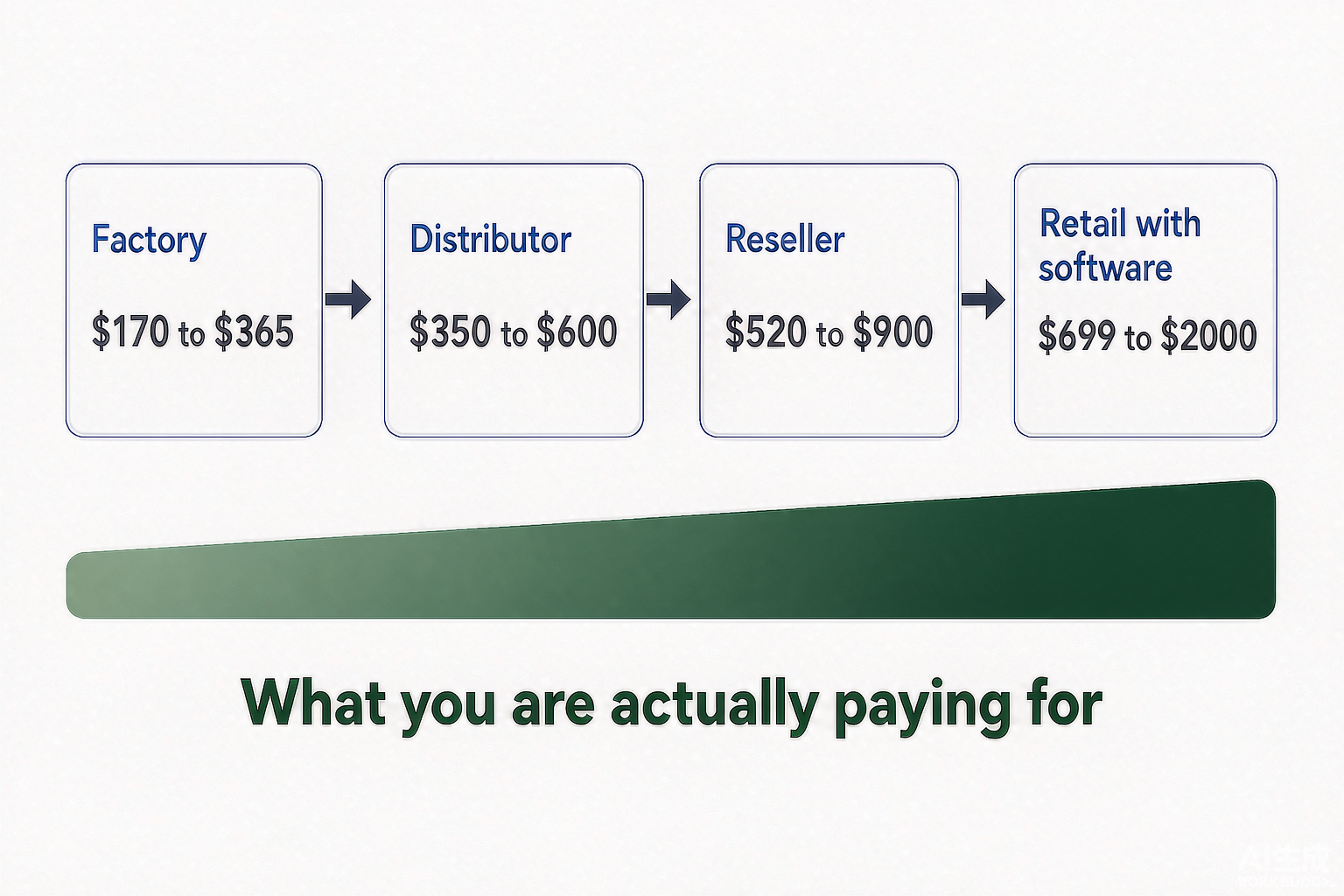
This is the section we are qualified to write and most cost guides are not. When you buy a POS terminal from a local reseller, you are not buying a terminal. You are buying a terminal plus local stock, plus a software relationship, plus a support contract, plus a brand. The terminal is the cheapest part of that bundle, and it is also the only part you can buy directly.
Manufacturers publish unit prices on B2B marketplaces, and those published bands are far below US retail list prices for comparable hardware. The table below places the two side by side.
| Component | Factory band (published by manufacturers) | Typical US retail price | Approximate multiple | What the difference buys |
|---|---|---|---|---|
| 15.6in all-in-one POS terminal | $170 – $365 | $699 – $2,000 | 3x – 5x | Local stock, software bundling, same-week replacement |
| Dual-screen all-in-one terminal | $228 – $299 | $799 – $2,000 | 3x – 7x | Brand, integration, managed support |
| Handheld Android POS with printer | $68 – $115 | $200 – $600 | 3x – 5x | Immediate delivery, local warranty handling |
| 80mm thermal receipt printer | $45 – $130 | $150 – $400 | 2x – 4x | Local spare parts, on-site service |
| Cash drawer | $11 – $40 | $50 – $300 | 4x – 8x | Local stock, drawer insert customization |
| 2D barcode scanner | $25 – $70 | $49 – $400 | 2x – 6x | Brand support, integration testing |
| 21.5in self-service kiosk | $475 – $495 | $1,699 – $4,500 | 3x – 9x | Kiosk software, installation, payment certification |
Factory bands are USD unit prices published by manufacturers on B2B sourcing platforms in 2026, at minimum order quantities between one and fifty units. Retail bands are US list prices from published pricing pages. Multiples are illustrative and vary by specification and by channel; they are directional, not a quotation.
Why the gap exists
The gap is not a mystery and it is not automatically a rip-off. Four things sit inside it, and each one is worth something to somebody.
- Channel margin. A distributor takes a wholesale discount, a reseller takes a trade discount, and an installer takes a services margin. Three tiers of margin on the same box produces most of the multiple on its own.
- Local inventory. A reseller holding your specific configuration in a warehouse is charging you for the fact that you can have it tomorrow, and for the capital tied up in it.
- Subsidised hardware. When hardware is advertised as free or near-free, the cost has not disappeared. It has been moved into a processing rate or a contract term, where it is recovered many times over.
- Software attachment. Hardware sold alongside a software subscription is priced to support the subscription business, not to stand alone as a product. The software economics set the hardware price, not the bill of materials.
Understanding the composition changes what you should do about it. If you need a system running this week, with a local technician and a bundled software relationship, the retail price is buying you something real. If you are an integrator, a distributor, a software vendor or a growing chain buying at volume, you are paying for services you will not use, and the factory channel exists precisely for you. We wrote a separate piece on the difference between OEM and ODM POS manufacturing if you are at the point of specifying rather than buying.
Buying Direct vs Buying Local: Cost at 1, 5, 20 and 100 Units
The economics of buying direct change with volume, and so do the risks. At one unit the saving is real but the effort is disproportionate. At one hundred units the saving is large enough to fund a full technical evaluation program. The table below models a 15.6in all-in-one terminal, which is the most common unit in single-site and small-chain deployments.
| Order volume | Local reseller (per unit) | Direct from manufacturer (per unit) | Estimated landed cost (per unit) | Saving per unit |
|---|---|---|---|---|
| 1 (sample) | $699 | $230 – $365 | $275 – $455 | $244 – $424 |
| 5 | $660 | $210 – $330 | $245 – $400 | $260 – $415 |
| 20 | $620 | $185 – $300 | $203 – $340 | $280 – $417 |
| 100 | $580 | $165 – $260 | $173 – $278 | $302 – $407 |
| 500 and above | Negotiated | Negotiated | Negotiated | Project-based |
The reseller column assumes single-unit list price at one unit and typical trade discounts of 5% to 15% at higher volumes; treat it as directional. Landed cost includes freight, insurance and import duty, which is why it sits above the factory band at every volume.
Four variables move that arithmetic, and all four are manageable if they are planned for rather than discovered.
- Minimum order quantity. Sample orders are commonly available from one unit. Volume pricing tiers typically begin between 20 and 100 units. Customization is where quotes diverge most: many suppliers will not touch a logo or a firmware image below 500 units, while appearance-only changes — logo printing, packaging, boot screen — start at 50 units on our own line. A new enclosure or a structural change is quoted per project, because tooling cost rather than unit count sets that floor.
- Lead time. A standard build with the configuration fixed at order — CPU, RAM, storage, single or dual screen, MSR, NFC — runs 10 to 15 days before shipping is added. Appearance-only changes such as logo printing, packaging or a boot screen run 7 to 20 working days, because print and packaging run in parallel with assembly on a stocked unit rather than after it. New tooling or a structural change runs 15 to 50 working days. Air freight adds five to ten days; sea freight adds three to five weeks and reduces the per-unit freight cost by a factor of three to five at container volumes.
- Certification. Hardware destined for the European Union requires CE marking and equipment destined for the United States requires FCC certification. Confirm that the certificates exist and match the exact model before ordering, because retrofitting compliance after a shipment arrives is expensive and slow.
- After-sales structure. Confirm warranty length, spare-parts availability, and whether faults are handled by advance exchange or by return to base. For a single-unit buyer, return to base across a border is a genuine inconvenience; for a distributor with a bench, it is routine.
We are blunt about the case against direct buying, because it is real. If you are a single-site operator, if you have no one to handle import paperwork and a faulty unit, or if your current system has already failed and you need a replacement today, buying locally at a higher unit price is the correct decision. Direct buying pays from roughly five units upward, when the per-unit saving exceeds the cost of the learning curve. Our guide to testing POS hardware before bulk orders covers how to de-risk a first shipment.
Hidden Fees and Ongoing Costs to Budget For
Every deployment we see includes at least three fees that were not on the original quotation. None of them are unusual and none of them are inherently unfair, but all of them belong in a budget rather than in a surprise.
| Fee | Typical amount | Frequency | How to reduce it |
|---|---|---|---|
| Additional terminal license | $20 – $60 per terminal | Monthly | Confirm per-terminal pricing before signing, not per-location |
| Add-on module | $10 – $150 per module | Monthly | Buy only the modules you will genuinely use in the first six months |
| Additional location | $30 – $300 per location | Monthly | Negotiate a multi-site rate before opening the second site |
| Installation and onboarding | $100 – $500 per station | One-time | Ask for remote onboarding and self-install where the hardware allows it |
| PCI compliance fee | $75 – $199 per year, or $10 – $30 per month | Recurring | Complete the self-assessment questionnaire yourself rather than paying for it |
| Statement or monthly minimum fee | $5 – $25, or a minimum volume | Monthly | Choose interchange-plus pricing with no monthly minimum |
| Keyed-in transaction surcharge | 3.5% and above | Per transaction | Use the card reader for every sale; never type card numbers in by hand |
| Early termination fee | Remaining months of contracted fees | On exit | Avoid multi-year contracts attached to hardware |
| Hardware repair and replacement | $50 – $500 per incident | As needed | Check warranty length and whether advance exchange is included |
| Consumables | $100 – $400 per year per station | Annual | Buy 80mm thermal rolls in bulk and avoid proprietary paper formats |
The pattern is that fees attach to things you will want later: the second terminal, the fourth location, the loyalty module, the afternoon you need a technician. Ask for the full fee schedule in writing as part of the quotation, and the surprise column of that table collapses to zero.
How to Budget for a POS System: A Step-by-Step Worksheet
Budgeting a POS system is a seven-step exercise and it should take an afternoon, not a month.
- Count your stations. One terminal per checkout lane, one kitchen screen per kitchen station, and one receiving station if goods-in is a separate process.
- Choose a hardware tier. Match the tier to the environment, not to the screen size: a hot, wet or greasy environment needs a sealed chassis regardless of how many transactions you run.
- Count peripherals. Printers, cash drawers, scanners, scales, customer displays and label printers each carry a hardware cost and usually a software line.
- Estimate card volume. Take an average month from your bank statements rather than your best month, because processing cost follows the average.
- Price processing before anything else. It is the largest line in the three-year total, so it deserves the most negotiation time.
- Add software at the tier you will actually need in year two, plus the modules you will switch on. Year-one software pricing is rarely the number that matters.
- Compare three-year totals, not monthly headlines. A system that is $40 per month cheaper and 0.3% more expensive on processing loses at almost any meaningful volume.
Use this worksheet to assemble the number once.
| Budget line | Your figure | How to fill it in |
|---|---|---|
| Stations and peripherals | One terminal per lane, plus one screen per kitchen station | |
| Hardware, per station | From the component table above | |
| Hardware, total | Stations multiplied by hardware per station | |
| Software, per month | Advanced tier plus modules you will switch on in year one | |
| Software, three years | Monthly figure multiplied by 36 | |
| Card sales per month | Average month from bank statements | |
| Processing rate | Taken from your merchant agreement, not the sales pitch | |
| Processing, year one | Card sales multiplied by 12, multiplied by the rate | |
| Installation and onboarding | Quoted per station | |
| Consumables | Approximately $150 per station per year | |
| Contingency | Ten percent of the hardware and installation lines | |
| Three-year total | Hardware plus software plus processing plus installation plus consumables plus contingency |
Fill that in twice, once for the cheapest quote you received and once for the one you would actually like to own. The exercise is worth the afternoon, because the gap between the two numbers is usually much smaller than the gap between the two monthly headlines, and the decision almost always becomes obvious once it is written down. If hardware is the line you want to attack first, start from our POS hardware range and price a configuration against the worksheet before you take another quote.
Frequently Asked Questions
How much does a POS system cost for a small business?
A single-counter small business should budget $500 to $1,500 for hardware, $30 to $100 per month for software, and 2.5% to 2.9% of card sales in payment processing. That is roughly $1,000 to $2,500 in the first year before processing, or about $4,000 to $8,000 once processing is included at a typical retail card volume.
How much does a POS system cost for a restaurant?
A quick-service restaurant typically spends $900 to $2,000 on hardware and $60 to $120 per month on software. A full-service restaurant with two terminals, kitchen screens and a bar station typically spends $1,500 to $4,000 on hardware and $80 to $150 per month on software. Payment processing is the largest recurring cost in both cases, usually between 2.5% and 2.9% of card sales.
Is a POS system a one-time cost?
No. Hardware is a one-time purchase, but software is a monthly subscription and payment processing is charged on every card sale. Across three years, processing typically accounts for 60% to 80% of the total cost, which is why a system advertised as free or cheap can turn out to be the most expensive option available.
Why is payment processing the biggest POS cost?
Because it scales with sales while hardware and software do not. A terminal that costs $700 once may process several hundred thousand dollars of card volume over three years. At $40,000 per month in card sales, moving from a 2.4% rate to a 2.9% rate costs an extra $4,800 per year without buying a single piece of additional hardware.
Can I buy POS hardware directly from a manufacturer?
Yes. Many manufacturers sell direct, with minimum order quantities that start at a single sample unit. Buying direct removes distributor and reseller margin, which is typically two to four times the factory price. The trade-offs are lead time, import paperwork, certification such as CE or FCC, and after-sales logistics, so direct buying makes most sense from about five units upward.
What is the cheapest POS system I can run a store on?
The lowest realistic hardware cost for a working single-lane retail counter is around $300 to $500, using an entry-level all-in-one terminal with a built-in printer and skipping the customer display and barcode scanner. Free software tiers exist but usually carry higher processing rates, so the cheapest sticker price is rarely the cheapest three-year cost.
How much does POS software cost per month?
Entry-level plans range from $0 to $40 per month, mid-market plans from $60 to $120, and full multi-location plans from $120 to $300 or more per location. Modules such as inventory, loyalty, online ordering and advanced reporting are frequently billed separately at $10 to $150 each per month.
How much does it cost to add another POS terminal or register?
Budget $300 to $900 for the additional hardware, plus a per-terminal software license of $20 to $60 per month at most vendors. If the second lane also needs its own printer, cash drawer and scanner, add a further $200 to $350 in hardware.
Do I need to buy new POS hardware, or can I use an iPad or a PC?
A consumer tablet or PC can run a cloud POS application, but it is not built for a commercial counter. It lacks a sealed chassis, a wired peripheral bus for the cash drawer, and the thermal and power headroom for continuous shifts. It usually saves $200 to $400 upfront and costs more than that in replacements and downtime across three years.
What is the minimum order quantity when buying POS hardware wholesale?
Sample orders are commonly available from one unit. Production pricing with volume tiers usually begins at 20 to 100 units. Appearance-only customization — logo, packaging, boot screen — starts at 50 units, and a new enclosure or a structural change is quoted per project. A standard build ships in 10 to 15 days; appearance-only changes take 7 to 20 working days; new tooling takes 15 to 50 working days, all before shipping.