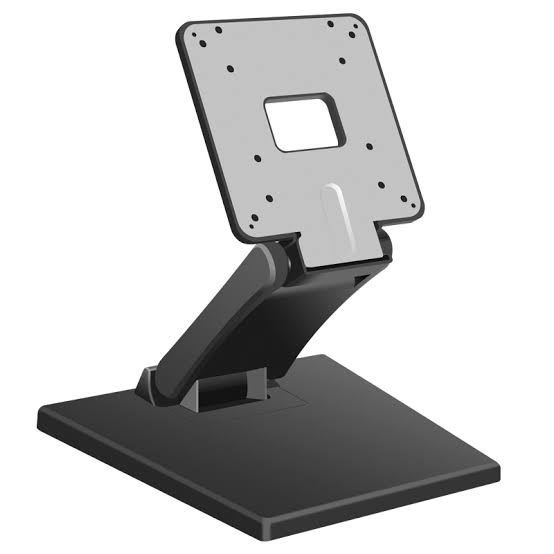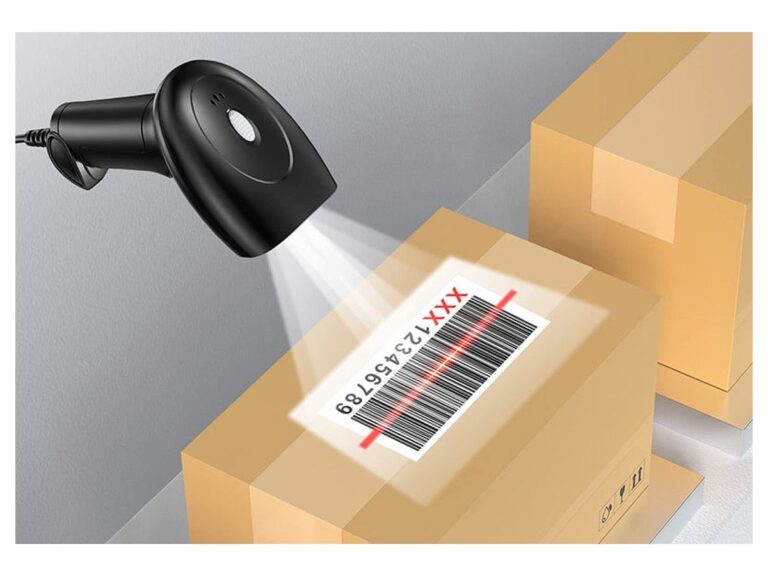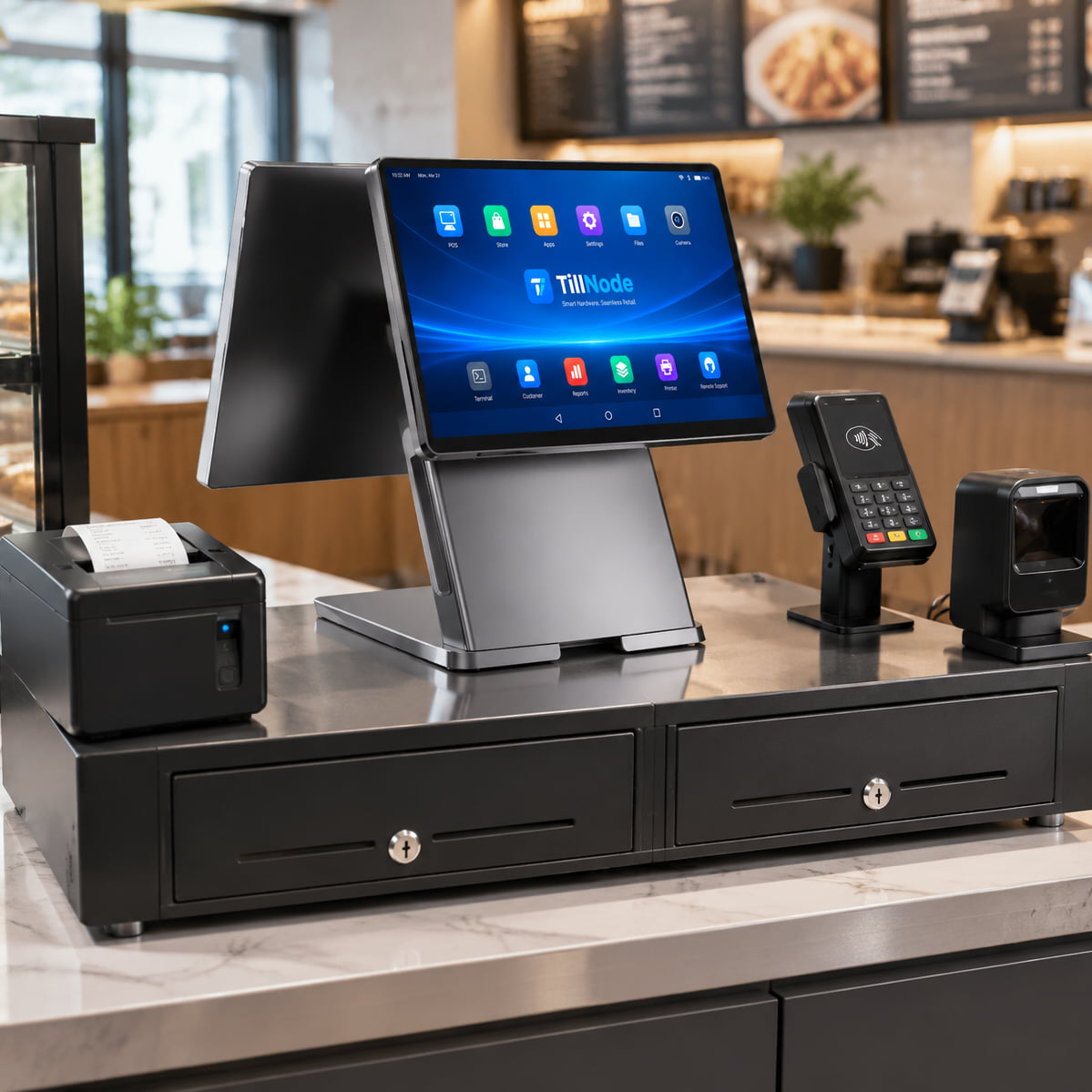
An EPOS till is the British name for a complete checkout station: a screen or terminal running the point-of-sale application, a receipt printer, a cash drawer, and usually a barcode scanner. The confusion sits in the word till. It is not the software, and it is not a synonym for cash register. It began as the name of the drawer that holds the cash and drifted, in British retail speech, into the name of the whole counter.
That drift matters commercially. A drawer is one part number. A station is four or five, and they have to fit each other, the counter and the software. This page separates the meanings, gives the vocabulary both sides of the Atlantic use for the same hardware, and ends on what to write in a request for quotation so that the reply is the thing you meant to buy.
The short answer
EPOS stands for Electronic Point of Sale. The term entered British retail vocabulary in the 1980s, when electronic registers replaced electromechanical ones, and it stuck where the older word till was already in daily use. A British buyer asking for an EPOS till is asking for the physical checkout hardware. The software is named separately, usually as the EPOS system or by its product name.
In North America the same assembly is a POS system, and till survives mostly as a regional word for the drawer. Both descriptions point at the same components. What differs is where the boundary of the word sits, which is separated in EPOS versus POS.
| Term | Where it is used | What it points at |
|---|---|---|
| EPOS till | UK and Ireland | The whole checkout station, hardware only |
| EPOS system | UK and Ireland | Software plus hardware, sold as one package |
| POS system | US and international | Software plus hardware, sold as one package |
| Cash register | US, older usage everywhere | A self-contained machine with its own drawer and printer |
| Till | UK colloquial | Three different things, covered in the next section |
| Point of sale | Neutral, contractual | The moment and place where a sale is completed |
Where the word till came from
The noun is recorded in Middle English for a small drawer or compartment used to keep money, and it is related to a verb meaning to draw or reach into something. For several centuries the till was a box set into a shop counter, and the counter was simply where you paid. When mechanical registers arrived, the drawer inside them kept the name, because it did the same job in the same place.
Two shifts then happened, and they are the reason the word is ambiguous today. First, the container came to mean its contents: the till is short by twenty pounds, the till was counted at close. Second, the part came to mean the whole: till three is open, the till is down, put it through the till. Neither shift is wrong. Both are ordinary British usage, and both are in a store manager's vocabulary on the same day.
The word also carries a verb. To till, in retail English, means to ring a sale, and a till operator is the person doing it. None of this is technical language. That is precisely why it causes problems in a specification document.
The three things a British buyer might mean
When a UK retailer says till, the referent is one of three things, and only two of them are hardware.
| Sense | How it sounds in a conversation | What to quote |
|---|---|---|
| The drawer | We need a till to go under the new counter | One drawer, one RJ11 cable, and a check that something on the lane can pulse it |
| The station | We are replacing the tills in twelve stores | Terminal, printer, drawer and scanner, sized per lane |
| The lane | Till four is closed, till six is on the express | Nothing. It is an operating concept, not equipment |
The disambiguating question takes one sentence: when you say till, do you mean the drawer under the counter, or the whole station including the screen? Ask it before quoting, because the two answers differ by a factor of four in order value and by a factor of two in sockets, and a supplier who guesses wrong loses the order on the first reply rather than the third.
What an EPOS till is made of
Six slots, of which three are close to mandatory. The list below gives the function and the interface each one presents, which is what determines whether the parts can be wired together.
| Slot | Function | Interface it presents | Optional? |
|---|---|---|---|
| Terminal or screen | Runs the POS application and hosts the ports | USB, RS-232, RJ45, RJ11 drawer port, HDMI or VGA | No |
| Receipt printer | Prints the customer copy and pulses the drawer | USB, RJ45, RS-232, Bluetooth | Only if the terminal has one built in |
| Cash drawer | Holds and secures cash | RJ11 or RJ12 kick-out | Only for card-only counters |
| Barcode scanner | Captures item codes | USB HID or RS-232 | Yes, if items are keyed or tapped |
| Customer display | Shows line items and the running total | USB, RS-232 or VFD | Yes |
| Card terminal | Takes the card payment | Standalone, or integrated through the POS software | Yes, and usually contracted separately |
The component count is not what decides the order. Sockets are. A lane built from a terminal plus a separate desktop printer needs two power sockets. An all-in-one terminal with a printer inside it needs one. The drawer needs none of its own, the scanner runs on USB bus power, and a USB customer display also draws from the host. On a counter with one twin socket behind it, that difference decides the configuration before price is discussed. The full list, with the interface and power draw of every slot across 35 models, is in our EPOS system hardware breakdown.
British and American words for the same hardware
Most of the vocabulary gap is harmless. A handful of terms are not, because they describe parts that have to be bought to a specification, and a translation that is only roughly right produces a part that does not fit.
| UK term | US equivalent | What it actually is |
|---|---|---|
| Till, till point | Checkout lane, register | The position where a customer pays |
| Till drawer | Cash drawer, register drawer | The steel drawer under or beside the counter |
| Till roll | Receipt paper roll | Thermal paper, 80 mm or 58 mm wide |
| EPOS | POS | Electronic point of sale |
| PDQ machine, card machine | Card terminal, credit card reader | The device that reads the payment card |
| Chip and PIN | EMV chip read | Card-present authentication by chip plus PIN |
| Cashing up | Closing out, end-of-day reconciliation | Counting the drawer against the system total |
| Float | Opening bank, starting cash | The cash placed in the drawer at shift start |
| X report | Mid-day report | Totals read without resetting them |
| Z report | End-of-day report, day close | Totals read and then reset for the day |
| Void | Void | A line cancelled before payment |
| Back office | Back office | Where reports, pricing and users are managed |
Three of these deserve a warning. Till roll is a width, not a generic consumable, and the width is fixed by the printer rather than by the paper order. PDQ is a British colloquialism, usually expanded as process data quickly, and it describes a payment terminal that is almost always supplied under a separate contract from the till. And Z report implies a reset: a software package that only offers a read-without-reset will fail a UK store's closing routine on the first night, regardless of how good the hardware is.
What the words change in an actual order
Till roll width is a hardware decision
A till roll is thermal paper in one of two widths, 80 mm or 58 mm, and the printer is built for one of them. Nothing else on the lane changes, but the printer does, so the decision belongs in the specification rather than in the stationery order. The trade-off is receipt length against counter space, and it is covered in detail in 58 mm versus 80 mm thermal printers.
Whether the printer needs a kick-out port
A drawer opens because something pulses it, and that something is either the printer or the terminal. In an all-in-one unit the drawer cable goes to the terminal. In a split configuration it goes to the printer, and a printer without an RJ11 port cannot drive a drawer at all, however capable it is otherwise. This is the single most common mismatch when a buyer orders a printer and a drawer from two suppliers.
The card terminal sits outside the till
A PDQ machine is not part of the till's bill of materials in most UK deployments. It is supplied by an acquirer or a payment provider, it talks to the POS software over an integration rather than a drawer port, and the only thing the till has to provide is a place to put it and, for integrated setups, a USB or serial connection. Building a quote around a card terminal that the customer already has is a fast way to look like a supplier who has not read the brief.
Do you need a till, or a till system
Four counter types, four configurations. The pattern is that cash volume and peak basket count decide the hardware, while the software decides almost nothing.
| Counter type | What sits on it | Power sockets | Why |
|---|---|---|---|
| Cafe or small shop, one lane | All-in-one terminal with an 80 mm printer inside, plus a drawer | One | The printer is in the terminal, so the drawer cable goes to the terminal |
| Grocery or convenience, high volume | Terminal, separate 80 mm printer, heavy-duty drawer, handheld scanner | Two | Serviceable printer and a drawer rated for constant cycling |
| Pop-up, market stall, event | Tablet or handheld terminal, Bluetooth printer, compact drawer or none | One to two | Weight and pack-down time matter more than cycle life |
| Card-only kiosk or counter | Terminal plus card reader, drawer optional | One | The drawer holds a float and petty cash rather than takings |
Where cash volume is high and the drawer opens hundreds of times a day, the mechanical parts become the constraint rather than the electronics. Rollers, the latch and the solenoid are what fail, and that is a separate selection exercise covered in cash drawer selection for high volume lanes.
The drawer half of the till
If the word till means the drawer, then the drawer is where the specification has to be precise. We build three, and the differences are dimensional before they are commercial.
| Model | Opening | Dimensions (W x D x H) | Net weight | Tray | Built for |
|---|---|---|---|---|---|
| SN-CD170 | Flip-top, vertical | 460 x 170 x 100 mm | 5.0 kg | 8 bill compartments, adjustable, plus 8 coin compartments on a removable tray | Counters with no depth to spare |
| SN-CD330 | Front slide | 330 x 360 x 90 mm | 3.5 kg | 3 bill and 4 coin compartments | Narrow counters and low clearances |
| SN-CD410 | Front slide | 410 x 420 x 100 mm | 6.5 kg | 5 adjustable bill slots, 8 removable coin slots, 2 front media slots | High cycle counts and check handling |
The flip-top exists for one reason: a drawer that slides forward needs its own depth in front of it, and a 170 mm deep counter does not have 420 mm to give. Opening upward trades working height for floor plan, which is the right trade in a bar or a small cafe and the wrong one under a supermarket lane where the operator reaches in constantly.
The compact model is the narrowest at 330 mm and the lowest at 90 mm, with a smaller tray to match. Three bill and four coin compartments suit a currency mix with few denominations or a lane that takes mostly card payments and keeps a float.
The heavy-duty model adds depth, mass and two front slots for checks or large notes, and specifies polyurethane ball-bearing rollers, where the compact unit carries a ball-bearing roller set without the polyurethane specification. At 6.5 kg against 3.5 kg, the difference is steel and duty rating rather than features.
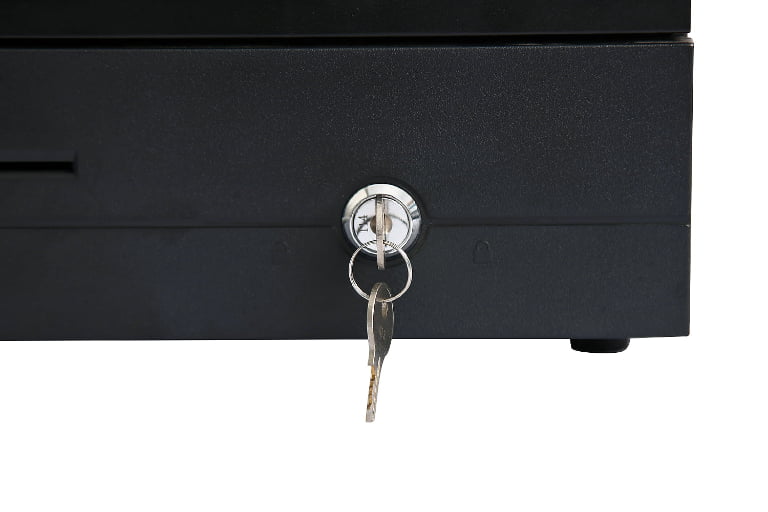
All three share the same control hardware, which is what makes them interchangeable on an existing lane: a three-position key lock for manual open, electric open and locked, an RJ11 or RJ12 interface with a built-in micro-switch, a solenoid rated for 12 V or 24 V, and a cycle life tested past one million openings. The full range, including tray layouts by currency, is on the cash drawer range page.
How the till opens, and why it sometimes does not
The drawer contains no logic. There is a solenoid, a spring and a latch, and the solenoid fires when a pulse arrives on the RJ11 pair. On our terminals and printers that pulse is 12 V. The drawer's own solenoid is rated to accept 12 V or 24 V, which is why the same drawer works on either a 12 V terminal port or a 24 V printer port without a converter. The two numbers describe different sides of the cable and should not be averaged into one.
The three-position key is worth explaining to staff, because most no-open calls end here. One position releases the latch mechanically, one leaves the drawer under electric control, and one locks it. A drawer left in the locked position will not open from the software no matter what the settings say.
The micro-switch reports open and closed state back to the POS application, which is what allows the software to insist that a sale is only completed with the drawer shut. When a drawer stops opening, the fault is found in a fixed order rather than by swapping parts: the software setting, then the driver or printer configuration, then the cable and pinout, then the solenoid. Both halves of that chain are written up separately, for a drawer that will not open at all and for a printer that prints but does not trigger.
What to put in a request for quotation
- Which meaning of till. Drawer only, or the whole station. One sentence, and it prevents the most expensive misunderstanding in this brief.
- Counter dimensions, including clearance. Width, depth and the height available above the drawer. Depth is the one that eliminates models.
- Paper width. 80 mm or 58 mm, and whether the printer is inside the terminal or beside it.
- Compartment count against the currency. The number of note and coin denominations in circulation, not the number of slots a catalog page happens to list.
- Whether the software needs drawer status. If it does, the drawer must have a micro-switch and the cable must carry the signal.
- Sockets available at the lane. Count them before choosing a split configuration.
- Card terminal ownership. Say whether the acquirer supplies it, so the quote does not include one.
- Spare parts. Drawers are mechanical, and rollers, latches and solenoids wear. Ask what ships with the order and on what terms, which is set out on our ordering terms page.
Where to go next
If the till you are replacing is an all-in-one machine with the printer built in, the equivalent today is an all-in-one POS cash register. If you are assembling a station from parts, start from the cash register range and add the drawer separately. If you are still deciding between the two shapes, the component list linked earlier in this page is the shorter route.
Frequently asked questions
Is an EPOS till the same thing as a cash register?
No. A cash register is a self-contained machine with its own drawer and usually its own printer built into one body. An EPOS till is a station assembled from separate parts: a terminal or screen, a receipt printer, a cash drawer and often a scanner. The two can look identical on a counter, but the cash register cannot be reconfigured part by part, while an EPOS till can.
Is the till the drawer or the whole checkout?
Both, depending on who is speaking. In British retail the word started as the name of the money drawer and still means that in phrases such as the till is short. It also means the whole station, as in we are replacing the tills in twelve stores, and it means the lane position, as in till four is closed. Ask which one is meant before quoting, because the hardware differs.
What does EPOS stand for?
Electronic Point of Sale. It is the British and Irish term for a checkout that records sales electronically, and it came into use in the 1980s when electronic registers replaced electromechanical ones. In North America the same thing is called a POS system. EPOS usually implies the hardware and software together, while EPOS till refers to the hardware on the counter.
Can I add a cash drawer to a tablet POS?
Yes, provided something on the lane has a drawer port. A tablet has none, so the drawer is driven by the receipt printer, which must have an RJ11 or RJ12 kick-out port. The drawer itself needs no power supply and no driver: it fires when the printer pulses the port. If the printer has no port, a small hub or a printer upgrade is the usual fix.
Do I need a cash drawer if I only take card payments?
Not for legal reasons in most markets, and many card-only counters run without one. The operational reasons to keep a drawer are a starting float for change, petty cash, and the periods when the card terminal or its connection is down. A compact drawer costs less than an hour of lost trade, which is why most card-only sites still install one.
What paper does an EPOS till use?
A thermal till roll, in one of two widths: 80 mm or 58 mm. The width is set by the printer rather than by the paper order, so it is a hardware decision made at specification time. Thermal rolls need no ribbon and print by heat, which is why the paper has a coated face and should be stored away from heat and sunlight.